

Bildung App Vorlagen

Schulmanagement App
Eine Schulmanagement App wird von Schulen und Bildungseinrichtungen benutzt, um Schülerinformationen zu erfassen und aufzubewahren. Unsere Schulmanagement App fasst vier wichtige Formulare zusammen, sodass Schuladministratoren und Lehrer Kontaktinformationen von Schülern und Lehrern erfassen, Anwesenheit prüfen und Noten von jedem Gerät aus aufzeichnen können. Jedes Formular füllt mit den Daten automatisch ein benutzerfreundliches Tabellenblatt aus, das Sie dann von Ihrem sicheren Jotform Konto aus sortieren, filtern und durchsuchen können. Passen Sie diese Schulmanagement App in Sekunden mit Jotform’s Appgenerator ohne Programmieren an. Nutzen Sie einfach Drag & Drop, um Formularelemente hinzuzufügen oder zu ändern, Formular Texte und Felder zu bearbeiten, das Farbschema zu ändern, sodass es zu Ihrer Schule passt, Ihre Insignien hochzuladen, Dokumente und externe Links anzuhängen und mehr. Wenn Sie mit der Anpassung fertig sind, können Sie Ihre App teilen, indem Sie den App Link versenden, ihn zu einer E-Mail Einladung hinzufügen oder in eine Schulwebsite für den internen Gebrauch einbetten. Lehrer und Mitarbeiter können sie dann auf jedes Smartphone, Tablet oder Desktop herunterladen und sofort benutzen. Erstellen Sie eine All-in-One App für die Verwaltung von Schülerdaten mit wenigen Klicks mit dieser kostenlosen Schulmanagement App von Jotform.
Zur Kategorie:Education Apps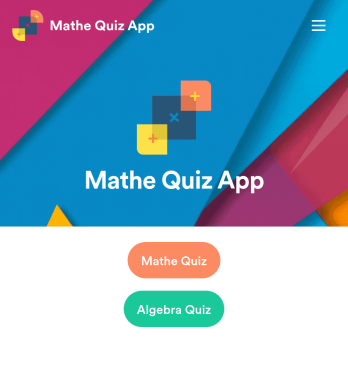
Mathe Quiz App
Erstellen Sie Mathe Quizze für Ihre Schüler und teilen Sie sie in einer kostenlosen, herunterladbaren App mit Jotform. Egal, ob Sie ein Mathelehrer oder Nachhilfelehrer sind, erstellen Sie Quizze, die nahtlos auf jedem Gerät — einschließlich Computer, Tablets oder Smartphones— ausgefüllt werden können, um Antworten online im Handumdrehen zu erfassen. Diese vorgefertigte App bietet Ihnen vorgefertigte Quizze, die die Resultate der Beantworter automatisch berechnen. Sie können Ihre eigenen Quizze hinzufügen oder existierende verändern, um anzufangen. Sobald Sie fertig sind, teilen Sie die App mit Ihren Beantwortern. Antworten werden auf Ihrem sicheren Konto gespeichert und können auf Jotform Tabellen angesehen oder mit dem Jotform Report Builder in Berichte umgewandelt werden. Passen Sie diese Mathe Quiz App mit unserem Drag & Drop Generator an. Ändern Sie das App-Logo oder den Begrüßungsbildschirm, fügen Sie neue Quizze hinzu oder aktualisieren Sie existierende und fügen Sie so viele Links, Dokumente und Fotos wie Sie möchten hinzu. Sie können sogar Berechnungen einrichten, um die Note jedes Schülers automatisch zu berechnen! Sparen Sie Zeit und Papier mit einer kostenlosen Mathe Quiz App von Jotform.
Zur Kategorie:Education Apps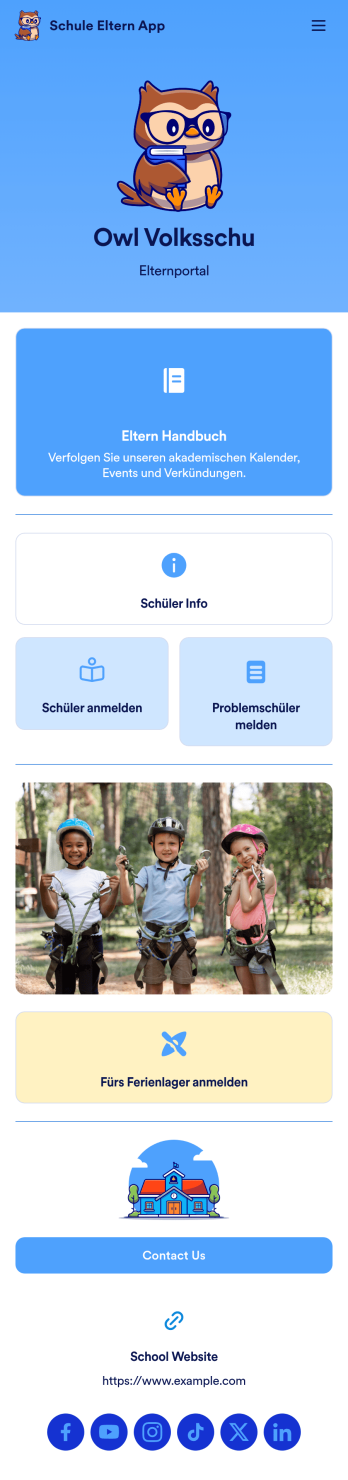
Schul-Eltern App
Eine Schul-Eltern-App ist ein Elternportal, mit dem Eltern von jedem Gerät aus auf Schülerdaten zugreifen und diese bereitstellen können. Erstellen Sie mit unserer kostenlosen Schul-Eltern-App eine mobile Elternportal-App für Ihre Schule. Diese vorgefertigte Vorlage enthält ein Schülerinformationsformular, ein Anmeldeformular für Schüler, ein Formular für Konzertberichte und ein Anmeldeformular für das Ferienlager sowie Links zu einem Elternhandbuch und der Schulwebsite. Die Eltern können Ihre App von jedem Smartphone, Tablet oder Desktop-Computer aus herunterladen und nutzen. Mit unserem Drag & Drop-Generator können Sie Ihre Schuleltern-App ganz ohne Programmierkenntnisse anpassen. Sie können Formulare hinzufügen oder entfernen, Links zu anderen Websites einbetten, Tabellen einfügen, Text aktualisieren, Ihr Schullogo hochladen und App-Einstellungen ändern. Geben Sie Ihre App an die Eltern weiter, indem Sie ihnen den Link per E-Mail schicken oder auf der Website Ihrer Schule veröffentlichen - so können sie die App auf ihren bevorzugten Geräten speichern und leicht darauf zugreifen. Geben Sie den Eltern einen sicheren Echtzeit-Zugang zu Schülerinformationen mit einer leicht zugänglichen Online-Schul-Eltern-App.
Zur Kategorie:Education Apps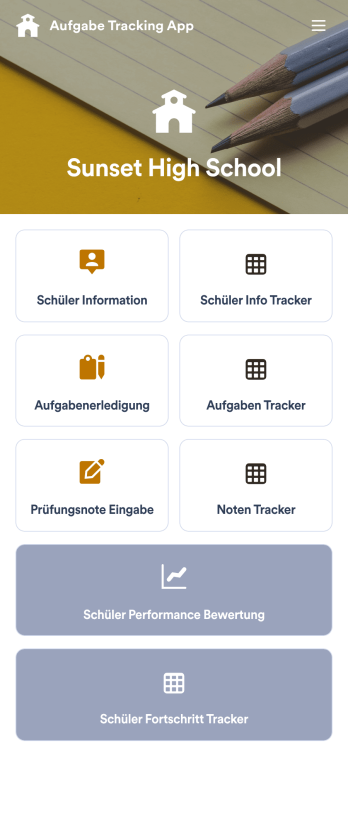
Aufgabe Tracking App
Eine Aufgabe Tracking App wird von Lehrern als All-in-One-App für das Klassenzimmer verwendet, um den Überblick über die Aufgaben und Bewertungen der Schüler zu behalten. Mit der Aufgabe Tracking App von Jotform können Lehrer Schülerinformationen, abgeschlossene Aufgaben, Testergebnisse und Leistungsbewertungen aufzeichnen. Die eingereichten Formulare werden automatisch in einer zugehörigen Tabelle zusammengestellt, in der die Lehrer die Noten und Testergebnisse in einem leicht verständlichen Format von jedem Gerät aus sortieren, filtern und durchsuchen können. Diese App-Vorlage ist sofort einsatzbereit, aber Sie können sie mit unserem intuitiven App Generator leicht an die Anforderungen Ihres Klassenzimmers anpassen. Keine Programmierung erforderlich - fügen Sie einfach per Drag & Drop Formularelemente hinzu oder tauschen Sie sie aus, bearbeiten Sie einzelne Formulare, laden Sie Bilder und Dokumente hoch, wählen Sie ein benutzerdefiniertes App-Symbol und einen Startbildschirm und vieles mehr. Wenn Sie fertig sind, können Sie Ihre eigene App auf jedem Smartphone, Tablet oder Desktop aufrufen und herunterladen. Vergessen Sie den Papierkram und verwalten Sie Ihr Klassenzimmer von einer einzigen App aus - mit dieser vollständig anpassbaren Aufgaben Tracking App von Jotform!
Zur Kategorie:Education Apps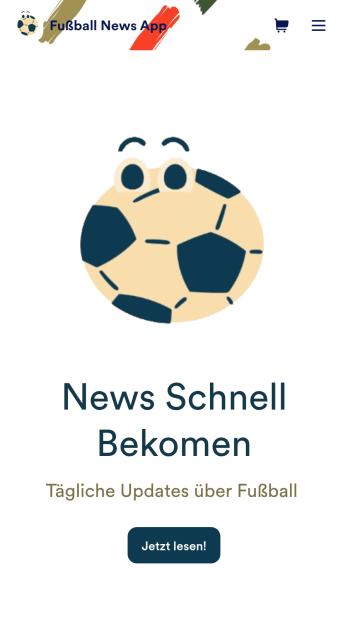
Fußball News App
Eine Fußball News App wird dazu genutzt, Fußball-News und Ergebnisse anzuzeigen und Abos von Fans zu erhalten. Als Besitzer der App können Sie Newsartikel von anderen Websites sammeln oder Ihre eigenen originellen Artikel hochladen. Fußball Fans können Ihre App auf Ihrem Lieblingsgerät herunterladen und sich anmelden, um E-Mail Updates zu bekommen, wann immer neue News oder Ergebnisse in Ihrer App sind. Die Informationen der Abonnenten wird sicher auf Ihrem Jotform Konto gespeichert. Diese Fußball News App kann mit Jotform’s intuitivem Appgenerator komplett an Ihre Bedürfnisse angepasst werden. Keine Programmierkenntnisse sind notwendig - nutzen Sie einfach Drag and Drop, um Formularelemente hinzuzufügen, neue Seiten und Formulare zu erstellen, den Begrüßungsbildschirm Ihrer App anzupassen, Ihre eigenen Bilder und Branding hochzuladen und viel mehr. Sie können sogar eine unserer mehr als 30 Zahlungsintegrationen installieren, um Geld für Premium-Abos zu verlangen. Erstellen Sie eine All-in-One Fußball News App, um Sportfans mit dieser kostenlosen Appvorlage von Jotform auf dem Laufenden zu halten.
Zur Kategorie:Education Apps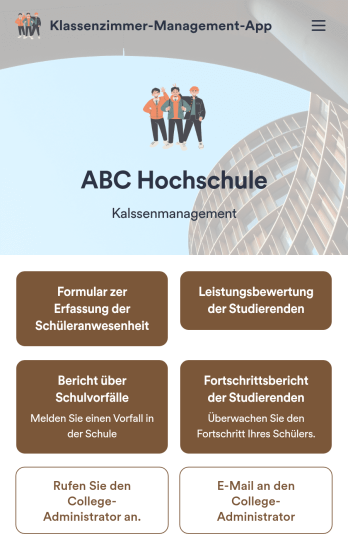
Klassenzimmer-Management-App
Eine App zur Klassenraumverwaltung wird von Schulen und Bildungseinrichtungen genutzt, um die Anwesenheit und den Lernfortschritt von Schülern zu erfassen. Diese All-in-One-App enthält vier nützliche Formulare: Lehrkräfte können die Anwesenheit mit einem Anwesenheitsformular dokumentieren, den Lernfortschritt mit einem Fortschrittsbericht festhalten, Schülerbewertungen mit einem Leistungsbewertungsformular verwalten und Vorfälle mit einem Vorfallsbericht melden. Diese App-Vorlage lässt sich ganz einfach an die Bedürfnisse Ihrer Schule oder Klasse anpassen. Dank unserer Drag-and-drop-Oberfläche können Sie Formularelemente hinzufügen oder austauschen, Texte ändern, Schriftarten und Farben auswählen, Bilder hochladen und vieles mehr – ganz ohne Programmierung. Anschließend können Sie Ihre App per Link teilen oder in Ihre interne Website einbetten, sodass Lehrkräfte von jedem Gerät darauf zugreifen und sie herunterladen können. Behalten Sie mit dieser kostenlosen App von Jotform den Überblick über den Lernfortschritt und die Leistungen Ihrer Schüler.
Zur Kategorie:Apps für die Organisation im Unterricht
RSVP-App für die Abschlussfeier
Eine RSVP-App für Abschlussfeiern dient dazu, Zu- und Absagen für bevorstehende Abschlussfeiern zu erfassen. Diese App ist ideal für Absolventen, Schulverwaltungen sowie Freunde und Familie, die die Feierlichkeiten organisieren oder planen. Nutzen Sie die kostenlose RSVP-App-Vorlage von Jotform, um loszulegen. Fügen Sie Datum und Uhrzeit Ihrer Feier, Informationen zum Dresscode und weitere Details hinzu – ganz nach Ihren Bedürfnissen. Gestalten Sie Ihre RSVP-App individuell mit dem intuitiven Drag-and-drop-App-Builder von Jotform – ganz ohne Programmierkenntnisse. Ändern Sie Schriftarten und Farben, laden Sie ein Hintergrundbild hoch, wählen Sie ein ansprechendes App-Symbol, fügen Sie Formulare hinzu oder entfernen Sie sie und vieles mehr. Integrieren Sie Ihre App in über 200 Plattformen wie Calendly und Google Kalender, um die Planung noch einfacher zu gestalten. Starten Sie noch heute mit Jotform Apps und feiern Sie eine unvergessliche Abschlussfeier!
Zur Kategorie:Eventanmeldungen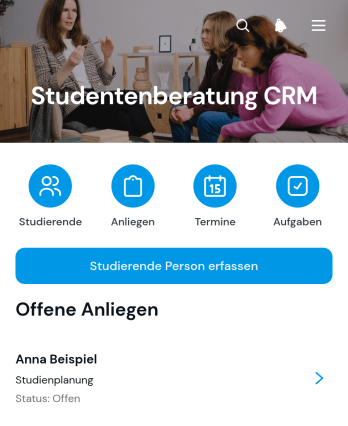
App zur Studierendenberatung und Kontaktverwaltung
Die App zur Studierendenberatung und Kontaktverwaltung bündelt die Betreuung von Studierenden für Hochschulen, Studienberatungen, Fakultäten und Bildungsanbieter an einem zentralen Ort. Beratungsteams können neue Studierende erfassen, Anliegen nach Priorität und Bearbeitungsstand ordnen sowie Beratungstermine und Nachfassaufgaben dokumentieren. Dadurch bleiben offene Fragen, vereinbarte Gespräche und anstehende Schritte leichter nachvollziehbar. Die Vorlage eignet sich für die Studienorientierung, die Begleitung während des Semesters und die koordinierte Betreuung bei fachlichen oder organisatorischen Anliegen. Beratende gewinnen einen klaren Überblick und können auch bei vielen Kontakten verlässlich arbeiten.Mit Jotform lässt sich diese App-Vorlage ohne Programmierung an die Abläufe einer Bildungseinrichtung anpassen. Über die visuelle Bedienoberfläche können Seiten, Karten, Buttons und Navigationselemente neu angeordnet sowie Farben, Schriften und Inhalte an das eigene Erscheinungsbild angeglichen werden. Verknüpfte Formulare unterstützen die Datenerfassung, während Tabellen Informationen übersichtlich zusammenführen und Benachrichtigungen wichtige Vorgänge begleiten können. Die fertige App kann per Link geteilt und auf Mobilgeräten genutzt werden. So entsteht eine mobilfreundliche Arbeitsumgebung, die Beratungsabläufe unterstützt, die Zusammenarbeit verbessert und Informationen für berechtigte Teammitglieder leichter zugänglich macht.
Zur Kategorie:CRM Apps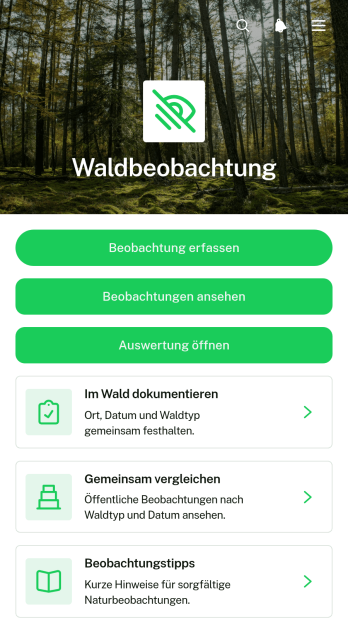
Waldbeobachtungs-App
Die Waldbeobachtungs-App ist eine digitale Vorlage zum Erfassen, Ordnen und Vergleichen von Beobachtungen aus Waldgebieten. Sie eignet sich für Schulen, Bildungseinrichtungen, Forstbetriebe, Forschungsgruppen, Naturschutzinitiativen und ehrenamtliche Arbeitsgruppen. Nutzende können neue Funde mit Beobachtungsort, Zeitpunkt, Waldtyp und erkennbaren Merkmalen dokumentieren, vorhandene Einträge ansehen und Ergebnisse auswerten. Ergänzende Beobachtungstipps unterstützen eine einheitliche Datenerfassung im Gelände. So bleiben Veränderungen, wiederkehrende Funde und Besonderheiten nachvollziehbar, ohne dass handschriftliche Notizen aus mehreren Quellen zusammengeführt werden müssen.Mit Jotform lässt sich diese App-Vorlage ohne Programmierung an unterschiedliche Beobachtungsprojekte anpassen. Der codefreie App-Generator erleichtert das Ändern von Seiten, Navigationselementen, Inhalten und Gestaltung. Formulare, Tabellen, Auswertungen und automatisierte Abläufe können miteinander verbunden werden, damit Informationen zentral verfügbar bleiben. Die mobilfreundliche Oberfläche unterstützt die Erfassung direkt im Wald sowie den späteren Zugriff im Unterricht, im Büro oder bei gemeinsamen Auswertungen. Als eine der anpassbaren App-Vorlagen von Jotform kann die Waldbeobachtungs-App über eine Webadresse geteilt und als zentrale Anlaufstelle für Beteiligte veröffentlicht werden.
Zur Kategorie:Protokolle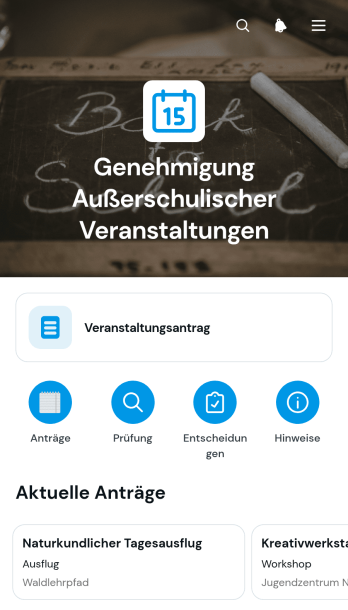
App zur Genehmigung Außerschulischer Veranstaltungen
Die Vorlage „App zur Genehmigung Außerschulischer Veranstaltungen“ unterstützt Schulen, Hochschulen, Bildungsprogramme und Vereine bei der Prüfung geplanter Aktivitäten außerhalb des regulären Unterrichts. Lehrkräfte, Betreuungspersonen und Organisatoren können neue Anträge einreichen, Veranstaltungsangaben zentral aufrufen und den jeweiligen Genehmigungsstand nachvollziehen. Wichtige Informationen zu Ort, verantwortlicher Person, Teilnehmendenzahl, Veranstaltungsrahmen und Sicherheit stehen übersichtlich bereit. Dadurch erhalten Entscheidungsträger eine einheitliche Grundlage für ihre Prüfung, während Antragstellende weniger Rückfragen beantworten müssen. Die App-Vorlage eignet sich für Ausflüge, Wettbewerbe, Arbeitsgemeinschaften, Aufführungen, Sportveranstaltungen und vergleichbare Bildungsangebote.Mit Jotform lässt sich die App ohne Programmierung an interne Abläufe und unterschiedliche Veranstaltungsarten anpassen. Der visuelle App-Generator erleichtert es, Seiten, Schaltflächen, Formulare und Genehmigungsschritte in einer mobilfreundlichen Oberfläche zusammenzuführen. Einrichtungen können die Datenerfassung mit automatischen Benachrichtigungen verbinden, Inhalte gemeinsam verwalten und die App über einen direkten Zugang teilen. So entsteht ein zentraler Bereich für Anträge, Prüfungen und Veranstaltungsinformationen, der sowohl die Selbstbedienung als auch die Zusammenarbeit zwischen Lehrkräften, Verwaltung und verantwortlichen Personen verbessert.
Zur Kategorie:Schulmanagement Apps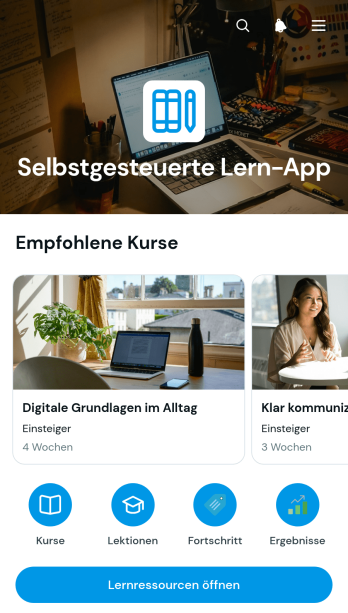
App für Selbstbestimmtes Lernen
Die App für Selbstbestimmtes Lernen ist eine anpassbare Lernumgebung für Bildungseinrichtungen, Lehrkräfte, Weiterbildungsteams, Personalabteilungen und unabhängige Kursanbieter. Lernende können Kurse nach Thema, Niveau und Dauer erkunden, auf Lernressourcen zugreifen und Lektionen in ihrem eigenen Tempo bearbeiten. Die Erfassung des Fortschritts und integrierte Selbsttests machen abgeschlossene Inhalte und den aktuellen Lernstand nachvollziehbar. Diese App-Vorlage eignet sich für berufliche Schulungen, interne Weiterbildung, Nachhilfeangebote, Einführungskurse und ergänzende Lernprogramme. Sie bündelt wichtige Inhalte an einem Ort und reduziert den Aufwand für die Verteilung von Materialien und die manuelle Abfrage des Lernfortschritts.Mit Jotform lässt sich die Vorlage über einen Generator ohne Programmierung an individuelle Lernziele und Zielgruppen anpassen. Seiten, Karten, Schaltflächen, Bilder, Schriften und Navigation können über eine visuelle Oberfläche angeordnet und mit Formularen, Tabellen oder Genehmigungsprozessen verbunden werden. Automatische Benachrichtigungen unterstützen die weitere Bearbeitung erfasster Fortschritte und Selbsttests. Die fertige App kann über einen direkten Link veröffentlicht werden und bietet auf Mobilgeräten einen bequemen Zugang. So entstehen aus App-Vorlagen eigenständige Lernangebote, die Datenerfassung, Ressourcenverwaltung und selbstständiges Lernen sinnvoll miteinander verbinden.
Zur Kategorie:Ressourcen & Lernportal Apps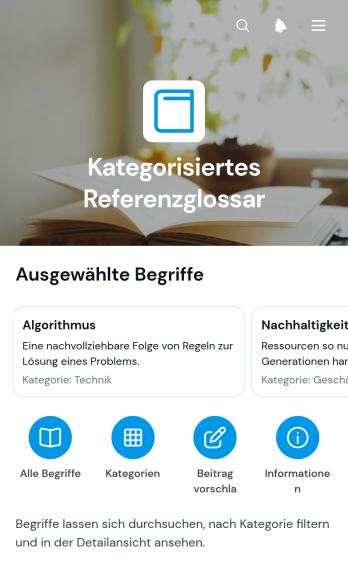
App für ein kategorisiertes Referenzglossar
Die App für ein kategorisiertes Referenzglossar bündelt Fachbegriffe, Erläuterungen und ergänzende Hinweise in einer leicht zugänglichen Wissenssammlung. Nutzer können Begriffe gezielt nachschlagen, Einträge nach Kategorien durchsuchen und neue Beiträge zur Erweiterung des Glossars vorschlagen. Die App-Vorlage eignet sich für Bildungseinrichtungen, Beratungen, Personalabteilungen, Projektgruppen, Verbände und Unternehmen, die einheitliche Begriffsdefinitionen bereitstellen möchten. Beispiele, verwandte Begriffe und Quellen erleichtern das Verständnis und helfen dabei, Missverständnisse in Schulungen, internen Abläufen, Fachprojekten oder der Kundenkommunikation zu vermeiden.Mit Jotform lässt sich diese App-Vorlage ohne Programmierung an eigene Themengebiete, Zielgruppen und Gestaltungsrichtlinien anpassen. Über den visuellen App-Generator können Seiten, Karten, Schaltflächen und Navigationsbereiche übersichtlich angeordnet werden. Verbundene Formulare unterstützen die Datenerfassung für Begriffsvorschläge, während zentral gepflegte Inhalte eine verlässliche Selbstbedienung ermöglichen. Die fertige App kann über eine Webadresse geteilt und auf mobilen Geräten genutzt werden. So entsteht in kurzer Zeit eine markengerecht gestaltete Wissensquelle, die sich bei neuen Begriffen oder geänderten Definitionen flexibel aktualisieren lässt.
Zur Kategorie:Ressourcen & Lernportal Apps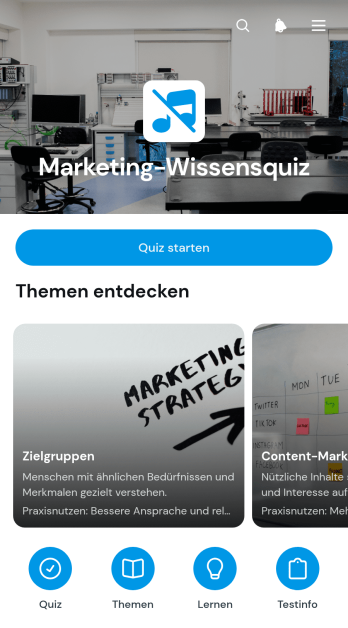
Marketing-Wissensquiz-App
Die Marketing-Wissensquiz-App bietet Unternehmen, Marketingabteilungen, Bildungseinrichtungen und Beratungsfachkräften einen zentralen Ort, um Fachwissen zu prüfen und wichtige Marketingthemen verständlich zu vermitteln. Teilnehmende können eine Themenübersicht aufrufen, passende Inhalte auswählen und das Quiz direkt starten. Die Vorlage eignet sich für interne Schulungen, Einführungskurse, Weiterbildungen, Workshops oder die Vorbereitung auf neue Kampagnen. Sie hilft dabei, Wissenslücken zu erkennen, Lerninhalte gezielter zu planen und Beschäftigte zur praktischen Anwendung ihrer Kenntnisse anzuregen. Auch Agenturen und kleinere Betriebe können damit Grundlagen zu Zielgruppen, Inhaltsplanung, Praxisnutzen und Ergebnismessung anschaulich aufbereiten.Mit Jotform lässt sich diese App-Vorlage ohne Programmierung an eigene Lernziele und Abläufe anpassen. Über die drag-and-drop-Bedienoberfläche können Seiten, Schaltflächen, Themenkarten und verknüpfte Formulare neu angeordnet oder ergänzt werden. Antworten aus dem Quiz lassen sich zentral erfassen und in angeschlossenen Arbeitsabläufen weiterverwenden. Farben, Schriftarten und Inhalte können an das gewünschte Erscheinungsbild angepasst werden. Anschließend kann die mobilfreundliche App über einen Weblink geteilt oder in eine Internetseite eingebunden werden. So entsteht mit dem App Generator schnell ein zugängliches Angebot für selbstständiges Lernen und wiederholbare Wissensprüfungen.
Zur Kategorie:Quiz Apps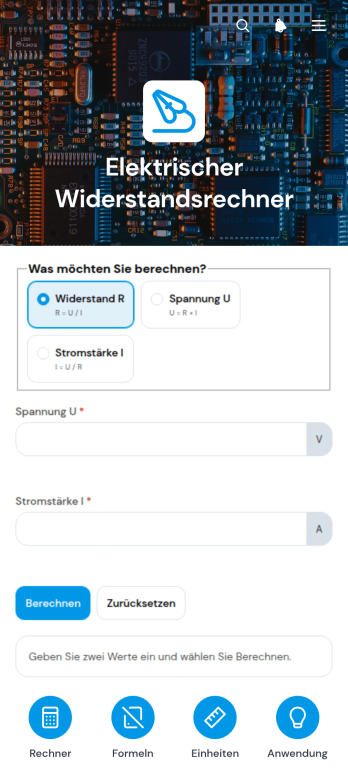
App zur Berechnung des elektrischen Widerstands
Die App zur Berechnung des elektrischen Widerstands ist eine praktische App-Vorlage für Elektrofachkräfte, Ingenieurbüros, Auszubildende, Lehrkräfte und Lernende, die Widerstandswerte im Arbeits- oder Unterrichtsalltag schnell ermitteln möchten. Nutzer können eine Berechnung starten, Widerstandswerte umrechnen und bei Bedarf passende Formeln nachschlagen. Damit eignet sich die App für technische Schulungen, Werkstätten, Baustellen, Wartungsarbeiten und Bildungseinrichtungen. Sie bündelt häufig benötigte Rechenhilfen an einem zentralen Ort, reduziert den Aufwand bei wiederkehrenden Aufgaben und unterstützt nachvollziehbare Ergebnisse. Auch kleinere Betriebe können sie als gemeinsame Arbeitshilfe für Berechnungen und zur Selbstbedienung bereitstellen.Mit Jotform lassen sich solche App-Vorlagen ohne Programmierung an den jeweiligen Einsatzbereich anpassen. Der App-Generator bietet eine übersichtliche Oberfläche, über die Seiten, Schaltflächen, Verweise und Inhalte nach Bedarf angeordnet werden können. Ergänzende Formulare ermöglichen die Datenerfassung, während verbundene Tabellen Ergebnisse und Angaben geordnet zusammenführen. Farben, Schriftarten und Inhalte können an den gewünschten Auftritt angepasst werden. Anschließend lässt sich die App über einen direkten Verweis teilen und auf mobilen Geräten öffnen. So wird aus der App-Vorlage eine zugängliche technische Ressource für Arbeitsgruppen, Schulungen oder den täglichen Feldeinsatz.
Zur Kategorie:Engineering Apps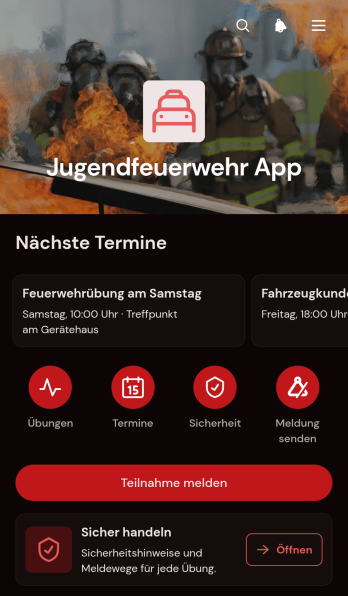
Jugendfeuerwehr-App
Die Jugendfeuerwehr-App bündelt Termine, Übungen und wichtige Sicherheitshinweise für Jugendfeuerwehren an einem zentralen Ort. Mitglieder können geplante Treffen und Themen einsehen, ihre Teilnahme melden und auf Lerninhalte zu Schutzausrüstung, sicherem Handeln und Notrufmeldungen zugreifen. Dadurch erhalten Jugendwarte, Ausbildende und organisatorische Teams eine verlässliche Grundlage für die Vorbereitung von Diensten und Übungen. Gleichzeitig wissen junge Mitglieder, wann Aktivitäten stattfinden und welche Inhalte behandelt werden. Die App eignet sich für regelmäßige Ausbildungsabende, gemeinschaftliche Aktionen und die altersgerechte Vermittlung grundlegender Sicherheitsabläufe.Mit Jotform lässt sich diese App-Vorlage ohne Programmierkenntnisse an Abläufe, Inhalte und Gestaltung der jeweiligen Jugendfeuerwehr anpassen. Der programmierfreie app generator bietet eine Drag-and-drop-Oberfläche, mit der Seiten, Karten, Buttons und verknüpfte Formulare bearbeitet werden können. So lassen sich Datenerfassung, Teilnahmemeldungen und Informationszugriff in einem übersichtlichen Workflow zusammenführen. Verantwortliche können die App per Link oder QR-Code bereitstellen und Inhalte bei neuen Terminen oder Übungen aktualisieren. Die mobilfreundliche Nutzung unterstützt Mitglieder und Betreuungsteams auch unterwegs und schafft einen leicht erreichbaren Bereich zur Selbstbedienung.
Zur Kategorie:Apps für Freiwillige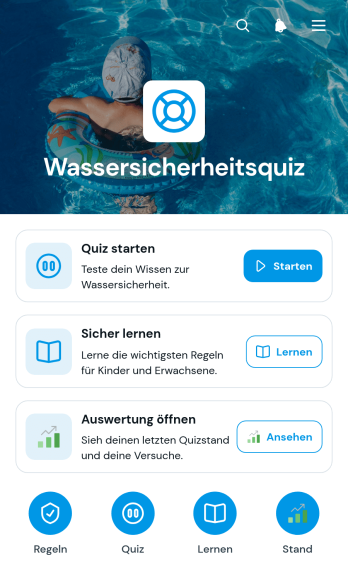
Quiz-App zur Wassersicherheit
Die Quiz-App zur Wassersicherheit ist eine interaktive App-Vorlage, mit der Schwimmschulen, Bildungseinrichtungen, Freizeitanlagen und gemeinnützige Organisationen wichtiges Sicherheitswissen rund um Wasser vermitteln und überprüfen können. Lernende, Eltern, Betreuungspersonen und Aufsichtskräfte erhalten Zugang zu verständlichen Lerninhalten, passenden Quizfragen und einer übersichtlichen Auswertung. Themen wie Aufsicht, Vorbeugung, Notruf und sichere Rettung lassen sich dadurch in Kursen, Schulungen oder Informationsangeboten leichter behandeln. Die Ergebnisse helfen Verantwortlichen, Wissenslücken zu erkennen und weitere Lernmaßnahmen gezielt zu planen.Mit Jotform kann die Quiz-App zur Wassersicherheit über ein codefreies Werkzeug zur App-Erstellung an unterschiedliche Zielgruppen und Abläufe angepasst werden. Die drag-and-drop-Bedienoberfläche erleichtert das Ändern von Seiten, Karten, Schaltflächen, Farben und Schriftarten. Verknüpfte Formulare unterstützen die Datenerfassung, während Tabellen und Workflows Antworten geordnet weiterverarbeiten können. Wie andere App-Vorlagen von Jotform lässt sich die Anwendung über eine Webadresse teilen und mobilfreundlich aufrufen. So entsteht ein zentraler Zugang für selbstständiges Lernen, wiederkehrende Schulungen und betreute Wissensprüfungen.
Zur Kategorie:Quiz Apps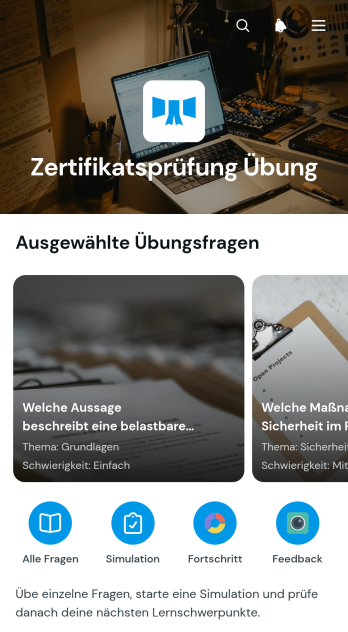
Übungs-App für Berufliche Zertifizierungen
Die Übungs-App für berufliche Zertifizierungen unterstützt Prüfungskandidaten bei der gezielten Vorbereitung auf fachliche Zertifizierungsprüfungen. Sie eignet sich für Weiterbildungsanbieter, Schulungsabteilungen, Lehrkräfte, Beratungsunternehmen und selbstständig Lernende, die prüfungsnahe Aufgaben an einem zentralen Ort bereitstellen möchten. Nutzer können Fragen aufrufen, zwischen mehreren Antwortmöglichkeiten wählen und anschließend die richtige Lösung mit einer verständlichen Erklärung prüfen. Dadurch lassen sich Wissenslücken leichter erkennen, wichtige Themen wiederholen und Lernfortschritte eigenständig festigen. Die App ist besonders hilfreich für Vorbereitungskurse, betriebliche Qualifizierungsprogramme und ergänzende Übungen zwischen Unterrichtseinheiten.Mit Jotform lässt sich diese App-Vorlage ohne Programmierung an unterschiedliche Fachgebiete, Lernziele und Prüfungsformate anpassen. Der App Generator bietet eine drag-and-drop Oberfläche, über die Seiten, Karten, Texte und Navigationselemente übersichtlich angeordnet werden können. Formulare zur Datenerfassung, Lernmaterialien und weitere Abläufe lassen sich bei Bedarf ergänzen. Bildungsteams können Inhalte zentral pflegen und die mobilfreundliche App per Link oder Einbettung bereitstellen. So entsteht eine leicht zugängliche Lernumgebung, die selbstständiges Üben fördert und Zertifizierungsvorbereitungen flexibel begleitet.
Zur Kategorie:Quiz Apps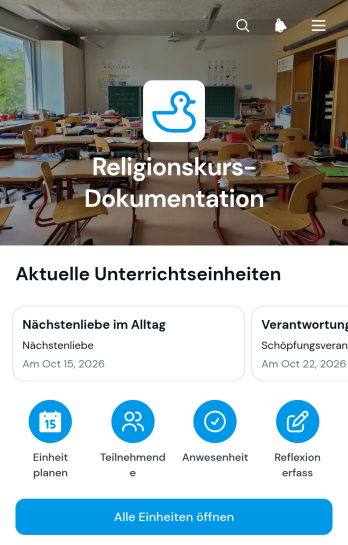
App zur Dokumentation von Religionsunterricht
Die App zur Dokumentation von Religionsunterricht ist eine digitale App-Vorlage für Gemeinden, Bildungseinrichtungen, religiöse Gemeinschaften und Lehrkräfte, die Unterrichtsaktivitäten verlässlich festhalten möchten. Unterrichtseinheiten können mit Lernzielen und Notizen dokumentiert, Anwesenheiten erfasst und anschließende Reflexionen gesammelt werden. So entsteht eine einheitliche Übersicht, die bei der Vorbereitung weiterer Stunden, der Begleitung von Teilnehmenden und der Abstimmung innerhalb der verantwortlichen Arbeitsgruppe hilft. Die Vorlage eignet sich für regelmäßige Kurse, einzelne Lernangebote, Jugendgruppen und ehrenamtlich geleitete Unterrichtsreihen.Mit Jotform kann die Vorlage über einen App-Generator ohne Programmierung an unterschiedliche Unterrichtsformen angepasst werden. Eine leicht bedienbare Oberfläche ermöglicht es, Seiten, Karten, Buttons und verknüpfte Formulare durch einfaches Verschieben anzuordnen. Verantwortliche können die Datenerfassung bündeln, Benachrichtigungen für neue Einträge einrichten und den Zugriff über eine direkte Internetadresse freigeben. Dadurch entsteht aus einer der anpassbaren App-Vorlagen eine mobilfreundliche Anlaufstelle, die Dokumentation, Zusammenarbeit und eigenständigen Zugriff auf wichtige Unterrichtsinformationen zusammenführt.
Zur Kategorie:Education Apps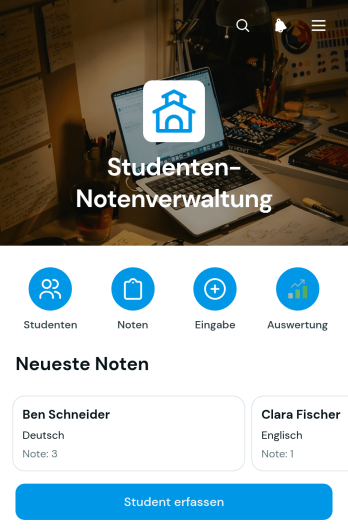
App zur Nachverfolgung von Schülernoten
Die App zur Nachverfolgung von Schülernoten ist eine digitale App-Vorlage für Lehrkräfte, Nachhilfelehrkräfte, Schulen und weitere Bildungseinrichtungen, die Leistungsdaten an einem zentralen Ort pflegen möchten. Schüler lassen sich mit Klasse und Kontaktdaten erfassen, während Prüfungsdaten, Noten und Kommentare einen nachvollziehbaren Verlauf bilden. So ersetzt die Vorlage verteilte Listen, erleichtert die Vorbereitung von Rückmeldungen und hilft, Lernentwicklungen oder Unterstützungsbedarf frühzeitig zu erkennen. Sie eignet sich für einzelne Kurse ebenso wie für fachübergreifende Abstimmungen im Kollegium.Mit den App-Vorlagen von Jotform entsteht daraus ohne Programmierung eine mobilfreundliche Arbeitsumgebung. Der App-Generator mit drag-and-drop-Bedienung unterstützt die Anpassung von Seiten, Navigation und Gestaltung, ohne dass technische Kenntnisse nötig sind. Verknüpfte Formulare und Tabellen vereinfachen die Datenerfassung, Benachrichtigungen halten Beteiligte über Änderungen auf dem Laufenden und ein passender Workflow verbindet wiederkehrende Schritte. Die App kann über einen direkten Verweis geteilt werden und bietet berechtigten Personen eine übersichtliche Selbstbedienung für Eingaben und Informationen.
Zur Kategorie:Schulmanagement Apps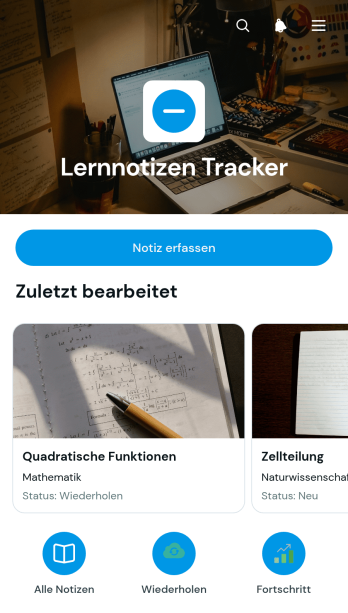
App zur Nachverfolgung von Lernnotizen
Die App zur Nachverfolgung von Lernnotizen ist eine anpassbare Vorlage, mit der Lernende ihre Notizen zentral erfassen, ordnen und später wieder aufrufen können. Sie eignet sich für Schülerinnen und Schüler, Studierende, Kursteilnehmende sowie Personen in der beruflichen Weiterbildung. Neue Einträge lassen sich schnell hinzufügen oder bearbeiten, während übersichtliche Kartenansichten den Zugriff auf vorhandene Inhalte erleichtern. Lernziele können direkt mit den jeweiligen Aufzeichnungen verbunden werden. So bleiben wichtige Erkenntnisse auffindbar, Lernfortschritte nachvollziehbar und Materialien für Prüfungen, Hausaufgaben oder wiederkehrende Lerneinheiten besser organisiert.Mit Jotform lässt sich diese App-Vorlage ohne Programmierung an persönliche Lernmethoden oder institutionelle Anforderungen anpassen. Über eine intuitive Zieh-und-ablege-Oberfläche können Seiten, Schaltflächen, Bilder und Navigationsbereiche verändert werden. Verbundene Formulare unterstützen die Datenerfassung, während tabellarische Ansichten und automatisierte Arbeitsabläufe die Verwaltung erleichtern. Die fertige App kann per direktem Freigabelink veröffentlicht und auf Mobilgeräten genutzt werden. Damit erhalten Einzelpersonen, Lerngruppen, Lehrkräfte und Bildungseinrichtungen einen leicht zugänglichen Bereich für die eigenständige Organisation von Lernnotizen.
Zur Kategorie:Planungs-Apps für Studenten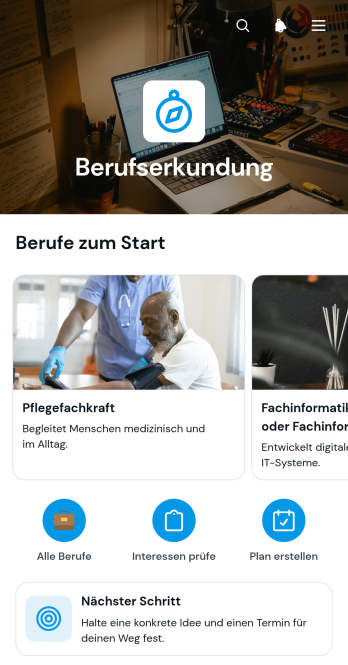
Berufserkundungs-App
Die Berufserkundungs-App ist eine anpassbare App-Vorlage für Schulen, Berufsberatungen, Bildungsträger und weitere Einrichtungen, die Jugendliche oder Erwachsene bei der beruflichen Orientierung begleiten. Interessierte können Berufsbilder durchsuchen, Angaben zu Einstieg, Ausbildung und typischen Tätigkeiten aufrufen und anschließend einen passenden nächsten Schritt planen. So werden wichtige Informationen übersichtlich an einem Ort gebündelt, während Beratende Gespräche gezielter vorbereiten und Lernende verschiedene Berufswege eigenständig vergleichen können. Die Vorlage eignet sich für Unterricht, Beratungstermine, Orientierungstage und digitale Informationsangebote.Mit Jotform lässt sich die Berufserkundungs-App ohne Programmierung an unterschiedliche Zielgruppen und Beratungsabläufe anpassen. Der app generator bietet eine visuelle Oberfläche, über die Seiten, Karten, Schaltflächen, Bilder und Formulare bearbeitet und neu angeordnet werden können. Verknüpfte Formulare unterstützen die Datenerfassung und können Benachrichtigungen oder weitere Abläufe auslösen. Nach der Gestaltung kann die mobilfreundliche App per Direktlink geteilt oder in bestehende Internetseiten eingebettet werden. Dadurch entsteht aus einer praktischen App-Vorlage ein individuell gestalteter Zugang zu Berufsinformationen und Planungshilfen.
Zur Kategorie:Job Apps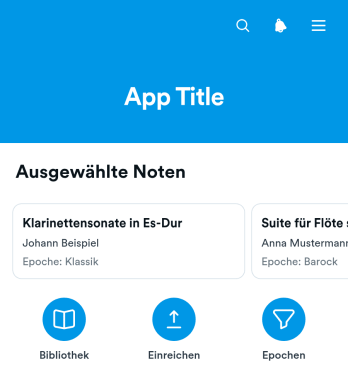
Notenbibliothek-App
Die Notenbibliothek-App ist eine digitale App-Vorlage, mit der Musikschulen, Lehrkräfte, Ensembles, Chöre, Orchester und Verwalter privater Musiksammlungen ihre Notenbestände übersichtlich zugänglich machen. Nutzer können Titel in einer zentralen Bibliothek durchsuchen, Angaben zu Besetzung und Schwierigkeitsgrad prüfen und das zugehörige Notenbild öffnen. So finden Lernende, Mitglieder und musikalische Leitungen passende Stücke schneller, ohne verteilte Ordner oder unübersichtliche Dateisammlungen durchsuchen zu müssen. Die Vorlage eignet sich für Unterricht, Probenplanung, Repertoireauswahl und die interne Bereitstellung von Übungsmaterial. Ein verbundenes Formular kann außerdem die strukturierte Erfassung neuer Einträge unterstützen.Mit Jotform lassen sich interaktive Apps ohne Programmierung an den eigenen Bestand und das gewünschte Erscheinungsbild anpassen. Der App-Generator mit Drag-and-drop-Oberfläche erleichtert es, Seiten, Karten, Schaltflächen und Navigationswege neu anzuordnen, während verknüpfte Formulare und Tabellen die Datenerfassung sowie wiederkehrende Abläufe unterstützen. Die fertige Notenbibliothek-App kann über eine eigene Webadresse geteilt und auf Mobilgeräten genutzt werden. Dadurch entsteht ein leicht zugänglicher Ort für eigenständige Recherche, aktuelle Repertoireinformationen und gemeinsame Arbeitsabläufe, der sich bei wachsenden Sammlungen jederzeit erweitern lässt.
Zur Kategorie:Ressourcen & Lernportal Apps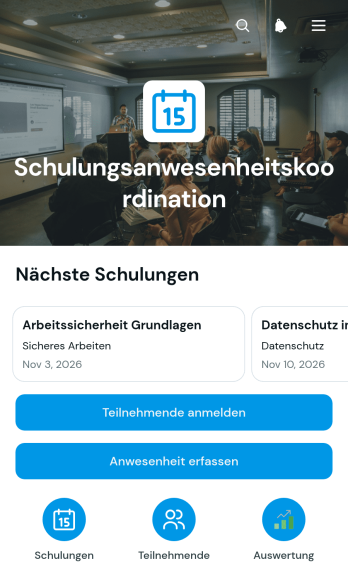
App zur Koordination der Schulungsanwesenheit
Die App zur Koordination der Schulungsanwesenheit ist eine zentral nutzbare Vorlage für Unternehmen, Bildungseinrichtungen, Personalabteilungen und Schulungsverantwortliche, die Anmeldungen und Anwesenheitsdaten zuverlässig organisieren möchten. Teilnehmende lassen sich für Schulungen anmelden, während Lehrkräfte oder Organisierende die Anwesenheit direkt erfassen können. Übersichten zu Schulungstermin, Ort und Teilnehmenden schaffen Klarheit über aktuelle Veranstaltungen und erleichtern die Nachbereitung. Dadurch werden verstreute Listen und manuelle Abstimmungen reduziert. Die Vorlage eignet sich für interne Fortbildungen, Einführungsveranstaltungen, Sicherheitsunterweisungen, Lehrgänge und wiederkehrende Weiterbildungstermine.Mit dem App Generator von Jotform kann die Vorlage ohne Programmierkenntnisse an unterschiedliche Schulungsabläufe angepasst werden. Eine übersichtliche grafische Oberfläche hilft dabei, Seiten, Schaltflächen, Inhalte und verbundene Formulare passend anzuordnen. Erfasste Angaben können zentral verarbeitet, mit automatisierten Abläufen verknüpft und für die Zusammenarbeit bereitgestellt werden. Wie andere App-Vorlagen von Jotform unterstützt sie die mobile Datenerfassung und den schnellen Selbstbedienungszugriff. Die fertige App kann über eine Webadresse geteilt werden, sodass Verantwortliche und Teilnehmende unabhängig vom Standort auf die jeweils benötigten Funktionen zugreifen können.
Zur Kategorie:Kurs- & Trainingsanmeldungen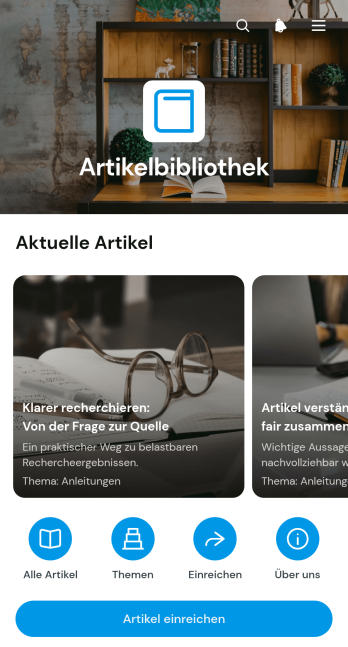
Artikelbibliothek-App
Die Artikelbibliothek-App bündelt Fachbeiträge, Anleitungen und redaktionelle Inhalte an einem übersichtlichen Ort. Redaktionen, Bildungseinrichtungen, Verbände, gemeinnützige Organisationen sowie Werbe- und Kommunikationsteams können damit Artikel zugänglich machen und thematisch geordnete Wissenssammlungen bereitstellen. Leser können Beiträge durchsuchen und aufrufen, eigene Artikel über ein verbundenes Formular einreichen und interessante Inhalte teilen. So gehen wertvolle Informationen nicht in verstreuten Dateien oder Nachrichten verloren und Verantwortliche erhalten einen zentralen Ausgangspunkt für Veröffentlichung, Wissenstransfer und gemeinsames Lernen.Mit Jotform lässt sich diese Vorlage ohne Programmierkenntnisse an die eigenen Inhalte, Farben und Abläufe anpassen. Der App-Generator bietet eine Oberfläche zum Ziehen und Ablegen, über die Seiten, Karten, Schaltflächen und Navigationsbereiche unkompliziert angeordnet werden können. Formulare unterstützen die Datenerfassung für neue Beiträge, während verbundene Tabellen und Benachrichtigungen die weitere Bearbeitung erleichtern. Die mobilfreundliche Artikelbibliothek-App kann über einen direkten Verweis geteilt und als zentrale Selbstbedienungsquelle für Leser, Mitglieder, Beschäftigte oder Lernende veröffentlicht werden.
Zur Kategorie:Ressourcen & Lernportal AppsÜber Bildung App Vorlagen
Bildungs-Apps sind spezialisierte Mobil- und Web-Apps, die Bildungsprozesse in unterschiedlichen Umgebungen unterstützen. Sie decken Aufgaben wie die Einschreibung von Lernenden, die Stundenplanerstellung, die Aufgabenverwaltung und die Kommunikation zwischen Lehrenden und Lernenden ab. Von diesen Apps profitieren Schulen, Universitäten, Bildungsberatungen und Ausbildungszentren, in denen große Datenmengen anfallen, eine reibungslose Kommunikation nötig ist und der Lernfortschritt verfolgt werden muss.
Jotform Apps bietet einen No-Code-App-Generator, der sich auf dynamische Bildungs-Apps konzentriert. Dank der Progressive-Web-App-Technologie (PWA) lassen sich diese Apps direkt über jeden Webbrowser installieren, ohne dass ein App-Store nötig ist. So laufen sie auf iOS- und Android-Geräten, Tablets und Desktops. Über das zentrale Datenmanagement mit Jotform Tabellen können Lehrkräfte alle Daten nahtlos integrieren und schnell aufrufen, was Workflows und Verwaltungsprozesse im Bildungsbereich erleichtert.
Warum Bildungs-Apps nutzen?
- Bildungs-Apps bündeln die Verwaltung von Schülerdaten, erleichtern so die Nachverfolgung des Lernfortschritts und nehmen Lehrkräften und Verwaltungsmitarbeitern einen Teil der Papierarbeit ab.
- Diese Apps erleichtern die Kommunikation zwischen Schülern, Lehrern und Eltern. Dank Push-Benachrichtigungen kommen wichtige Infos und Erinnerungen direkt an, sodass alle auf dem Laufenden bleiben.
- Wenn sich Abläufe in Bildungs-Apps automatisieren lassen, dauert die Bearbeitung sich wiederholender Aufgaben deutlich kürzer. Dadurch können Lehrkräfte mehr Zeit in die Lehrplanentwicklung und in die Interaktion mit den Schülern investieren.
- Bildungs-Apps lassen sich mit verschiedenen Zahlungssystemen verknüpfen, sodass Studiengebühren und andere Zahlungen unkompliziert abgewickelt werden können. Dadurch werden Finanztransaktionen effizienter und bleiben sicher.
- Dank zahlreicher Anpassungsmöglichkeiten lassen sich Bildungs-Apps an die spezifischen Anforderungen einzelner Bildungseinrichtungen anpassen. Diese Flexibilität ermöglicht es, Lernerfahrungen zu gestalten, die zu unterschiedlichen Lernumgebungen passen.
Häufige Probleme, die Bildungs-Apps lösen
- Die Verwaltung von Schülerdaten und -unterlagen ist eine der größten Herausforderungen im Bildungswesen. Bildungs-Apps bieten dafür eine zentrale Datenbank, die die Speicherung und Abfrage dieser Daten erleichtert und so den Verwaltungsaufwand senkt.
- In Bildungseinrichtungen ist die Kommunikation oft schwierig, weil Nachrichten untergehen oder zu spät ankommen. Bildungs-Apps helfen dabei, indem sie eine direkte Kommunikation über verschiedene Kanäle ermöglichen und wichtige Informationen schnell an die vorgesehenen Empfänger bringen.
- Viele Bildungseinrichtungen stehen vor Herausforderungen bei der Stundenplanerstellung und der Ressourcenzuweisung. Bildungs-Apps bieten Lösungen, indem sie Tools bereitstellen, mit denen sich der Unterricht effizient planen, Unterrichtsressourcen verwalten und eine optimale Nutzung der Räumlichkeiten sicherstellen lassen.
- Die Abwicklung von Zahlungen für Studiengebühren und andere Gebühren kann umständlich und fehleranfällig sein. Bildungs-Apps lassen sich in sichere Zahlungssysteme integrieren und ermöglichen automatisierte, zuverlässige Finanztransaktionen, die sowohl sicher als auch benutzerfreundlich sind.
- Für Bildungseinrichtungen ist es oft schwierig, mit dem technischen Fortschritt Schritt zu halten. Bildungs-Apps helfen Schulen und Universitäten, ihre Technik aktuell zu halten und bieten praktische Funktionen, die das Lernen unterstützen.
Passende Anwendungsfälle für Features
- Einrichtungen, die ihre Kommunikation vereinfachen wollen, können mit der Push-Benachrichtigungsfunktion in Bildungs-Apps alle Beteiligten schnell über Neuigkeiten informieren. So bleiben Nutzer eingebunden und verpassen keine wichtigen Hinweise.
- Schulen, die ihre Finanzabläufe effizienter gestalten möchten, können von Zahlungsintegrationen mit Plattformen wie Stripe und PayPal profitieren. Diese Funktion ermöglicht eine sichere und reibungslose Abwicklung von Schulgebühren und anderen Finanztransaktionen.
- Veröffentlichungsoptionen bieten verschiedene Zugriffsebenen, unter anderem „Öffentlich“, „Privat“ und „Unternehmenszugriff“, um vielfältige Lernumgebungen zu unterstützen. So wird sichergestellt, dass Bildungsinhalte nur der richtigen Zielgruppe zugänglich gemacht werden, wobei Datenschutz und Sicherheit gewährleistet bleiben.
- Wenn Ihre Einrichtung von überall auf Daten zugreifen muss, hilft die Kompatibilität der Jotform Apps mit iOS, Android und Desktop-Computern. Lehrkräfte und Schüler können ihre Materialien damit im Unterricht, zu Hause oder unterwegs nutzen.
- Die Drag-and-drop-Oberfläche eignet sich für Lehrkräfte mit begrenzten technischen Vorkenntnissen, weil sie die App-Erstellung vereinfacht, Anpassungen erleichtert und damit hilft, Lerninhalte aktuell und ansprechend zu halten.
So erstellen Sie eine Bildungs-App
- Wählen Sie eine für Ihre Kategorie geeignete Vorlage aus der Vorlagenliste aus oder beginnen Sie neu.
- Ziehen Sie die Elemente einfach per Drag-and-drop, um die App an Ihre pädagogischen Bedürfnisse anzupassen.
- Teilen Sie Ihre App per Link, QR-Code oder Einbettung, um sie unkompliziert an Schüler und Lehrkräfte zu geben.
Die wichtigsten Anwendungsfälle für Bildungs-Apps
- Für Führungskräfte: Vorlagen für Bildungs-Apps ermöglichen es Führungskräften, Verwaltungsprozesse innerhalb von Bildungseinrichtungen zu überwachen und zu optimieren. Durch den zentralen Zugriff auf Daten und Kommunikationswerkzeuge stellen Führungskräfte reibungslose und effiziente Abläufe sicher. Führungskräfte automatisieren Routineaufgaben und konzentrieren sich auf die strategische Planung und bessere Bildungsergebnisse.
- Für Teams: Teams in Bildungseinrichtungen, etwa Gremien oder Verwaltungsgruppen, profitieren von besserer Zusammenarbeit und Kommunikation durch Bildungs-Apps. Diese Apps bieten einen gemeinsamen Arbeitsbereich, in dem Teammitglieder auf wichtige Dokumente zugreifen, den Projektfortschritt verfolgen und effektiv kommunizieren – für bessere Teamarbeit und mehr Produktivität.
- Für Kunden: Für Schüler und Eltern bieten Bildungs-Apps eine bequeme und leicht zugängliche Möglichkeit, sich mit Bildungsinhalten auseinanderzusetzen und über den schulischen Fortschritt auf dem Laufenden zu bleiben. Diese Apps verfügen über eine benutzerfreundliche Oberfläche, über die Nutzer auf Stundenpläne, Hausaufgaben und wichtige Neuigkeiten zugreifen können, was zu einer enger vernetzten und besser informierten Bildungsgemeinschaft beiträgt.
Bildungs-Apps zusammengefasst
Bildungs-Apps, die auf dem No-Code-App-Generator von Jotform basieren, können den Betrieb von Bildungseinrichtungen effizienter und effektiver machen. Sie bieten eine zentrale Plattform für das Datenmanagement, erleichtern die Kommunikation und automatisieren administrative Abläufe. Durch moderne Technik und anpassbare Funktionen unterstützen diese Apps Schulen und Hochschulen dabei, ihren Lernenden hochwertige und ansprechende Lernerfahrungen zu bieten.
Häufig gestellte Fragen
1) Ist die Erstellung und Nutzung von Bildungs-Apps auf Jotform kostenlos?
Mit dem Starter-Tarif von Jotform können Nutzer Bildungs-Apps kostenlos erstellen und nutzen. Der Tarif richtet sich an Einzelpersonen oder kleine Bildungseinrichtungen, die die Funktionen von Jotform Apps ohne finanzielle Verpflichtung ausprobieren möchten. Sie können Apps mit grundlegenden Funktionen bauen und die Kernfunktionen der Plattform kennenlernen, bevor sie auf einen Tarif mit mehr Möglichkeiten umsteigen.
2) Sind die über die App erfassten Daten und Zahlungen sicher?
Sicherheit hat bei Jotform höchste Priorität. Alle Daten und Zahlungsvorgänge schützen wir durch strenge Sicherheitsmaßnahmen, einschließlich der DSGVO-Compliance. Sensible Informationen werden verschlüsselt und sicher gespeichert. Wer vertrauliche Bildungs- oder Finanzdaten verwaltet, kann sich daher auf einen zuverlässigen Schutz verlassen.
3) Do I need any coding skills to create an Education Apps app with Jotform?
Um mit Jotform eine Bildungs-App zu erstellen, brauchen Sie keine Programmierkenntnisse. Die intuitive Drag-and-drop-Oberfläche ermöglicht es Ihnen, Ihre App direkt an spezifische pädagogische Anforderungen anzupassen. So können Pädagoginnen, Pädagogen und Administratorinnen sowie Administratoren sich auf Inhalte und Funktionen konzentrieren, statt sich in Technik zu verlieren.
4) Can I collect payments for services directly through the app?
Ja, mit Jotform Apps können Sie Zahlungsvorgänge direkt über die App abwickeln, dank Integrationen wie Stripe und PayPal. Diese Integrationen ermöglichen es Bildungseinrichtungen, Studiengebühren und andere Zahlungen sicher und effizient abzuwickeln und bieten sowohl Administratoren als auch Nutzern ein nahtloses Erlebnis.
5) Unterstützt Jotform die Offline-Datenerfassung für Bildungs-Apps?
Ja, Jotform Apps unterstützt die Offline-Datenerfassung über die Funktion „Mobile Formulare“. In Bildungseinrichtungen mit begrenztem Internetzugang kann das hilfreich sein, weil Nutzer Daten auch ohne Verbindung erfassen und synchronisieren können, sobald wieder ein Netzwerk verfügbar ist.
6) Are Jotform Apps compatible with both iOS and Android devices?
Jotform Apps laufen sowohl auf iOS- als auch auf Android-Geräten, sodass Nutzer auf allen Plattformen das gleiche Erlebnis bekommen. Lehrkräfte und Schüler können die Bildungs-Apps also auf ihrem bevorzugten Gerät aufrufen, was den Zugang und den Komfort erhöht.
7) Wie können Bildungs-Apps die Motivation der Schüler steigern?
Bildungs-Apps steigern die Beteiligung der Schüler, weil sie interaktive Inhalte und direkte Kommunikationswege bieten. Push-Benachrichtigungen halten die Schüler auf dem Laufenden und animieren sie zum Lernen; anpassbare Inhalte sorgen dafür, dass die Materialien relevant bleiben und eine interaktivere Lernerfahrung ermöglichen.
8) Können Bildungs-Apps das Lernen auf Distanz unterstützen?
Ja, Bildungs-Apps spielen eine entscheidende Rolle bei der Erleichterung des Fernunterrichts, indem sie eine zentrale Plattform für die Bereitstellung von Inhalten, die Kommunikation und die Leistungsbewertung bieten. Dank Funktionen, die plattformübergreifende Zugänglichkeit und nahtlose Datenintegration unterstützen, ermöglichen diese Apps Pädagogen, den Schülern umfassende Lernerfahrungen zu bieten, unabhängig von deren Standort.