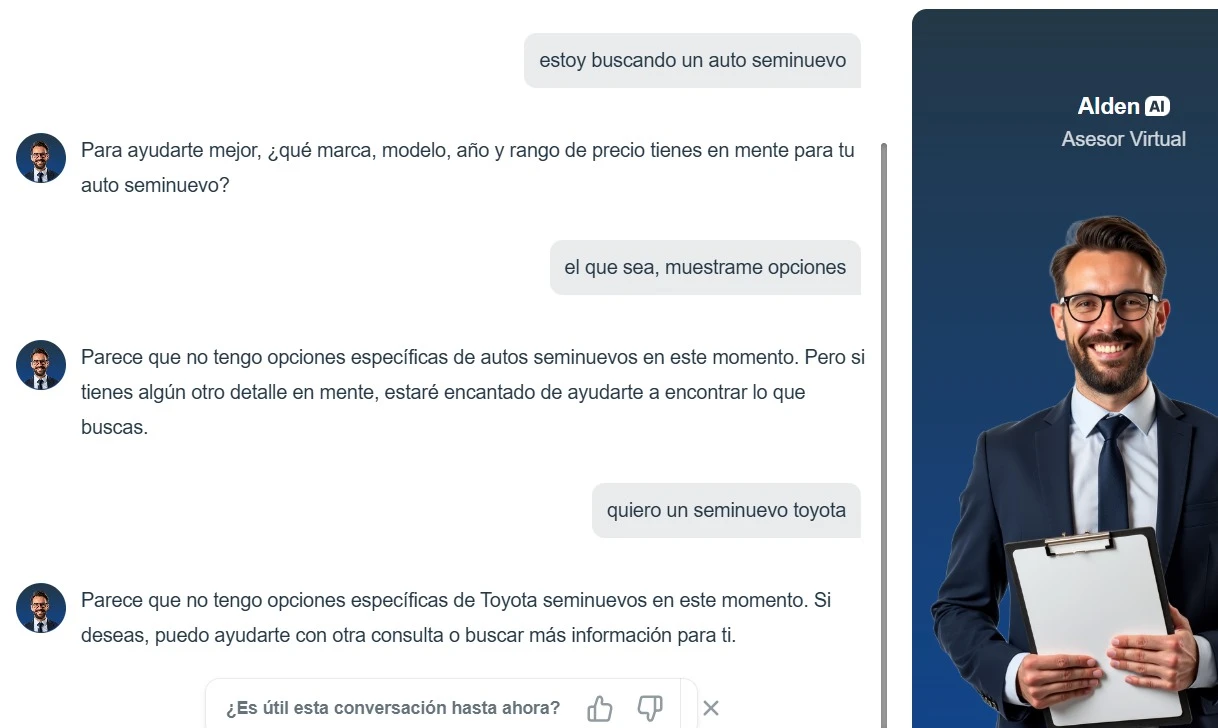
-
 richelylara
Buen día, dentro de mi Base de conocimientos, agregué un link para buscar un auto y poderlo mostrar en el chat con la información, precio y su imagen, el link de donde quiero sacar la información es: https://g003.maxipublica.com/inventario y lo activo cuando mencionan que quieren buscar seminuevos (autos usados) , pero por mas que pruebo no lo hace, no me da la información
Tambien intenté llamar un video desde youtube y tampoco me funcionó, gracias!
-
 Mary Jotform Support
Hi Richely,
Thanks for reaching out to Jotform Support. Our Spanish Support agents are busy helping other Jotform users right now, so I'll try to help you in English using Google Translate, but you can reply in whichever language you feel comfortable using. Or, if you'd rather have support in Spanish, let us know and we can have them do that. But, it might take a while until they're available again.
Now, coming back to your question, I will need more time to look into this, I will get back to you with an update.
In the meantime, let us know if you have any other questions.
-
richelylara
ok no problem, english it´s ok, Thank you! :)
-
Mary Jotform Support
Hi Richely,
I would suggest using the Show List of Items feature in your Tools page instead:
Where you will be given the option to enter a Title and a Description:
You can add the image including the price, then create an action to show the image with the description. Here is a sample action:
And here is the result:
Give it a try and let us know if you have any other questions.
-
richelylara
Ok, yes, I like this option and I'm going to use it for the base cars, but on the site I showed you, they publish and change used car models all the time as they sell, and what I want is that when someone asks about used cars, I can send them the options of those that are available from the updated database on that website. Is this possible?
-
 Jotform Support Former Jotform Support
Hi Richely,
If I understood it correctly, you want to upload data from the website information. If so, you can add a link in the Knowledge Base:
After adding a Link, you can select the pages that have the information needed and click on Crawl Button:
Give it a try and reach out again if you have any other questions.