-
 redesmedicinafacmed
Cordial Saludo,
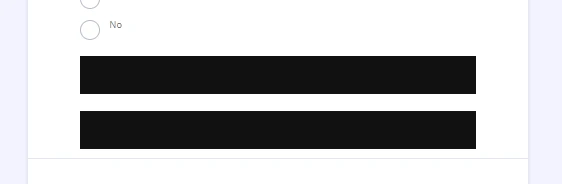
El día de hoy el widget términos y condiciones dejó de funcionar, aparece un cuadro negro en su lugar (en el editor) y aparece un "REQUIRED" en el formulario en vivo. ¿Es posible solucionar este inconveniente?
Gracias.
-
 Podo: Especialista de soporte
Hi Facultad,
This issue with the "Términos y Condiciones" widget showing a black box in the editor and displaying "REQUIRED" on the live form is a known trending issue affecting multiple users. Our team is aware of this problem and is currently investigating it.
As a temporary workaround, you might consider removing the widget and re-adding it to your form or using a different method to display terms and conditions until the issue is resolved.
Thank you for your patience and understanding.
Reach out again if you need any other help.
-
 Vishvakumar Jotform Support
Hi Redesmedicinafacmed,
Thanks for reaching out to Jotform Support. Our Spanish Support agents are busy helping other Jotform users right now, so I'll try to help you in English using Google Translate, but you can reply in whichever language you feel comfortable using. Or, if you'd rather have support in Spanish, let us know and we can have them do that. But, it might take a while until they're available again.
Now, coming back to your question, are you referring to the form Interesados Posgrados FacMedicina? If yes, when I cloned and tested your form, I could not replicate the issue. I also filled out your live form and selected the Terms and Conditions widgets, and both widgets were working as expected. I did not submit the form during my live test. Let me share the screencast below:
Give it a try and let us know how it goes.