-
 jmkinversiones
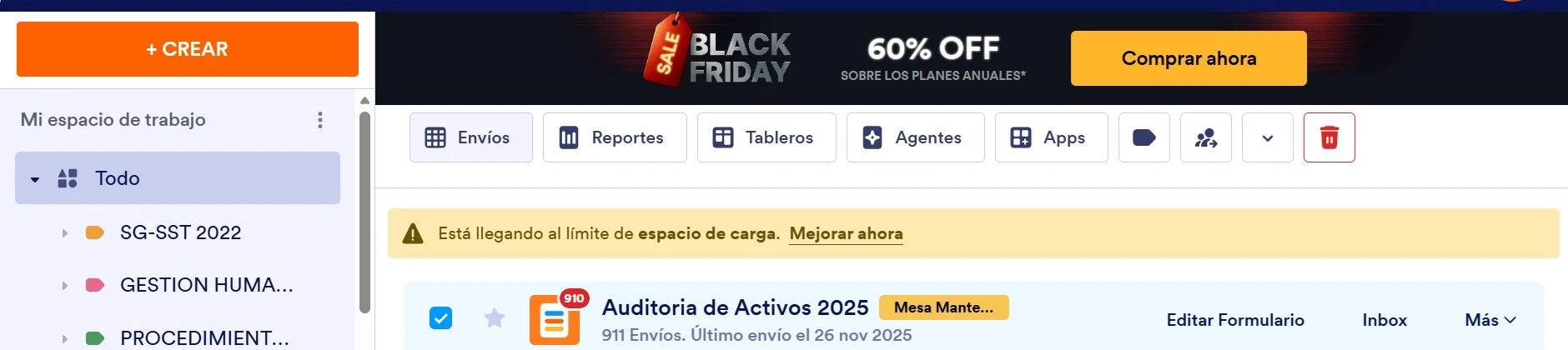
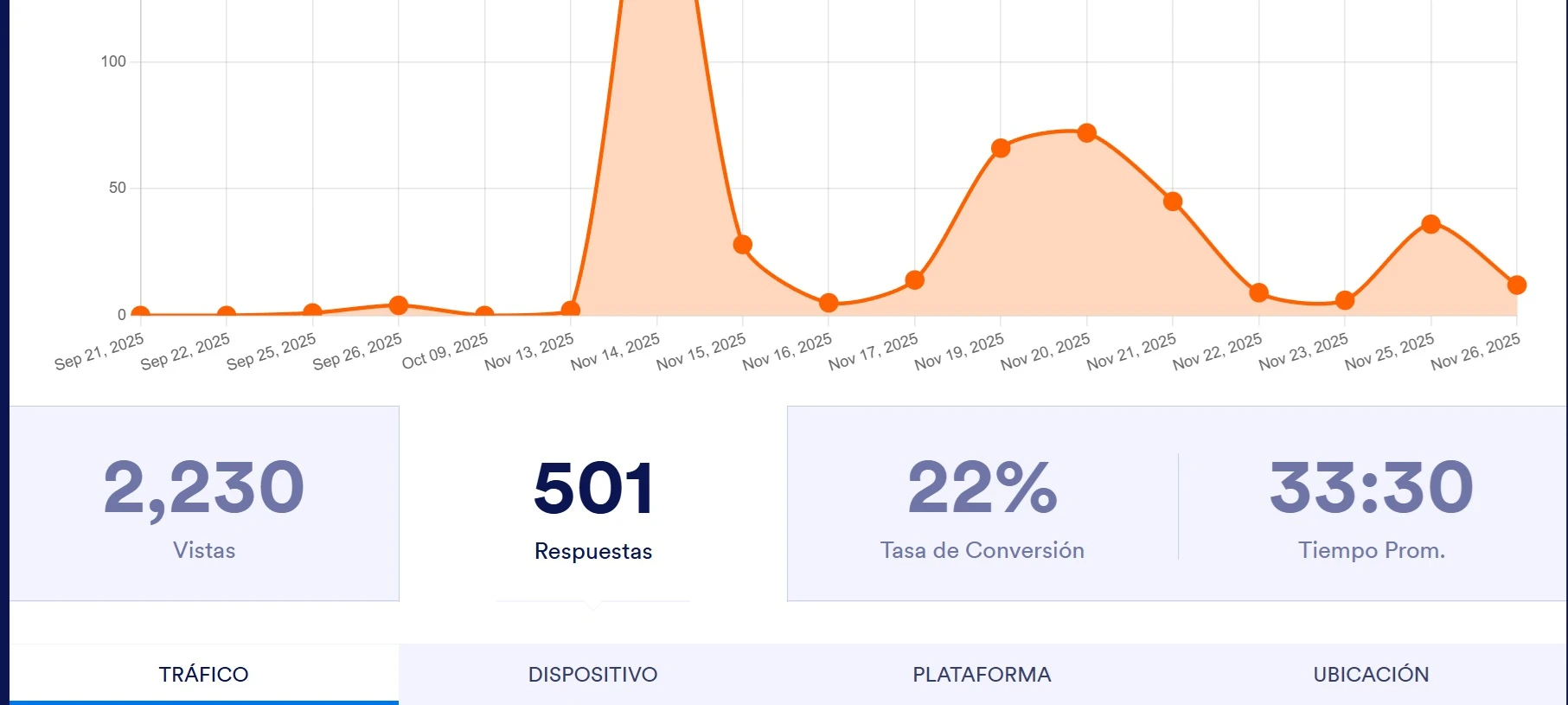
Al ingresar por la herramienta de análisis del formulario evidenciamos que las respuestas son 501 mientas que los envíos reales son 913 lo que no muestra la realidad agradezco aclara si es necesario alguna acción para la actualización adjunto imágenes
 y urls
 -
 Podo: Especialista de soporte
Hi JMK,
Thanks for reaching out to Jotform Support. I'm an AI assistant here to assist you.
Regarding the discrepancy you see between the number of responses (501) shown in the analysis tool and the actual submissions (913), this can happen if the analysis data is not fully updated or if some submissions are not counted as responses in the analytics.
To ensure your data is accurate and up to date, you can allow users to update their entries if needed, which helps keep the submission data current. Also, editing submissions directly in Jotform Tables can help correct or update entries.
Here’s how to allow submitters to update their entries:
- Go to Settings in the Form Builder.
- Select Emails and edit your Autoresponder email.
- Add the {edit_link} tag in the email content so users can update their submissions.
- Save the changes.
This way, submitters can correct or update their submissions, which will reflect in your data.
If you want to edit submissions yourself or request updates, you can do so in Jotform Tables by editing entries or sending update requests.
Let us know if you need detailed steps on any of these actions.
Give it a try and let us know how it goes.
-
 Esma
EsmaHi jmkinversiones,
Our Spanish Support agents are busy helping other Jotform users right now, so I'll try to help you in English using Google Translate, but you can reply in whichever language you feel comfortable using. Or, if you'd rather have support in Spanish, let us know and we can have them do that. But, it might take a while until they're available again.
Now, coming back to your question, I understand there is a discrepancy between the submission counts in the Form Analytics and your actual submissions.
This might be happening because of the Date Filter selected in the analytics tool. The total submission count (913) includes all historical data, while the analytics chart (503) might be showing a specific period. Can you check the date filter at the top of the analytics page and ensure it's set to cover the entire period?
If that doesn't resolve the issue, we'll need to take a closer look at your account. Please enable Jotform Support Access so we can investigate. Let me show you how:
1. In the top-right corner of your Workspace page, click on your Avatar/Profile Image icon.
2. In the Dropdown menu that opens, click on Settings.
3. Next, in the panel on the left, click on the Security tab.
4. If you haven’t opened your Security page in a while, it’ll ask you to verify. To do that, click on Send Verification Code.
5. Then, enter the Verification Code you receive in your email.
6. Finally, at the bottom of the page, toggle on Jotform Support Access.
After we hear back from you, we’ll have a better idea of what’s going on and how to help.
 y urls


 After we hear back from you, we’ll have a better idea of what’s going on and how to help.