-
 axelflores00
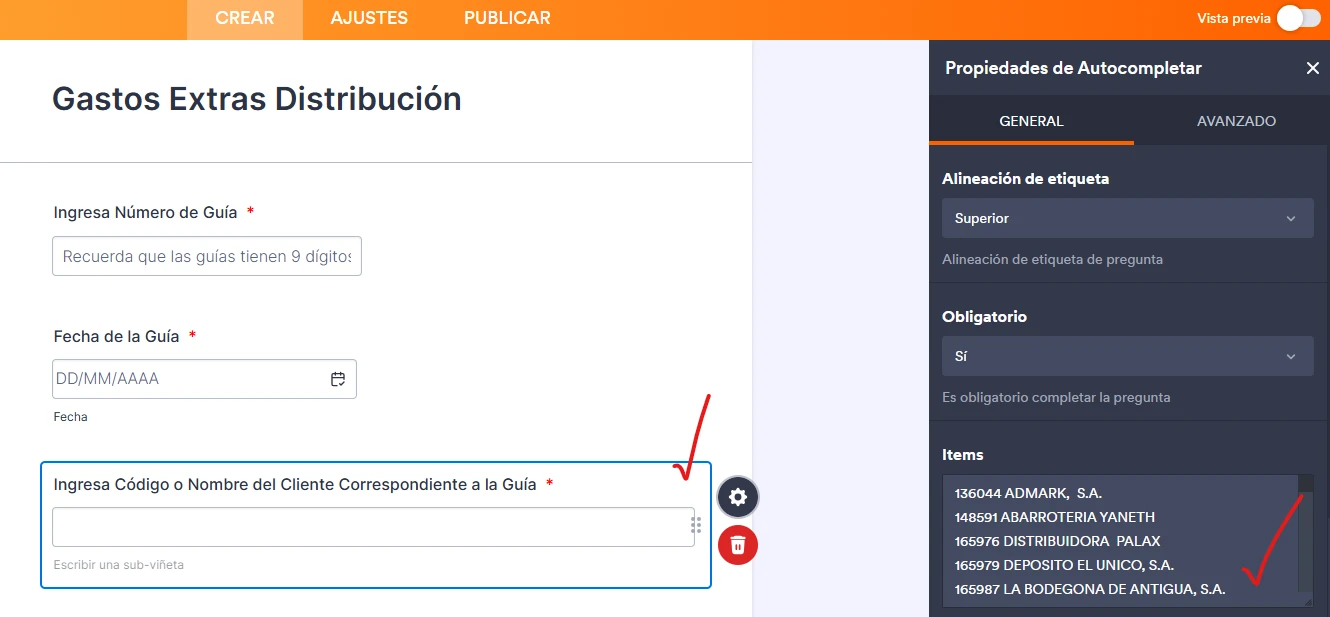
Por favor ayuda para poder configurar el widget, actualmente sólo permite 200 entradas y quisiera agregarle más.
 Page URL: https://form.jotform.com/253507276395061
 -
 Podo: Especialista de soporte
Hola Axel,
Gracias por tu consulta sobre el widget de autocompletar. Según la información disponible, no se menciona una opción directa para aumentar el límite de 200 entradas en el widget de autocompletar.
Sin embargo, algunos widgets en Jotform tienen límites predefinidos que no se pueden modificar directamente desde la configuración del widget. En estos casos, una posible solución es dividir las entradas en varias partes o usar otro tipo de widget que permita manejar más datos.
Si el widget que usas es el de Autocomplete o similar, te recomiendo revisar si puedes usar un widget alternativo como Dropdown with Paging que permite manejar listas largas dividiéndolas en páginas para facilitar la selección.
Si necesitas más ayuda específica sobre qué widget estás usando exactamente o cómo configurarlo para manejar más entradas, por favor proporciona más detalles o el nombre exacto del widget.
Quedo atento para ayudarte.
Reach out again if you need any other help.
-
 Jotform Support Former Jotform Support
Hi Axel,,
Our Spanish Support agents are busy helping other Jotform users right now, so I'll try to help you in English using Google Translate, but you can reply in whichever language you feel comfortable using. Or, if you'd rather have support in Spanish, let us know and we can have them do that. But, it might take a while until they're available again.
Now, coming back to your question, I see that you've changed it to a Dropdown Field. Note that there's still a limit for the Dropdown Field, which is 65,536 characters. To ensure the form runs smoothly and performs efficiently, character limits are applied. This helps prevent potential system slowdowns and ensures a better experience for all users.
Reach out again if there’s anything else we can do for you.