-
 TU_hipotek
Conexión con herramientas externas (ejemplo: Google Maps): Conecté un agente con la herramienta de Google Maps y le indiqué que, al preguntar por la dirección de la empresa, enviara la ubicación configurada. Sin embargo, en las pruebas realizadas no utiliza la herramienta. ¿Podrían indicarme la forma correcta de configurar y usar estas conexiones? (Anexo pantallazo de la función).

-
 Hakan Enterprise Customer Success Engineer
Hi TU_hipotek,
Thanks for using Jotform. Our Spanish Support agents are busy helping other Jotform users right now, so I'll try to help you in English using Google Translate, but you can reply in whichever language you feel comfortable using. Or, if you'd rather have support in Spanish, let us know and we can have them do that. But, it might take a while until they're available again.
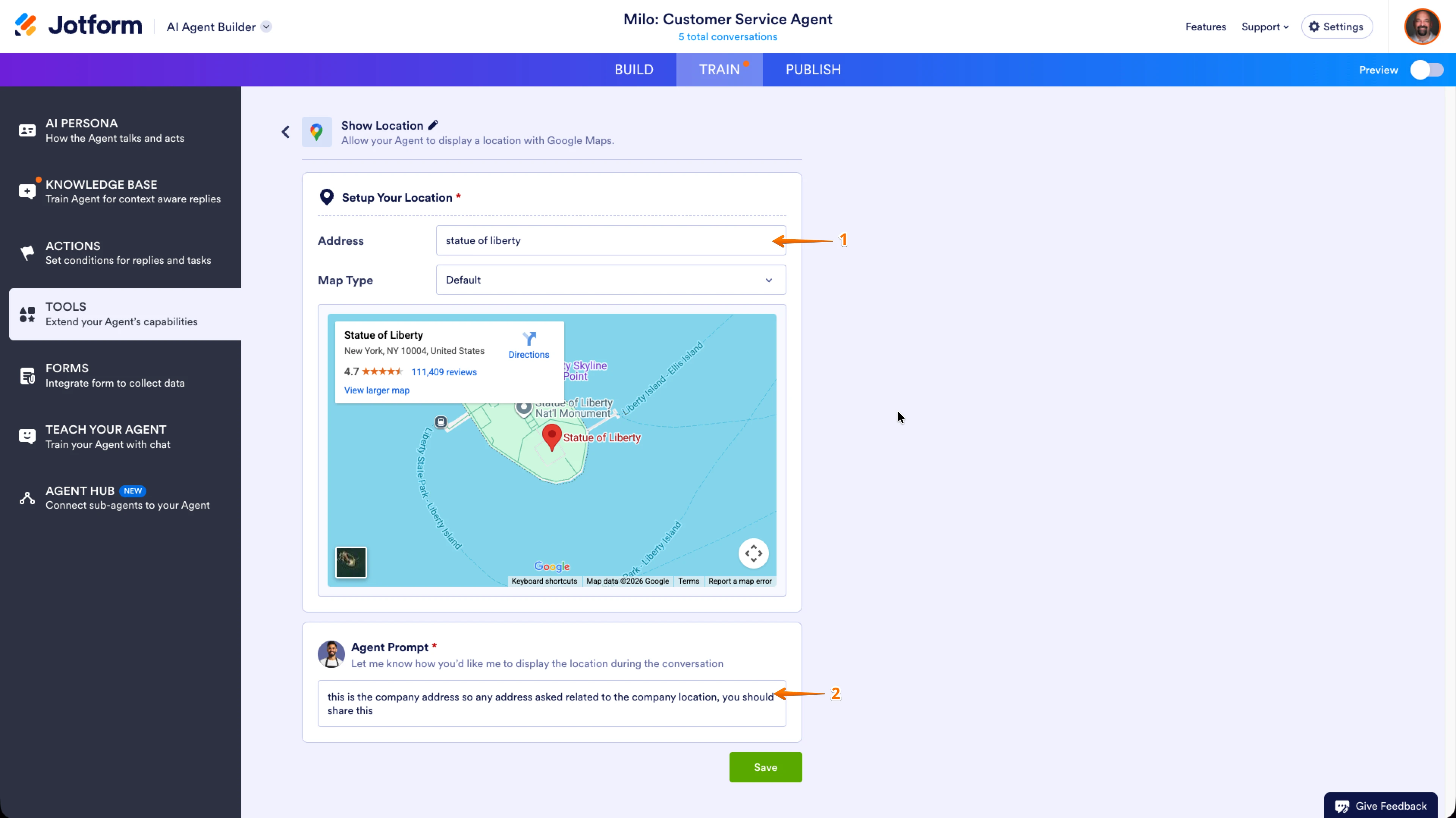
Now, coming back to your question, yes that is the way it works. I have created a demo agent and used Google Maps tool to provide that information. Let me show how I did it:
- In Address field, put your address on title to display.
- In Agent Prompt field, put a generic prompt that will come to a result of referring to address/location.
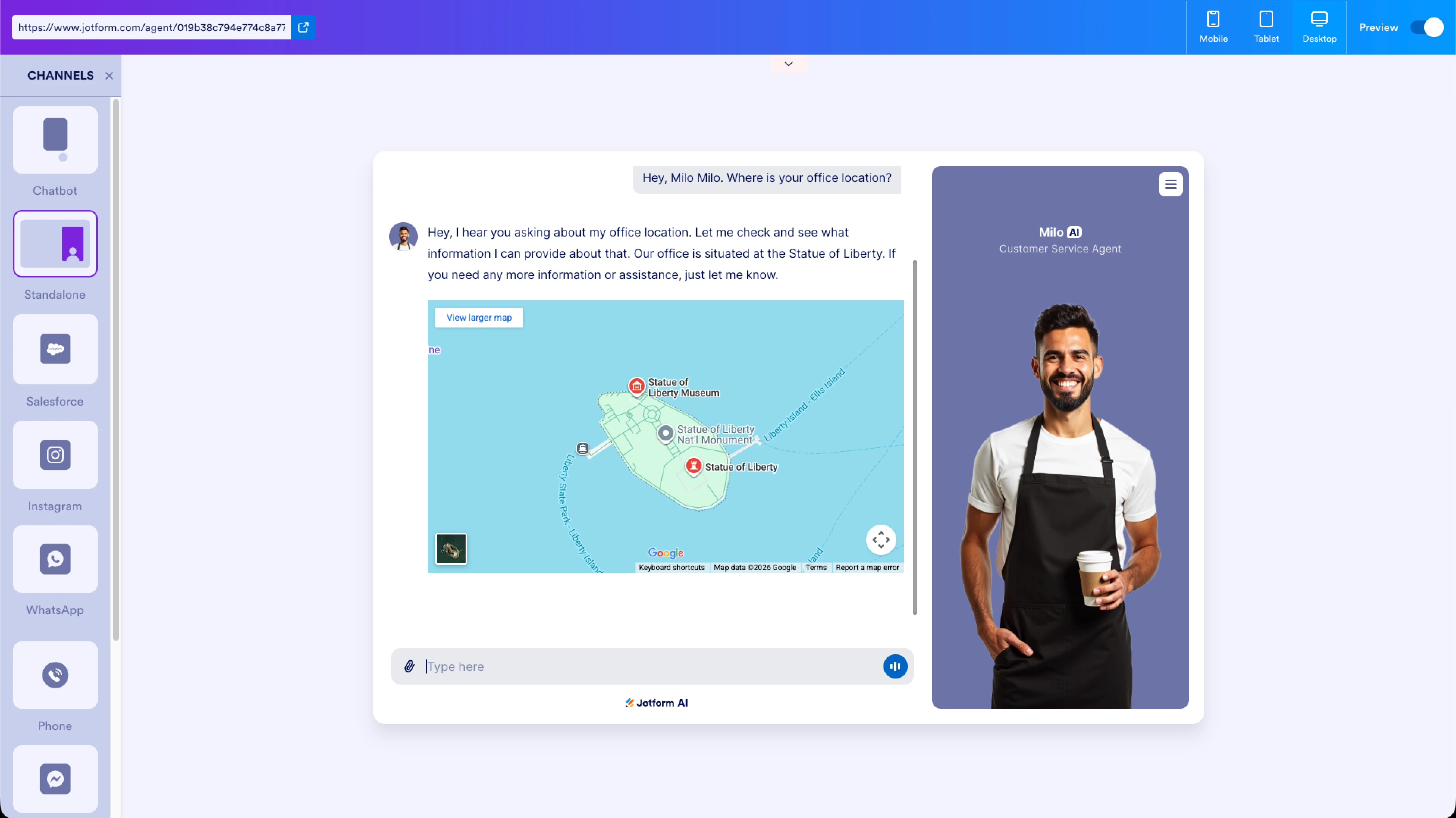
and here is the conversation I had.
Let us know if there’s anything else we can help you with.