Mi cuenta sigue sin espacio de carga aunque ya eliminé y purgué todos los envíos del formulario registro de ingreso y salida del sitio y limpié la
-
SSST WL
Mi cuenta sigue sin espacio de carga aunque ya eliminé y purgué todos los envíos del formulario registro de ingreso y salida del sitio y limpié la caché de formularios, pero el límite no se actualiza y envíalo desde tu cuenta actual.
-
 Adrian Besilla Jotform Support
Hi SST WL,
Thanks for reaching out to Jotform Support. Our Spanish Support agents are busy helping other Jotform users right now, so I'll try to help you in English using Google Translate, but you can reply in whichever language you feel comfortable using. Or, if you'd rather have support in Spanish, let us know and we can have them do that. But, it might take a while until they're available again.
Now, coming back to your question, I checked your account and it appears to be in good standing now. you haven't reached any usage limits and your Upload space is only at 647.19MB out of 10 GB. Keep in mind that most of this space is typically used for the files that people upload through your forms.
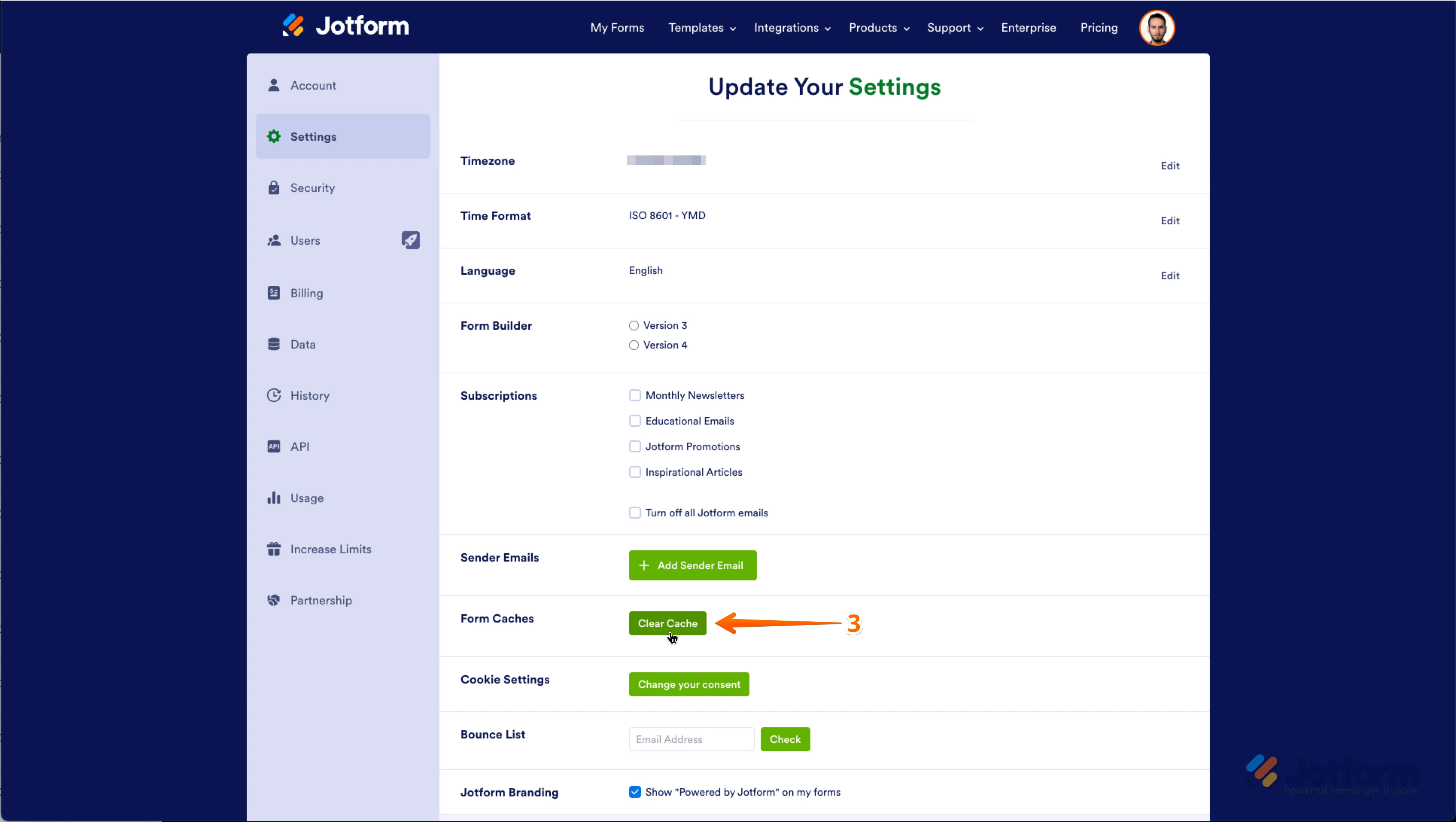
Note that once you have permanently deleted your Submissions, you will need to Clear your Form's Cache to refresh your forms. It's easy to do it manually. Let me show you how:
- On your My Workspace page, click on your Avatar/Profile Image on the top-right side of the page
- In the window that opens, click on Settings.

3. In the Settings menu, scroll down to the bottom and click on Clear Cache. And that's it, you're done.
Give it a try and let us know if you need any more help.

 G
G