-
 It_lerma
Hola buenas tardes,
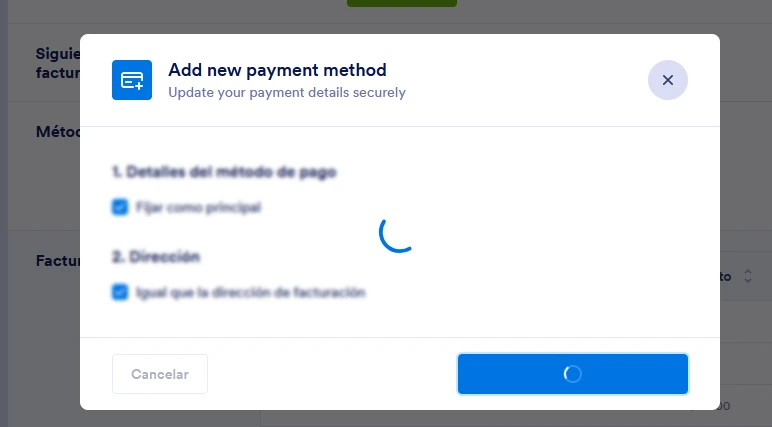
Tengo un método de facturación registrado, pero deseo cambiarlo y agregar una tarjeta de crédito, sin embargo al tratar de realizarlo el sistema se queda colgado y no me permite agregar la tarjeta en cuestión.
He intentado mediante varios navegadores web como Firefox, Edge o Chrome, en modo normal y modo incógnito así como desde el celular y el problema persiste.
¿Como podría actualizar mi medio de facturación?
De antemano gracias
-
 Podo: Especialista de soporte
Hi It_lerma,
Thanks for reaching out to Jotform Support. I'm an AI assistant here to assist you.
To update your billing payment method, especially if you want to switch from PayPal to a credit card, you will need to first downgrade your subscription to the Starter (Free) plan and then upgrade again selecting the credit card payment method. Here’s how to do it:
1. On your Workspace page, click on your Avatar/Profile Image at the top-right side of the page.
2. In the window that opens, click on Settings.
3. Under the Billing tab on the left, beside the My Plan section, click on Change Plan.
4. Click on the Downgrade button to switch to the Starter (Free) Plan. Follow the instructions in the pop-up window to complete the downgrade.
Once downgraded, you can upgrade your account again and select the credit card payment method:
1. Go to the Pricing page and click Upgrade under the plan you want.
2. Choose your payment schedule (Yearly or Monthly).
3. Enter your billing details.
4. Select Credit/Debit Card as your payment method.
5. Agree to the Terms of Service and click Pay.
6. Enter your email and credit/debit card information, then click Pay to complete the process.
This process will update your payment method successfully. If you continue to experience issues with the system hanging, please let us know.
Give it a try and let us know how it goes.
-
It_lerma
Acabo de realizar los pasos mencionados, sin embargo aun no logro agregar la tarjeta de crédito. Cabe mencionar que actualmente tengo registrado el pago via Paypal.
-
Podo: Especialista de soporte
Hi It_lerma,
Since you mentioned you have already followed the steps to downgrade to the Starter plan and then upgrade again to select the credit card payment method but still cannot add your credit card, please ensure you are completing the upgrade process fully after downgrading.
Here is a quick recap of the process to switch your payment from PayPal to a credit card:
- On your Workspace page, click your Avatar/Profile Image at the top-right and select Settings.
- Under the Billing tab, click Change Plan beside My Plan and then Downgrade to the Starter (Free) Plan.
- After downgrading, visit the Pricing page and click Upgrade under the plan you want.
- Select your payment schedule (Yearly or Monthly), enter billing details, and choose Credit/Debit Card as the payment method.
- Agree to the Terms of Service and complete the payment by entering your credit/debit card information.
If the system still hangs or does not allow you to add the card, it might be a technical issue. Please try clearing your browser cache or using a different network connection as a troubleshooting step.
Reach out again if there’s anything else we can help you with.