-
 FREEGUANA_AC
Hola,
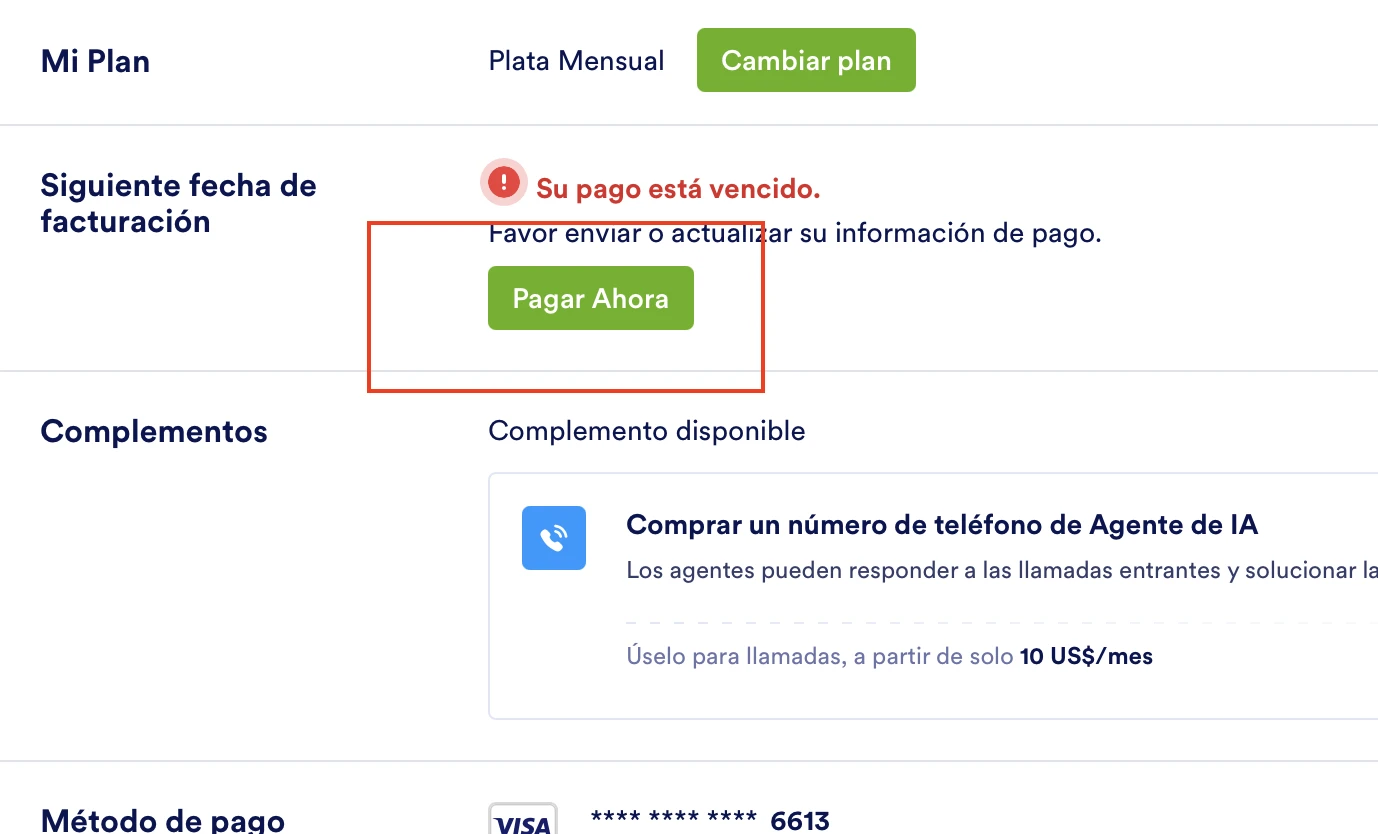
Me pueden ayudar a revisar el estatus del plan, en facturación me aparece un pago vencido, quiero pagar mensualmente mi plan pero cuando doy clic sobre pagar ahora solo me manda a agregar un método de pago. ¿Cómo lo puedo solucionar?
Gracias

-
 Podo: Especialista de soporte
Hola,
Para solucionar el problema de que al hacer clic en "Pagar Ahora" solo te lleva a agregar un método de pago, debes actualizar o cambiar la tarjeta de crédito asociada a tu cuenta en la sección de facturación.
Aquí te explico cómo hacerlo:
- Accede a la pestaña de Facturación en tu cuenta de Jotform. Si tienes un plan Starter o Free, esta pestaña no estará disponible; en ese caso, debes ir a la pestaña de Actualización (Upgrade).
- Actualiza o agrega un método de pago válido para que el sistema pueda procesar el pago mensual de tu plan.
- Una vez actualizado el método de pago, podrás realizar el pago pendiente y continuar con la facturación mensual.
Para facilitarte el acceso, puedes ir directamente a Facturación en mi cuenta.
Si sigues teniendo problemas, asegúrate de que la tarjeta que agregas esté activa y tenga fondos suficientes para procesar el pago.
Espero que esta información te sea útil para resolver el inconveniente.
Déjanos saber si tienes alguna otra pregunta.
-
FREEGUANA_AC
He realizado el proceso que mencionas, la tarjeta esta activa y con fondos. Sigo recibiendo un correo de fallo en el cargo
-
 Jerlan Jotform Support
Hi FREEGUANA_AC,
Thanks for reaching out to Jotform Support. Our Spanish Support agents are currently busy helping other Jotform users. I'll try to help you in English using Google Translate, but you can reply in whichever language you feel comfortable using. Or, if you'd rather have support in Spanish, let us know, and we can have them do that. But remember that you'd have to wait until they're available again.
About the status of your account, it shows here that it's active. Since you're changing to the Silver monthly plan, you need to downgrade the account. Let me show you how:
1. On your Workspace page, click on your Avatar/Profile Image on the top-right side of the page, and then click on Settings.
2. Under the Billing tab on the left, and beside the My Plan section, click on Change Plan.
3. Now, select Monthly and then click the Get Started under the Silver plan.
Then, you’ll see a pop-up window with extra information about the downgrade. Just follow the instructions to continue changing your plan.
Let us know if you need any more help.