-
Queremos inhabilitar la opción que tenemos en ajustes, seguridad la opción: requerir inicio de sesión para ver archivos subidos, la cual nos piden que verifiquemos si somos nosotros, pero no nos acordamos la contraseña del correo pmoformularios@gmail.com para poder verificar el código que nos envían, queremos ver si el correo que tenemos como respaldo le puede llegar esa verificación es que el siguiente lizethgarrido@farmaenlace.com
-
 Podo: Especialista de soporte
Hi Pablo,
Thanks for reaching out to Jotform Support. I'm an AI assistant here to assist you.
Para desactivar Require Log-in to View Uploaded Files, puedes hacerlo desde Workspace y luego Settings. Los pasos son estos:
- Abre tu Workspace page y haz clic en tu Profile Picture/Avatar en la parte superior derecha.
- Selecciona Settings en el menú que aparece para abrir la página de configuración.
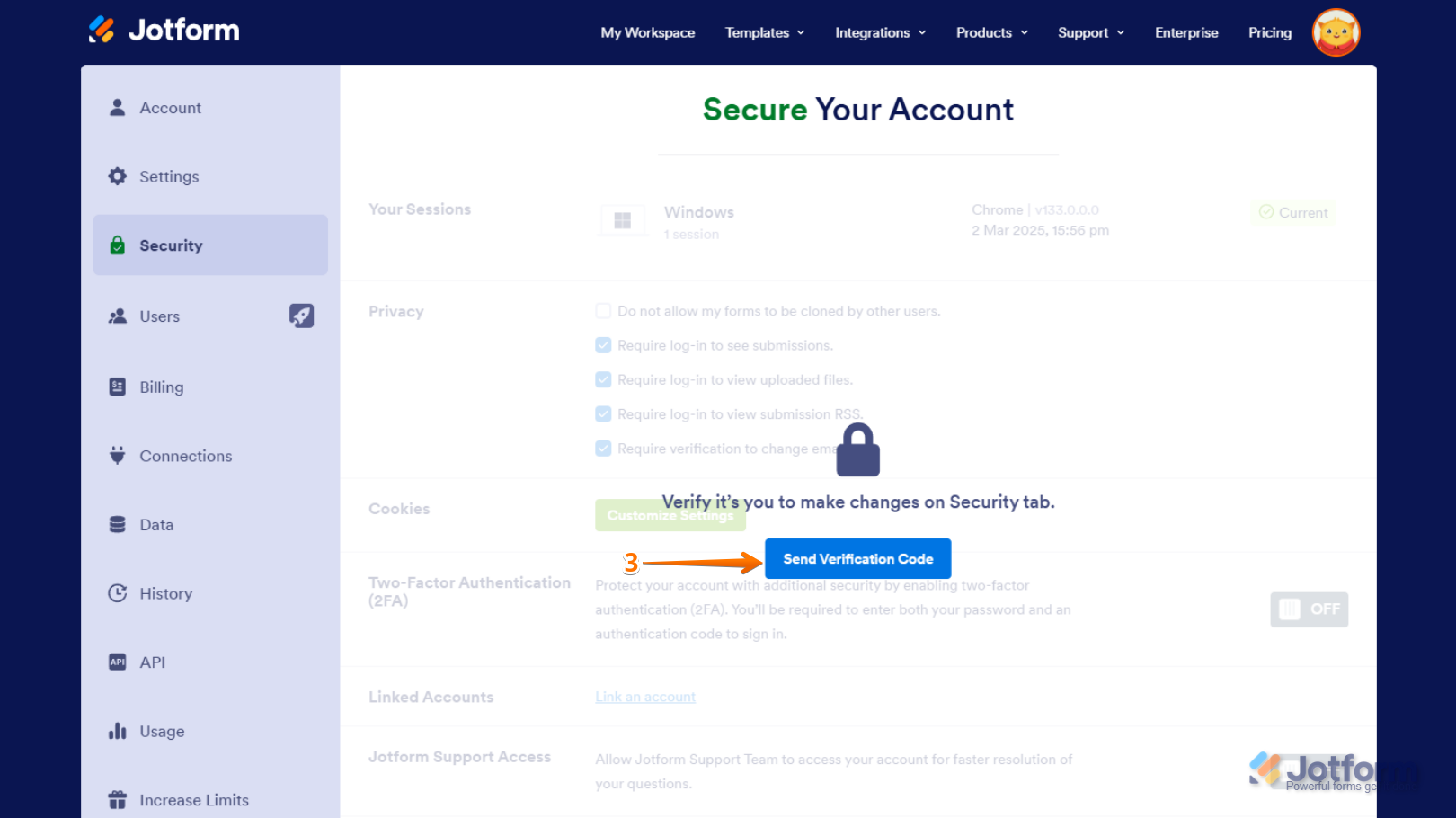
- Ve a la pestaña Security en el lado izquierdo y haz clic en Send Verification Code.
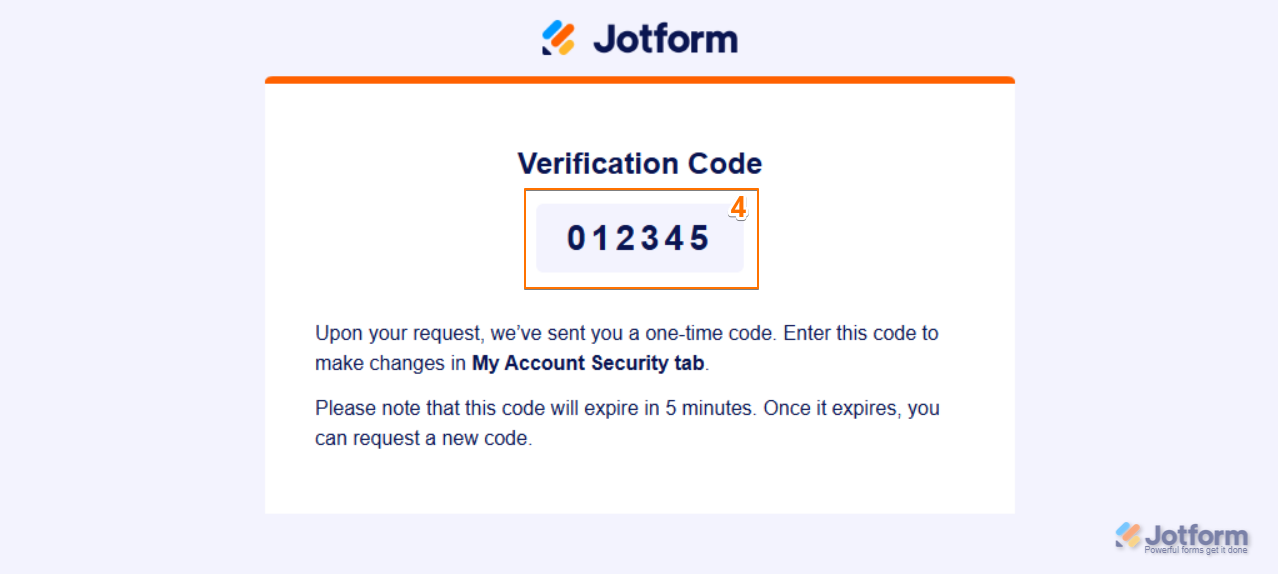
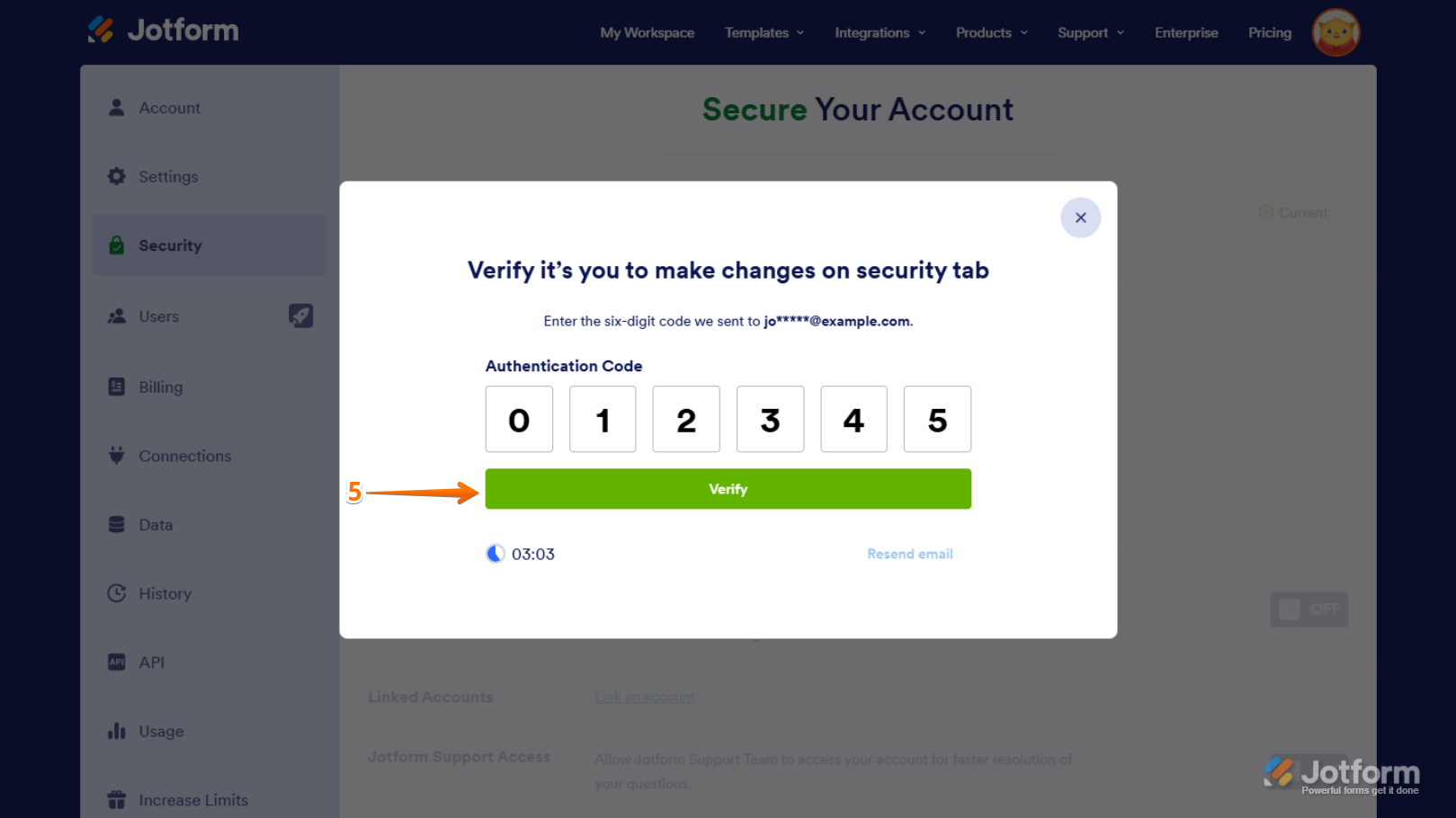
- Ingresa el Verification Code que se envía al correo vinculado a la cuenta para verificar los cambios.
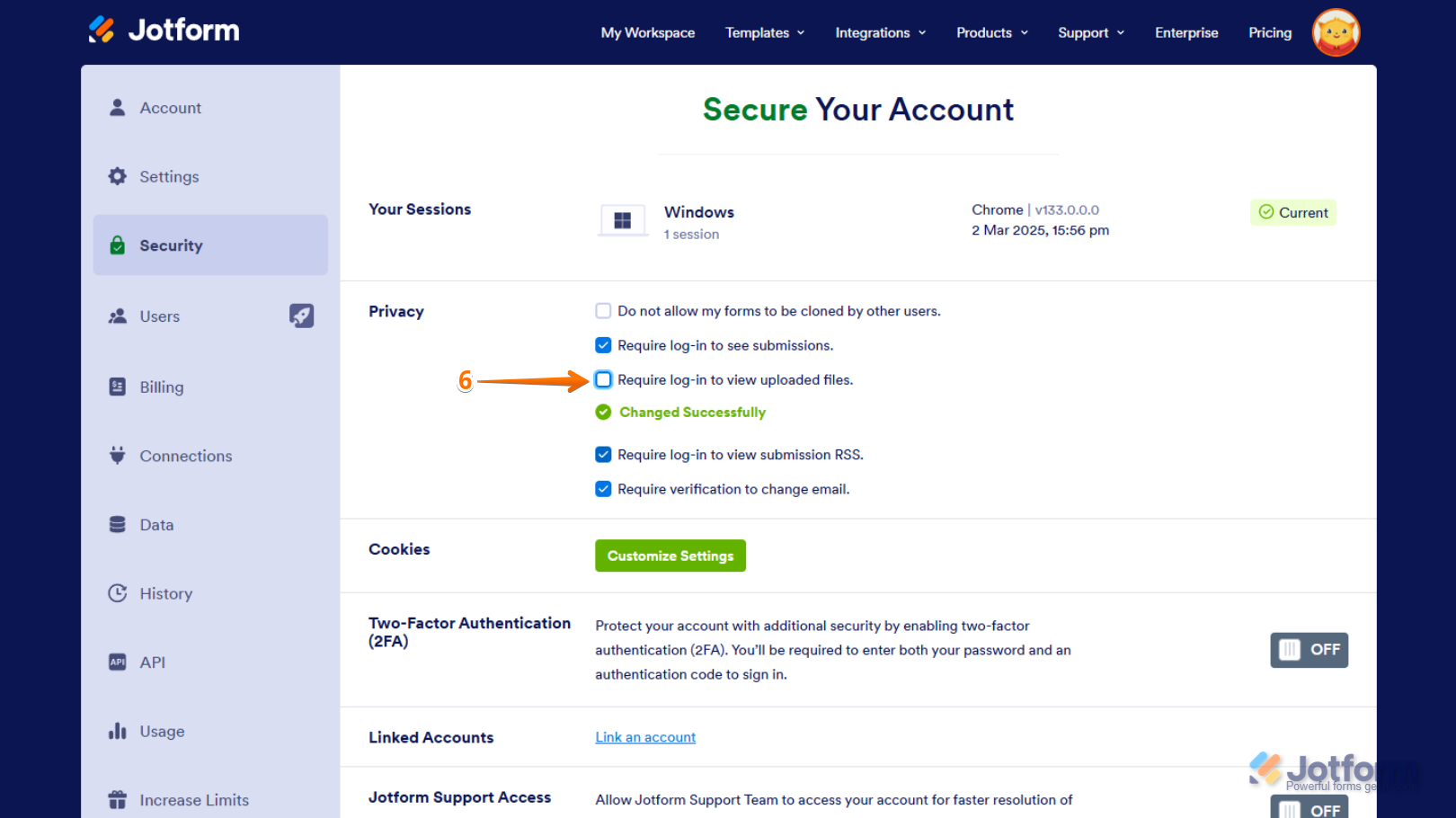
- Desmarca la opción Require Log-in to View Uploaded Files en la sección Privacy.

La información disponible indica que el código de verificación se envía al correo electrónico vinculado a la cuenta. No incluye una opción para que ese código llegue a un correo de respaldo.
Si tu cuenta tiene formularios HIPAA, esta opción no se puede desactivar.
Give it a try and let us know how it goes.
-
 Jotform Support Former Jotform Support
Hi Pablo,
Thanks for reaching out to Jotform Support. Our Spanish Support agents are busy helping other Jotform users right now, so I'll try to help you in English using Google Translate, but you can reply in whichever language you feel comfortable using. Or, if you'd rather have support in Spanish, let us know and we can have them do that. But, it might take a while until they're available again.
Now, coming back to your question, it's necessary that the email that's attached to the Jotform account is the one that should receive the confirmation email with the code. It's not possible to change it to another one. I'd advise you to get the password and you'll be able to easily remove the require login setting.
To prevent our system from asking you to log in before viewing or downloading submission attachments, you can Disable the Requirement to Login to View Uploaded Files. It only takes a few simple steps. Here’s how:
1. On your Workspace page, click on your Avatar/Profile Image in the top-right corner of the screen.
2. In the Dropdown menu that comes up, click on Settings.
3. Next, click on the Security tab on the left side of the page.
4. Then, click on Send Verification Code.
5. In the Confirmation window that opens, enter the Authentication Code sent to your email and click on Verify.
6. Now, uncheck the box next to Require Log-in to View Uploaded Files. That’s it. You’re done.
Reach out again if there’s anything else we can help you with.