-
 clientekitchen
me pueden ayudar por favor no se como elimine mis productos de este formulario me pueden ayudar a revertir esto por fa
-
 Podo: Especialista de soporte
Hi KITCHEN,
Thanks for reaching out to Jotform Support. I'm an AI assistant here to assist you.
Let me help you with that:
- Go to Workspace and open the form where the products were removed.
- Click on Revision History to view earlier versions of the form.
- Restore the version that still includes your products.
If you do not want to lose any submission data related to those fields, download your submissions before reverting the form.
If the products were deleted as individual form fields, this is the way to recover them. If you deleted a submission instead, you can restore it from the Trashed Entries area in the submission table.
Give it a try and let us know how it goes.
-
clientekitchen
voy a llorar no de se restaura la informacion
-
Podo: Especialista de soporte
Hi KITCHEN,
One of our Support Team members will take it from here to follow up shortly.
Reach out again if you need any other help.
-
clientekitchen
gracias
-
 Kevin Jotform Support
Hola clientekitchen,
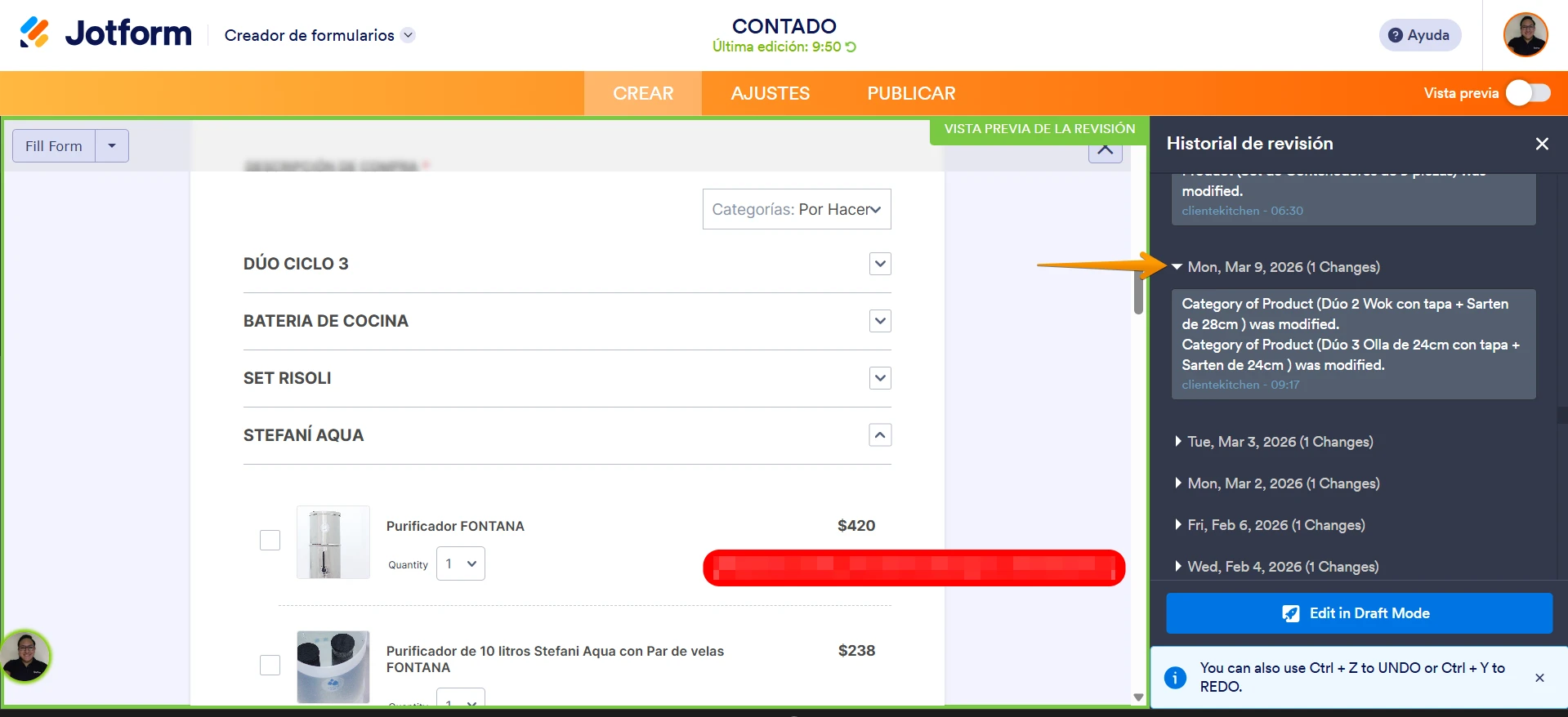
He revisado tu formulario y el historial de cambios, veo que tenías configurado un campo de productos que fue eliminado, adjunto una captura del cambio:

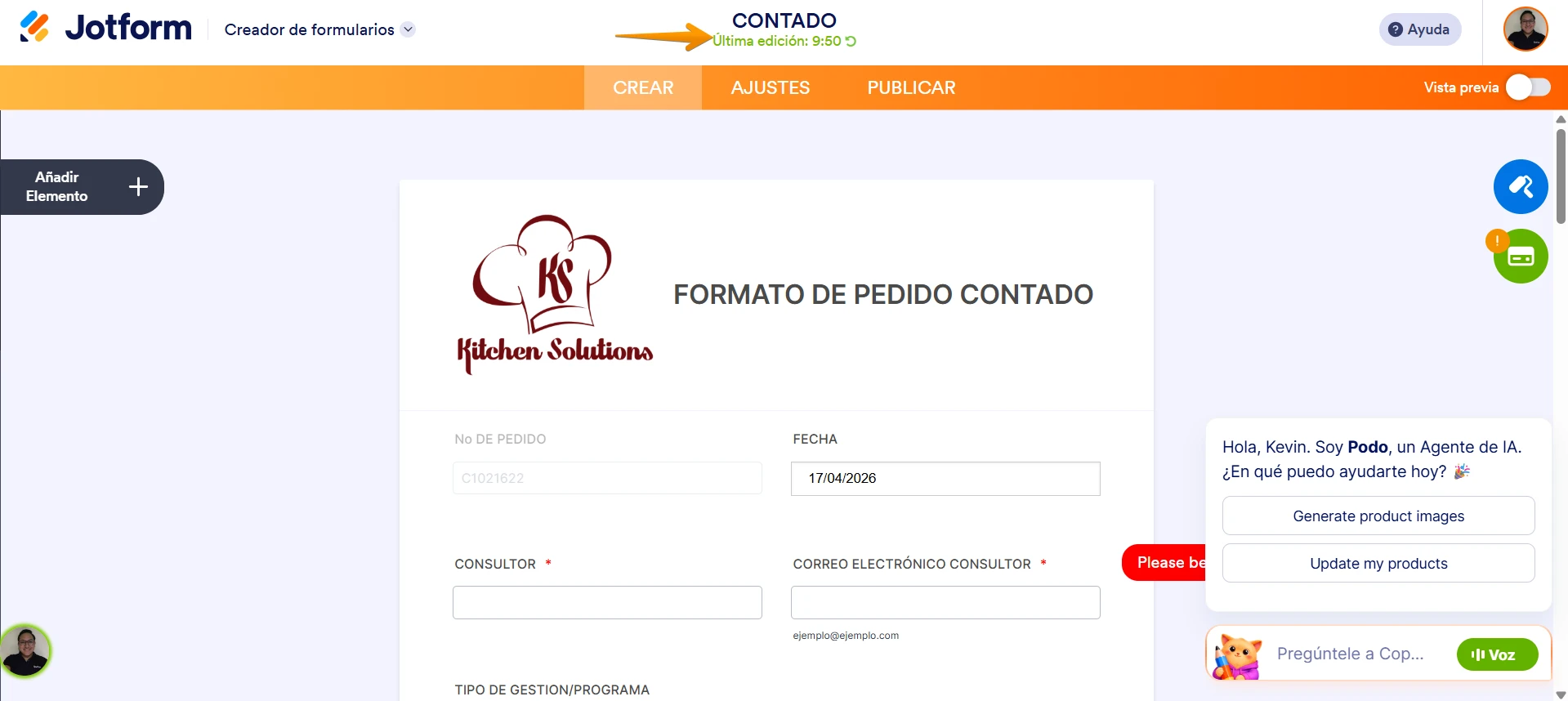
Para poder restaurar los datos de envío tienes que restaurar tu formulario hasta esta versión. Para encontrar las versiones de tu formulario, solo tienes que hacer clic en la Última Edición al editar tu formulario en el constructor:
Puedes darle un intento y dejarnos saber si tienes alguna duda adicional.