-
 adanlevy
Hello,
I have a problem with the “Save and continue later” feature.
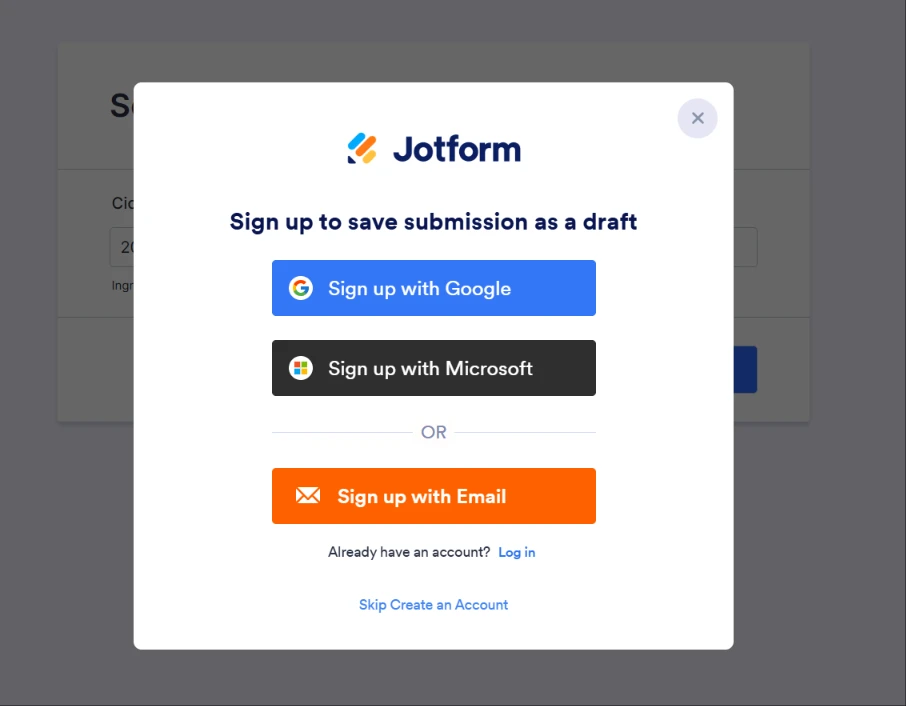
My form is set to Spanish, but when a user saves a draft, the login/registration screen that appears is shown entirely in English.
I need that screen to follow the form’s language and appear in Spanish.
This is the link to my form: https://www.jotform.com/build/262085809860667.
-
 Podo: Especialista de soporte
Hi Adán,
Thank you for contacting Jotform to get support; I am an artificial-intelligence assistant and I am here to help you with this.
Let me help you with that:
From the information we have, when you use Save and Continue Later, the popup/modal that appears right after clicking Save is expected to be translated according to the form’s selected language. If that popup still appears in English while your form language is set to Spanish, this behavior needs further investigation on our side because it is not the expected result.
At the moment, there is no documented option to manually customize or force the language of that specific login/registration screen beyond the normal language selection, so if it is not following your form’s language, we have to treat it as an issue to be checked.
To move forward, please do the following so our team can review it in detail:
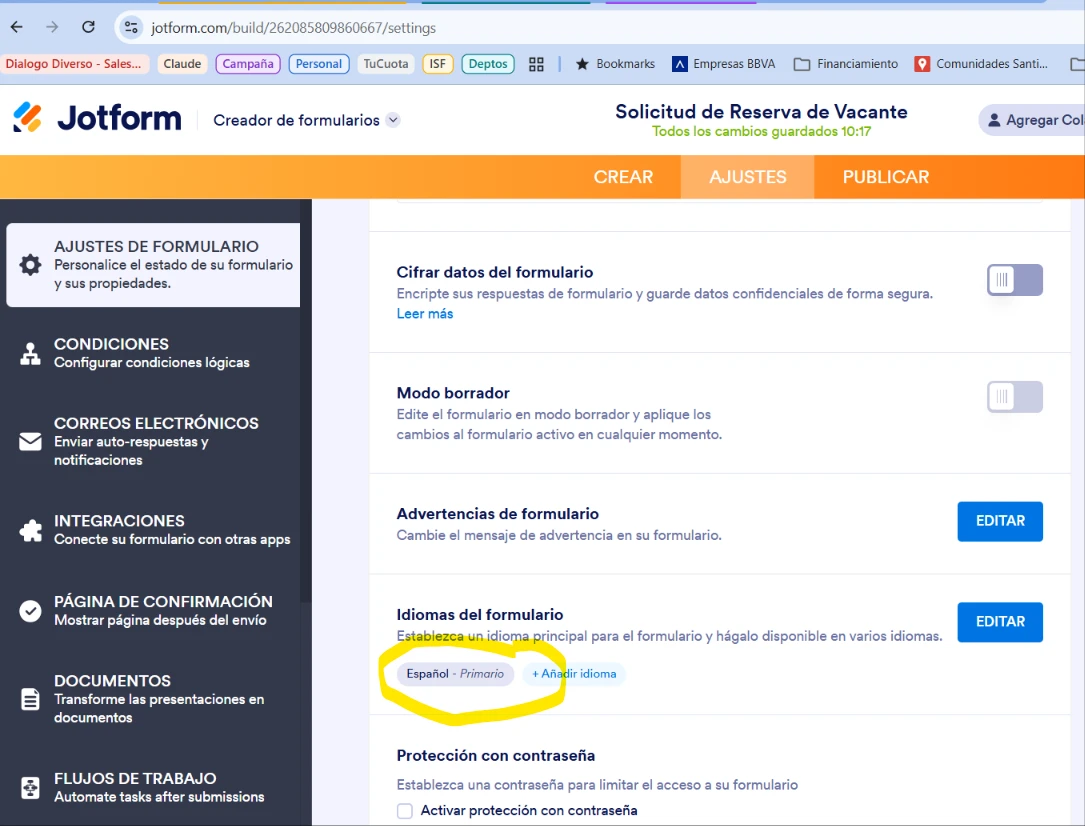
- Confirm that your form’s default language is set to Español in the form settings and that you are testing the form in that language (not via an embedded version with additional scripts).
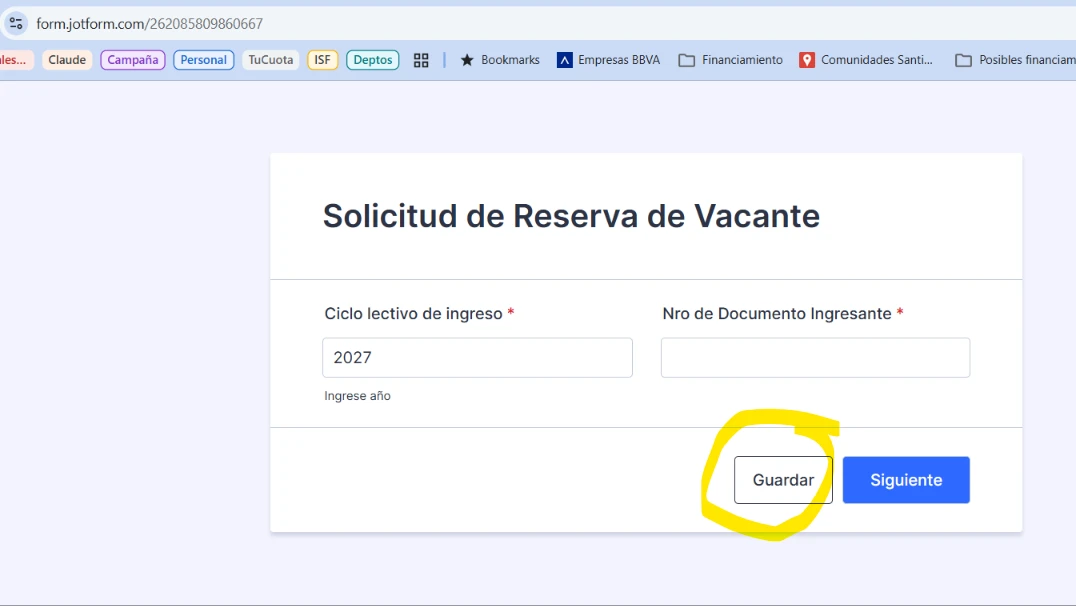
- Test the Save and Continue Later flow again using the direct form URL you shared and note exactly which screen(s) appear in English (for example, the first popup, the email entry screen, or the Jotform login/signup page).
- Take a short note or screenshot sequence of the steps and the English texts you see so our support team can compare them with the expected Spanish interface and investigate why they are not being translated.
Once you confirm these details here, our support team may redirect your request to the related team to check why the Save and Continue Later flow is not respecting the Spanish language on your form.
Please try these checks and share the results with us so we can continue investigating the issue.
-
 Kevin Jotform Support
Hi Adán,
At the moment, the Form Translation feature doesn't control the login page when you set the form to private, this is controlled by the user's browser language. While the feature you're looking for isn't available at Jotform right now, we've gone ahead and escalated your request to our developers. Exactly when or if it's developed depends on their workload, how viable it is, and how many other users also request it. If there are any updates, we’ll circle back to this thread and let you know.
Thanks for your patience and understanding, we appreciate it.
-
adanlevy
I confirm that is set to español. Here are the sequence of images

-
Kevin Jotform Support
Hi Adán,
This has been escalated as feature request already. We will let you know as soon as we receive any updates.
Reach out again if you need any more help.
-
adanlevy
Este es un follow up para saber si esto ha sido solucionado. Gracias
-
 Shaira Jotform Support
Hi Adán,
Our Spanish Support agents are busy helping other Jotform users right now, so I'll try to help you in English using Google Translate, but you can reply in whichever language you feel comfortable using. Or, if you'd rather have support in Spanish, let us know and we can have them do that. But, it might take a while until they're available again.
Now, coming back to your question, I know you’ve been waiting a while, and we really appreciate your patience. Our Developers are still making progress behind the scenes. We’ll be back in touch as soon as we have an update.