Software gratuito de acceso de pacientes
Jotform’s patient access software is a secure data management platform that simplify communication between healthcare providers and patients. Use it to collect medical history, schedule appointments, and manage patient files through HIPAA-friendly online forms. The software simplifies administrative workflows by process payments and send automated appointment reminders from one centralized system.
Plantillas
Plantillas de formularios de pacientes gratuitas
Comience con ventaja gracias a las plantillas ya prediseñadas. Escoja una para personalizarla con nuestro creador de arrastrar y soltar.
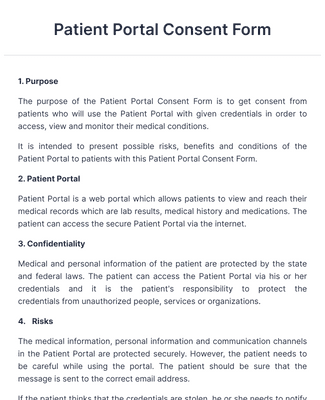
Formulario de portal de consentimiento de pacientes
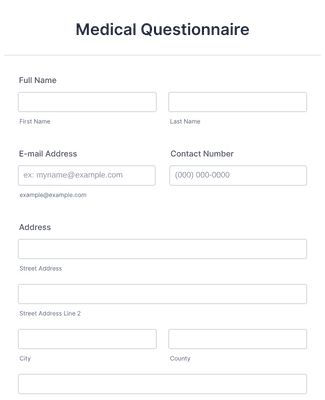
Cuestionario médico
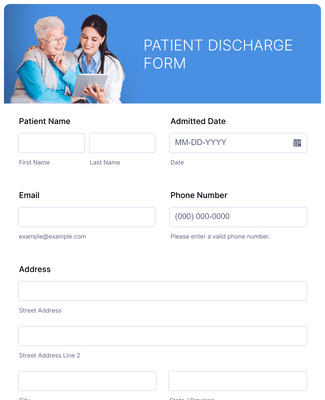
Formulario de dar alta de paciente
Beneficios
Cree formularios de acceso de pacientes al instante
Cree robustos formularios
Cree su primer formulario con unos pocos clics. Comience con una plantilla gratuita, o diséñelo desde cero con nuestro creador de arrastrar y soltar. ¡No se necesita programación!
Agregue su marca
Haga que sus formularios en línea coincidan con la marca de su proveedor de servicios médicos. Cargue su logo, cambie las fuentes y colores, o actualice el fondo del formulario.
Acelere su proceso de facturación
Integre con más de 30 pasarelas de pago — como PayPal o Stripe — para recopilar pagos de cuotas con facilidad desde cualquier dispositivo.
Proteja datos médicos sensibles
Las soluciones clínicas de acceso de pacientes deben garantizar protegidos la protección de los datos confidenciales de los pacientes — y por eso Jotform cuenta con funciones de conformidad con PCI y de cumplimiento con la HIPAA opcionales.
Envíe recordatorios de citas
Configure correos electrónicos de autorespuesta para recordar automáticamente a los pacientes sus próximas citas.
Testimonios