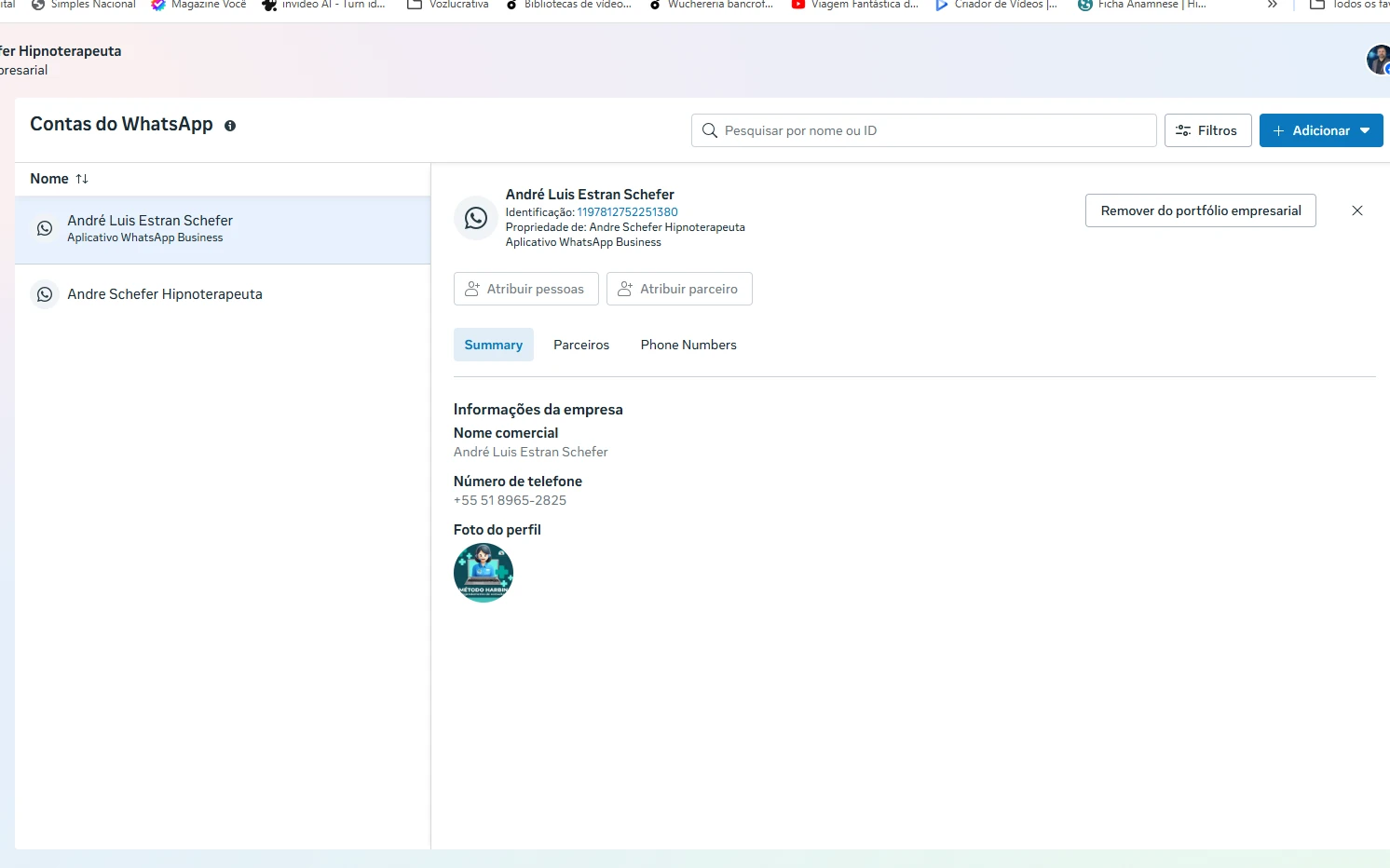
-
 ContatoContato281
-
 Jotform Support Former Jotform Support
Olá André,
Obrigado por entrar em contato com o suporte Jotform. Pode nos informar que tipo de problema está encontrando? Somente pela captura de tela não pude identificar.
Após recebermos seu retorno, teremos uma ideia melhor do que está acontecendo e de como podemos ajudar.
-
ContatoContato281
Oi Eduardo! Quando eu vou vincular o WhatsApp, Eu sempre da a mensagem que o numero ja existe, ai entro na conta do meta, desvinculo e vou novamente tentar a conecção e dá o mesmo erro. e isso não é só na minha conta. Fui fazer isso com o outro profissional que trabalha aqui e ela nem tinha conta de anúncios tudo novo, e o problema deu no dela também.
-
ContatoContato281
lá no meta já aparece a jotform, porem não aceita a conecção. Você talvez possua um acesso diferenciado capaz de liberar a conecção.
-
Jotform Support Former Jotform Support
Hi André,
Our Portuguese Support agents are busy helping other Jotform users right now, so I'll try to help you in English using Google Translate, but you can reply in whichever language you feel comfortable using. Or, if you'd rather have support in Portuguese, let us know and we can have them do that. But, it might take a while until they're available again.
Now, coming back to your question,
It is possible that the phone number you are trying to link is already associated with a different Facebook/Meta account, which would cause the "number already exists" error even after you attempt to unlink it.
To help us investigate this further and see exactly where the conflict is happening, could you please provide a video recording of the entire process? We recommend using Loom for this.
In the video, please show us:
- The step-by-step process of you integrating WhatsApp with the AI Agent.
- The exact moment the error message appears.
- The settings you are seeing in your Meta Business suite.
Once we have the video, we can conduct a more detailed test to resolve this for you and your colleague.
Looking forward to your reply.