-
 plenobylibra
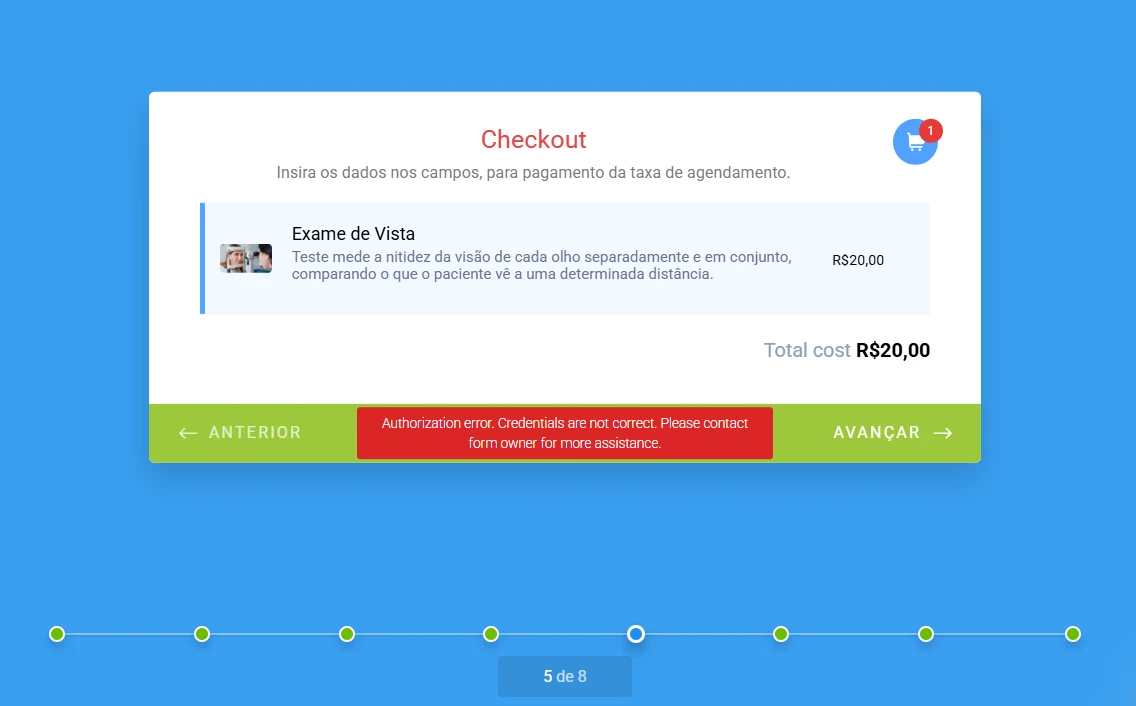
A integração e conexão se deu com sucesso, mas ao testar o formulário, me deparei com o erro em que após informar os dados do cartão e endereço para cobrança, a etapa não se dava por finalizada, como pode-se ver no primeiro anexo.
Ao clicar no ponto em vermelho, pude observar a seguinte mensagem "Internal Server Error error. Please contact form owner for more assistance.", como pode-se ver no segundo anexo, o que me leva a entender que era alguma falha de integração.
Porém, após exclusão das conexões anteriores e realizada nova integração, como direcionado pelo suporte, persisti no mesmo problema, mesmo identificando que as conexões estavam ativas e funcionando conforme teste de conexão, conforme anexo 3. Page URL: https://pci.jotform.com/253624071884057
 -
 Podo: Especialista de Suporte
Para que eu possa verificar o que está acontecendo com seu formulário e a integração, você poderia me informar o ID ou o link do formulário? Assim, posso analisar melhor o problema e ajudar a resolver essa questão do erro "Internal Server Error".
-
plenobylibra
-
Podo: Especialista de Suporte
Hi Libra,
Thanks for sharing the form link and details about the issue. Based on the information available about PagSeguro integration with Jotform, here are some important points and suggestions:
- The integration with PagSeguro requires setting up your registered PagSeguro email and token correctly in the payment settings of your form.
- Brazilian Real (BRL) is the only currency supported for PagSeguro payments.
- Ensure that the payment type is correctly specified (products, user-defined amounts, or donations).
- There is a sandbox mode for testing, which requires a sandbox account and token from PagSeguro.
- The error "Internal Server Error" after entering card and billing address details typically indicates a problem with the payment processing step, possibly related to credentials or token issues.
- Since your connection test is successful but the error persists during actual payment, double-check the token and credentials used in the integration. Also, verify that the token is for the correct environment (sandbox vs. live).
- Clearing your form cache can sometimes resolve unexpected errors. You can do this from your Jotform account settings.
- Make sure all required billing fields are properly filled and mapped in the form.
If after these checks the problem remains, it might be related to the PagSeguro account or token permissions, or a temporary issue on their side.
Give it a try and let us know how it goes.