Widget de carrossel de imagens para seu site
Crie um slider de uma página para banners, destaques de produtos, galerias de imagens, anúncios e seções de carrossel promocional. Use o widget de Slider de Imagens da Jotform para adicionar imagens ou vídeos, títulos, selos, botões de CTA, links, sobreposições, reprodução automática, loop, transições de fade ou deslizantes e navegação responsiva sem escrever HTML de slider.
Crie já — [1[é grátis!]]

Como criar um widget Deslizador de Imagens
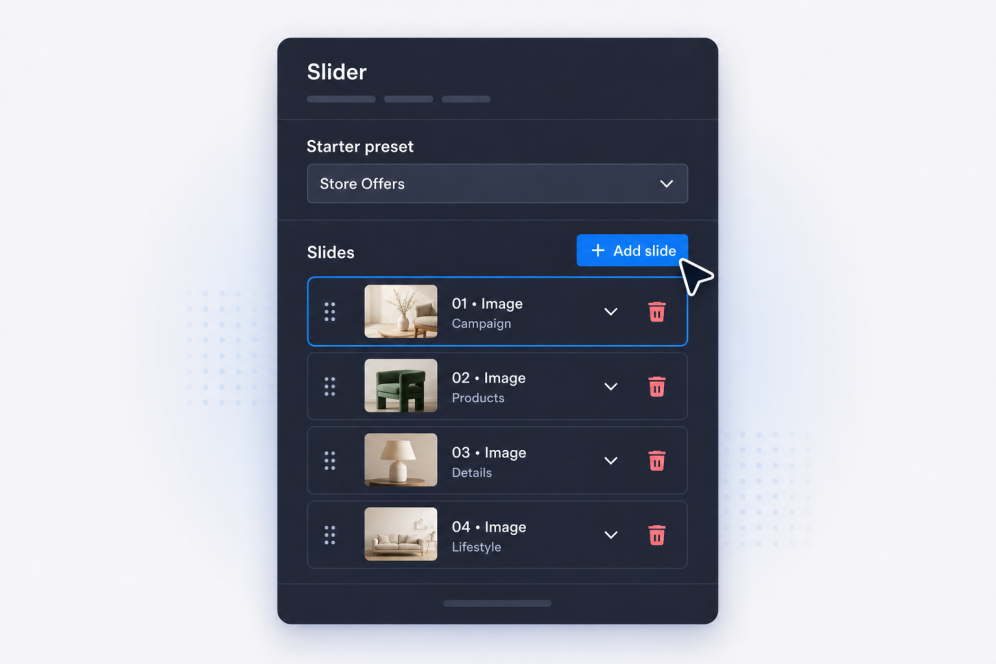
Adicione seus slides
Crie slides com títulos, texto do corpo, selos, botões, imagens, vídeos e links de destino para cada banner, promoção, item de galeria ou anúncio.
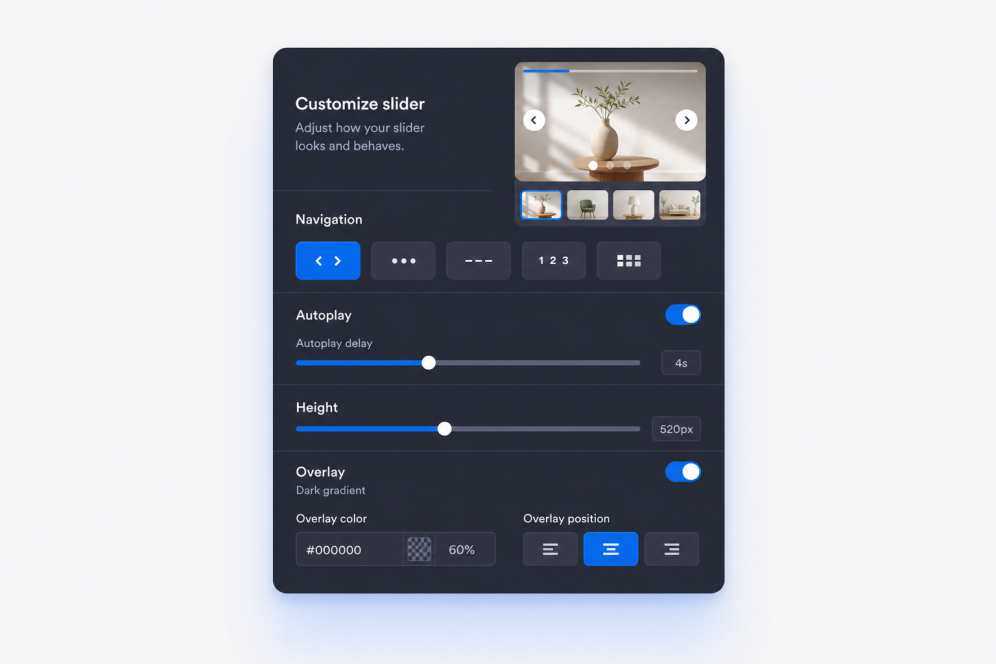
Defina o layout e o movimento
Escolha onde o conteúdo do slide aparece, depois defina as transições de fade ou deslizantes, o tempo da reprodução automática, o comportamento de loop e os controles de navegação.

Personalize e incorpore
Ajuste a largura, a altura, as sobreposições, o ajuste da mídia, as setas, a paginação, as cores e a marca, depois copie o código de incorporação para adicionar o widget de Slider de Imagens ao seu site.
Crie sliders que se encaixam na sua página
Crie seções de slides ricas em imagens
Transforme um simples slider de imagens em uma seção sofisticada do site. Cada slide pode incluir um selo, título, descrição, botão de CTA, link, imagem e fonte de vídeo opcional para campanhas, galerias ou destaques de produtos.

Mantenha o conteúdo do banner legível
Coloque textos e botões onde eles funcionam melhor sobre cada imagem ou vídeo. O posicionamento flexível do conteúdo ajuda cada slider de fotos das páginas do site a permanecer claro, seja o slide usado como banner de destaque, bloco promocional ou história visual.

Controle o movimento e a navegação
Use transições deslizantes ou fade, reprodução automática, loop, setas, bullets, números, traços ou paginação com miniaturas. Crie um carrossel de banners que os visitantes possam navegar manualmente ou assistir automaticamente sem perder a mensagem principal.

Reflita o design do seu site
Ajuste a largura, a altura, o estilo do cartão, o espaçamento do conteúdo, a intensidade da sobreposição, as predefinições de tema, os estilos de botões, as cores e o CSS personalizado do slider para que o widget de Slider de Imagens pareça uma parte natural da sua página.

Por que os Widgets para Sites Jotform se destacam
Os widgets da Jotform tornam seu site mais interativo e aumentam as conversões. Há diversas opções disponíveis, desde avaliações com estrelas e deslizadores de depoimentos até pop-ups de prova social e incorporações de mídia. Adicione widgets aos seus formulários ou landing pages para coletar dados, exibir provas sociais e capturar leads — tudo sem precisar programar.
Adicione widgets da Jotform ao seu site com um simples código de incorporação. Personalize o widget, veja uma prévia de como ele ficará e cole-o em qualquer página que aceite HTML personalizado ou blocos de incorporação, sem precisar de um desenvolvedor.
Use os Widgets para Sites Jotform para coletar leads, exibir avaliações de clientes, expor provas sociais, incorporar mídia ou adicionar ferramentas úteis às suas páginas. Cada widget ajuda os visitantes a interagir com sua empresa diretamente no site.
Se precisar de ajuda para configurar, personalizar, incorporar ou solucionar problemas com o seu widget, a equipe de suporte Jotform está disponível 24h. Assim, você pode seguir em frente com confiança, sabendo que terá ajuda sempre que precisar.
Onde usar seu widget de Slider de Imagens
Adicione um slider em qualquer lugar onde sua página precise de visuais rotativos, mensagens promocionais ou uma forma compacta de mostrar vários conteúdos em uma seção.
Seções principais da página inicial para alternar entre campanhas, lançamentos de produtos, ofertas sazonais e anúncios importantes.
Seções promocionais deslizantes para destacar promoções, ofertas por tempo limitado, mensagens de cupons ou CTAs em destaque.
Páginas de produtos e coleções para combinar fotos de produtos, benefícios e links de compra em um deslizador de banners.
Páginas de portfólio e estudos de caso para guiar os visitantes por imagens de projetos, resultados, depoimentos e evidências.
Páginas de eventos e webinars para apresentar palestrantes, programações, patrocinadores e chamadas para inscrição em um único deslizador de páginas.
Landing pages para criar um deslizador de sites baseado em uma narrativa que conduza os visitantes por imagens, mensagens e chamadas para ação.
Converta leads em clientes pagantes com o Criador de Formulários Jotform
Transforme engajamento em ação usando Jotform. Crie formulários poderosos para captar leads, receber pagamentos e automatizar respostas, tudo em um só lugar. Cada envio chega à sua Caixa de Envios Jotform, onde você pode fazer o acompanhamento ou conectar seus apps favoritos.
Comece já — é grátis!
Perguntas Frequentes
O que é um widget de Slider de Imagens?
Um widget de Slider de Imagens exibe vários slides dentro de uma única incorporação no site. Cada slide pode combinar imagens ou vídeos com texto, selos, links e botões de CTA.
Posso usá-lo como um slider de banners para o site?
Posso criar um slider de imagens para meu site?
Posso usar imagens e vídeos no mesmo slider?
Cada slide pode ter textos e links diferentes?
Posso controlar onde o texto aparece?
Ele suporta transições de fade e deslizantes?
O slider pode reproduzir automaticamente e entrar em loop?
Quais estilos de navegação estão disponíveis?
Posso alterar o tamanho do slider?
Preciso de HTML de slider para incorporá-lo?
Quais plataformas de site suportam o widget de Slider de Imagens?
Posso obter ajuda para configurar meu widget de Slider de Imagens?
O widget Deslizador de Imagens é gratuito?