Widget de Depoimentos para seu Site
Exiba citações de clientes em um slider de depoimentos responsivo, apresentação de slides, carrossel, grade, lista, mosaico ou layout de selo. Adicione texto de depoimento, avaliações por estrelas, fotos dos avaliadores, legendas, datas, links sociais, logotipos e imagens complementares, depois personalize o design e incorpore sem código.
Crie já — [1[é grátis!]]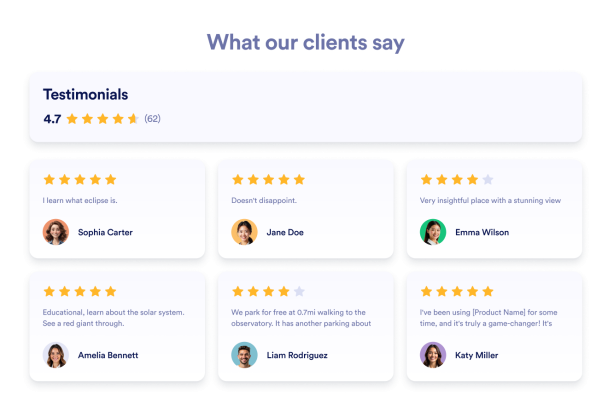

Como criar um widget Depoimentos
Personalize seu widget
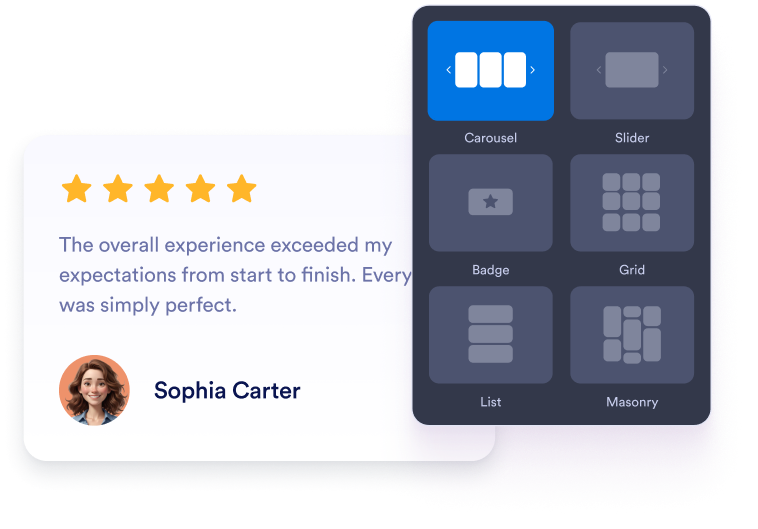
Escolha o conteúdo, o layout, as cores e o comportamento para que o widget combine com o design do seu site.
Obtenha o código de incorporação
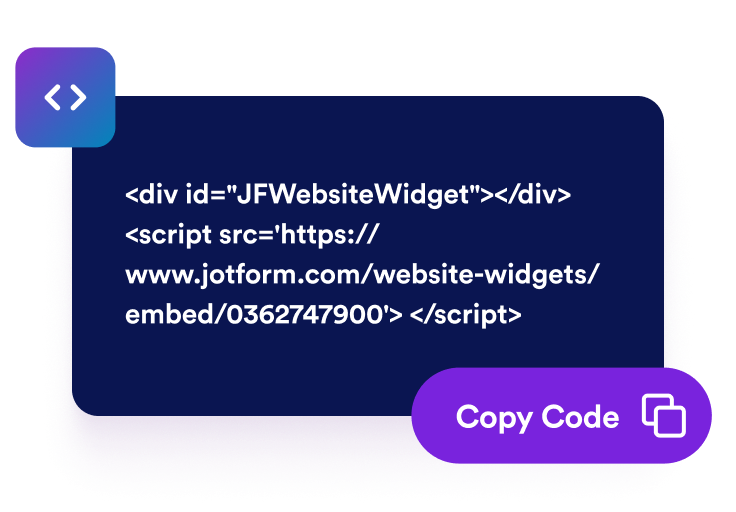
Copie o código de incorporação pronto gerado pela Jotform. Não é necessário configurar ou programar nada.

Incorpore em qualquer lugar
Cole o código no seu site e publique. Suas avaliações do Trustpilot aparecerão imediatamente.
Transforme depoimentos de clientes em prova social
Mostre depoimentos de clientes selecionados a dedo
Crie slides de depoimentos com citações de clientes, avaliações por estrelas, detalhes dos avaliadores e fotos. Cada slide de depoimento de cliente ajuda os visitantes a ver feedback real de pessoas que trabalharam com sua empresa.

Escolha layouts de slider e grade
Use um slider de depoimentos responsivo para seções compactas da página inicial, uma apresentação de slides de depoimentos para alternar citações, uma grade para blocos de prova social ou um layout de lista para histórias de clientes mais longas.

Controle os detalhes do cartão de depoimento
Escolha quais detalhes aparecem em cada slide de depoimento de cliente, incluindo fotos dos avaliadores, nomes, legendas, datas, avaliações, selos de verificação, logotipos, imagens, links de perfil e texto de "ler mais".

Combine os depoimentos com o seu site
Personalize o modo claro ou escuro, a cor de destaque, a cor das estrelas, o fundo do cartão, a cor do texto do depoimento, a cor do nome do avaliador, a largura, a navegação e a marca para que o widget de depoimentos combine com o seu site.

Por que os Widgets para Sites Jotform se destacam
Os widgets da Jotform tornam seu site mais interativo e aumentam as conversões. Há diversas opções disponíveis, desde avaliações com estrelas e deslizadores de depoimentos até pop-ups de prova social e incorporações de mídia. Adicione widgets aos seus formulários ou landing pages para coletar dados, exibir provas sociais e capturar leads — tudo sem precisar programar.
Adicione widgets da Jotform ao seu site com um simples código de incorporação. Personalize o widget, veja uma prévia de como ele ficará e cole-o em qualquer página que aceite HTML personalizado ou blocos de incorporação, sem precisar de um desenvolvedor.
Use os Widgets para Sites Jotform para coletar leads, exibir avaliações de clientes, expor provas sociais, incorporar mídia ou adicionar ferramentas úteis às suas páginas. Cada widget ajuda os visitantes a interagir com sua empresa diretamente no site.
Se precisar de ajuda para configurar, personalizar, incorporar ou solucionar problemas com o seu widget, a equipe de suporte Jotform está disponível 24h. Assim, você pode seguir em frente com confiança, sabendo que terá ajuda sempre que precisar.
Onde usar seu Widget de Depoimentos
Coloque depoimentos onde os visitantes precisam de sinais de confiança antes de se cadastrar, comprar, reservar ou entrar em contato com sua equipe.
Seções de prova social na página inicial para transmitir confiança aos clientes com um slider de depoimentos perto do topo da página.
Páginas de produtos e serviços para apoiar decisões de compra com slides de depoimentos de clientes relevantes.
Páginas de preços para reduzir a hesitação perto de comparações de planos, links de checkout e botões de CTA.
Landing pages de geração de leads para adicionar um slider de depoimentos responsivo ao lado de formulários e chamadas de cadastro.
Páginas de estudos de caso e histórias de clientes para destacar citações mais longas, cargos, contexto da empresa e imagens complementares.
Selos no rodapé ou na barra lateral para manter provas compactas dos clientes visíveis em todo o seu site.
Converta leads em clientes pagantes com o Criador de Formulários Jotform
Transforme engajamento em ação usando Jotform. Crie formulários poderosos para captar leads, receber pagamentos e automatizar respostas, tudo em um só lugar. Cada envio chega à sua Caixa de Envios Jotform, onde você pode fazer o acompanhamento ou conectar seus apps favoritos.
Comece já — é grátis!
Perguntas Frequentes
O que é um Widget de Depoimentos?
Um Widget de Depoimentos exibe citações selecionadas de clientes, avaliações por estrelas, detalhes dos avaliadores, fotos, logotipos e imagens opcionais de histórias em um widget de site personalizável.
Posso criar um slider de depoimentos?
Posso adicionar depoimentos manualmente?
Quais layouts estão disponíveis?
Posso escolher quais campos aparecem?
O widget funciona em dispositivos móveis?
Posso incorporar depoimentos no WordPress, Shopify, Wix, Squarespace, Webflow ou WooCommerce?
O Widget de Depoimentos é gratuito?