-
 gianbarahona1790
how can I restore them because i need that information
-
 Podo: Especialista de soporte
Hi gianbarahona1790,
Restoring the deleted assets from your Workspace is quick and easy. Let me show you how:
- On your My Workspace page, at the bottom of the menu on the left, click on Trash.
- In the upper-right corner of the page, click on the Type Dropdown menu.
- Then, in the menu that opens, put a check in the box next to Select All to show all the deleted assets, and click anywhere on the page to close it.
- Next, put checks in the boxes next to the assets you want to restore, and click on Restore in the top-left corner of the page.

For a full breakdown of how to do it, head over to our guide on How to Restore a Deleted Form.
Reach out again if you need any other help.
-
 Frédéric Jotform Support
Hi Gian,
Thanks for reaching out to Jotform Support. Let us take a look at this for you. To do that, we’ll need your permission to access your account. Don’t worry, you can turn it off again once we’re done. Let me show you how to do it:
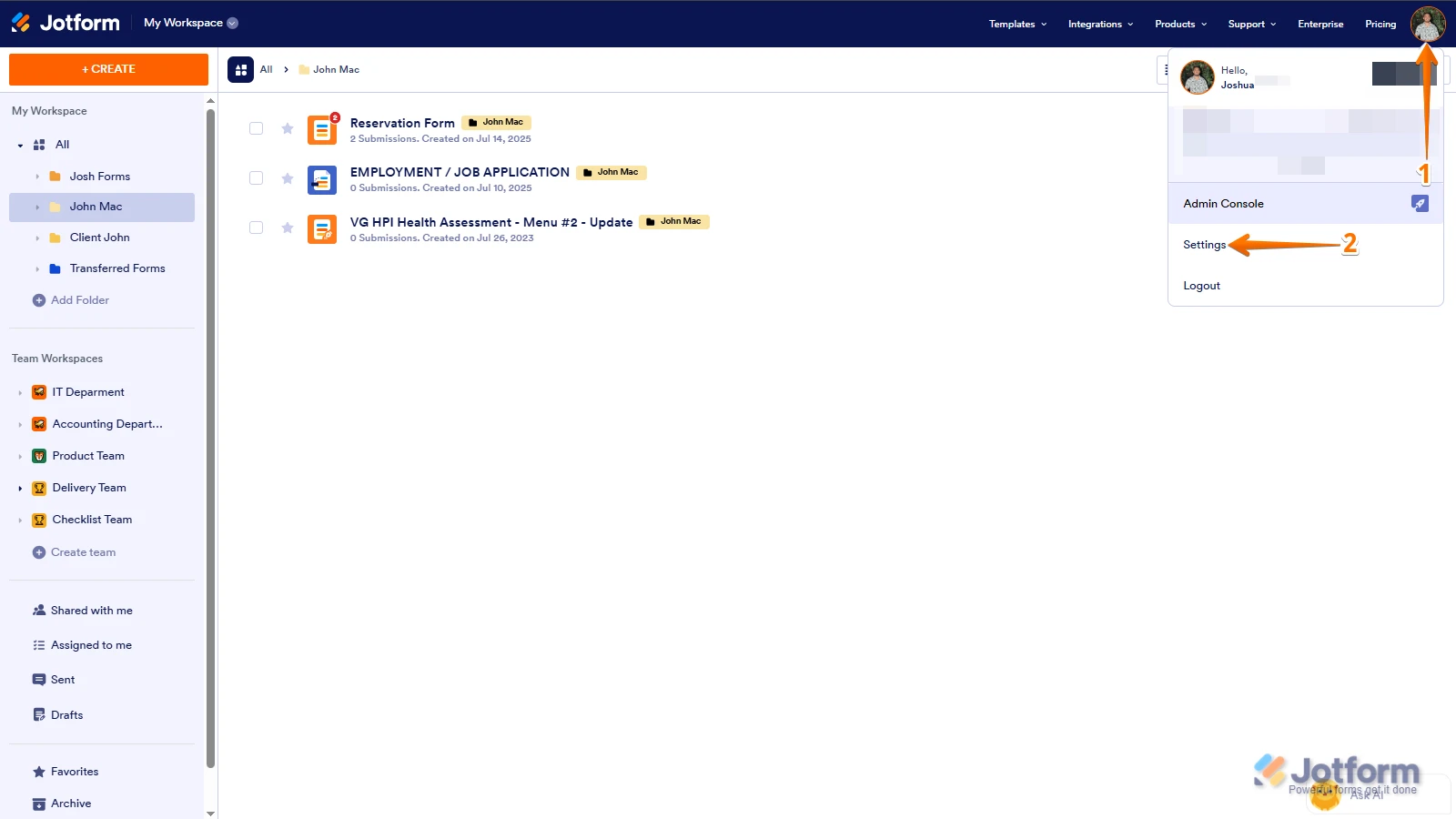
1. In the top-right corner of your Workspace page, click on your Avatar/Profile Image icon.
2. In the Dropdown menu that opens, click on Settings.
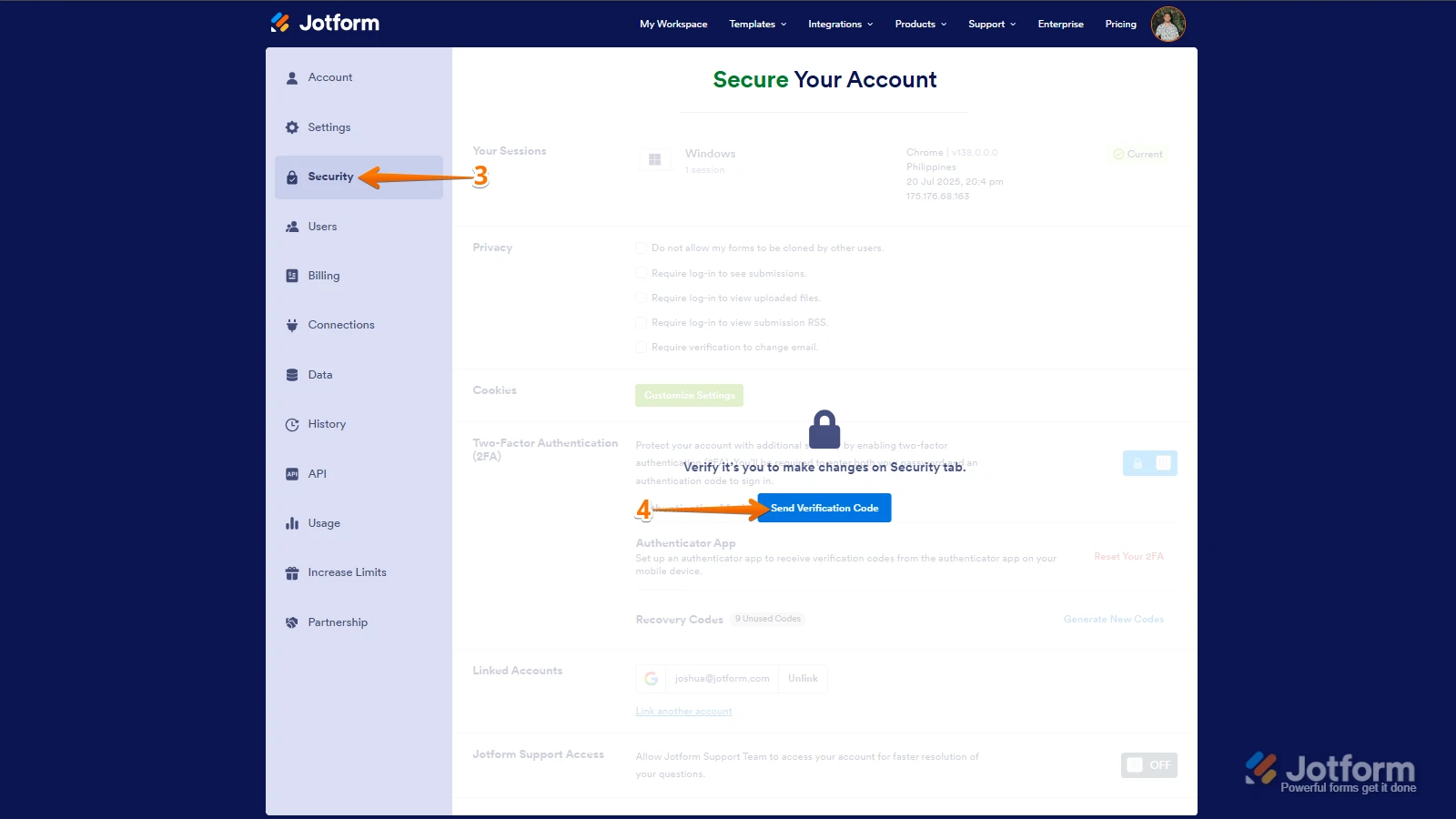
3. Next, in the panel on the left, click on the Security tab.
4. If you haven’t opened your Security page in a while, it’ll ask you to verify. To do that, click on Send Verification Code.
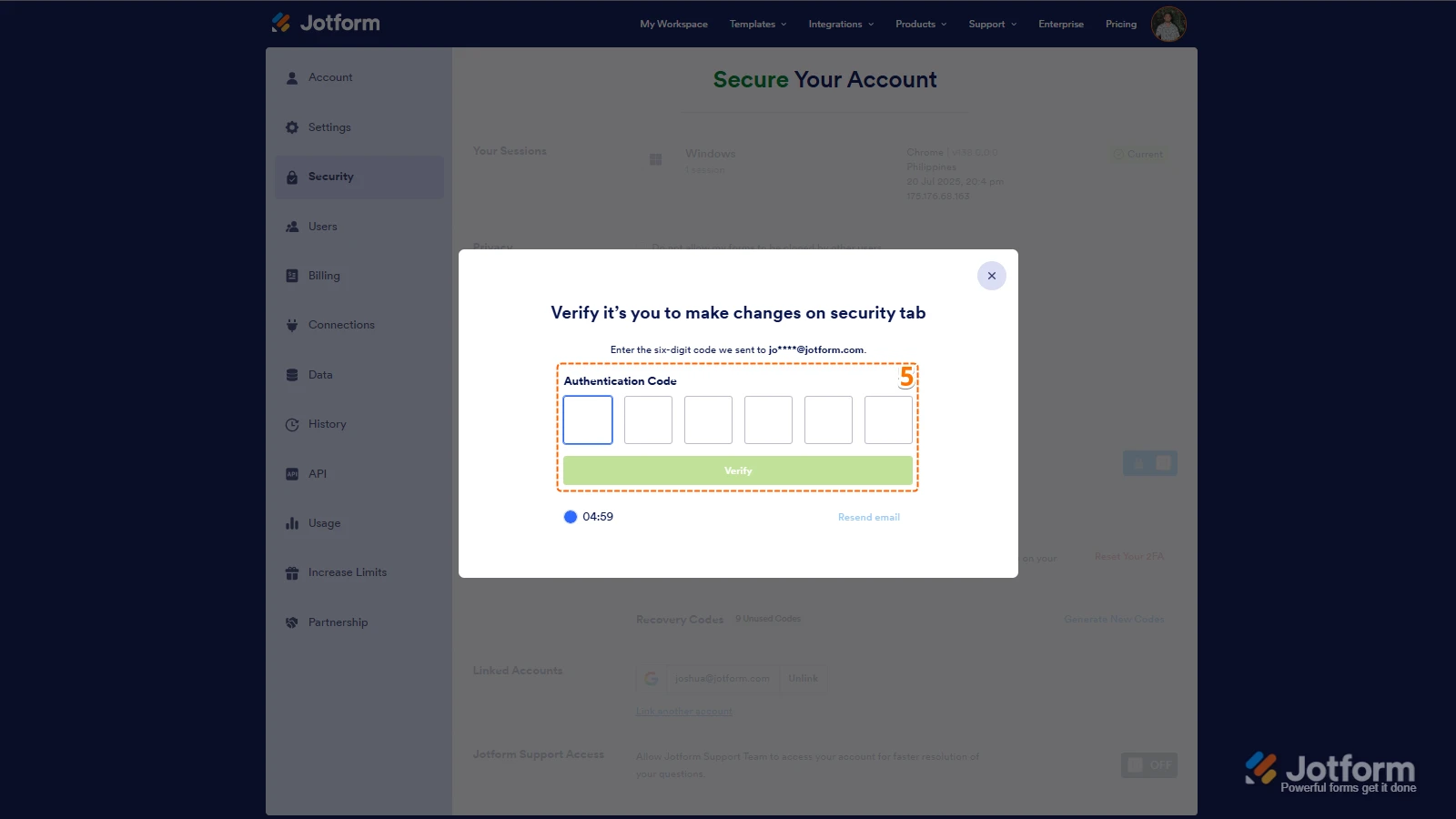
5. Then, enter the Verification Code you receive in your email.
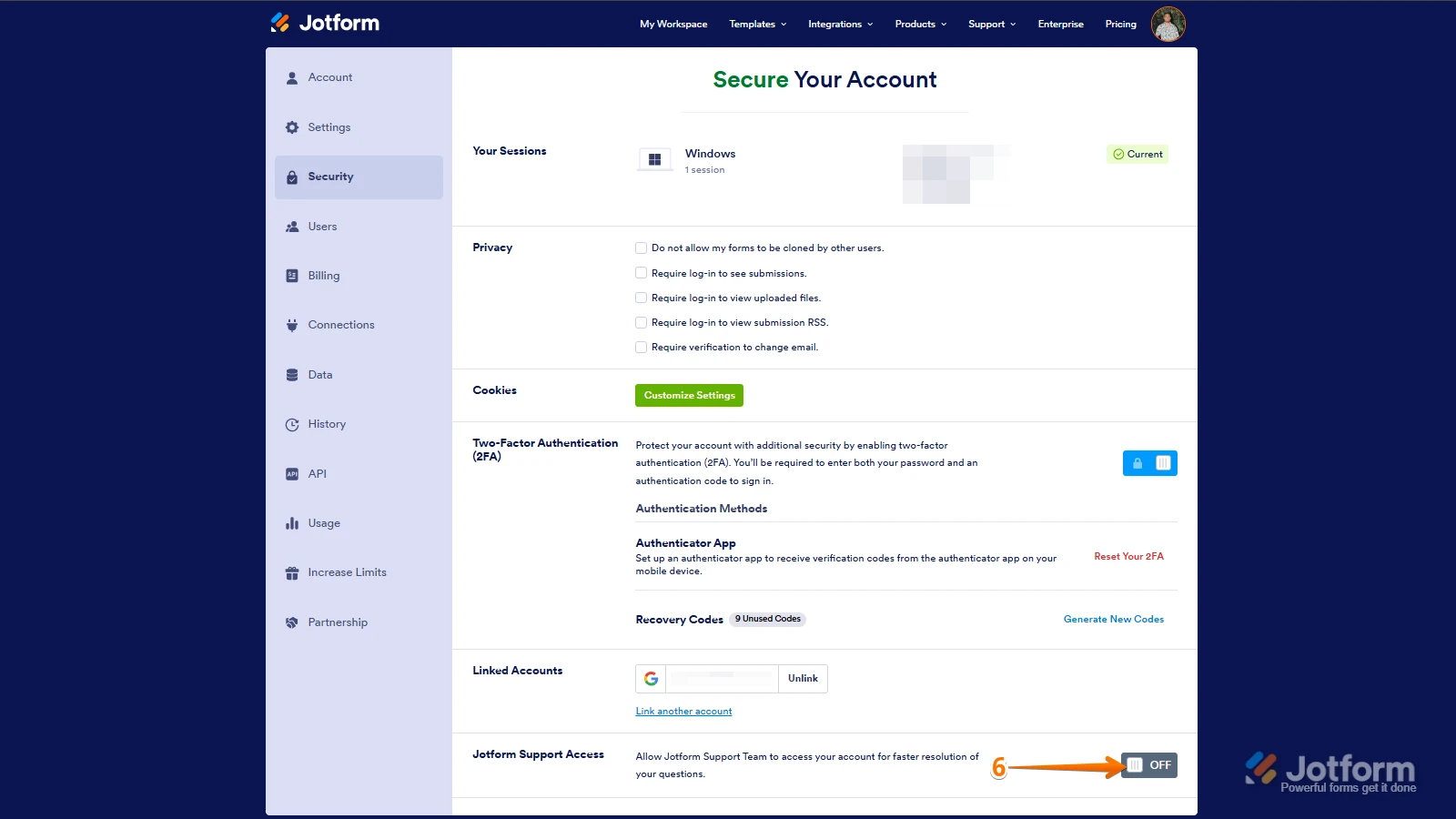
6. Finally, at the bottom of the page, toggle on Jotform Support Access.
After we hear back from you, we’ll have a better idea of what’s going on and how to help. -
gianbarahona1790
Hi Frederick.
I did it as you mentioned, you have full access now. just let me know once I can see all the submissions.
thanks
Gian Barahona
-
 Vincenzo Jotform Support
Hi Gian,
When I checked your Account, I was able to see that the form with ID 253295883955071 was created in November 2025, but no logs regarding form submissions or deletions are recorded. When I reviewed your form, I noticed that you have configured a Notification Email.
Could you share a screenshot of any of the submissions received on form 253295883955071? This way, we can further check your issue. Let me show you how to post a screenshot to our Help Center:
1. On the Help Center page, scroll down to the Your Answer section and click on the Image icon.
2. Drag and drop your image into the Upload box, or click on it and select your file.
3. Then, click on the Add button in the bottom-right corner of the window.
4. To resize it, click on your screenshot and then click on one of the boxes in the corners, and drag it inward.
5. Once you're finished, click on the Post Answer button at the bottom right of the Your Answer section.
 After we hear back from you, we’ll have a better idea of what’s going on and how to help.