-
 didiernavarrete
Hola, equipo de Jotform:
Actualmente estamos desarrollando una aplicación que requerirá obtener la firma electrónica de un beneficiario. Nos encontramos en la etapa de cotización y buscamos una solución que nos permita enviar el contrato para su firma, así como enviar recordatorios en caso de que el beneficiario aún no lo haya firmado.
No requerimos plantillas prediseñadas, ya que nosotros desarrollaremos y generaremos nuestros propios contratos. Únicamente necesitamos integrar el campo de firma dentro de nuestro flujo.
¿Podrían indicarnos qué plan o servicio se adapta mejor a estas necesidades, así como sus costos y opciones de integración mediante API?
Quedamos atentos a sus comentarios. Muchas gracias.
-
 Jotform Support Former Jotform Support
Hi Didier,
Thanks for reaching out to Jotform Support. Unfortunately, our Spanish Support agents are busy helping other Jotform users at the moment. I'll try to help you in English using Google Translate, but you can reply in whichever language you feel comfortable using. Or, if you'd rather have support in Spanish, let us know and we can have them do that. But, keep in mind that you'd have to wait until they're available again.
As for your issue, take note that our API integration feature is available to any type of account, which includes the Starter plan, but each plan has its limitations. If you want to integrate your form much more frequently, then I must suggest that you upgrade your account to a higher plan.
You can see the type of plans, limitations, and prices of each plan on our Pricing page. Also, we have multiple ways to integrate your forms into multiple platforms. You can visit our Integrations page to see all the types of integrations on our platform.
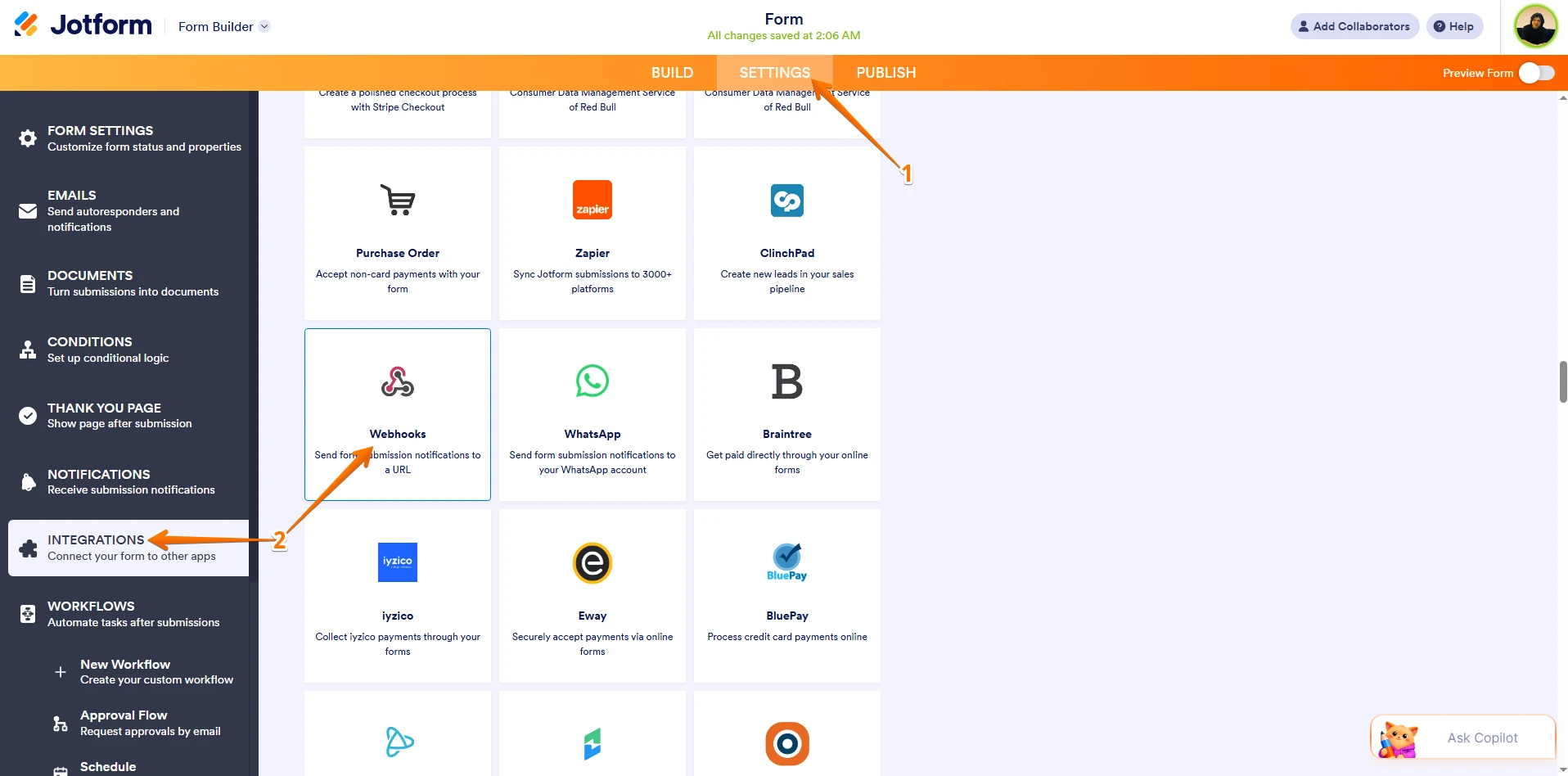
If you're referring to webhook integration, then you can go to the Integrations tab on the Settings of your form and select the Webhook option. Let me show you how to do it:
1. In Form Builder, click on Settings in the orange navigation bar at the top of the screen.
2. Then, click on Integrations on the left side of the page and click on Webhooks in the options.
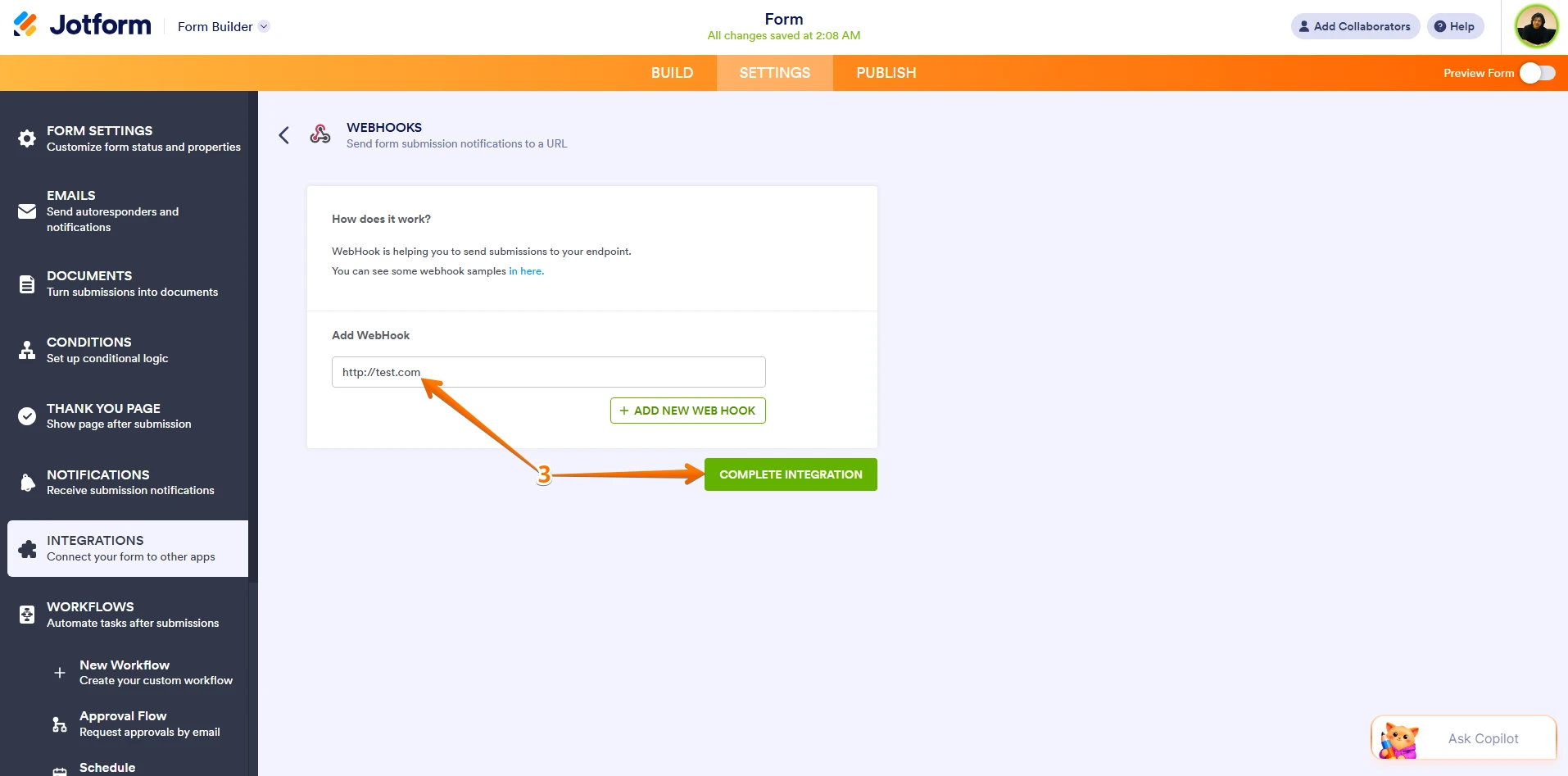
3. Now, enter your webhook URL in the URL field and click on Complete Integration under it.
That's it. Let us know if there's anything else we can do for you.

 That's it. Let us know if there's anything else we can do for you.