Widget Cliquer pour appeler pour votre site web
Offrez à vos visiteurs un moyen simple de vous contacter par téléphone. Le widget d'appel en 1 clic de Jotform ajoute un bouton d'appel flottant personnalisable à votre site web, avec des options pour son libellé, son design, son emplacement et sa visibilité sur tous les appareils ; aucune programmation n'est requise.
Créez votre widget gratuitement !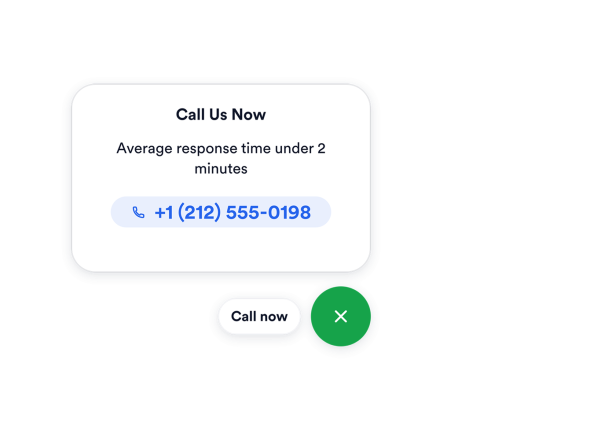

Comment créer un widget Cliquer pour appeler
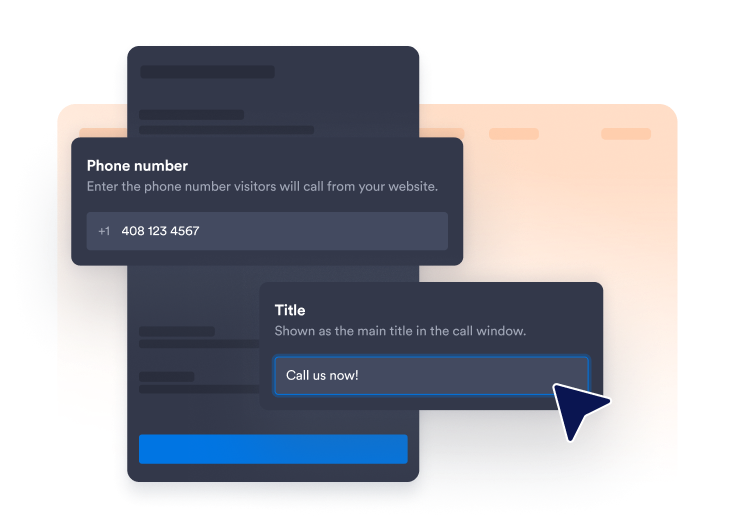
Ajoutez votre numéro de téléphone
Saisissez le numéro que les visiteurs doivent appeler et choisissez si vous souhaitez afficher une courte étiquette à côté de l'icône du téléphone.
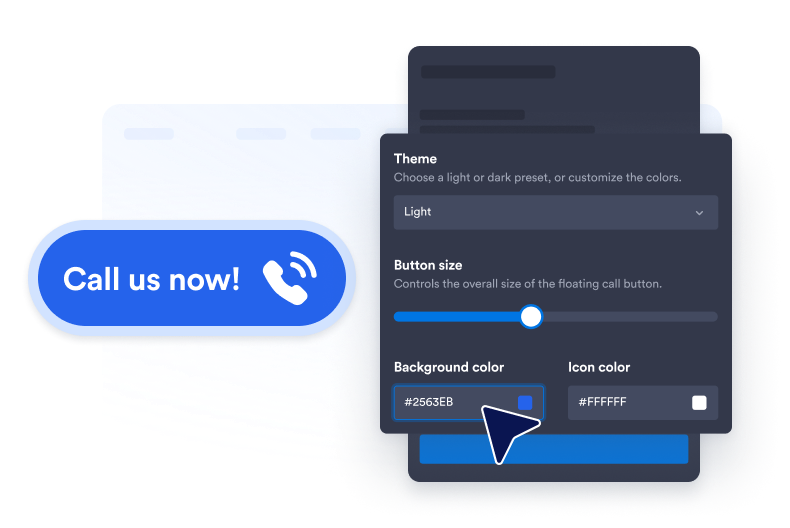
Personnalisez le style du bouton
Modifiez les couleurs du fond, des icônes et du texte, la taille des boutons, le rayon des coins et l'ombre portée pour faire correspondre le bouton à la charte graphique de votre site web.

Intégrez-le à votre site web
Collez le code d'intégration dans un bloc HTML personnalisé ou un bloc d'intégration, puis publiez votre page pour afficher le widget sur votre site web.
Simplifiez l'assistance téléphonique grâce aux appels en 1 clic
Mettez les visiteurs en relation avec votre équipe
Associez le bouton flottant au numéro de téléphone de votre équipe commerciale, d'assistance, de réservation ou de service client. Ajoutez une mention facultative comme "Appelez-nous maintenant" pour que les visiteurs comprennent immédiatement l'action possible.
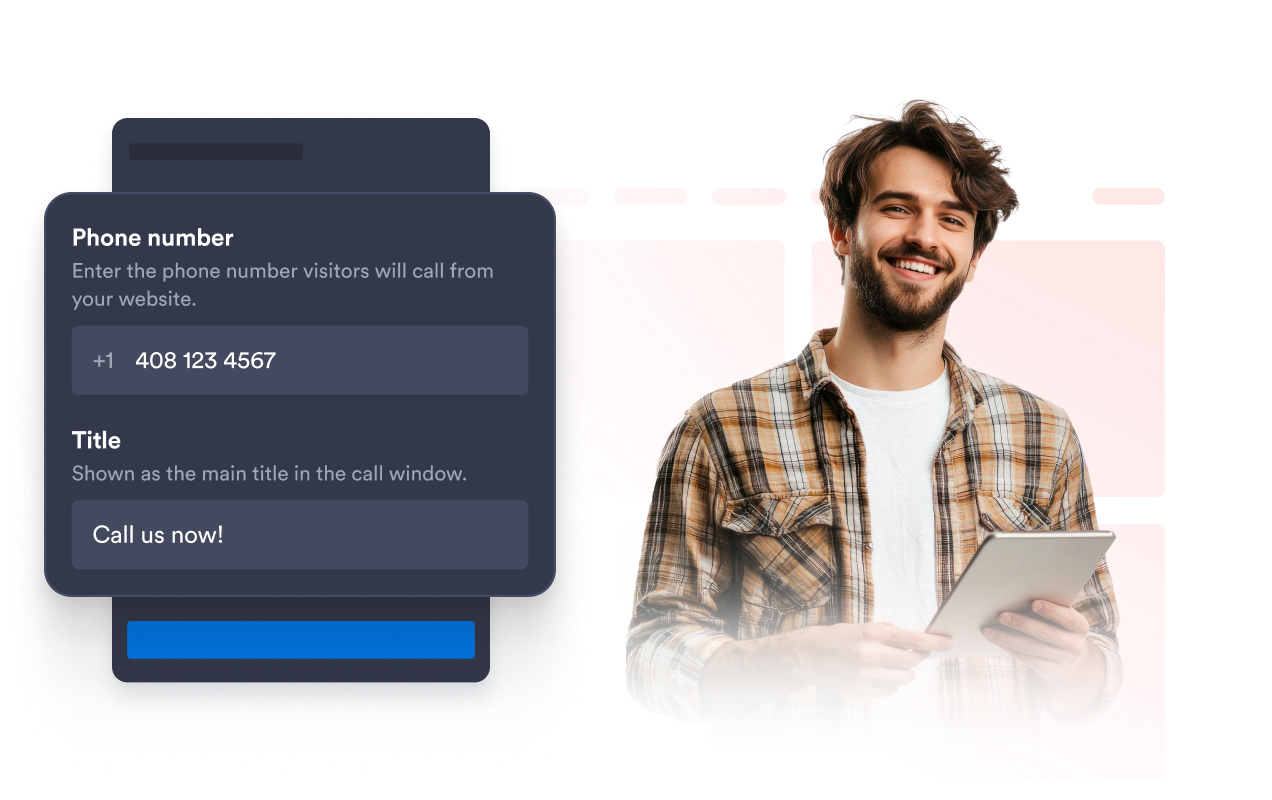
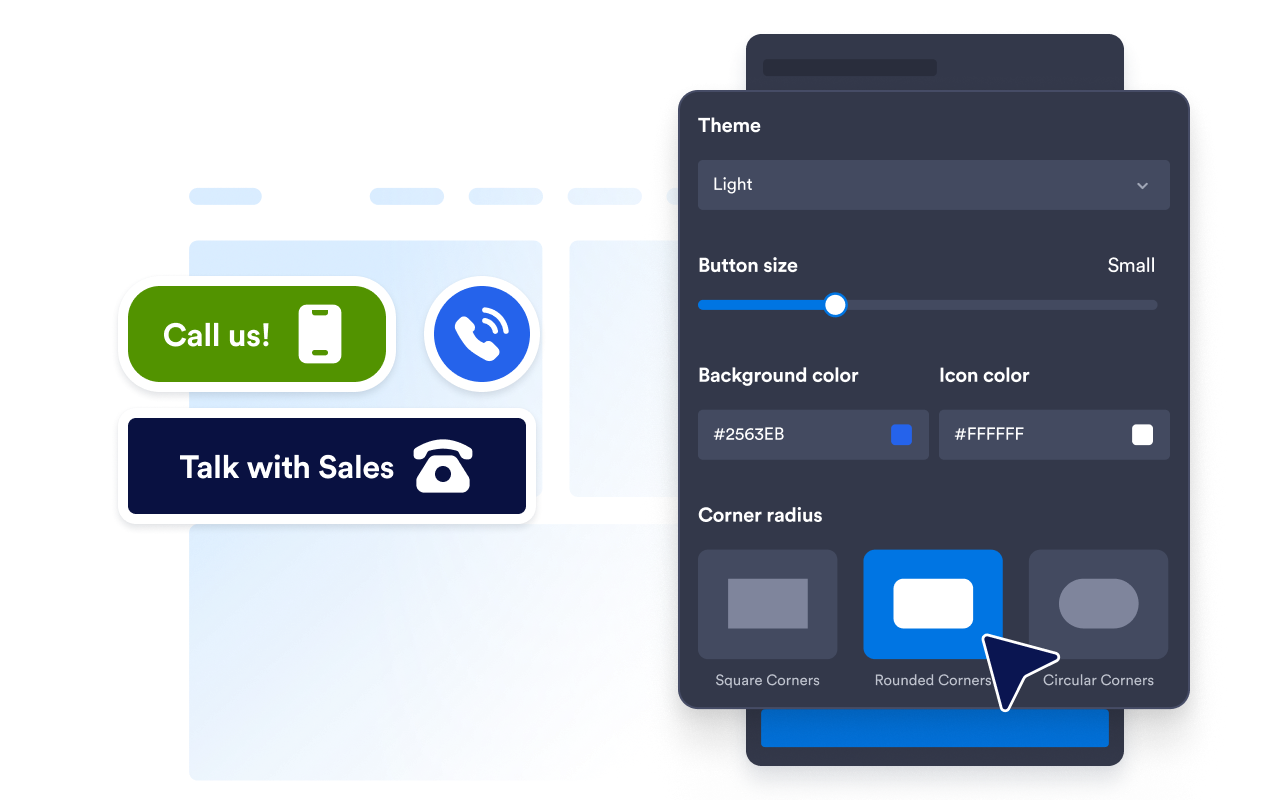
Conservez les boutons d'appel conformes à votre marque
Personnalisez l'arrière-plan du bouton, l'icône de téléphone, la couleur du texte, sa taille, le rayon des coins et l'ombre portée. Ces paramètres permettent au bouton d'appel de rester visible tout en s'harmonisant avec le style visuel de votre site web.
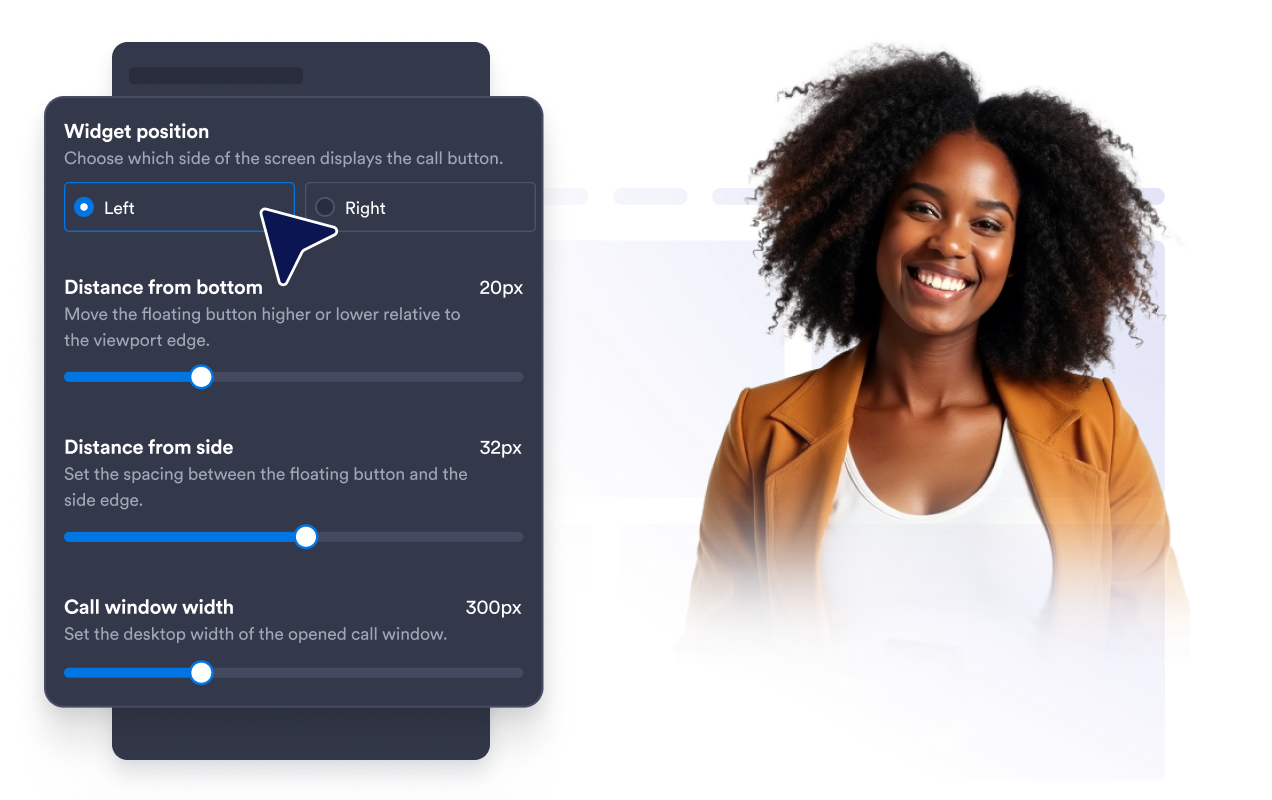
Positionnez le bouton sans masquer le contenu.
Ajustez la distance du bouton par rapport au bas et au bord de la fenêtre du navigateur. Un espacement judicieux permet de garder l'option d'appel accessible sans masquer la navigation, les formulaires, les outils de chat ou d'autres éléments importants de la page.
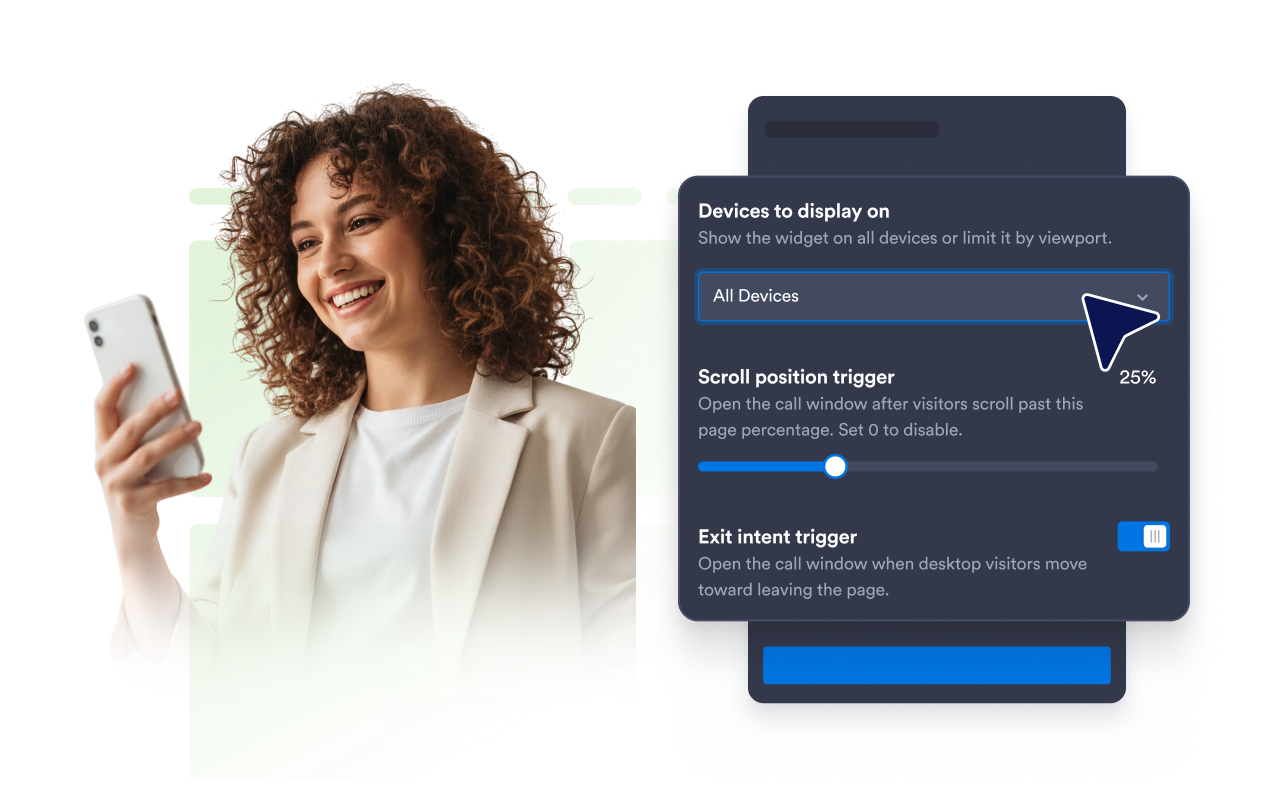
Affichez les appels sur les appareils sélectionnés
Choisissez si le widget d'appel en 1 clic s’affiche sur les ordinateurs, les appareils mobiles ou les deux. Vous pouvez privilégier l’accès direct pour les visiteurs mobiles ou rendre l’assistance téléphonique disponible sur l’ensemble de votre site web.
Ce qui les rend les widgets de site web Jotform vraiment uniques
Les widgets Jotform rendent votre site web plus interactif et vous aident à augmenter vos conversions. Choisissez parmi de nombreux outils, comme des évaluations par étoiles, des curseurs de témoignages, des fenêtres contextuelles de preuve sociale ou des intégrations de contenus multimédias. Ajoutez des widgets à vos formulaires ou à vos pages de destination afin de collecter des données, d'afficher votre preuve sociale et de générer des prospects, sans coder.
Intégrez un widget Jotform à votre site web en copiant un code simple. Personnalisez, prévisualisez, puis insérez-le dans n'importe quelle page ou block HTML, le tout sans faire appel à un développeur.
Configurez les widgets de site web Jotform pour collecter des prospects, afficher des avis clients, mettre en avant votre preuve sociale, intégrer des contenus multimédias ou ajouter des outils utiles à vos pages web. Chaque widget permet aux visiteurs d'interagir directement avec votre entreprise depuis votre site web.
Si vous avez besoin d'aide pour configurer, personnaliser, intégrer ou résoudre un problème avec votre widget, l'équipe d'assistance de Jotform est disponible 24h/24 et 7j/7. Bénéficiez d'une assistance à tout moment, dès que vous en avez besoin.
Où utiliser votre widget d'appel en 1 clic
Ajoutez le widget aux pages où pouvoir échanger avec votre équipe peut aider les visiteurs à obtenir des informations ou à passer à l'étape suivante.
Pages de contact pour rendre votre numéro de téléphone immédiatement exploitable.
Pages de service pour discuter des prix, de la disponibilité ou des exigences du projet.
Pages de destination de campagne pour offrir une option de contact direct aux visiteurs intéressés.
Sites Web mobiles pour offrir aux utilisateurs une action d'appel directe et pratique.
Pages d'entreprises locales pour les restaurants, les cliniques, les instituts d'esthétique, les agences et les services à domicile.
Pages de vente et d'assistance pour lesquelles les questions peuvent être plus faciles à résoudre par téléphone.
Transformez vos prospects en clients grâce au Générateur de formulaires Jotform
Transformez l'engagement en action grâce à Jotform. Créez des formulaires performants capables de collecter des prospects, d'encaisser des paiements et d'automatiser les réponses, le tout depuis un seul et même endroit. Chaque soumission est transférée dans votre Boîte de réception Jotform, d'où vous pouvez assurer le suivi ou l'intégrer à vos applications préférées.
Commencez : c'est gratuit !
FAQ
Qu'est-ce qu'un widget d'appel en 1 clic ?
Un widget d'appel en 1 clic ajoute un bouton d'appel flottant à votre site web. Lorsque les visiteurs cliquent dessus, leur appareil ou leur navigateur ouvre l'option d'appel disponible en utilisant le numéro de téléphone que vous avez configuré.
Comment ajouter un bouton d'appel en 1 clic à mon site web ?
Puis-je personnaliser le numéro de téléphone et le libellé du bouton ?
Puis-je modifier l'apparence du bouton d'appel ?
Puis-je modifier l'endroit où apparaît le bouton flottant ?
Puis-je afficher le widget uniquement sur mobile ?
Que se passe-t-il lorsqu'un visiteur sélectionne le bouton ?
Puis-je utiliser un numéro de téléphone international ?
Dois-je coder ?
Puis-je créer un widget d'appel en un clic gratuitement ?
Quelles plateformes web permettent d'intégrer un widget d'appel en 1 clic ?
Puis-je obtenir de l'aide pour configurer mon widget d'appel en 1 clic ?