Widget Notification de vente pour votre site web
Affichez des notifications d’achats récents et d’activité pour attirer l’attention des visiteurs sur l’intérêt porté à vos produits, les nouvelles commandes, les réservations, les inscriptions ou d’autres actions récentes. Personnalisez les messages, les images, les liens d’appel à l’action, le timing, l’emplacement, les couleurs, les options de fermeture et l’affichage responsive grâce à un générateur de widgets no code.
Créez votre widget gratuitement !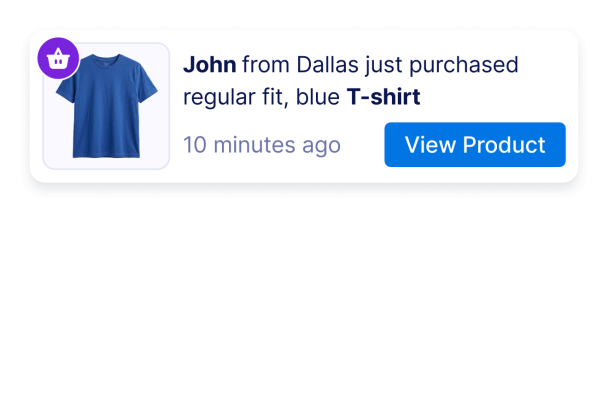

Comment créer un widget Sales Notification
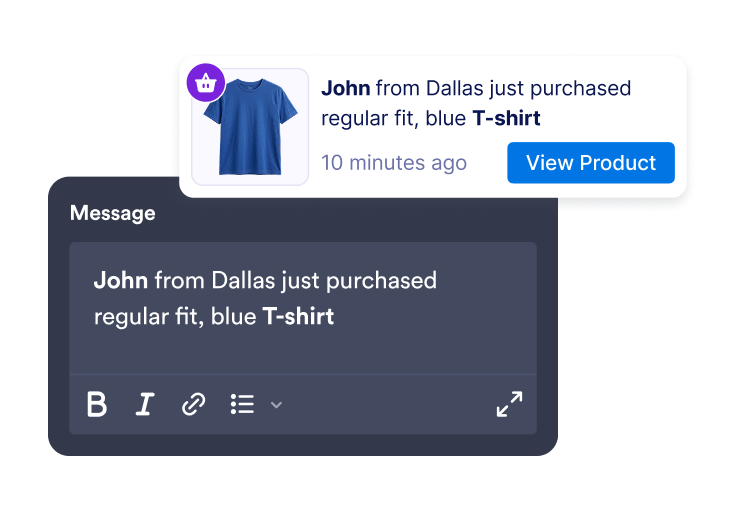
Ajoutez des messages d'activité
Créez des notifications de vente ou d’activité avec le nom et la localisation des clients, le nom des produits, l’heure de l’action, des images, des badges et des liens d’appel à l’action.
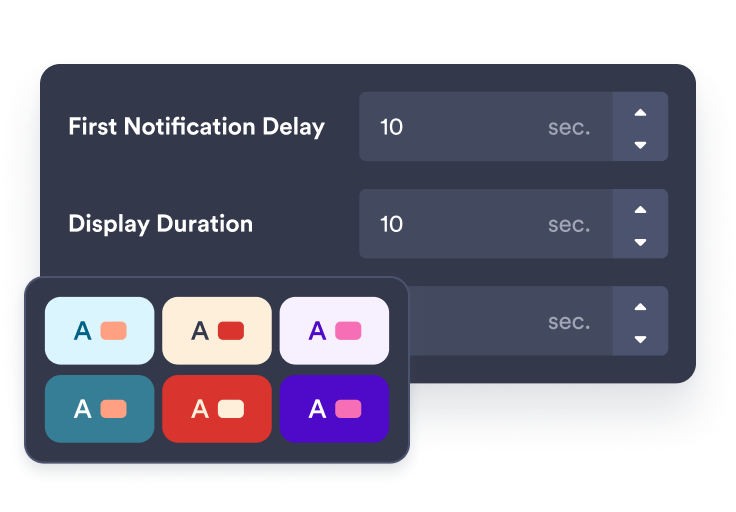
Personnalisez la temporisation et le style
Choisissez l’emplacement de la notification, sa durée d’affichage, sa fréquence de rotation et personnalisez son apparence en fonction de votre image de marque.
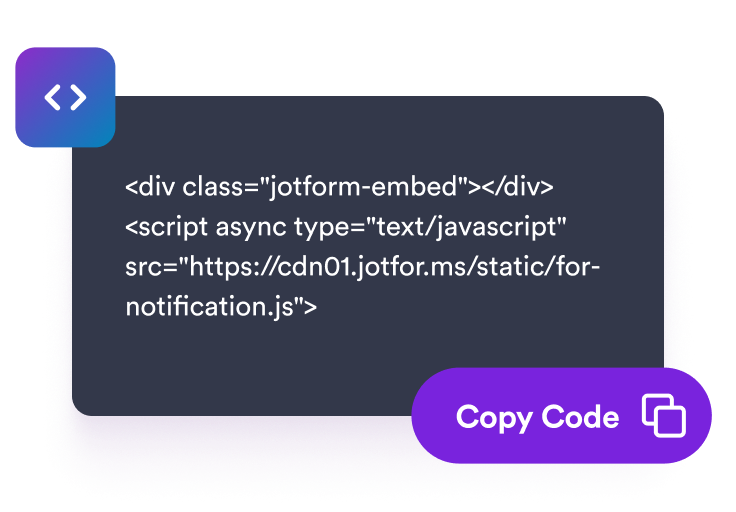
Intégrez-le à votre site
Prévisualisez votre widget Notification de vente, copiez le code d’intégration et ajoutez-le aux pages sur lesquelles l’affichage d’une activité récente peut aider les visiteurs dans leur décision.
Affichez des notifications d'activité au bon moment sur votre boutique
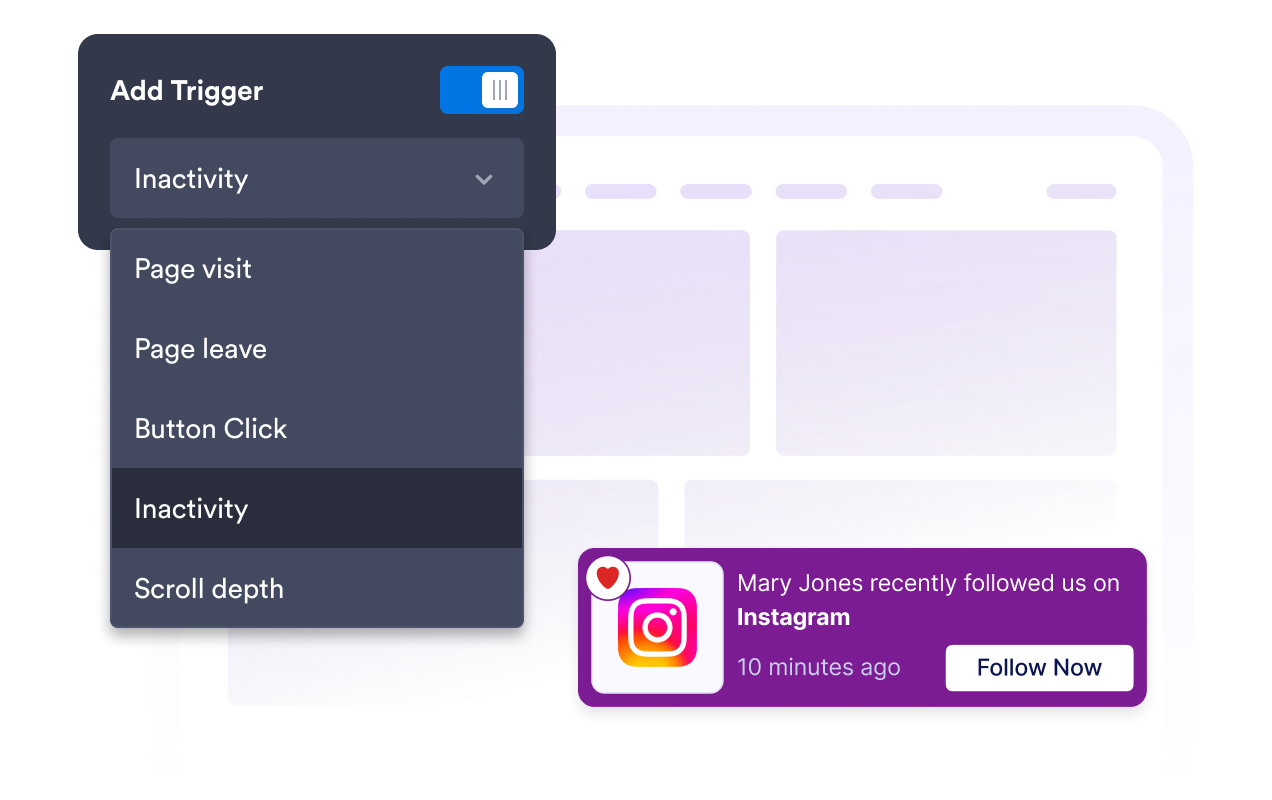
Créez des alertes de ventes et d'activité récentes
Ajoutez des notifications personnalisables pour les achats, les réservations, les inscriptions, les dons, les alertes de stock faible ou toute autre activité pertinente pour le contenu de votre page.
Faites défiler les notifications au bon rythme
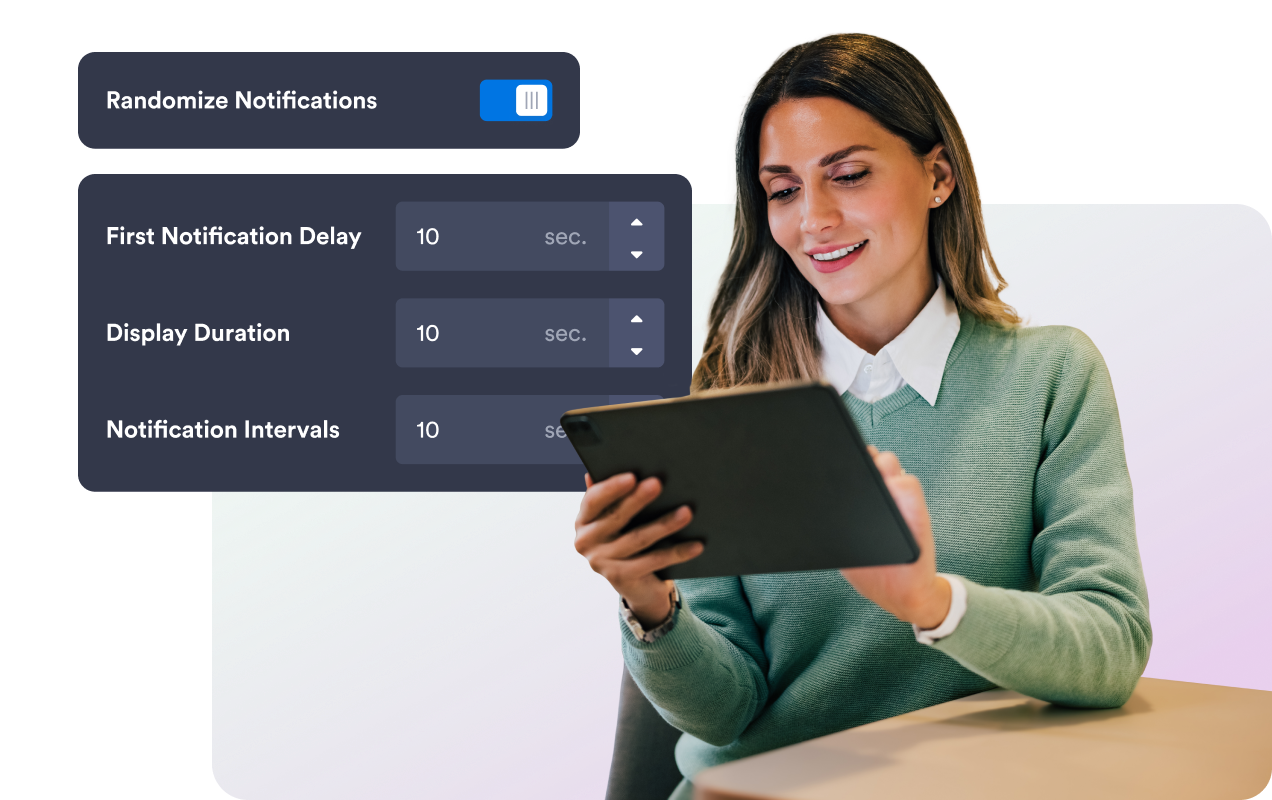
Définissez le délai avant la première notification, la durée d’affichage, l’intervalle entre les notifications, l’ordre aléatoire et les règles de mémorisation des visiteurs afin d’afficher vos notifications au bon moment sans les submerger.
Adaptez la notification à votre site web
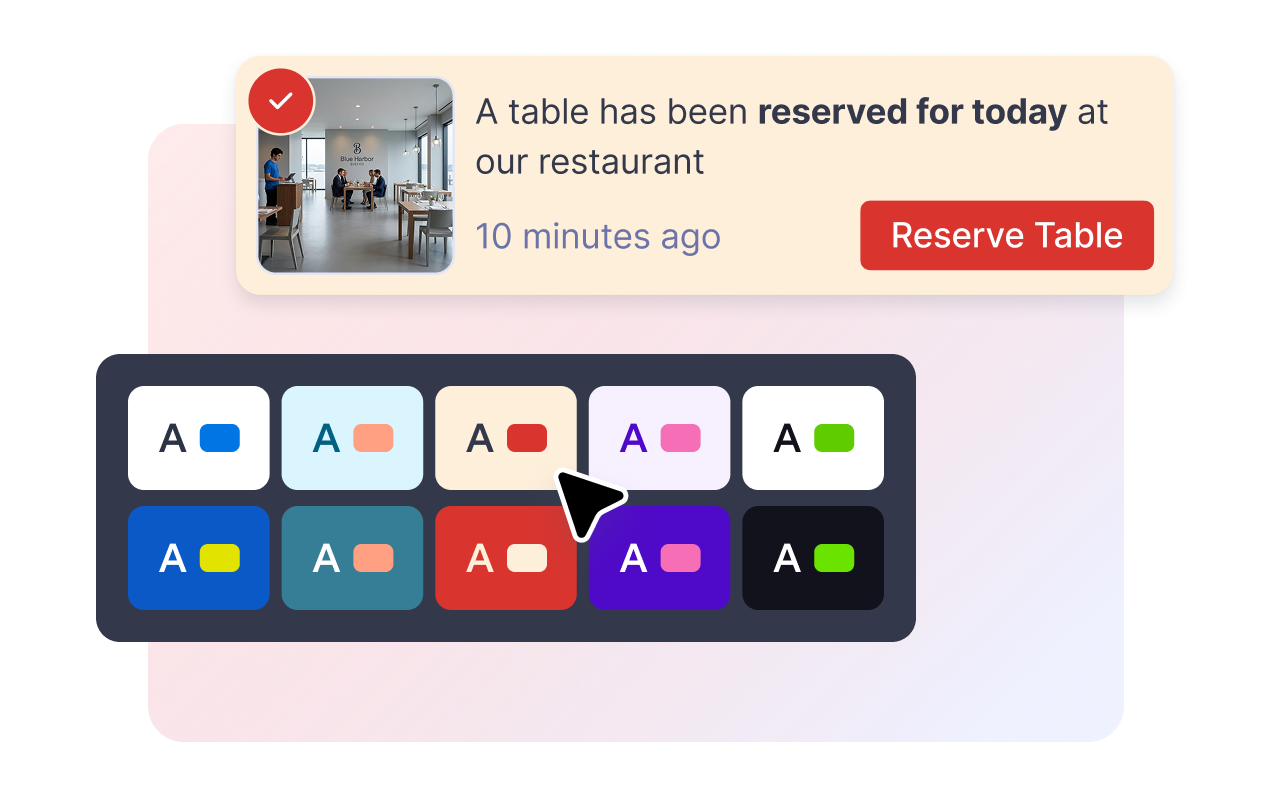
Personnalisez les couleurs de la carte, le texte du message, les couleurs du bouton d’appel à l’action et du badge, l’arrondi des angles, la taille de l’image, l’ombre, les éléments de votre marque ainsi que le CSS personnalisé au widget.
Contrôlez l’emplacement sur ordinateur et mobile
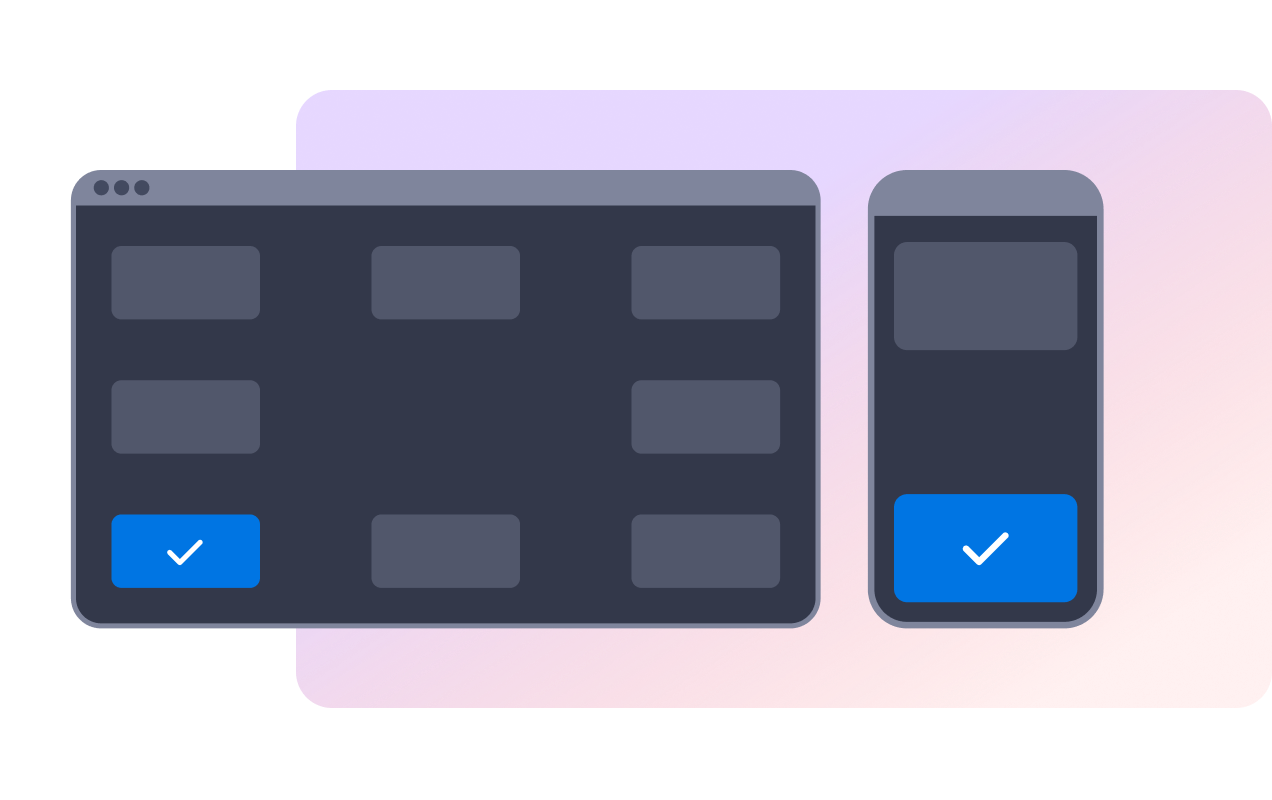
Placez la notification dans un coin de l’écran sur ordinateur, choisissez de l’afficher en haut ou en bas sur mobile et permettez aux visiteurs de la fermer à l’aide d’un bouton ou d’un geste de balayage.
Ce qui les rend les widgets de site web Jotform vraiment uniques
Les widgets Jotform rendent votre site web plus interactif et vous aident à augmenter vos conversions. Choisissez parmi de nombreux outils, comme des évaluations par étoiles, des curseurs de témoignages, des fenêtres contextuelles de preuve sociale ou des intégrations de contenus multimédias. Ajoutez des widgets à vos formulaires ou à vos pages de destination afin de collecter des données, d'afficher votre preuve sociale et de générer des prospects, sans coder.
Intégrez un widget Jotform à votre site web en copiant un code simple. Personnalisez, prévisualisez, puis insérez-le dans n'importe quelle page ou block HTML, le tout sans faire appel à un développeur.
Configurez les widgets de site web Jotform pour collecter des prospects, afficher des avis clients, mettre en avant votre preuve sociale, intégrer des contenus multimédias ou ajouter des outils utiles à vos pages web. Chaque widget permet aux visiteurs d'interagir directement avec votre entreprise depuis votre site web.
Si vous avez besoin d'aide pour configurer, personnaliser, intégrer ou résoudre un problème avec votre widget, l'équipe d'assistance de Jotform est disponible 24h/24 et 7j/7. Bénéficiez d'une assistance à tout moment, dès que vous en avez besoin.
Où utiliser votre widget Notification de vente
Ajoutez des notifications de vente aux pages sur lesquelles l’activité récente peut montrer qu’un produit, une offre, une réservation ou une inscription suscite actuellement de l’intérêt.
Pages produit pour afficher les achats récents, les produits populaires et des liens d’appel à l’action à proximité des éléments qui influencent la décision d’achat.
Pages de collection pour mettre en avant l’activité autour de certaines catégories ou campagnes saisonnières.
Pages de réservation pour afficher les réservations, rendez-vous ou inscriptions récents.
Pages d'assistance au paiement pour rappeler que d'autres visiteurs réalisent des actions similaires.
Pages de dons ou d'événements pour afficher les dons, achats de billets ou inscriptions récents.
Transformez vos prospects en clients grâce au Générateur de formulaires Jotform
Transformez l'engagement en action grâce à Jotform. Créez des formulaires performants capables de collecter des prospects, d'encaisser des paiements et d'automatiser les réponses, le tout depuis un seul et même endroit. Chaque soumission est transférée dans votre Boîte de réception Jotform, d'où vous pouvez assurer le suivi ou l'intégrer à vos applications préférées.
Commencez : c'est gratuit !
FAQ
Qu'est-ce que le widget Notification de vente ?
Le widget Notification de vente consiste en une fenêtre contextuelle intégrée à un site web qui affiche les achats récents ou d’autres messages d’activité dans une carte de notification flottante.
Puis-je modifier les messages des notifications ?
Puis-je contrôler le moment où la notification s'affiche ?
Les visiteurs peuvent-ils fermer la notification ?
Puis-je personnaliser le design ?
Le widget se synchronise-t-il automatiquement avec les commandes de ma boutique ?
Fonctionnera-t-il sur mobile ?
Dois-je écrire du code ?