Widget Notifikasi Browser untuk situs web Anda
Tarik perhatian dan libatkan kembali pengunjung dengan notifikasi bergaya browser yang beranimasi menggeser, memudar, memantul, atau memperbesar ke sudut halaman Anda. Tambahkan judul, pesan, gambar, dan tombol, putar dentingan opsional, serta kontrol waktu, posisi, frekuensi, dan penargetan, semuanya dengan widget gratis tanpa kode yang dapat Anda sematkan di mana saja.
Buat Sekarang — Gratis!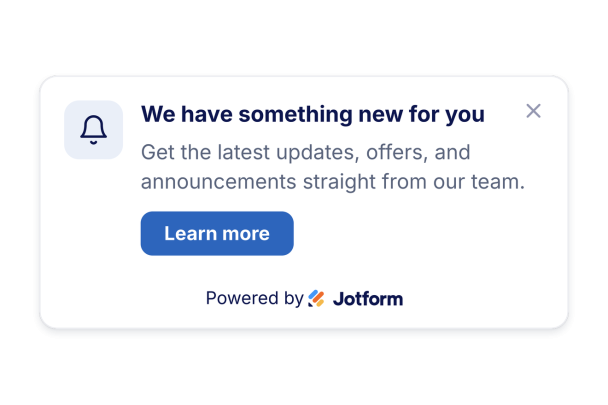

Cara membuat widget Notifikasi Browser
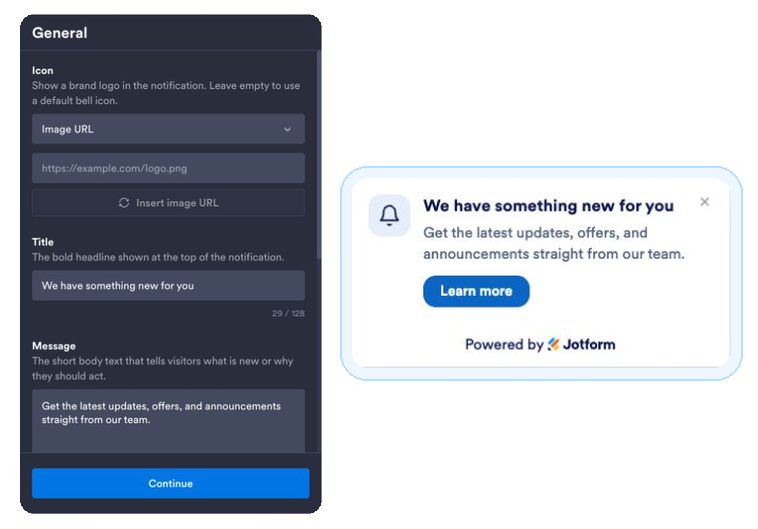
Tulis notifikasi Anda
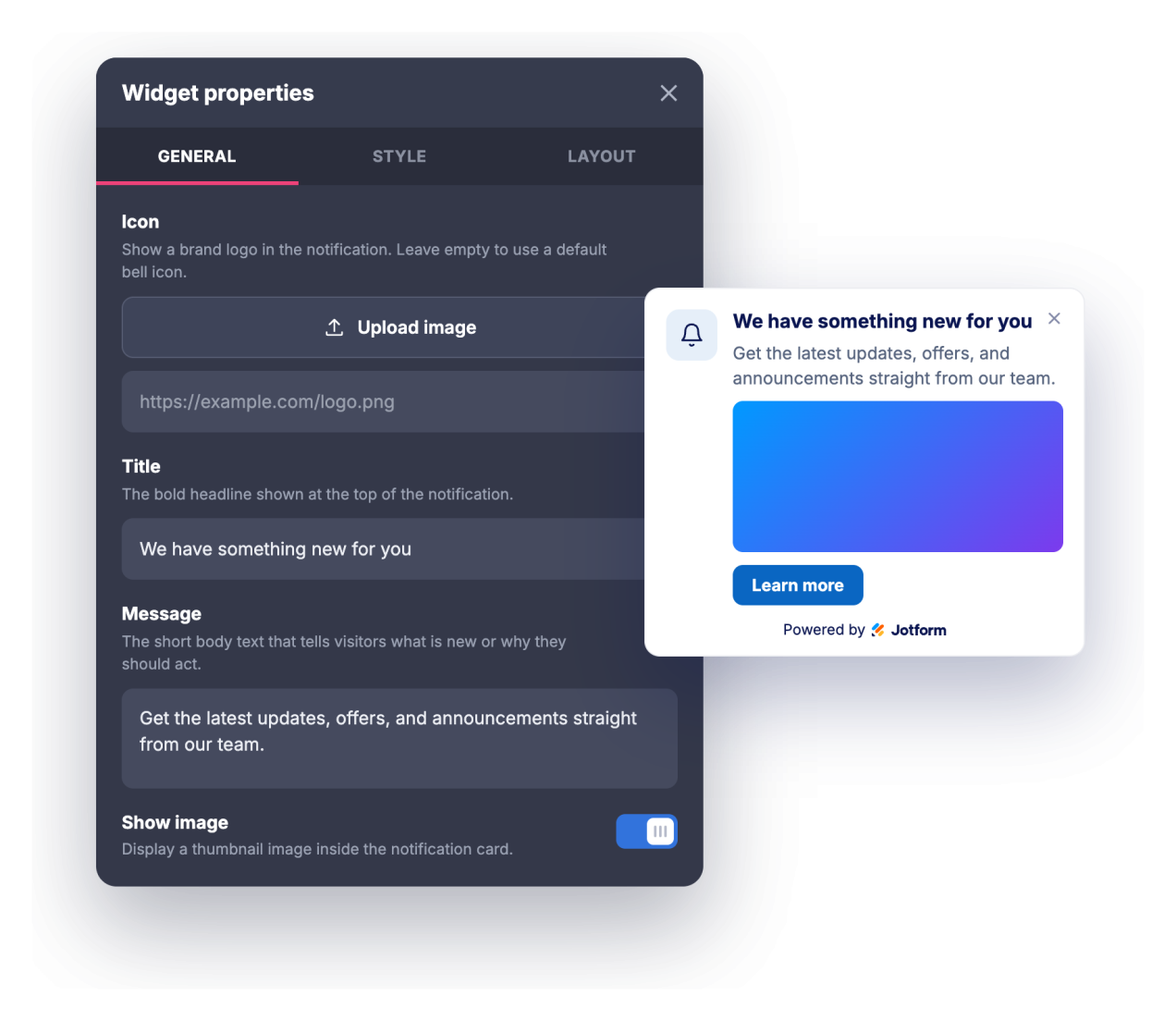
Tambahkan judul, pesan, ikon atau gambar opsional, dan tautan tombol ajakan bertindak.
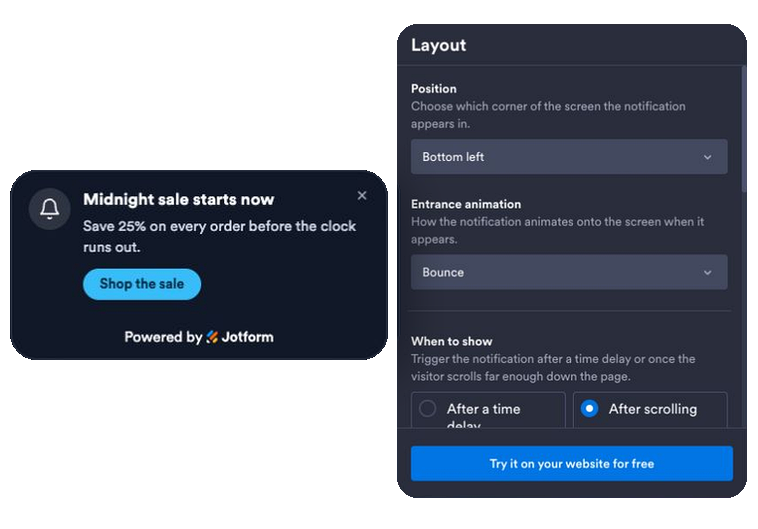
Atur animasi, waktu, dan aturan
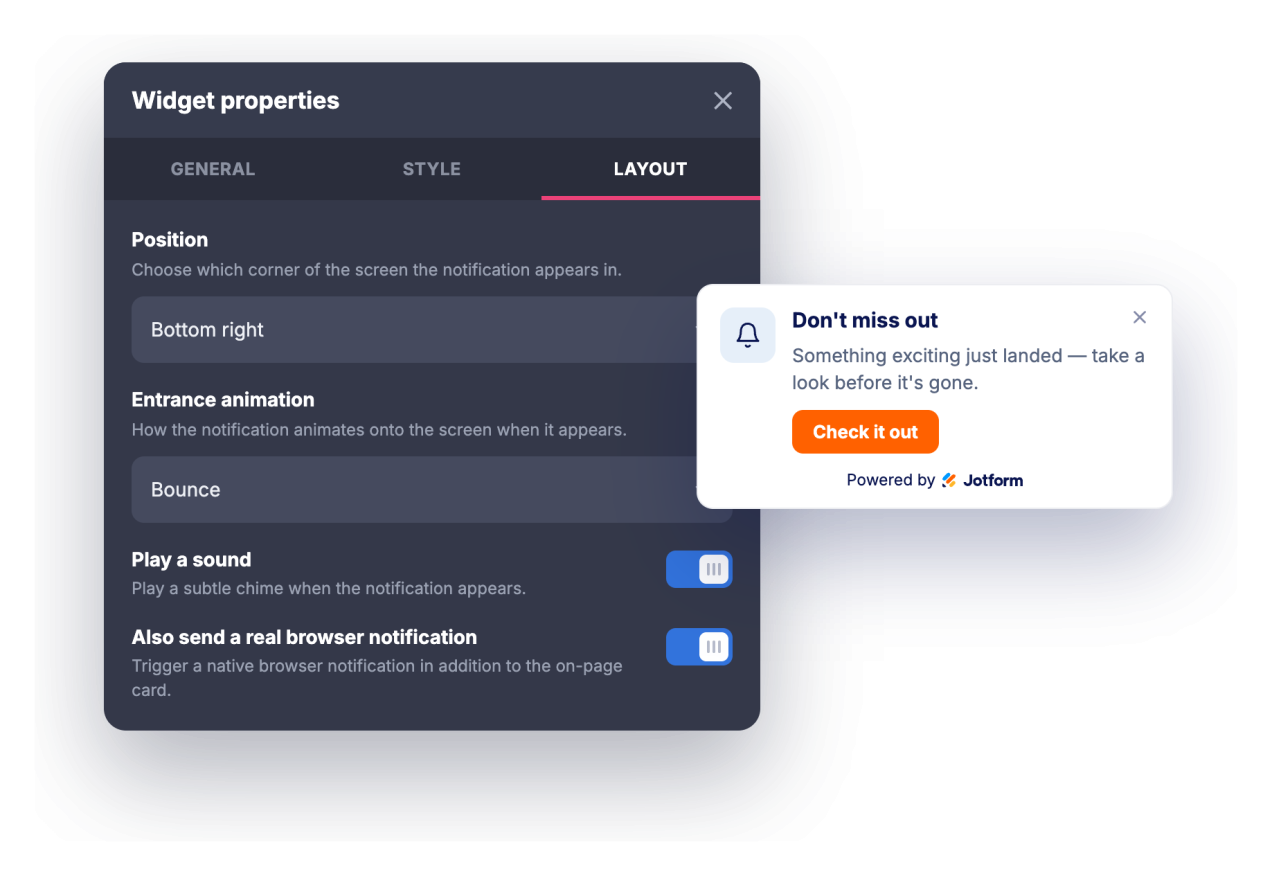
Pilih animasi masuk, pilih pemicu waktu atau gulir, aktifkan suara opsional atau notifikasi browser sungguhan, dan atur posisi, frekuensi, halaman, serta perangkat yang menampilkannya.
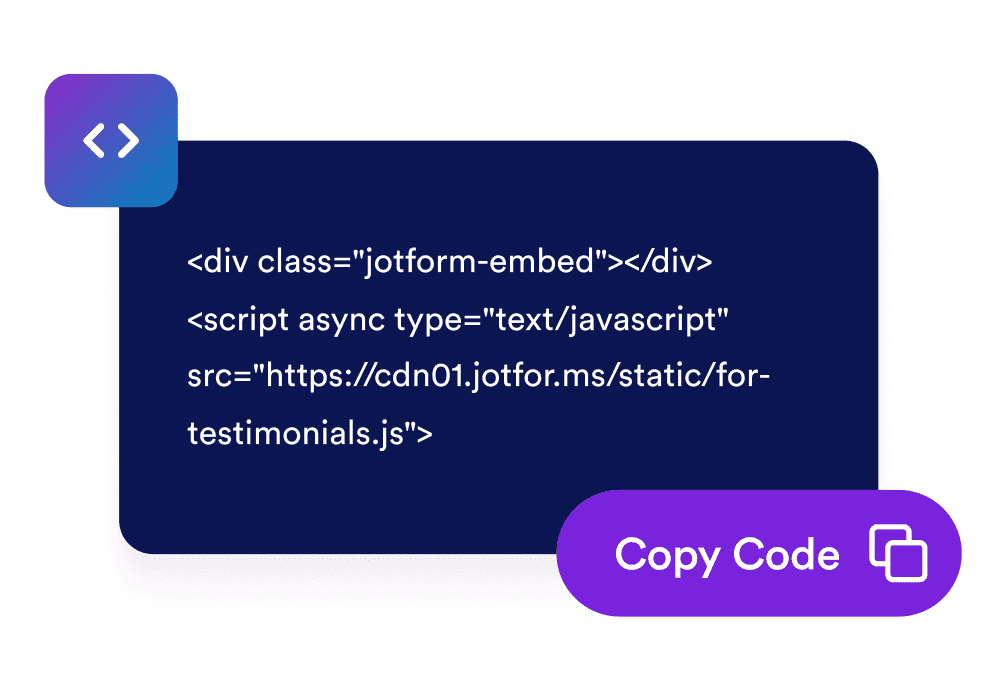
Sematkan di situs Anda
Salin kode sematan yang dihasilkan dan tempelkan di mana saja pada situs web Anda untuk meluncurkan notifikasi secara instan.
Ubah kunjungan pasif menjadi keterlibatan
Sampaikan pesan tepat waktu yang diperhatikan
Kartu notifikasi bergaya browser beranimasi ke sudut halaman Anda dengan judul, pesan, dan tombol, sehingga promosi, pembaruan, dan pengumuman terlihat tanpa mengganggu seluruh layar.
Cocokkan merek Anda dalam beberapa klik
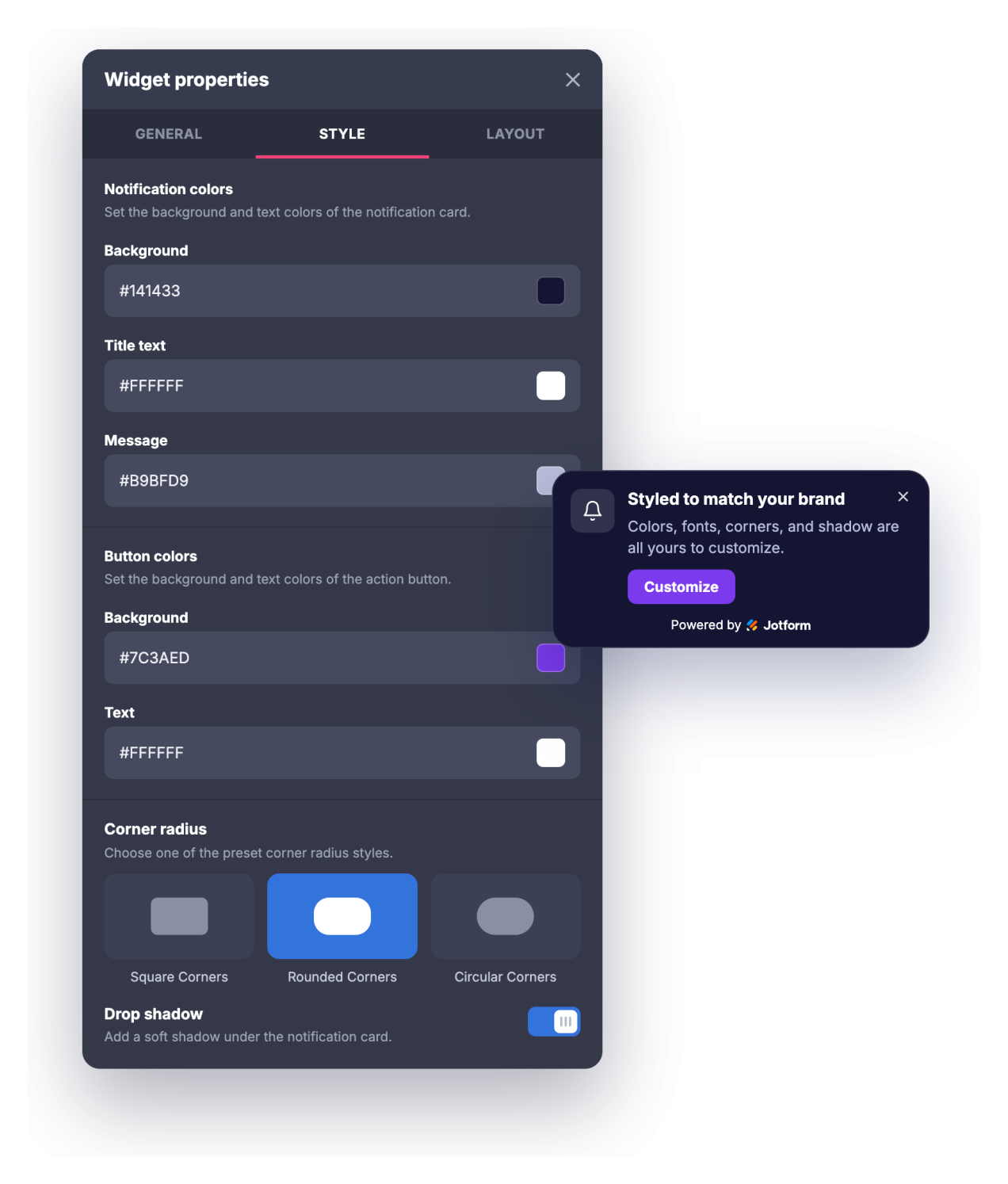
Sesuaikan warna latar belakang, judul, pesan, dan tombol, ukuran judul dan pesan, radius sudut, dan bayangan jatuh agar notifikasi terlihat sebagai bagian alami dari situs Anda alih-alih popup generik.
Tarik kembali pengunjung dan kontrol frekuensi
Tarik perhatian dengan dentingan opsional atau notifikasi browser sungguhan yang dapat dipilih pengunjung, lalu atur jeda tampilan atau pemicu gulir, timer penutupan otomatis, dan seberapa sering notifikasi muncul kembali.
Targetkan halaman dan perangkat yang tepat
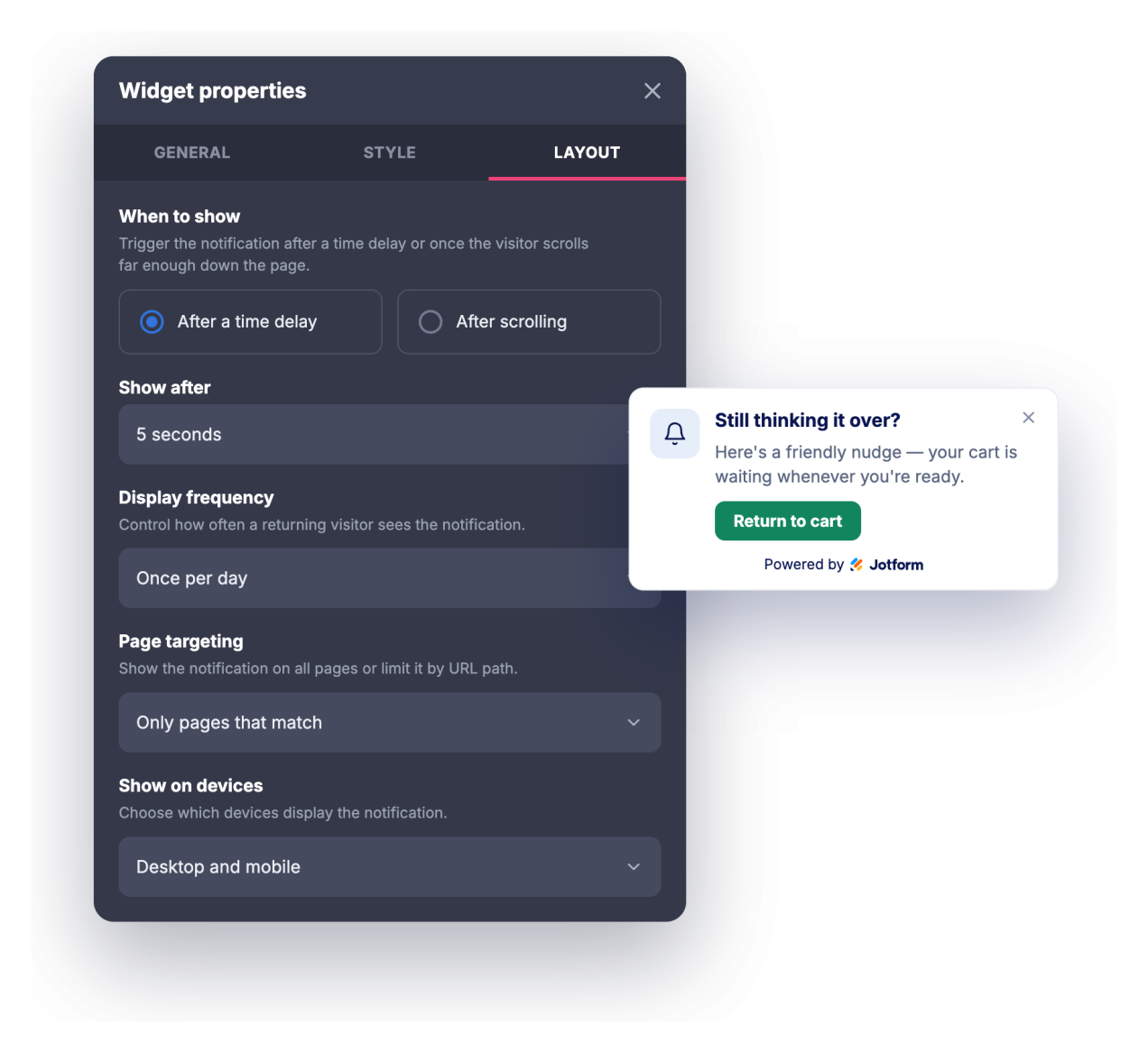
Tampilkan notifikasi di setiap halaman, hanya di halaman yang URL-nya cocok, atau di mana saja kecuali halaman yang cocok, lalu pilih apakah ia muncul di desktop, selular, atau keduanya.
Mengapa Widget Situs Web Jotform Unggul
Widget Jotform membuat situs web Anda lebih interaktif dan meningkatkan konversi. Ada banyak alat tersedia, dari peringkat bintang dan slider testimoni hingga popup bukti sosial dan sematan media. Tambahkan widget ke formulir atau halaman arahan Anda untuk kumpulkan data, menampilkan bukti, dan menangkap prospek — tanpa perlu pengkodean.
Tambahkan widget Jotform ke situs web Anda dengan kode semat yang sederhana. Kustomisasi widget, pratinjau tampilannya, dan tempel ke halaman apa pun yang mendukung HTML kustom atau blok semat, semuanya tanpa pengembang.
Gunakan Widget Situs Web Jotform untuk menangkap prospek, menampilkan umpan balik pelanggan, menampilkan bukti sosial, menyematkan media, atau menambahkan alat halaman web yang bermanfaat. Setiap widget membantu pengunjung berinteraksi dengan bisnis Anda langsung dari situs web Anda.
Jika Anda memerlukan bantuan untuk menyiapkan, menyesuaikan, menyematkan, atau memecahkan masalah widget Anda, tim dukungan pelanggan Jotform tersedia 24-7. Anda dapat melangkah maju dengan percaya diri, mengetahui bahwa bantuan tersedia saat Anda membutuhkannya.
Tempat menggunakan widget Notifikasi Browser Anda
Gunakan widget di mana pun pesan singkat yang tepat waktu dapat menggerakkan pengunjung menuju langkah berikutnya tanpa mengambil alih halaman.
Halaman arahan untuk menyoroti penawaran waktu terbatas, peluncuran, atau magnet prospek segera setelah pengunjung tiba
Toko online untuk mengumumkan penjualan, ambang batas gratis ongkos kirim, kode diskon, atau restok dalam notifikasi sudut
Blog dan situs konten untuk mempromosikan buletin, postingan terkait, atau sumber daya berpagar saat pembaca menggulir
Halaman SaaS dan produk untuk menampilkan fitur baru, log perubahan, webinar, atau perintah uji coba kepada pengunjung yang tepat
Halaman acara dan kursus untuk mendorong tenggat pendaftaran, harga early-bird, atau pengingat jadwal
Halaman dukungan dan dokumentasi untuk mengarahkan pengguna ke pembaruan status, panduan baru, atau opsi kontak
Ubah prospek menjadi pelanggan yang membayar dengan Jotform Form Builder
Ubah keterlibatan menjadi tindakan dengan Jotform. Buat formulir canggih yang menangkap prospek, mengumpulkan pembayaran, dan mengotomatiskan tanggapan, semuanya di satu tempat. Setiap tanggapan masuk ke Kotak Masuk Jotform Anda, tempat Anda dapat menindaklanjuti atau terhubung dengan aplikasi favorit Anda.
Ayo Mulai — Gratis!
FAQ
Apa itu widget Notifikasi Browser?
Widget Notifikasi Browser adalah kartu yang dapat disematkan, bergaya seperti notifikasi browser, yang beranimasi ke sudut situs web Anda untuk menampilkan judul, pesan, gambar, dan tombol ajakan bertindak. Ia menawarkan animasi masuk, suara opsional, kontrol tipografi, serta aturan waktu dan penargetan. Pengunjung yang mengizinkannya juga dapat menerima notifikasi browser sungguhan saat mereka berada di situs Anda.
Apa yang dapat saya animasikan?
Bisakah ia memutar suara?
Apakah pengunjung perlu memberikan izin?
Bisakah saya mengontrol kapan notifikasi muncul?
Bisakah saya menampilkannya hanya di halaman tertentu?
Bisakah saya menyesuaikan desain?
Apakah berfungsi di perangkat selular?
Apakah saya perlu menulis kode untuk menggunakannya?
Apakah widget Notifikasi Browser gratis?