Widget Ulasan eBay untuk Situs Web Anda
Bangun kepercayaan pembeli dengan menampilkan umpan balik asli dari toko eBay Anda. Widget Ulasan eBay dari Jotform memungkinkan Anda menampilkan peringkat penjual dan ulasan publik, menyesuaikan tampilannya, dan menjaga konten tetap diperbarui secara otomatis—semuanya tanpa menulis kode.
Buat Sekarang — Gratis!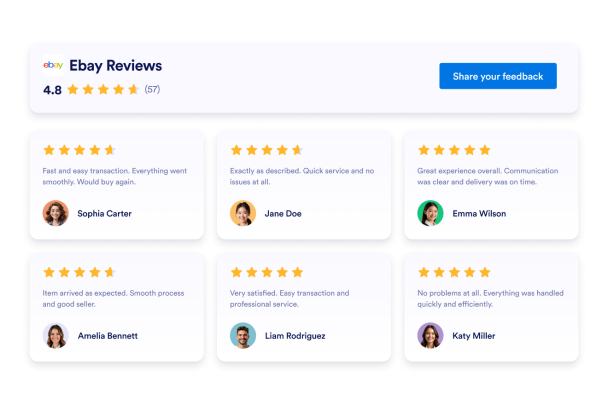

Cara membuat widget Ulasan eBay
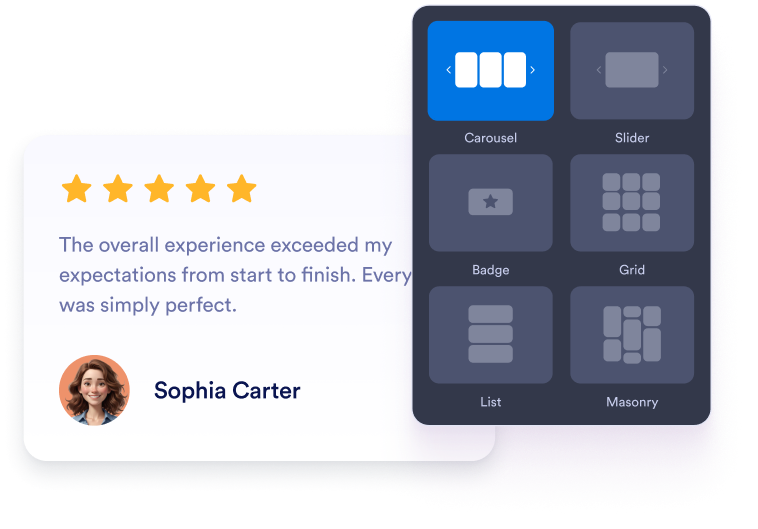
Sesuaikan widget Anda
Pilih konten, tata letak, warna, dan perilaku Anda sehingga widget sesuai dengan desain situs web Anda.
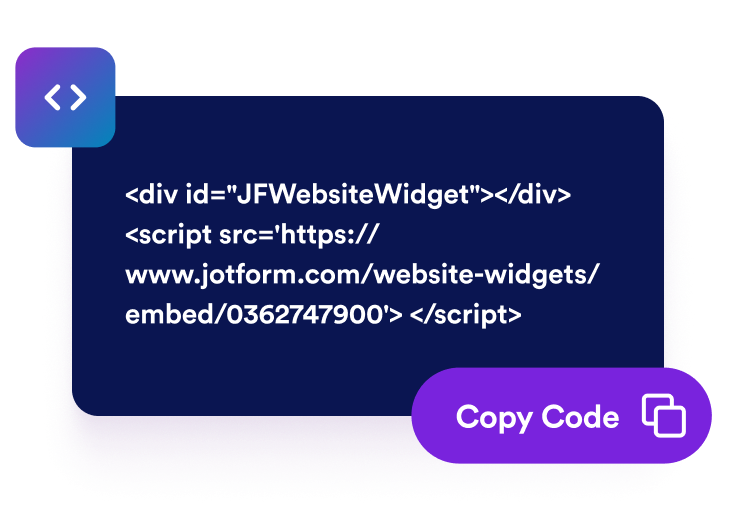
Dapatkan kode sematan
Salin kode semat siap pakai yang dihasilkan oleh Jotform. Tidak perlu penyiapan atau pengkodean.

Sematkan di mana saja
Tempelkan kode ke situs web Anda dan publikasikan. Ulasan eBay Anda akan langsung muncul.
Bangun kepercayaan pembeli dengan ulasan eBay tepercaya
Bimbing pembeli menuju pembelian yang percaya diri
Tempatkan umpan balik eBay positif di dekat detail produk, tombol pembelian, atau informasi toko. Ulasan dari pelanggan sebelumnya dapat mengatasi kekhawatiran umum dan memberikan konteks yang berguna bagi pengunjung saat mereka memutuskan apakah akan membeli dari bisnis Anda.

Tambahkan konteks ulasan yang berguna
Umpan balik pelanggan menambahkan informasi yang relevan ke halaman toko dan produk Anda. Meskipun ulasan yang disematkan tidak menjamin peringkat pencarian yang lebih baik, ulasan tersebut dapat membuat situs web Anda lebih informatif bagi pengunjung yang meneliti produk, layanan, dan reputasi penjual Anda.

Bangun kepercayaan dengan umpan balik pembeli
Tampilkan peringkat dan ulasan eBay asli langsung di situs web Anda. Umpan balik dari pembeli sebelumnya membantu pengunjung menilai reputasi toko Anda dan memahami pengalaman yang dimiliki pelanggan lain sebelum melakukan pemesanan.

Jaga ulasan eBay tetap mutakhir secara otomatis
Hubungkan toko eBay Anda dan biarkan widget tetap tersinkron dengan peringkat dan komentar yang memenuhi syarat. Umpan balik baru dapat muncul di situs web Anda secara otomatis, mengurangi kebutuhan untuk menyalin ulasan atau memperbarui halaman Anda secara manual.

Mengapa Widget Situs Web Jotform Unggul
Widget Jotform membuat situs web Anda lebih interaktif dan meningkatkan konversi. Ada banyak alat tersedia, dari peringkat bintang dan slider testimoni hingga popup bukti sosial dan sematan media. Tambahkan widget ke formulir atau halaman arahan Anda untuk kumpulkan data, menampilkan bukti, dan menangkap prospek — tanpa perlu pengkodean.
Tambahkan widget Jotform ke situs web Anda dengan kode semat yang sederhana. Kustomisasi widget, pratinjau tampilannya, dan tempel ke halaman apa pun yang mendukung HTML kustom atau blok semat, semuanya tanpa pengembang.
Gunakan Widget Situs Web Jotform untuk menangkap prospek, menampilkan umpan balik pelanggan, menampilkan bukti sosial, menyematkan media, atau menambahkan alat halaman web yang bermanfaat. Setiap widget membantu pengunjung berinteraksi dengan bisnis Anda langsung dari situs web Anda.
Jika Anda memerlukan bantuan untuk menyiapkan, menyesuaikan, menyematkan, atau memecahkan masalah widget Anda, tim dukungan pelanggan Jotform tersedia 24-7. Anda dapat melangkah maju dengan percaya diri, mengetahui bahwa bantuan tersedia saat Anda membutuhkannya.
Tempat menggunakan Widget Ulasan eBay Anda
Tampilkan umpan balik pembeli di halaman tempat pengunjung mengevaluasi produk, reputasi penjual, dan layanan Anda.
Bagian kepercayaan halaman beranda untuk memperkenalkan reputasi eBay Anda kepada pengunjung baru.
Halaman produk untuk mendukung keputusan pembelian dengan pengalaman pembeli yang relevan.
Halaman kategori untuk membangun kepercayaan saat pembeli membandingkan produk.
Halaman pengiriman dan pengembalian untuk memperkuat informasi tentang layanan dan pengiriman.
Halaman arahan promosi untuk memberikan bukti sosial di samping produk unggulan.
Halaman kontak dan FAQ untuk meyakinkan pengunjung sebelum mereka mengirimkan pertanyaan.
Ubah prospek menjadi pelanggan yang membayar dengan Jotform Form Builder
Ubah keterlibatan menjadi tindakan dengan Jotform. Buat formulir canggih yang menangkap prospek, mengumpulkan pembayaran, dan mengotomatiskan tanggapan, semuanya di satu tempat. Setiap tanggapan masuk ke Kotak Masuk Jotform Anda, tempat Anda dapat menindaklanjuti atau terhubung dengan aplikasi favorit Anda.
Ayo Mulai — Gratis!
FAQ
Apa itu Widget Ulasan eBay?
Widget Ulasan eBay menampilkan peringkat publik dan umpan balik pelanggan dari toko eBay Anda di situs web Anda. Ini membantu pengunjung mengevaluasi reputasi penjual Anda dan membaca pengalaman pembeli sebelumnya tanpa keluar dari halaman.
Bagaimana cara menambahkan ulasan eBay ke situs web saya?
Informasi eBay apa yang ditampilkan oleh widget?
Bisakah saya memilih bagaimana ulasan eBay saya ditampilkan?
Bisakah saya menyesuaikan desain widget?
Apakah ulasan eBay baru akan muncul secara otomatis?
Apakah saya perlu menulis kode?
Apakah Widget Ulasan eBay gratis?
Platform situs web mana yang mendukung Widget Ulasan eBay?