Widget Kalender Acara untuk situs web Anda
Tambahkan acara secara manual atau sinkronkan dengan Google Calendar, lalu berikan pengunjung jadwal yang jelas dan responsif dengan detail acara, Tambahkan ke Kalender, dan tautan pendaftaran.
Buat Sekarang — Gratis!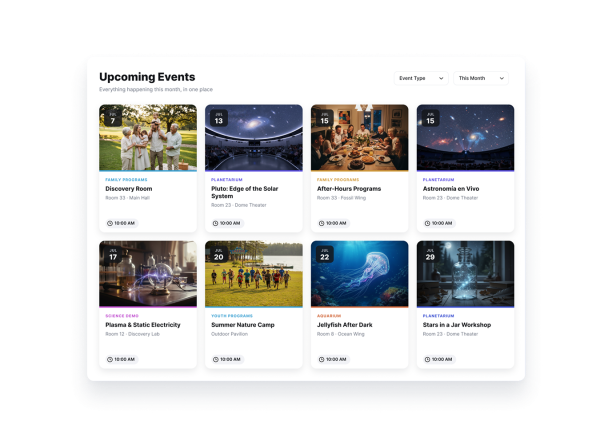

Cara membuat widget Event Calendar
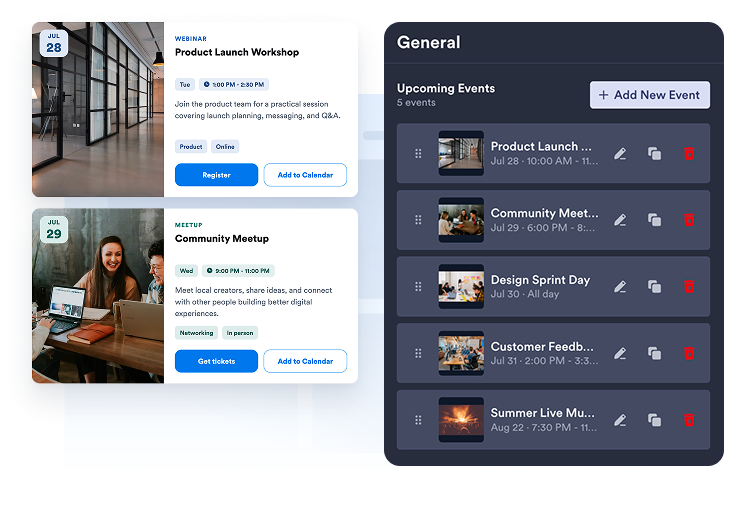
Tambahkan atau sinkronkan acara Anda
Buat acara satu hari atau beberapa hari secara manual, atau hubungkan Google Calendar untuk menyinkronkan jadwal Anda di kedua arah.
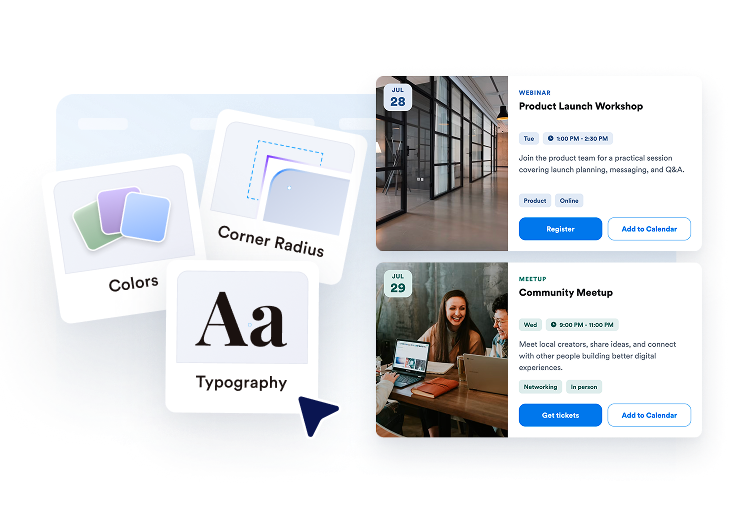
Sesuaikan kalender
Pilih tata letak grid, daftar, karosel, slider, bulan, atau minggu, lalu sesuaikan tema, tombol, elemen kartu, dan detail popup.

Publikasikan di mana saja
Pratinjau widget, salin kode semat, dan tambahkan kalender acara Anda ke halaman situs web mana pun.
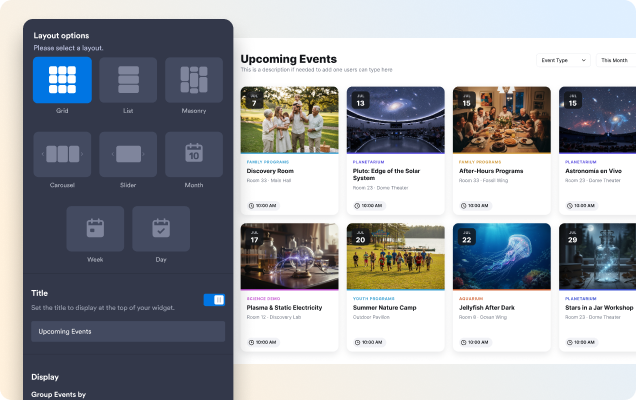
Tampilkan acara dalam tata letak yang sesuai dengan halaman Anda
Gunakan daftar atau grid untuk menjelajah, karosel atau slider untuk acara unggulan, atau tampilan Bulan dan Minggu untuk jadwal berbasis tanggal.
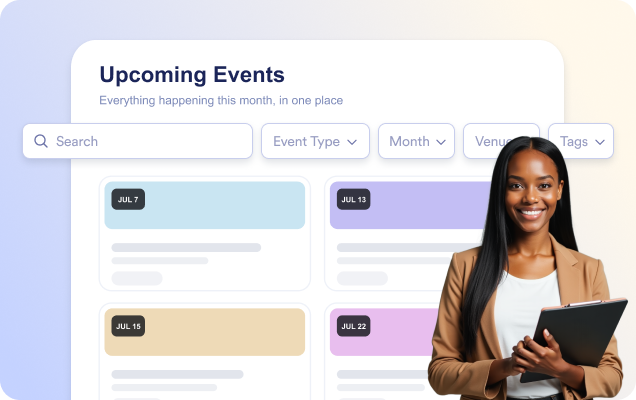
Bantu pengunjung menemukan acara yang tepat lebih cepat
Aktifkan pencarian agar pengunjung dapat menemukan acara berdasarkan judul, deskripsi, lokasi, atau tag saat mereka mengetik.
Bagikan detail acara lengkap dalam popup
Buka popup acara yang terfokus dengan tanggal dan waktu, lokasi, deskripsi, media, tag, tombol CTA, dan Tambahkan ke Kalender.

Cocokkan kalender dengan situs web Anda
Pilih tema terang, gelap, atau khusus, lalu sesuaikan warna kartu, teks, dan tombol serta radius sudut.

Mengapa Widget Situs Web Jotform Unggul
Widget Jotform membuat situs web Anda lebih interaktif dan meningkatkan konversi. Ada banyak alat tersedia, dari peringkat bintang dan slider testimoni hingga popup bukti sosial dan sematan media. Tambahkan widget ke formulir atau halaman arahan Anda untuk kumpulkan data, menampilkan bukti, dan menangkap prospek — tanpa perlu pengkodean.
Tambahkan widget Jotform ke situs web Anda dengan kode semat yang sederhana. Kustomisasi widget, pratinjau tampilannya, dan tempel ke halaman apa pun yang mendukung HTML kustom atau blok semat, semuanya tanpa pengembang.
Gunakan Widget Situs Web Jotform untuk menangkap prospek, menampilkan umpan balik pelanggan, menampilkan bukti sosial, menyematkan media, atau menambahkan alat halaman web yang bermanfaat. Setiap widget membantu pengunjung berinteraksi dengan bisnis Anda langsung dari situs web Anda.
Jika Anda memerlukan bantuan untuk menyiapkan, menyesuaikan, menyematkan, atau memecahkan masalah widget Anda, tim dukungan pelanggan Jotform tersedia 24-7. Anda dapat melangkah maju dengan percaya diri, mengetahui bahwa bantuan tersedia saat Anda membutuhkannya.
Ubah prospek menjadi pelanggan yang membayar dengan Jotform Form Builder
Ubah keterlibatan menjadi tindakan dengan Jotform. Buat formulir canggih yang menangkap prospek, mengumpulkan pembayaran, dan mengotomatiskan tanggapan, semuanya di satu tempat. Setiap tanggapan masuk ke Kotak Masuk Jotform Anda, tempat Anda dapat menindaklanjuti atau terhubung dengan aplikasi favorit Anda.
Ayo Mulai — Gratis!
FAQ
Apa itu Widget Kalender Acara Jotform?
Widget Kalender Acara Jotform memungkinkan Anda menampilkan acara mendatang dalam kalender atau daftar yang terorganisir secara visual. Anda dapat menampilkan tanggal, waktu, lokasi, deskripsi, gambar, dan tautan pendaftaran acara, sehingga memudahkan pengunjung untuk menemukan dan bergabung dengan acara Anda.
Bisakah saya menghubungkan widget ke Google Calendar?
Bisakah saya menambahkan acara berulang dan acara multi-hari?
Bisakah saya menautkan pengunjung ke halaman pendaftaran acara?
Bisakah saya menyesuaikan tampilan Widget Kalender Acara?
Bisakah pengunjung mencari acara?