Update App Title
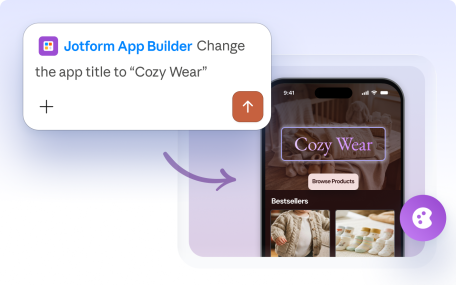
Rename your app with Jotform Apps in Claude. Provide the new title and ask AI to apply it, keeping the name aligned with your app’s purpose, updated content, event, or organization.
Edit App Settings
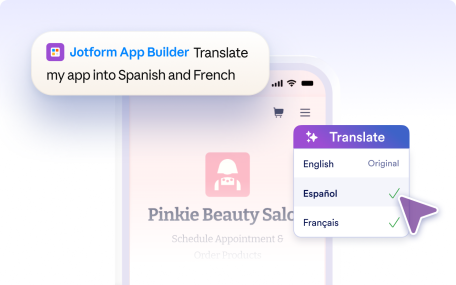
Aggiorna facilmente le impostazioni della tua app in Claude. Attiva o disattiva la disponibilità, cambia il titolo o traduci i contenuti in modo che la tua app rimanga aggiornata e accessibile al tuo pubblico.
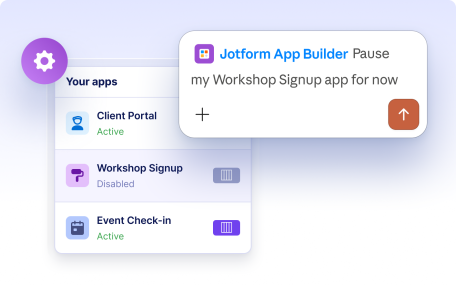
Manage app access directly in Claude. Enable your app to make it available to users at any time, or disable it when you want to pause access. Instantly update who can interact with your app through a simple request.
Request to enable or disable your app at any time by describing the change in Claude. Quickly make your app accessible to users or pause access as needed, directly through a conversation with the Jotform AI App Builder.
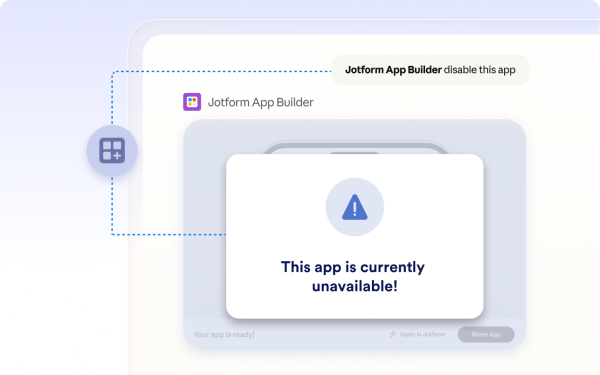
See a visual example of making your app available or pausing access in Claude. Enabling the app lets users interact with it on their devices, while disabling it temporarily prevents access until you choose to enable it again.
Hai domande su questa funzione? Esplora le FAQ qui sotto per risposte rapide.
Describe your request to enable or disable your app directly in Claude. The Jotform AI App Builder updates the app’s availability based on your instruction, making it accessible or pausing access for all users.
When you disable your app in Jotform Apps in Claude, users can no longer access it through the share link or on their devices. The app remains saved, and you can re-enable it whenever you want to make it available again.
Yes, you can re-enable your app at any time by requesting it in Claude. Once enabled, your app becomes available again to users through its share link or QR code, allowing your audience to access the content as before.