

Come creare un widget Recensioni App Store
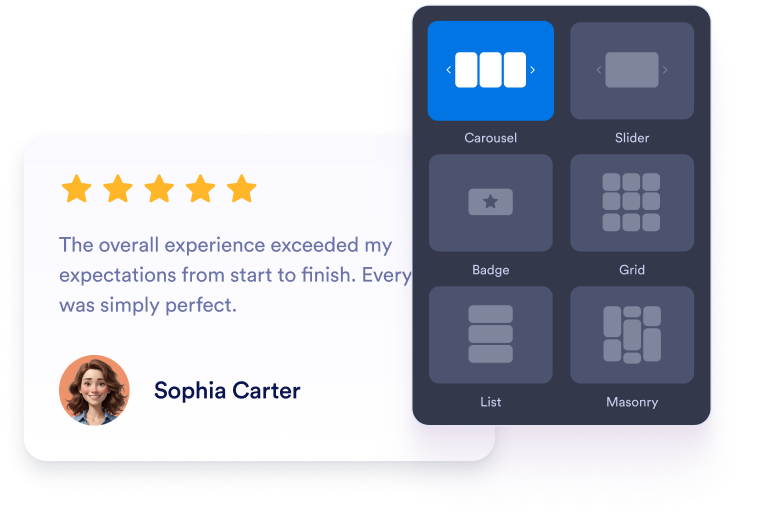
Personalizza il tuo widget
Scegli i tuoi contenuti, il layout, i colori e il comportamento in modo che il widget si adatti al design del tuo sito web.
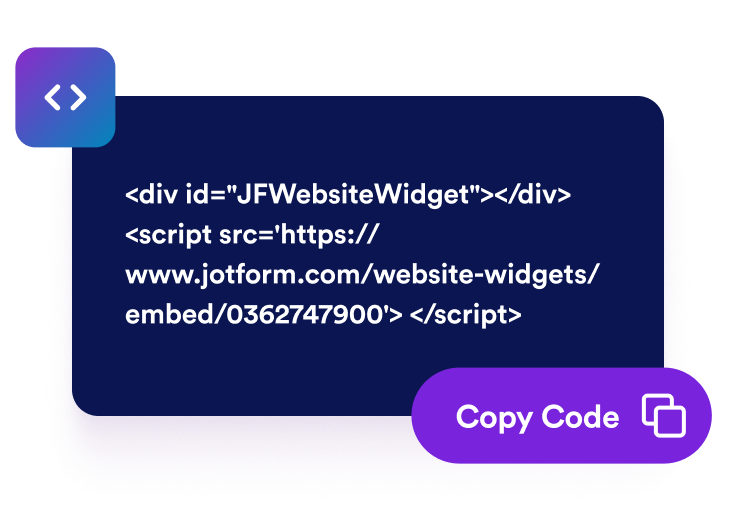
Ottieni il codice embed
Copia il codice embed generato da Jotform. Nessuna configurazione, nessun codice.

Incorporalo ovunque
Incolla il codice nel tuo sito web e pubblicalo. Le tue recensioni dell'App Store appariranno immediatamente.
Trasforma le recensioni dell'App Store in decisioni sicure sulle app
Incoraggia i visitatori a scoprire la tua app
Posiziona le recensioni positive dell'App Store vicino ai pulsanti di download, ai moduli di iscrizione o ai dettagli del prodotto. Il feedback autentico degli utenti può rispondere ai dubbi più comuni e aiutare i visitatori a decidere se la tua app soddisfa le loro esigenze.

Crea fiducia con recensioni reali dell'app
Mostra valutazioni e commenti autentici degli utenti iOS direttamente sul tuo sito web. Le esperienze di prima mano offrono ai visitatori un contesto aggiuntivo e rendono più facile valutare la reputazione della tua app.

Mantieni i contenuti delle recensioni sempre aggiornati automaticamente
Collega la tua scheda App Store una sola volta e lascia che il widget rimanga sincronizzato con le nuove valutazioni e i commenti. Il tuo sito web può mostrare il feedback attuale degli utenti senza richiedere frequenti aggiornamenti manuali.

Sostieni la visibilità dell'app con i contenuti delle recensioni
Un feedback pertinente degli utenti può rendere le pagine della tua app più utili e informative per i visitatori. Sebbene le recensioni non garantiscano un posizionamento più alto nei risultati di ricerca, possono arricchire la tua pagina con contenuti attuali e specifici del prodotto.

Perché i Widget del sito web di Jotform si distinguono
I widget di Jotform rendono il tuo sito web più interattivo e aumentano le conversioni. Sono disponibili molti strumenti, dalle valutazioni a stelle e gli slider di testimonianze ai popup di riprova sociale e agli embed di media. Aggiungi widget ai tuoi moduli o alle tue landing page per raccogliere dati, mostrare prove e acquisire lead, senza bisogno di programmazione.
Aggiungi i widget Jotform al tuo sito web con un semplice codice embed. Personalizza il widget, visualizza in anteprima il suo aspetto e incollalo in qualsiasi pagina che supporti HTML personalizzato o blocchi embed, il tutto senza uno sviluppatore.
Usa i Widget del sito web di Jotform per acquisire lead, mostrare feedback dei clienti, visualizzare riprova sociale, incorporare media o aggiungere utili strumenti per le pagine web. Ogni widget aiuta i visitatori a interagire con la tua attività direttamente dal tuo sito web.
Se hai bisogno di aiuto per configurare, personalizzare, incorporare o risolvere problemi con il tuo widget, il team di assistenza clienti di Jotform è disponibile 24 ore su 24, 7 giorni su 7. Puoi andare avanti con fiducia, sapendo che l'aiuto è a disposizione quando ne hai bisogno.
Dove utilizzare il tuo widget App Store Reviews
Aggiungi le tue recensioni alle pagine in cui i visitatori si informano sulla tua app e decidono cosa fare dopo.
Landing page dell'app iOS per supportare le decisioni di download.
Sezioni della homepage per introdurre presto il feedback reale degli utenti.
Pagine delle funzionalità per rafforzare i vantaggi del prodotto con le esperienze dei clienti.
Pagine dei prezzi o degli abbonamenti per affrontare le esitazioni prima dell'acquisto.
Pagine di rilascio e aggiornamenti per mostrare come gli utenti rispondono alla tua app.
Pagine di supporto o FAQ per fornire ulteriore rassicurazione ai nuovi utenti.
Converti i lead in clienti paganti con il costruttore di Moduli Jotform
Trasforma il coinvolgimento in azione con Jotform. Crea moduli potenti che acquisiscono lead, raccolgono pagamenti e automatizzano le risposte, tutto in un unico posto. Ogni risposta arriva nella tua Posta Jotform, dove puoi dare seguito o collegarti con le tue app preferite.
Inizia Subito — È Gratis!
FAQ
Cos'è un widget App Store Reviews?
Un widget App Store Reviews mostra le valutazioni e il feedback pubblico di una scheda dell'Apple App Store sul tuo sito web. Offre ai visitatori un modo semplice per esplorare le esperienze reali degli utenti iOS senza lasciare la pagina.
Come aggiungo le recensioni dell'App Store al mio sito web?
Quali layout di recensioni posso utilizzare?
Posso personalizzare il widget App Store Reviews?
Le nuove recensioni dell'App Store appariranno automaticamente?
Posso scegliere quali recensioni dell'App Store vengono visualizzate?
Cosa devo fare se il link della mia scheda App Store non funziona?
Devo scrivere codice per utilizzare il widget?
Il widget è mobile-friendly?
Posso creare un widget App Store Reviews gratuitamente?
Quali piattaforme di siti web supportano il widget?
Posso ricevere aiuto per configurare il widget?