Widget calendario eventi per il tuo sito web
Crea manualmente gli eventi o sincronizzali con il tuo Calendario Google, e offri ai visitatori un programma chiaro e responsive con i dettagli degli eventi, il pulsante Aggiungi al Calendario e il link di registrazione.
Create Now — It’s Free!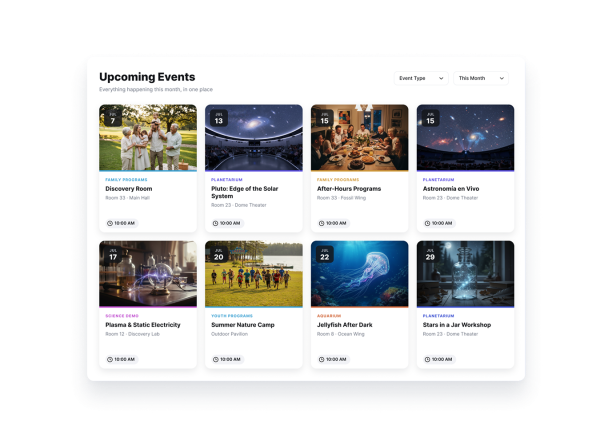

Come creare un widget Event Calendar
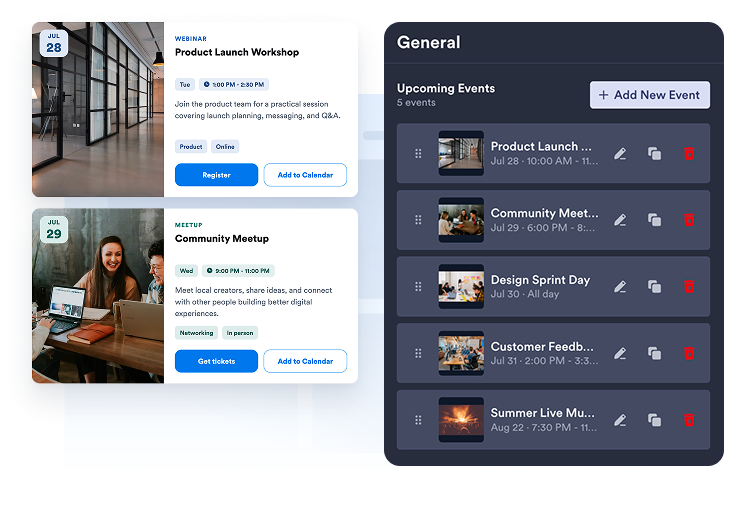
Aggiungi o sincronizza i tuoi eventi
Crea eventi di uno o più giorni, oppure collega il tuo Calendario Google per sincronizzare il programma in entrambe le direzioni.
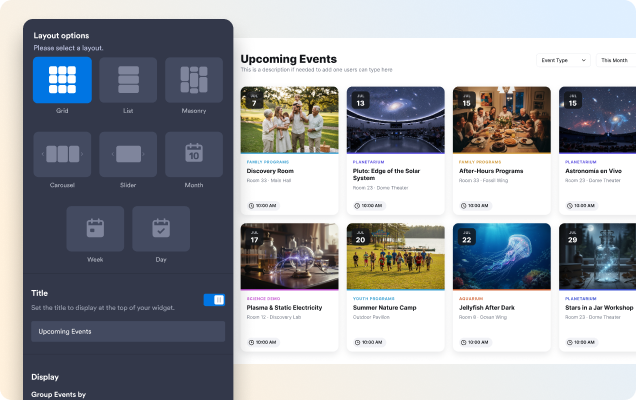
Personalizza il calendario
Scegli un layout a griglia, elenco, carosello, slider, mese o settimana, quindi personalizza il tema, i pulsanti, gli elementi delle card e i dettagli del popup.

Pubblicalo ovunque
Visualizza l'anteprima del widget, copia il codice embed e aggiungi il calendario a qualsiasi pagina del tuo sito.
Mostra gli eventi nel layout più adatto alla tua pagina
Mostra gli eventi come elenco, griglia, carosello o slider per quelli in evidenza, oppure usa la vista Mese e Settimana per filtrare in base alle date.
Aiuta i visitatori a trovare velocemente l'evento giusto
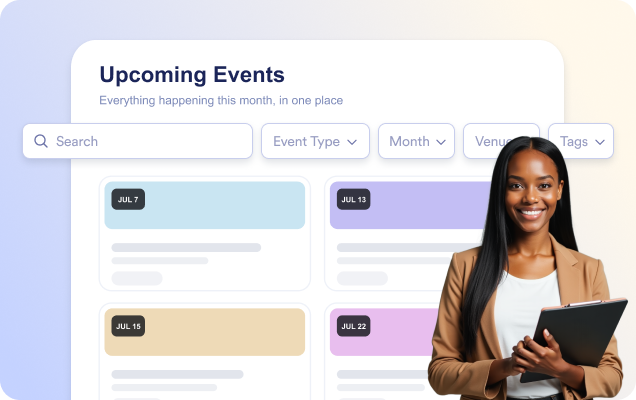
Abilita la ricerca così i visitatori possono trovare gli eventi per titolo, descrizione, luogo o tag, mentre digitano.
Condividi tutti i dettagli dell'evento in un popup
Apri un popup dedicato all'evento con data e ora, luogo, descrizione, foto, video, tag, un pulsante CTA e Aggiungi al Calendario.

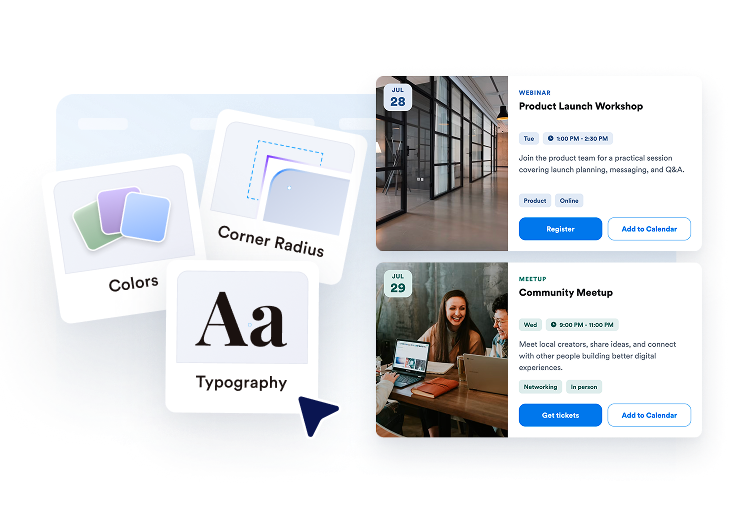
Abbina il calendario allo stile del tuo sito
Scegli un tema chiaro, scuro o personalizzato, quindi personalizza i colori delle card, del testo e dei pulsanti oltre al raggio degli angoli.

Perché i Widget del sito web di Jotform si distinguono
I widget di Jotform rendono il tuo sito web più interattivo e aumentano le conversioni. Sono disponibili molti strumenti, dalle valutazioni a stelle e gli slider di testimonianze ai popup di riprova sociale e agli embed di media. Aggiungi widget ai tuoi moduli o alle tue landing page per raccogliere dati, mostrare prove e acquisire lead, senza bisogno di programmazione.
Aggiungi i widget Jotform al tuo sito web con un semplice codice embed. Personalizza il widget, visualizza in anteprima il suo aspetto e incollalo in qualsiasi pagina che supporti HTML personalizzato o blocchi embed, il tutto senza uno sviluppatore.
Usa i Widget del sito web di Jotform per acquisire lead, mostrare feedback dei clienti, visualizzare riprova sociale, incorporare media o aggiungere utili strumenti per le pagine web. Ogni widget aiuta i visitatori a interagire con la tua attività direttamente dal tuo sito web.
Se hai bisogno di aiuto per configurare, personalizzare, incorporare o risolvere problemi con il tuo widget, il team di assistenza clienti di Jotform è disponibile 24 ore su 24, 7 giorni su 7. Puoi andare avanti con fiducia, sapendo che l'aiuto è a disposizione quando ne hai bisogno.
Converti i lead in clienti paganti con il costruttore di Moduli Jotform
Trasforma il coinvolgimento in azione con Jotform. Crea moduli potenti che acquisiscono lead, raccolgono pagamenti e automatizzano le risposte, tutto in un unico posto. Ogni risposta arriva nella tua Posta Jotform, dove puoi dare seguito o collegarti con le tue app preferite.
Inizia Subito — È Gratis!
FAQ
Cos'è il widget Calendario degli Eventi di Jotform?
Il widget Calendario degli Eventi di Jotform ti permette di mostrare gli eventi in calendario in maniera organizzata. Puoi mostrare date, orari, luoghi, descrizioni, immagini e link di registrazione degli eventi, aiutando i visitatori a scoprire e partecipare ai tuoi eventi.
Posso collegare il widget al Calendario Google?
Posso aggiungere eventi ricorrenti e su più giorni?
Posso indirizzare i visitatori a una pagina di registrazione all'evento?
Posso personalizzare l'aspetto del widget Calendario degli Eventi?
I visitatori possono cercare gli eventi?