Widget per Siti Web

Google Review Calculator

Estimate how many additional 5-star Google reviews you need to reach your target rating. Enter your current rating, total review count, and target rating to calculate your review goal.

Calculate your review goal

Your result updates automatically when all three fields are filled. This estimate assumes every new review is 5 stars.

Your review goal will appear here

This estimate assumes that every new review is 5 stars and that your existing reviews remain unchanged.

How to use the Google Review Calculator

Copy a business profile’s 4.2-star rating into the current rating field

Enter your current rating

Find your business on Google Search or Maps and enter its current Google star rating.

Copy a business profile’s 50 reviews into the total reviews field

Add your review count

Enter the total number of Google reviews shown on the same profile as your star rating.

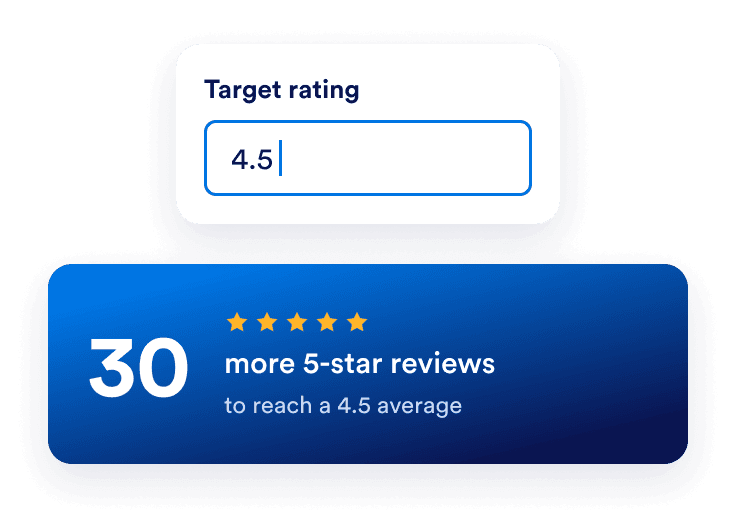
A target rating of 4.5 requires 30 additional 5-star reviews

Set your target rating

Enter the average rating you want to reach. Your review goal is calculated automatically.

Benefits of using the Google Review Calculator

Know how many reviews you need

Turn your target rating into an estimated number of additional 5-star reviews based on your current rating and review count.

A business with a 4.2 rating and 50 reviews needs 30 new 5-star reviews to reach 4.5

Compare rating targets

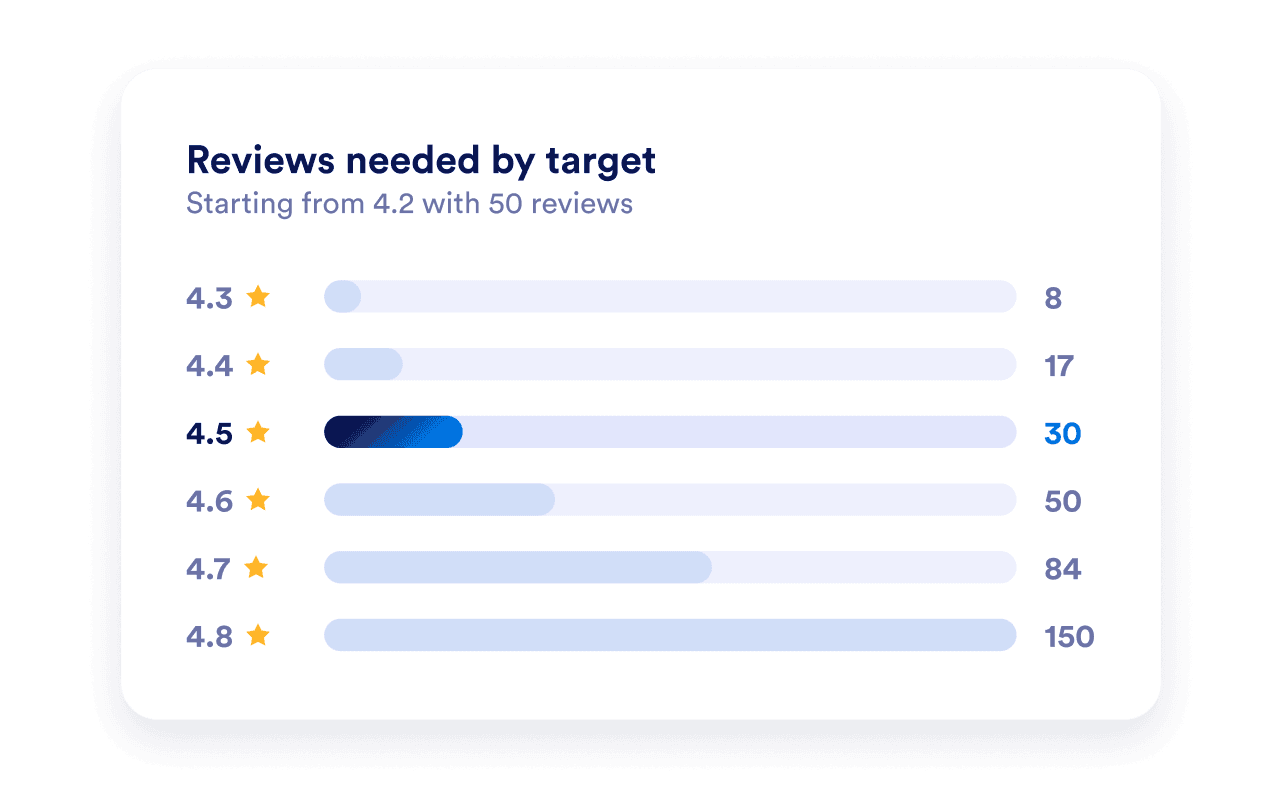
Calculate the reviews needed for different target averages to see how the number changes as you set a higher goal.

Reviews needed to increase a 4.2 rating across 50 reviews: 8 for 4.3, 17 for 4.4, 30 for 4.5, 50 for 4.6, 84 for 4.7, and 150 for 4.8

Understand why review count matters

See why businesses with more existing reviews need more new 5-star reviews to achieve the same increase in their average rating.

At a 4.2 rating, a business with 50 reviews needs 30 new 5-star reviews to reach 4.5, while one with 200 reviews needs 120

Collect more Google reviews

Once you have your review goal, display customer feedback on your website with the Google Reviews Widget and share a direct review link to invite new reviews.

Domande Frequenti

  • What is a Google review calculator?

    A Google review calculator estimates how many additional 5-star reviews your business needs to reach a target average rating. Enter your current Google rating, total review count, and target rating to calculate your estimate.

  • How is your Google review rating calculated?

  • How many 5-star reviews do I need to increase my Google rating?

  • Where can I find my current Google rating and review count?

  • Does the Google Review Calculator give an exact result?

  • How many 5-star reviews offset one 1-star review?

  • Can I reach a 5.0 Google rating if I have negative reviews?

  • Why hasn’t my Google rating changed after new reviews?

  • Is Jotform’s Google Review Calculator free?

  • How can I get more Google reviews?