-
 csilva144
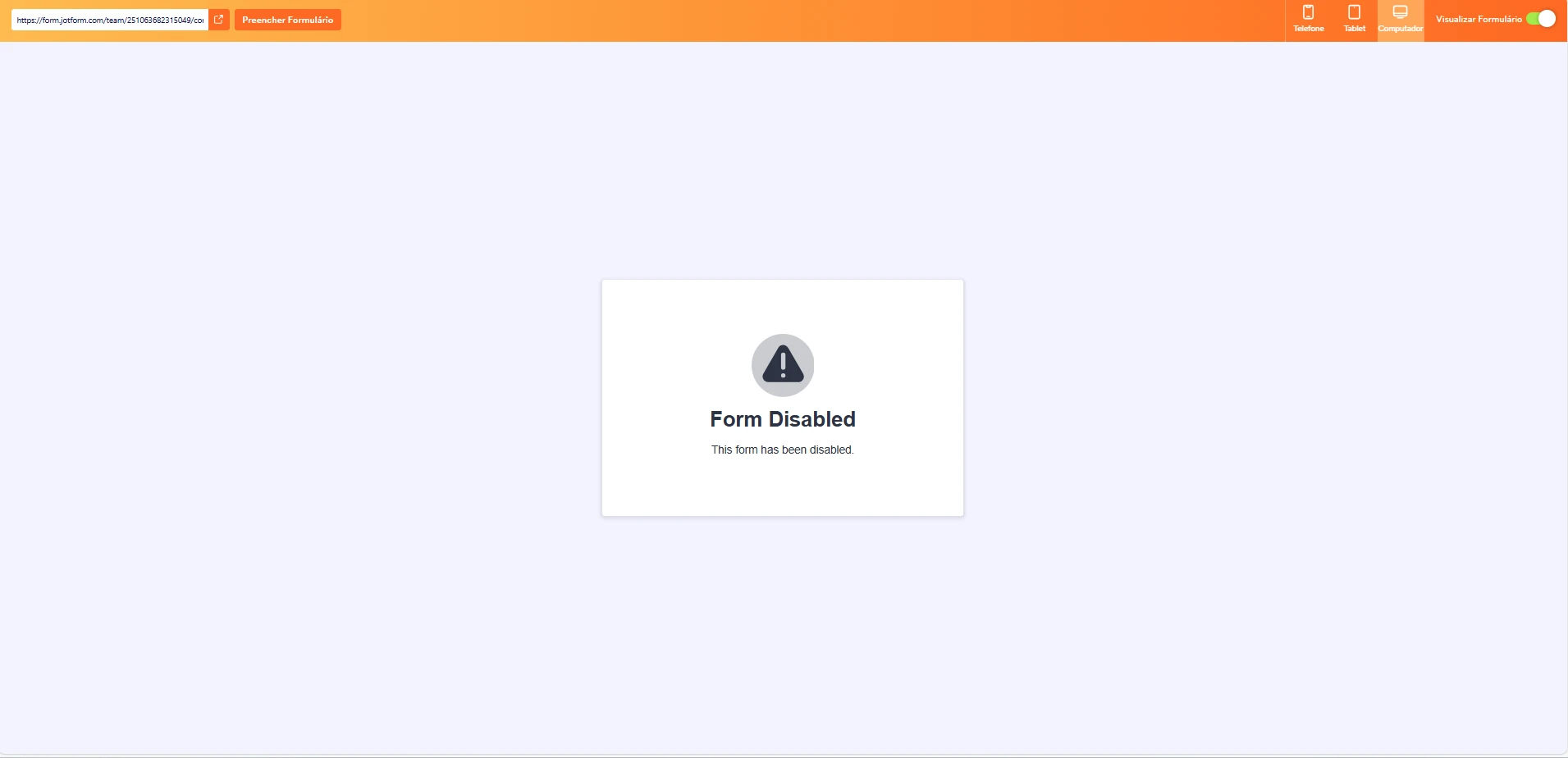
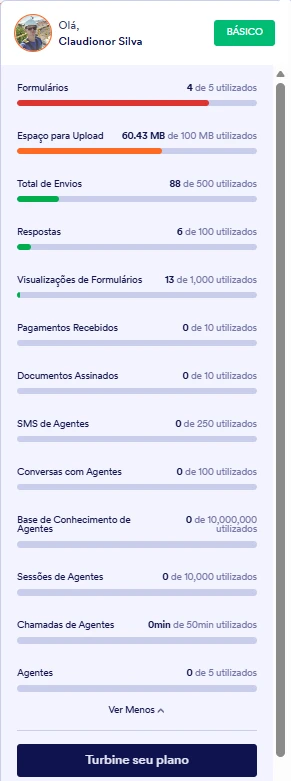
Por que não consigo mais utilizar o jotform se eu não atingi nenhum limite?
 Page URL: https://form.jotform.com/251063830676054
 -
 Ronald Jotform Support
Hi Claudionor,
Our Portuguese Support agents are busy helping other Jotform users right now, so I'll try to help you in English using Google Translate, but you can reply in whichever language you feel comfortable using. Or, if you'd rather have support in Portuguese, let us know and we can have them do that. But, it might take a while until they're available again.
Now, coming back to your question, I have recalculated your account limits to help with the issue. After checking the form that you shared are now active and can be access by your users. You can also clear the cache of your form if you're still seeing it as disabled. Although Clearing Your Form Caches isn't done automatically, it's easy to do it manually. Let me show you how:
1. On your Workspace page, click on your Avatar/Profile Image icon.
2. In the dropdown menu, click on Settings.
3. In the Settings menu, click on Clear Cache. And that's it, you're done.
Give it a try and let us know if you need any other help.