-
 AGILITY01
Bonjour je fais appel à vous car j’ai sélectionné le sélecteur de rendez-vous les options basiques de Jotform
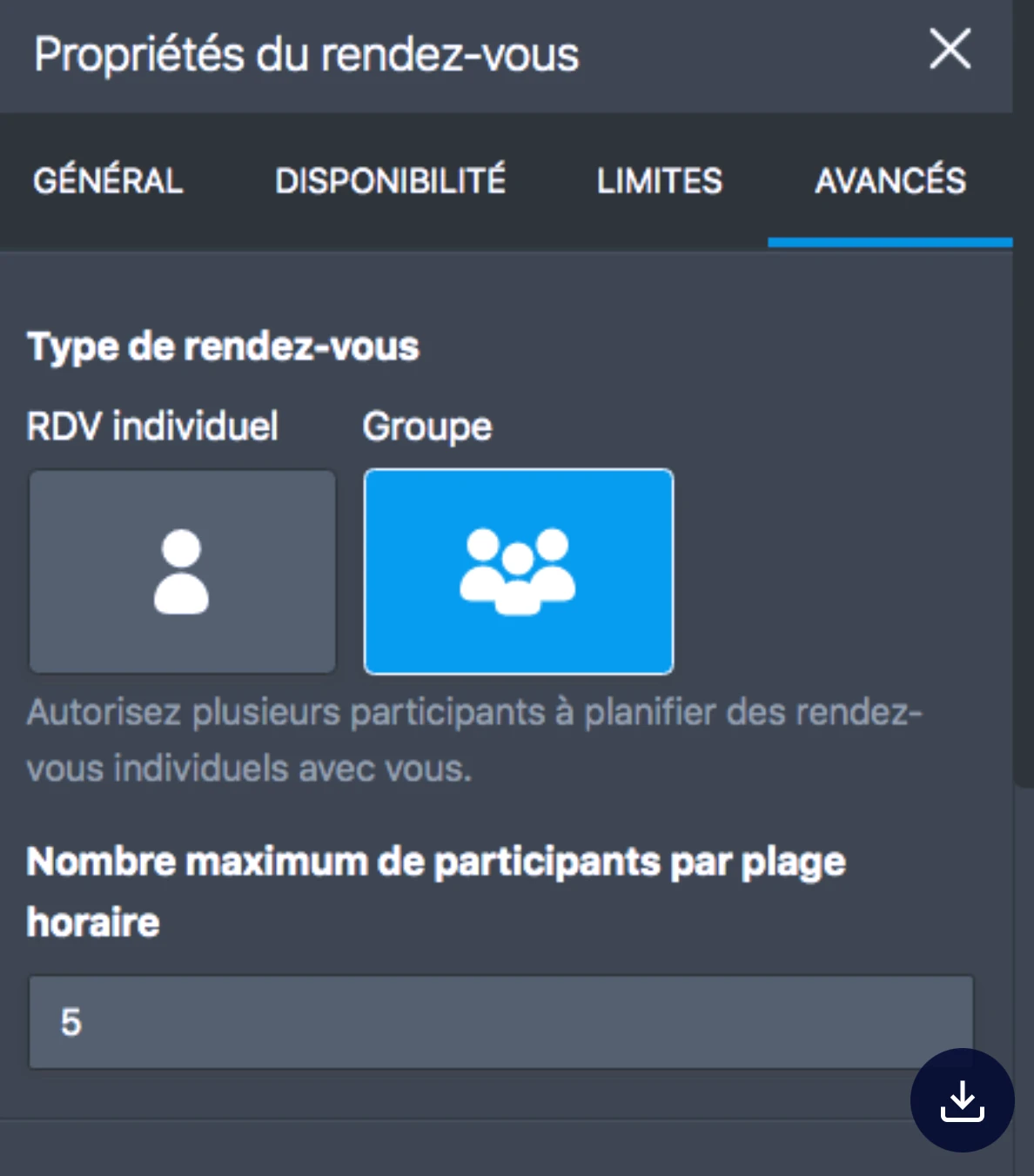
Impossible pour moi de régler les créneaux horaires pour que plusieurs personnes puissent l’utiliser
C’est-à-dire que plusieurs personnes
Comme par exemple 10h00 11h00
Je pense vraiment avoir suivi les étapes correctement de la procédure
Pouvez-vous vérifier qu’il n’y ait pas un bug ou sinon vraiment m’expliquer comment cela fonctionne car c’est vraiment incompréhensible que ça ne fonctionne pas.
Car dès que je prends un créneau il se bloque et je ne peux plus rien faire aucune autre personne peut le prendre alors que pour moi c’est capital pour que je puisse mettre en ligne ce formulaire je précise que j’ai bien mis plusieurs créneaux possible avant de connecter l’agenda Google
Donc j’ai vraiment besoin d’aide et c’est urgent 🙏

-
AGILITY01
-
 Podo: Spécialiste assistance
Hi,
Thanks for reaching out to Jotform Support. Let me help you with that:
To have your appointment slots directly synced with your Google Calendar, you need to integrate the Appointment field in your form with Google Calendar. This way, when someone books a time slot, it will automatically create an event on your Google Calendar, preventing double bookings and showing availability in real-time.
Here’s how to do it:
- Open your form in Form Builder.
- Add or select the Appointment field.
- Go to the field’s settings and find the integration options.
- Connect your Google Calendar account by following the prompts.
- Set up the sync so that booked appointments are added as events to your calendar.
Once connected, your available time slots will be reflected on your Google Calendar, and bookings will block those slots automatically.
Give it a try and let us know how it goes.
-
 Jason Enterprise Support
Hi AGILITY01,
Our French Support agents are busy helping other Jotform users right now, so I'll try to help you in English using Google Translate, but you can reply in whichever language you feel comfortable using. Or, if you'd rather have support in French, let us know and we can have them do that. But, it might take a while until they're available again.
Now, coming back to your question, your current setup is correct by selecting a Group in the Appointment Type for multiple bookings in a single time slot.
The only time a specific time slot is no longer available is if the maximum number of attendees per time slot has been booked.
If a specific time slot is no longer available, you can double-check all your submissions to see if the number of attendees has been booked or fully reserved. I’ve gone ahead and moved your other question to a separate thread to keep things tidy, and someone from our Support Team will help you out with it here.
Let us know if you need any other help.