Widget Umpan Tumblr untuk situs web Anda
Tambahkan feed Tumblr ke situs web Anda sehingga pengunjung dapat menjelajahi postingan blog, visual, keterangan, dan tautan tanpa meninggalkan halaman. Gunakan Widget Feed Tumblr untuk menampilkan konten Tumblr publik dalam tata letak responsif, sesuaikan detail postingan, tambahkan popup, dan sesuaikan feed dengan gaya situs Anda tanpa kode khusus.
Buat Sekarang — Gratis!

Cara membuat widget Tumblr Feed
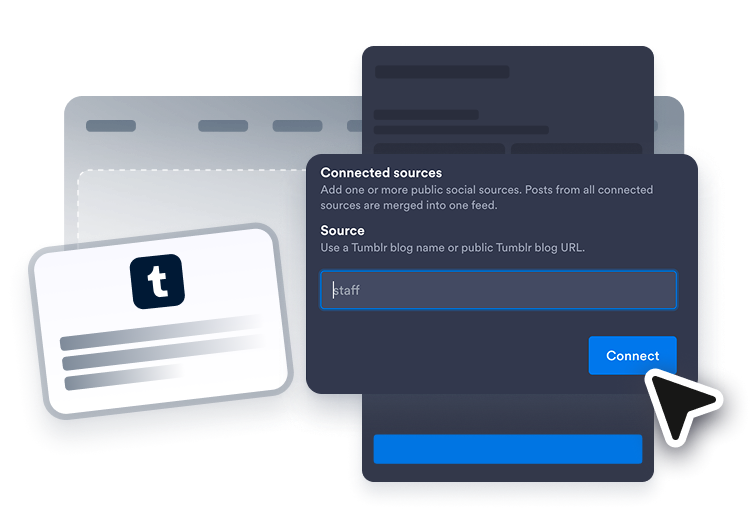
Hubungkan sumber Tumblr
Tambahkan sumber Tumblr publik yang ingin Anda tampilkan di feed situs web Anda.

Kustomisasi feed
Pilih tata letak, detail postingan, perilaku popup, warna, dan pengaturan aksen gaya Tumblr.
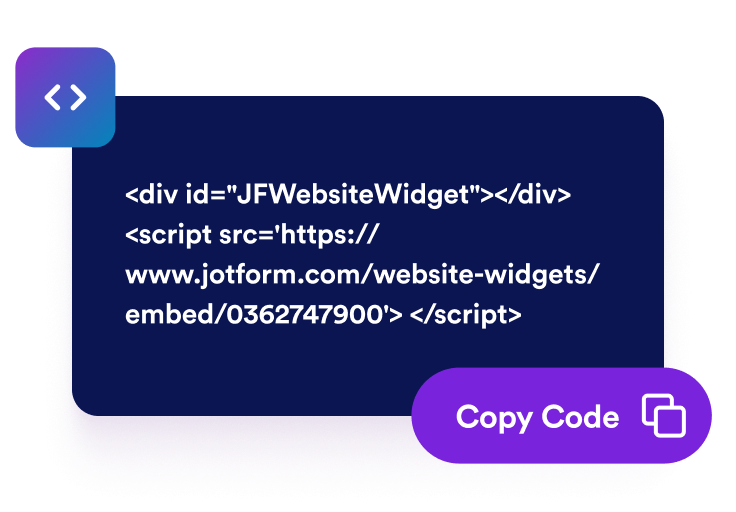
Dapatkan kode sematan
Salin kode semat yang dihasilkan dan publikasikan widget Tumblr feed di situs web Anda.
Tampilkan postingan Tumblr di situs web Anda
Hubungkan postingan blog Tumblr
Tambahkan sumber Tumblr publik dan tampilkan pembaruan blog dalam feed tersemat. Widget Feed Tumblr membantu pengunjung menjelajahi postingan, gambar, keterangan, tautan, papan inspirasi, konten kampanye, dan pembaruan komunitas langsung dari situs web Anda.

Sesuaikan postingan ke dalam tata letak Anda
Pilih tata letak grid, masonry, list, carousel, atau slider agar sesuai dengan halaman Anda. Gunakan feed Tumblr sebagai bagian portofolio visual, feed kampanye, pratinjau blog, atau area pembaruan komunitas.

Pilih detail postingan yang terlihat
Kendalikan apa yang ditampilkan setiap pratinjau postingan Tumblr. Tampilkan atau sembunyikan nama penulis, tanggal, keterangan, label sumber, jumlah aksi, tautan, dan detail popup sehingga pengunjung mendapatkan konteks yang berguna sebelum membuka sebuah postingan.

Gaya feed Tumblr
Sesuaikan widget Feed Tumblr dengan situs web Anda sambil menjaga postingan tetap mudah dijelajahi. Sesuaikan tema, aksen platform, warna kartu, panah, penomoran halaman, dan CSS khusus untuk feed tersemat yang rapi.

Mengapa Widget Situs Web Jotform Unggul
Widget Jotform membuat situs web Anda lebih interaktif dan meningkatkan konversi. Ada banyak alat tersedia, dari peringkat bintang dan slider testimoni hingga popup bukti sosial dan sematan media. Tambahkan widget ke formulir atau halaman arahan Anda untuk kumpulkan data, menampilkan bukti, dan menangkap prospek — tanpa perlu pengkodean.
Tambahkan widget Jotform ke situs web Anda dengan kode semat yang sederhana. Kustomisasi widget, pratinjau tampilannya, dan tempel ke halaman apa pun yang mendukung HTML kustom atau blok semat, semuanya tanpa pengembang.
Gunakan Widget Situs Web Jotform untuk menangkap prospek, menampilkan umpan balik pelanggan, menampilkan bukti sosial, menyematkan media, atau menambahkan alat halaman web yang bermanfaat. Setiap widget membantu pengunjung berinteraksi dengan bisnis Anda langsung dari situs web Anda.
Jika Anda memerlukan bantuan untuk menyiapkan, menyesuaikan, menyematkan, atau memecahkan masalah widget Anda, tim dukungan pelanggan Jotform tersedia 24-7. Anda dapat melangkah maju dengan percaya diri, mengetahui bahwa bantuan tersedia saat Anda membutuhkannya.
Ubah prospek menjadi pelanggan yang membayar dengan Jotform Form Builder
Ubah keterlibatan menjadi tindakan dengan Jotform. Buat formulir canggih yang menangkap prospek, mengumpulkan pembayaran, dan mengotomatiskan tanggapan, semuanya di satu tempat. Setiap tanggapan masuk ke Kotak Masuk Jotform Anda, tempat Anda dapat menindaklanjuti atau terhubung dengan aplikasi favorit Anda.
Ayo Mulai — Gratis!
FAQ
Apa itu widget Feed Tumblr?
Widget Feed Tumblr menampilkan postingan Tumblr publik di situs web Anda dalam feed tersemat yang responsif. Ini membantu pengunjung menjelajahi pembaruan blog, gambar, keterangan, tautan, dan konten komunitas tanpa harus langsung meninggalkan halaman Anda.
Bisakah saya menyematkan feed Tumblr di situs web saya?
Konten Tumblr apa yang dapat saya tampilkan?
Bisakah saya menyesuaikan tata letak Widget Feed Tumblr?
Bisakah pengunjung membuka postingan Tumblr dari widget?
Apakah widget Feed Tumblr bekerja di perangkat mobile?
Apakah saya perlu menulis kode untuk menambahkan feed Tumblr?
Platform situs web mana yang mendukung Widget Feed Tumblr?
Bisakah saya mendapatkan bantuan untuk menyiapkan Widget Feed Tumblr saya?