إنشاء روابط استطلاعات مجانية
تتيح لك أداة رابط استطلاع الرأي من Jotform إنشاء روابط URL مخصصة تشارك استطلاع الرأي الخاص بك مع المستجيبين فوراً. استخدم ميزة رابط استطلاع الرأي هذه لتوزيع استطلاع الرأي الخاص بك عبر البريد الإلكتروني و وسائل التواصل الاجتماعي و من خلال تضمينه في موقع الويب الخاص بك بدون برمجة. يجعل هذا من السهل جمع الملاحظات و الوصول إلى جمهور أوسع و زيادة معدلات الاستجابة عبر رابط بسيط و قابل للمشاركة.
القوالب
اكتشف قوالب الإستبيانات المجانية
إذا كنت بحاجة إلى بعض الإلهام، اختر أحد قوالب الاستبيان الجاهزة للبدء فورًا. فقط اسحب وأفلت لإضافة الصور أو عناصر العلامة التجارية، غيّر الخطوط والألوان، دمج مع أدوات مفيدة، وأكثر من ذلك بكثير.
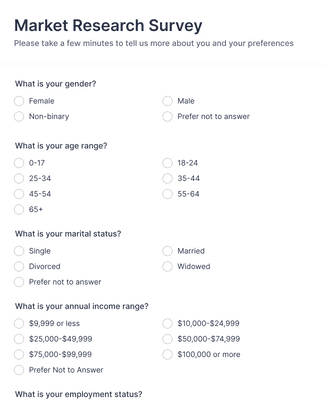
استطلاعات أبحاث السوق
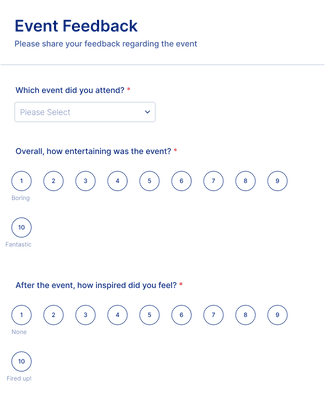
نموذج التعليق على الحدث
نموذج استبيان رضا العملاء

المزايا
توليد ومشاركة روابط الاستبيان على الفور
شارك استبياناتك فورًا
تتيح لك Jotform مشاركة استطلاعات الرأي الخاصة بك في غضون ثوانٍ. قم بإنشاء روابط استطلاع مخصصة لتضمينها في موقع الويب الخاص بك و إرسالها عبر البريد الإلكتروني و مشاركتها على منصات التواصل الاجتماعي. تُمكّنك واجهتنا سهلة الاستخدام من التوزيع السلس عبر قنوات متعددة، بحيث يمكنك توسيع جمهورك دون عناء.
الوصول إلى واجهة سهلة الاستخدام
أنشئ استطلاعات رأي مخصصة باستخدام مُنشئ النماذج أونلاين سهل الاستخدام الخاص بنا — لا يتطلب الأمر معرفة بالبرمجة. فقط استخدم ببساطة خاصية السحب والإفلات لتخصيص تصميم استطلاع الرأي الخاص بك. غيّر الخطوط و الألوان، و أضف الصور و الفيديوهات، و أضف الأدوات، وغير ذلك الكثير.
اجمع البيانات دون اتصال باستخدام النماذج المحمولة
اصطحب استطلاعات الرأي الخاصة بك أينما ذهبت مع Jotform! تُعد جميع النماذج التي يتم إنشاؤها باستخدام مُنشئ النماذج الخاص بنا متوافقة مع الهواتف، مما يعني أن استطلاع الرأي الخاص بك سيعمل على أي جهاز لوحي و هاتف ذكي. وباستخدام تطبيق نماذج Jotform للهاتف المحمول، يمكنك أيضا جمع الاستجابات بدون اتصال بالإنترنت. وبمجرد استعادة الاتصال، سيتم استيراد جميع البيانات التي تم جمعها تلقائياً إلى حساب Jotform الخاص بك.
اختر تنسيقًا كلاسيكيًا أو بنمط البطاقات
يسهل عليك مع Jotform اختيار تنسيق استطلاع الرأي الذي يناسبك بشكل أفضل. يمكنك اختيار استطلاع رأي كلاسيكي يعرض كافة الأسئلة في صفحة واحدة، أو اختر تصميم الكارت الذي يعرض سؤالاً واحداً فقط في كل صفحة — مما يجعله مثالياً لتقسيم استطلاعات الرأي و زيادة معدل الاستجابة الخاص بك!
تبسيط تفاعل الاستبيان
فعل ميزة الحفظ والاستكمال لاحقاً لمساعدة مستخدميك على التنقل في استطلاعات الرأي الطويلة. تتيح هذه الميزة للمستخدمين المتابعة من حيث توقفوا تماماً. وبالإضافة إلى ذلك، يمكنك تصميم تجارب استطلاع رأي مخصصة باستخدام المنطق الشرطي لعرض الأسئلة بشكل ديناميكي بناءً على إجابات المستخدم السابقة — مما يعزز معدلات الإكمال وجمع رؤى دقيقة.
تتبع الردود وإدارتها
تتيح لك Jotform تتبع وإدارة ردود استطلاع الرأي الخاص بك من خلال الوصول إليها فوراً من أي جهاز. قم بتنظيم وتحليل الاستجابات باستخدام جداول Jotform. ابحث في بياناتك وقم بتصفيتها، وأضف المعادلات والحسابات، وادعُ الآخرين للتعاون، وغير ذلك الكثير. كما يمكنك أتمتة مهامك باستخدام مسارات عمل الموافقة في مسارات عمل Jotform.
توصيات
مفيد للغاية
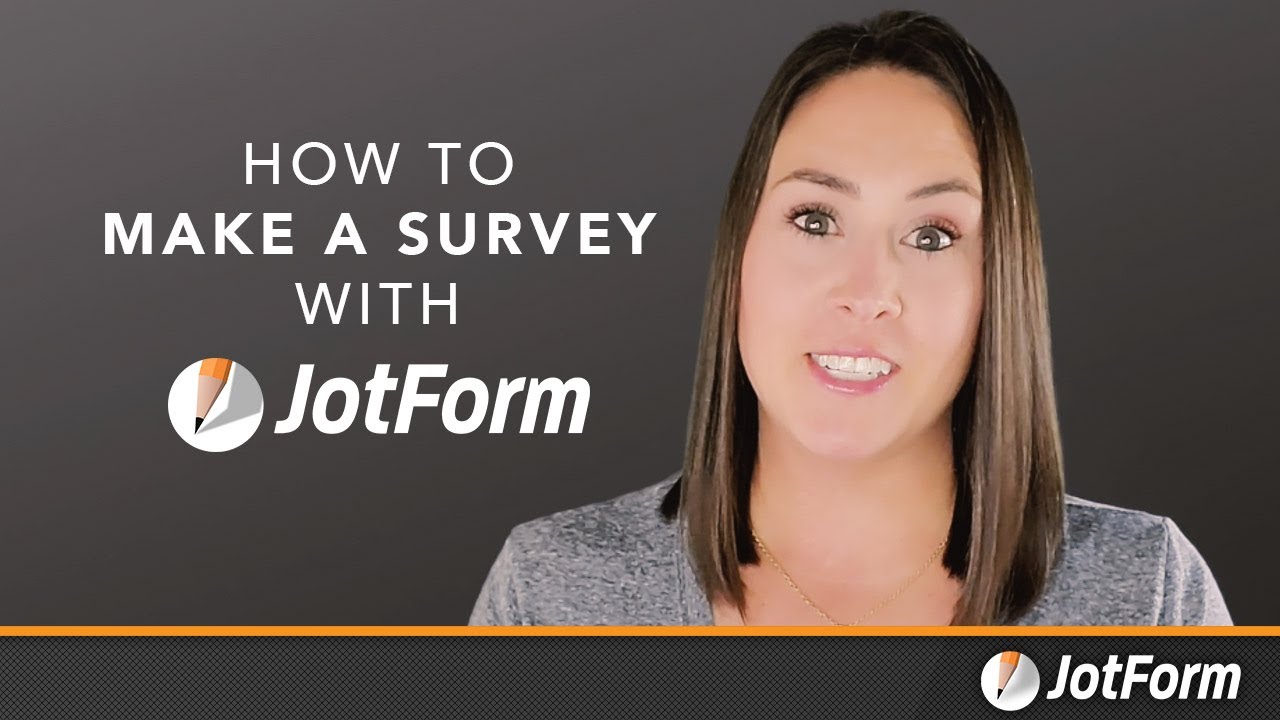
كيفية إنشاء استطلاع مع Jotform
تعلّم كيفية إنشاء استبيان مخصص ومشاركته في ثوانٍ باستخدام Jotform في هذا الفيديو السريع.
الأسئلة الشائعة
جميع أسئلتك عن Jotform - تمت الإجابة عنها. تحقق من الأسئلة الشائعة للحصول على إجابات للأسئلة الشائعة، أو اتصل بفريق الدعم للحصول على مزيد من المعلومات.
كيف أنشئ رابط استبيان مجانًا؟
يمكنك إنشاء رابط استطلاع رأي مجاناً باستخدام Jotform. وعند انتهائك من إنشاء استطلاع الرأي الخاص بك، انتقل إلى النشر في الجزء العلوي من مُنشئ النماذج. وتحت المشاركة برابط، انقر فوق نسخ الرابط لنسخ رابط URL الذي تم إنشاؤه بواسطة Jotform. ولتخصيص الرابط الخاص بك، حدد أيقونة القلم، ثم انقر فوق حفظ التعديل. يمكنك الآن مشاركة نموذجك باستخدام رابطك المخصص.
كيف يمكنني إنشاء استبيان باستخدام Jotform؟
يمكنك إنشاء استطلاع رأي باستخدام Jotform في بضع خطوات بسيطة. ما عليك سوى اختيار قالب من مكتبتنا، أو إنشاء استطلاع رأي من الصفر في مُنشئ النماذج. ويمكنك بعد ذلك تصميم استطلاع الرأي الخاص بك باستخدام مُنشئ النماذج السهل الذي يعمل بخاصية السحب والإفلات، وإضافة حقول النموذج و تغيير الخطوط و الألوان و رفع الصور و الشعارات و غير ذلك الكثير. وأخيراً، شارك استطلاع الرأي الخاص بك عبر البريد الإلكتروني و الرابط و رمز QR أو قم بتضمينه في موقع الويب الخاص بك — فالأمر بهذه السهولة!
هل استبياناتكم صديقة للجوال؟
نعم، توفر Jotform استبيانات صديقة للجوال يمكن الوصول إليها من أي هاتف ذكي أو جهاز لوحي. مع تطبيق Jotform Mobile Forms، لا تحتاج للقلق بشأن الاتصال بالإنترنت لأنه يمكنك الوصول إلى استبياناتك من أي مكان — حتى بدون اتصال! تتبع الردود، تعاون مع فريقك، وجمع البيانات أثناء التنقل.
هل يمكنني إنشاء استبيان مجهول؟
نعم، يمكنك إنشاء استبيان مجهول باستخدام Jotform. عند إنشاء الاستبيان، تأكد من حذف أي أسئلة تطلب معلومات تعريفية أو شخصية، مثل الاسم، رقم الهاتف، البريد الإلكتروني، وما إلى ذلك. هذا يضمن أن تعليقات المشاركين ستكون مجهولة تمامًا.
كيف أضيف رابط الاستبيان إلى البريد الإلكتروني؟
يمكنك إضافة رابط استطلاع رأي إلى البريد إلكتروني بنقرات قليلة فقط. ما عليك سوى نسخ رابط URL من صفحة النشر في مُنشئ النماذج، ولصقه في بريدك الإلكتروني. وهذا كل شيء!
هل يمكنني إنشاء رابط استبيان مخصص؟
نعم، يمكنك إنشاء رابط استطلاع مخصص في قسم مشاركة سريعة في علامة تبويب النشر في مُنشئ النماذج. ما عليك سوى النقر فوق أيقونة القلم بجوار رابط URL للنموذج و إدخال رابط URL الذي تريده، ثم تحديد حفظ التعديل لحفظ التغييرات.
ما مدى أمان البيانات التي يتم جمعها من استبيانات Jotform؟
كن مطمئنًا، البيانات المقدمة عبر استبيان Jotform محفوظة بأمان. تستخدم Jotform اتصال SSL بتشفير 256-بت، وتوفر ميزات التشفير، وحاصلة على شهادة PCI-DSS Level 1. كما تتبع Jotform لوائح GDPR وCCPA.
هل هناك حد لعدد الاستبيانات التي يمكنني إنشاؤها؟
عدد الاستبيانات التي يمكنك إنشاؤها يعتمد على خطة Jotform الخاصة بك. خطة Starter المجانية محدودة بخمسة نماذج شهريًا. الخطط المدفوعة Bronze وSilver وGold تتراوح من 25–100 نموذج شهريًا، بينما خطة Enterprise بلا حد للنماذج.