-
 steindoktortv
Meine Mails werden nicht mehr versandt
Bitte DRINGEND um Rückruf.
Podo hat das schon weiter gereicht angeblich. Aber gab noch keinen Anruf.
-
 Danilo Enterprise Support
Hi Rene,
Thanks for reaching out to Jotform Support. While we do offer Support in many foreign languages, and we're working hard to add more every day, we don't currently have German Support agents who can help you. So I'll try to help you in English using Google Translate, but you can reply in whichever language you feel comfortable using.
Now, coming back to your question, I checked our email logs and noticed the email you're referring to is a test email. Can you try to make an actual submission to that form to see if the email will get ignored again? Additionally, you can easily set up a custom SMTP to use your email sender as provider. Let's walk through this together it:
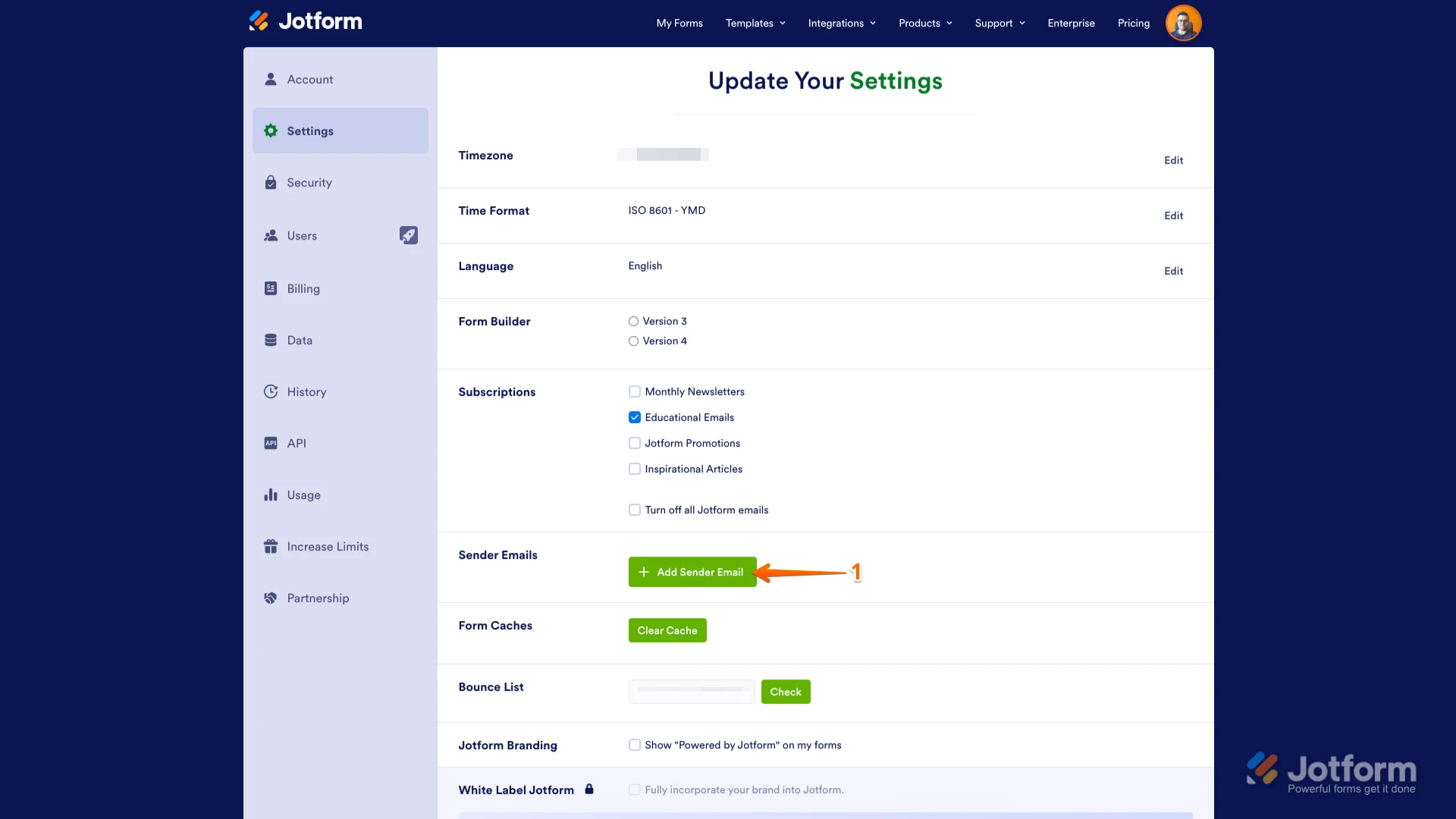
1. Go to the Settings page while logged in to your Jotform account and click on Add Sender Email in the Sender Emails section.

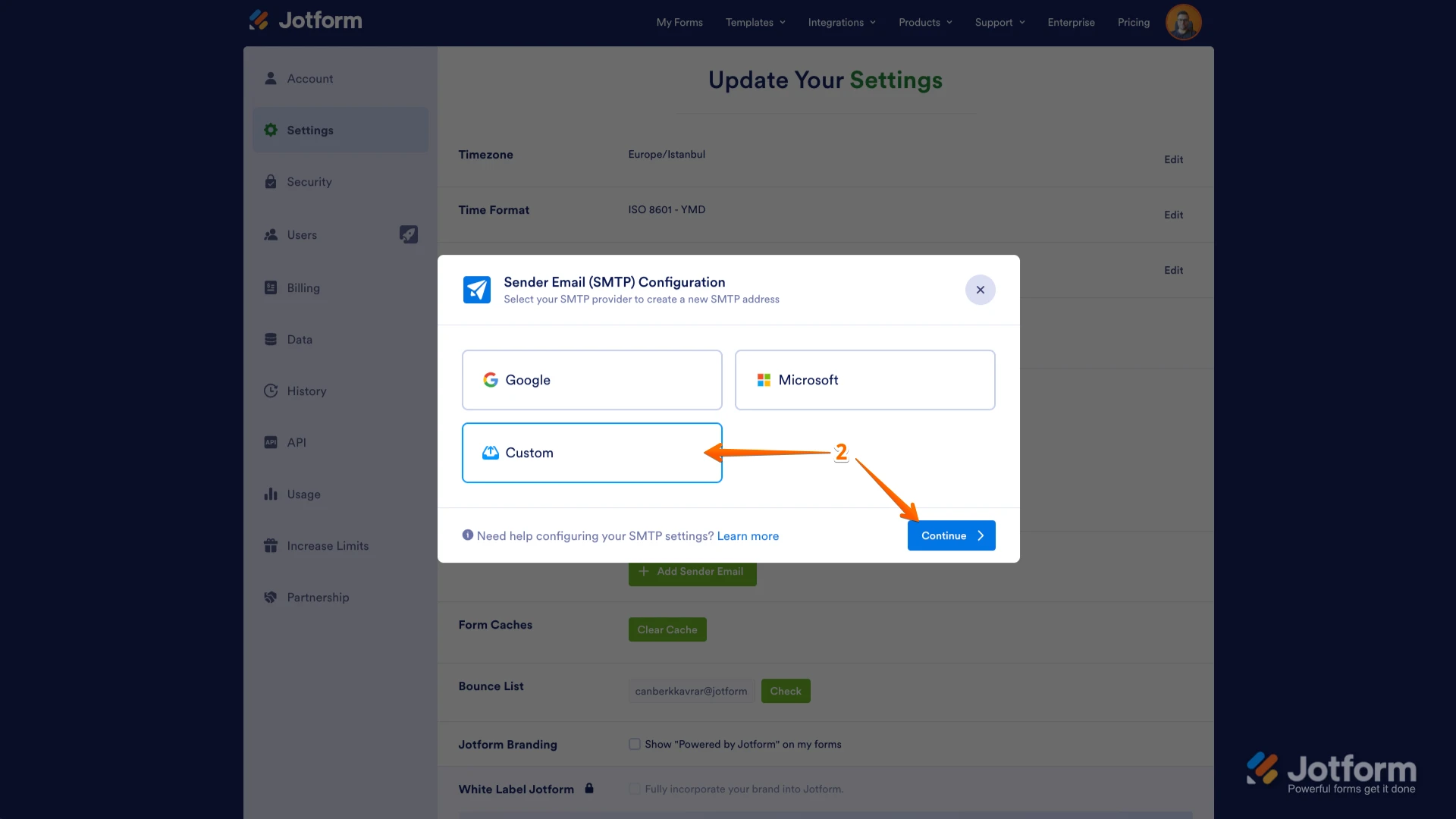
2. In the window that opens, select Custom and click on the Continue button.
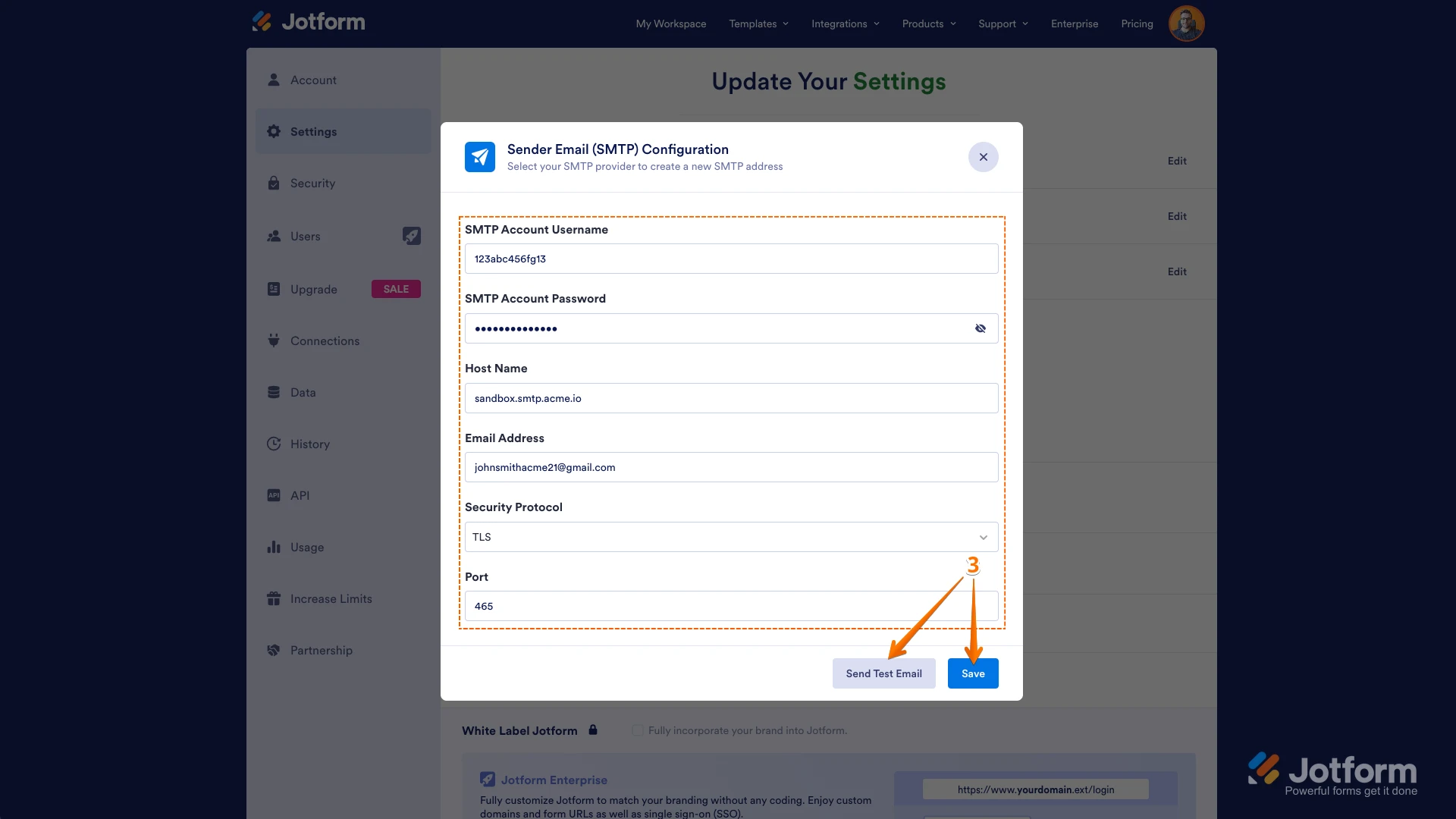
3. Enter your email provider's details, click on Send Test Email to check if it’s set up correctly, and then click on Save.
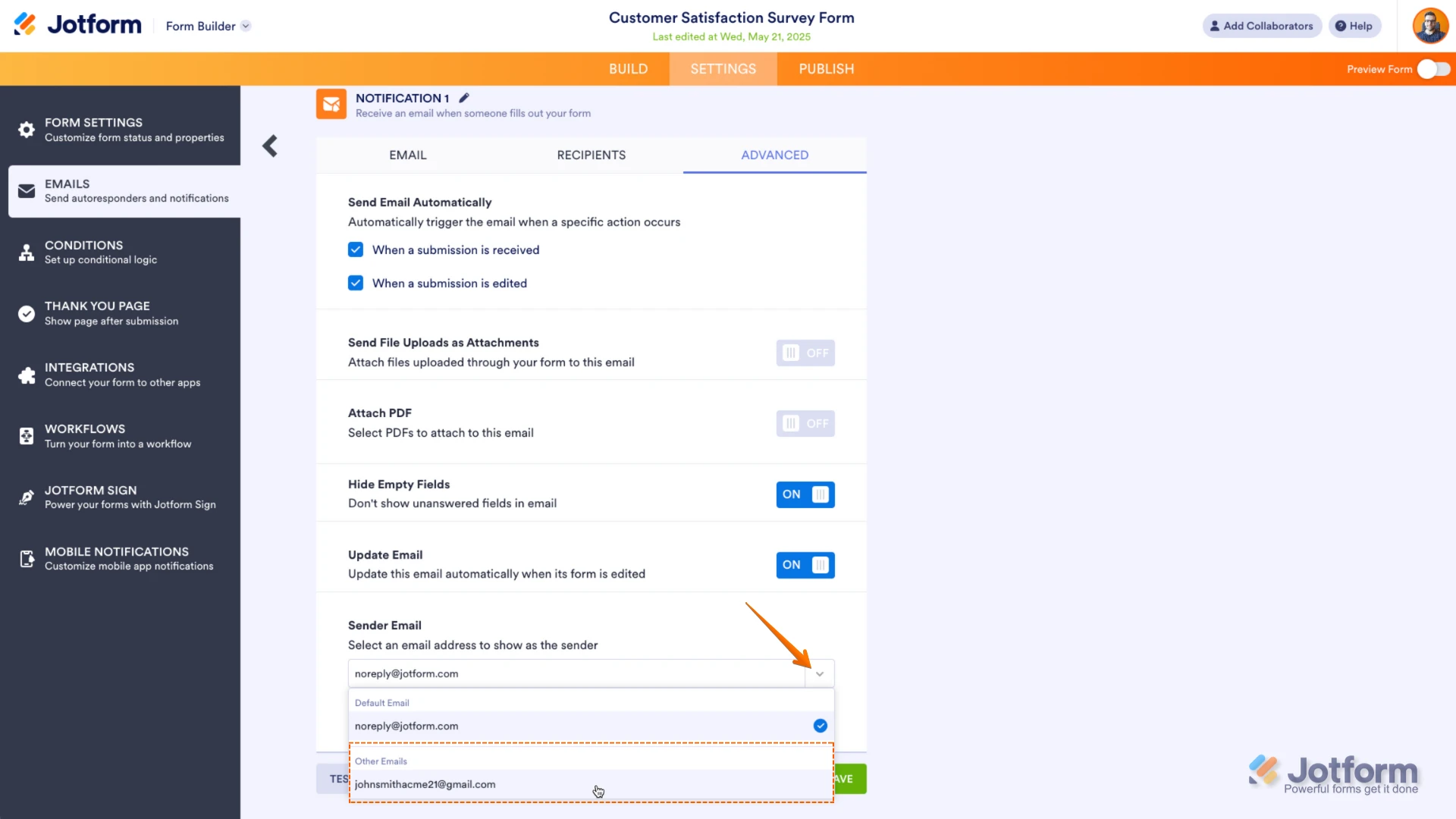
Now you should select your custom SMTP in your email properties under email settings in Form Builder, and if you’re using Workflow Builder, do the same there. Check below to see how it looks in Form Builder:And here’s how it looks in Workflow Builder:Give it a try and let us know if you need any help.
 Now you should select your custom SMTP in your email properties under email settings in Form Builder, and if you’re using Workflow Builder, do the same there. Check below to see how it looks in Form Builder:
 And here’s how it looks in Workflow Builder:
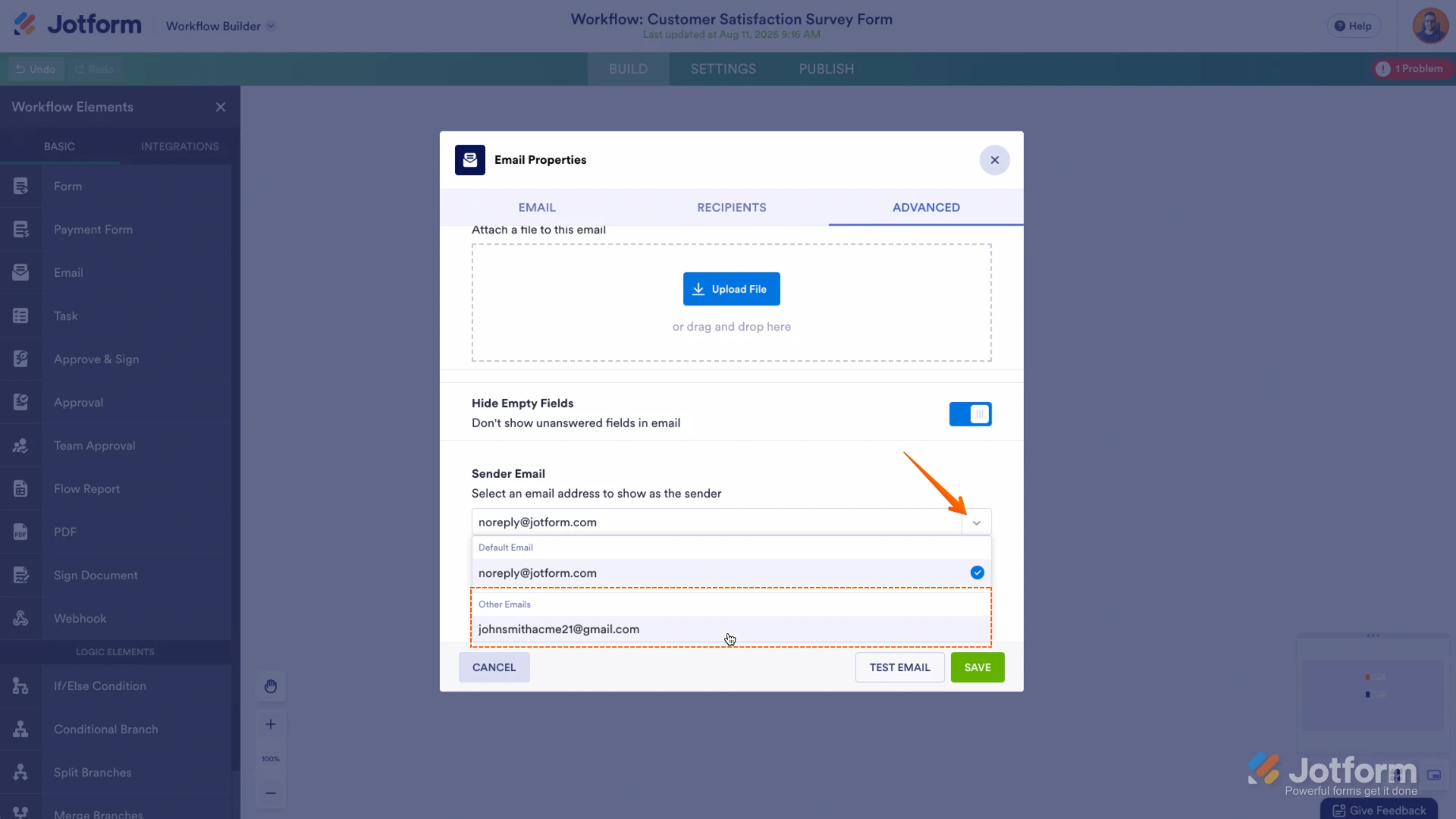 Give it a try and let us know if you need any help.
Ihre Antwort
Something Went Wrong
An error occurred while generating the AI response. Please try again!