Kostenlose Appgenerator für Kleinunternehmen
Suchen Sie nach einer Inklusivlösung für Ihr Kleinunternehmen? Fügen Sie Ihr Branding hinzu und erstellen Sie eine mobilfreundliche App mit Jotform's No-Code Appgenerator. Erfassen Sie online Bestellungen, Zahlungen, Termine, Registrierungen und viel mehr. Erreichen Sie ein breiteres Publikum, indem Sie Ihre App auf Social Media teilen oder fügen Sie einen Link dazu auf Ihren Business-Newslettern ein. Kunden können dann auf Ihre App zugreifen und sie auf jedem Gerät herunterladen und sofort benutzen.
Vorlagen
Entdecken Sie kostenlose Vorlagen für Kleinunternehmen
Entdecken Sie Jotform's mehr als 400 vorgefertigte Appvorlagen, um die perfekte Vorlage für Ihr Unternehmen zu finden. Passen Sie das Aussehen in Sekunden mit unserem No-Code Appgenerator an.
E-Commerce App-Vorlagen
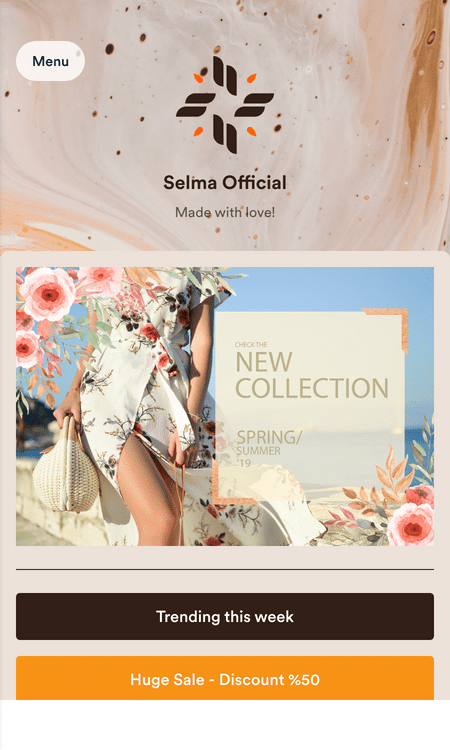
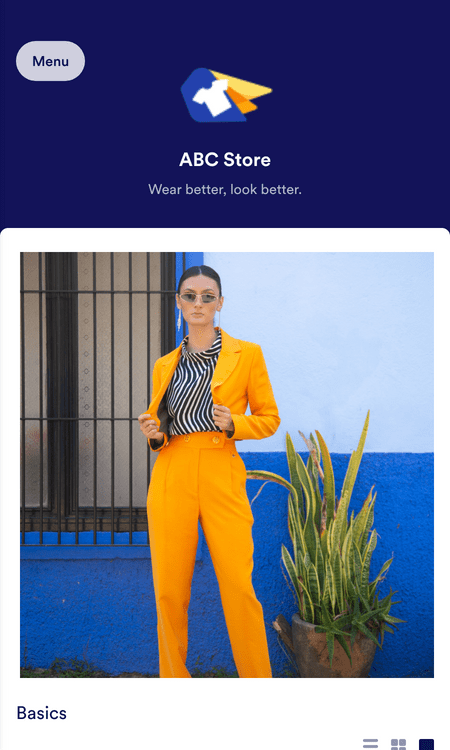
Bekleidungsgeschäft-App
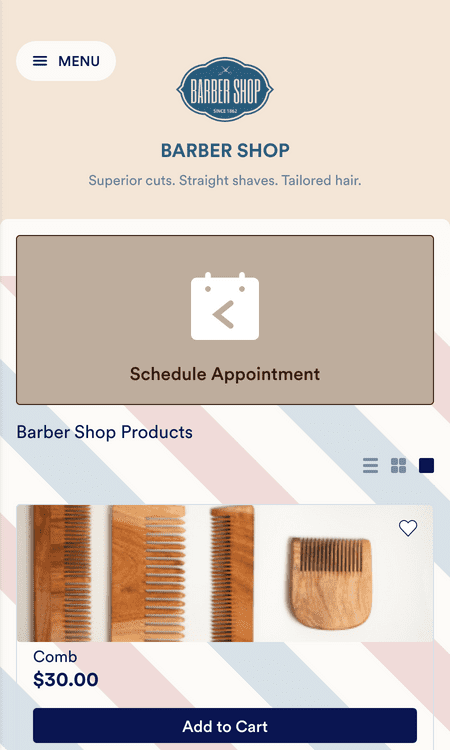
Friseurladen App
Vorteile
Leiten Sie Ihr Unternehmen mit Jotform Shopgenerator
Erstellen Sie eine App für jede Industrie
Egal, ob Sie im Gesundheits-, Bildungs-, Bau- oder Gastronomiebereich arbeiten, Jotform's breite Vorlagenbibliothek hat etwas für jeden. Installieren Sie eine Vorlage mit einem Klick, dann können Sie sie mit unserem Drag & Drop Generator anpassen. Laden Sie Ihr einzigartiges Logo hoch, wählen Sie Schriftarten und Farben, fügen Sie E-Signaturen, Formulare und Seiten hinzu und viel mehr ohne Programmierkenntnisse.
Teilen und Einbetten
Jotform's viele Teiloptionen machen es einfacher, eine breitere Kundenbasis zu erreichen. Senden Sie E-Mail-Einladungen, posten Sie den Applink in Ihre Social Media Bios und betten Sie sie mit einem einfachen Copy-Paste Code in Ihre Website ein. Sie können sogar einzigartige QR-Codes generieren, die Sie zu Visitenkarten oder Rechnungen hinzufügen können.
Erstellen Sie benutzerdefinierte URLs
Wollen Sie eine unverggessliche App URL erstellen, die den Namen Ihres Unternehmens enthält? Kein Problem! Mit nur wenigen Klicks in Ihrem Jotform Dashboard können Sie Ihre App neu benennen, wie Sie es möchten. Sie können auch benutzerdefinierte Links für individuelle Formulare in der App erstellen, um das Teilen noch einfacher zu machen.
Zahlungen Online annehmen
Lassen Sie sich direkt über Ihre Formulare bezahlen, indem Sie eine der über 40 Zahlungsintegrationen von Jotform installieren, darunter beliebte Dienste wie PayPal, Stripe, Square und Google Pay. Sammeln Sie Zahlungen für Bestellungen, Anmeldegebühren, Spenden und vieles mehr. Jotform berechnet keine zusätzlichen Transaktionsgebühren.
Managen Sie Ihre Daten
Formularantworten werden automatisch mit Ihrem sicheren Jotform Konto synchronisiert und dort gespeichert. Erfassen, organisieren und verwalten Sie alles in Jotform Tabellen, unserer leistungsstarken online Tabellenblatt-Datenbank Plattform. Sehen Sie Nutzerdaten auf eine Art, die für Sie am besten funktioniert - als leicht-verständliches Tabellenblatt, Kalender oder Karten.
Kunden direkt ansprechen
Nutzen Sie die Vorteile von Push-Benachrichtigungen, um Ihre KMU-Kunden auf dem Laufenden zu halten und an sich zu binden. Ganz gleich, ob Sie ein neues Produkt auf den Markt bringen, eine Sonderaktion starten oder wichtige Änderungen mitteilen möchten — mit Push-Benachrichtigungen erreichen Sie Ihre Zielgruppe in Echtzeit direkt auf ihren Geräten.
Erfahrungsberichte
Was unsere Nutzer über Jotform sagen
Erstellen Sie eine No-Code App für Ihr Kleinunternehmen
Need to create an app for your small business but don’t know where to start? In this video, we’ll show you how to choose from over 800 templates or create your own app from scratch with just a few clicks.