Widget de carrousel graphique pour votre site web
Créez un carrousel d'une seule page pour les bannières, les mises en avant de produits, les galeries d'images, les annonces et les sections de carrousel promotionnel. Utilisez le widget Carrousel d'images de Jotform pour ajouter des images ou des vidéos, des titres, des badges, des boutons CTA, des liens, des superpositions, la lecture automatique, la boucle, les transitions par fondu ou par glissement et une navigation responsive, sans écrire de code HTML.
Créez votre widget gratuitement !

Comment créer un widget Diaporama photo
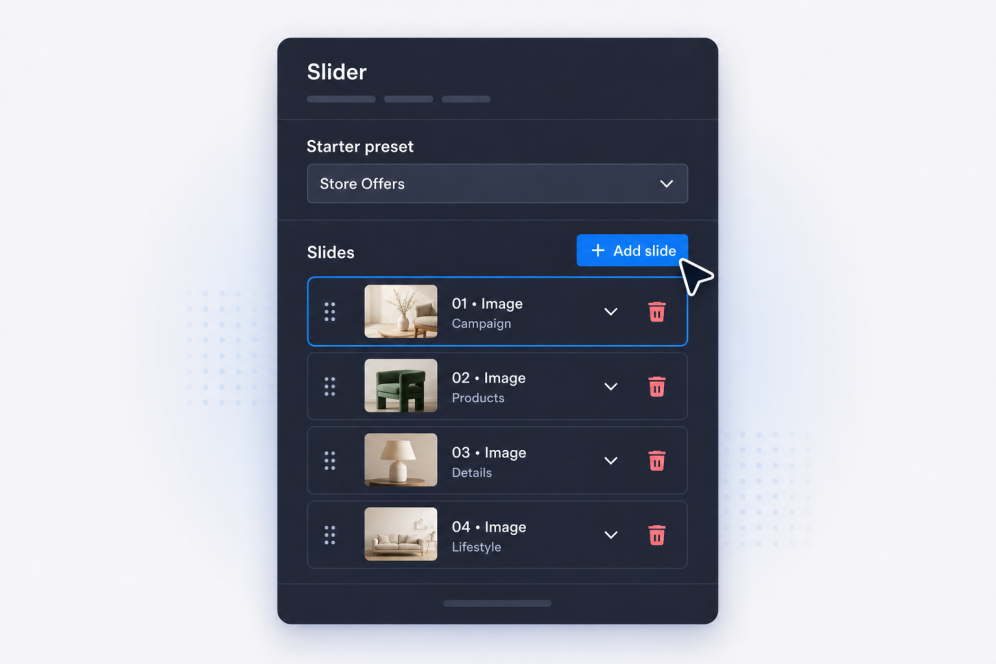
Ajoutez vos diapositives
Créez des diapositives avec des titres, du texte principal, des badges, des boutons, des images, des vidéos et des liens de destination pour chaque bannière, promotion, élément de galerie ou annonce.
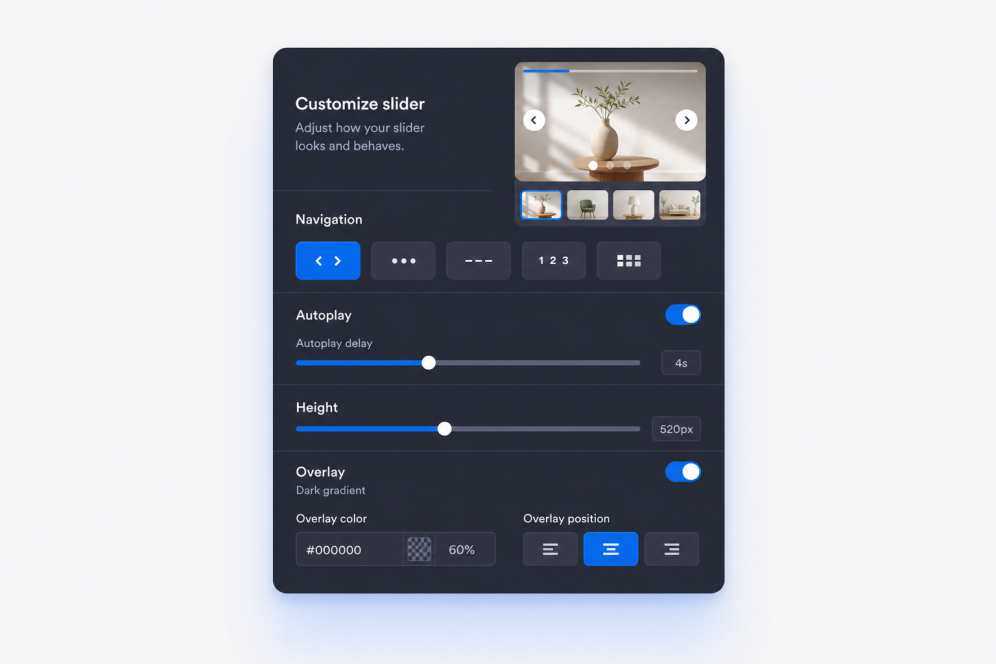
Définissez la mise en page et l'animation
Choisissez où apparaît le contenu des diapositives, puis définissez les transitions par fondu ou par glissement, le minutage de la lecture automatique, le comportement de la boucle et les commandes de navigation.

Personnalisez son style et intégrez-le
Ajustez la largeur, la hauteur, les superpositions, l'ajustement des médias, les flèches, la pagination, les couleurs et l'identité visuelle, puis copiez le code d'intégration pour ajouter le widget Carrousel d'images à votre site web.
Créez des carrousels adaptés à votre page
Créez des sections de diapositives riches en images
Transformez un simple carrousel d'images web en une section soignée de votre site. Chaque diapositive peut inclure un badge, un titre, une description, un bouton CTA, un lien, une image et une source vidéo facultative pour les campagnes, les galeries ou les mises en avant de produits.
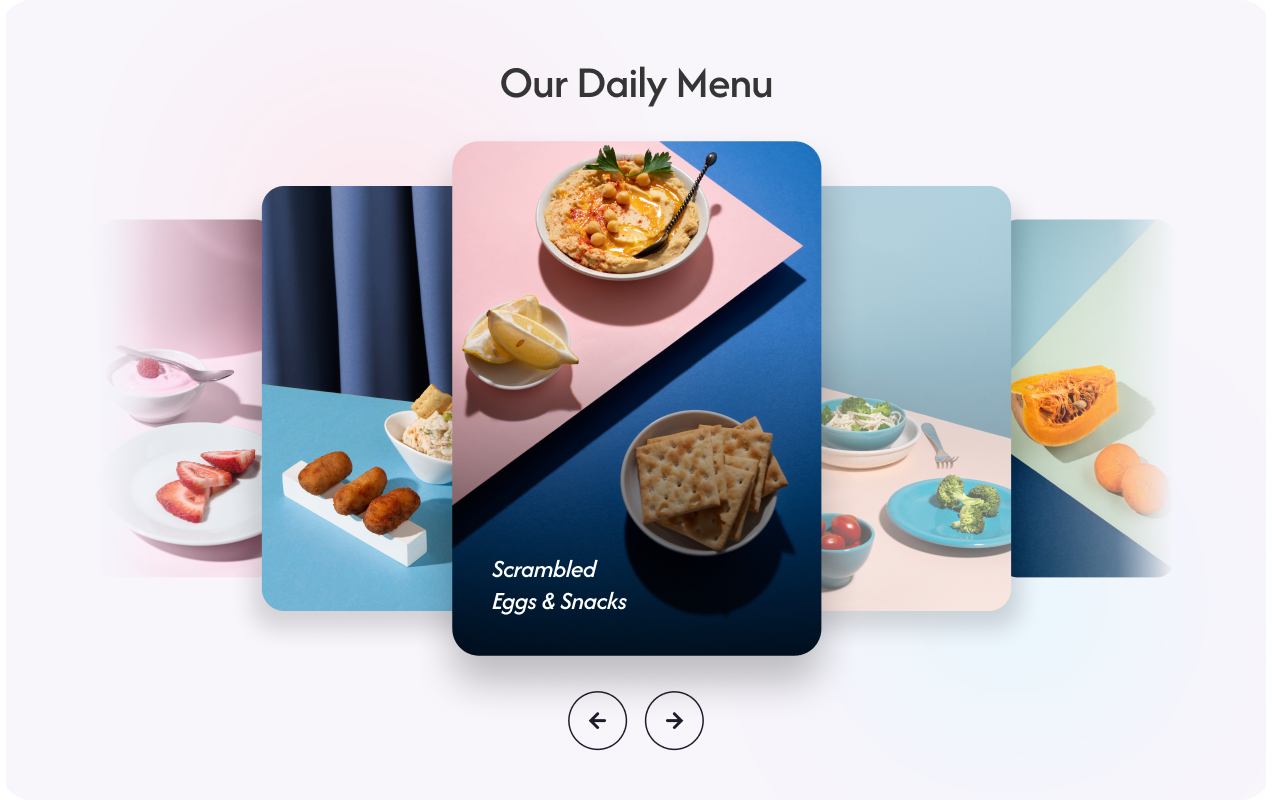
Gardez le contenu des bannières lisible
Placez le texte et les boutons là où ils fonctionnent le mieux sur chaque image ou vidéo. Le positionnement flexible du contenu permet à chaque carrousel de photos de vos pages web de rester clair, que la diapositive serve de bannière héros, de bloc promotionnel ou d'histoire visuelle.
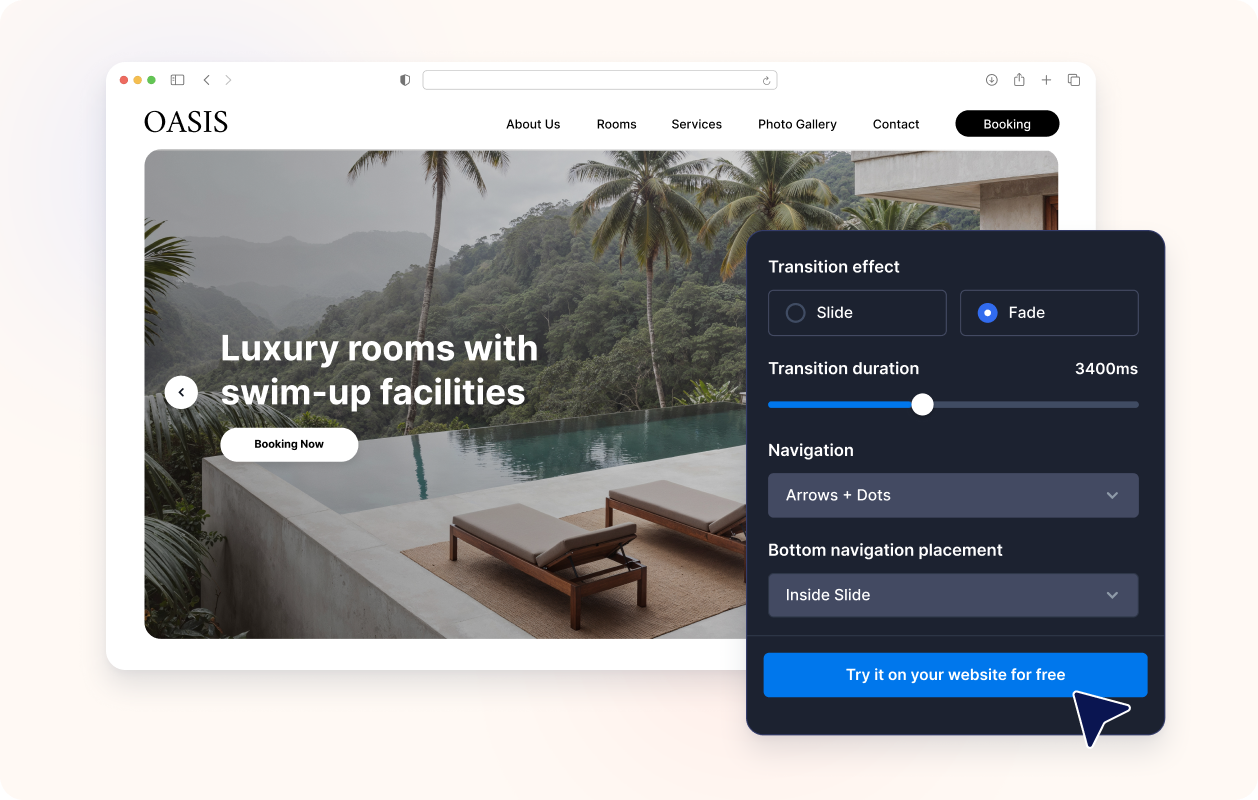
Contrôlez l'animation et la navigation
Utilisez les transitions par glissement ou par fondu, la lecture automatique, la boucle, les flèches, les puces, les numéros, les traits ou la pagination par miniatures. Créez un carrousel de bannières que les visiteurs peuvent parcourir manuellement ou regarder automatiquement sans perdre le message principal.

Harmonisez avec le design de votre site web
Ajustez la largeur, la hauteur, le style des cartes, la marge intérieure du contenu, l'intensité de la superposition, les préréglages de thèmes, les styles de boutons, les couleurs et le CSS personnalisé du carrousel pour que le widget Carrousel d'images s'intègre naturellement à votre page.

Ce qui les rend les widgets de site web Jotform vraiment uniques
Les widgets Jotform rendent votre site web plus interactif et vous aident à augmenter vos conversions. Choisissez parmi de nombreux outils, comme des évaluations par étoiles, des curseurs de témoignages, des fenêtres contextuelles de preuve sociale ou des intégrations de contenus multimédias. Ajoutez des widgets à vos formulaires ou à vos pages de destination afin de collecter des données, d'afficher votre preuve sociale et de générer des prospects, sans coder.
Intégrez un widget Jotform à votre site web en copiant un code simple. Personnalisez, prévisualisez, puis insérez-le dans n'importe quelle page ou block HTML, le tout sans faire appel à un développeur.
Configurez les widgets de site web Jotform pour collecter des prospects, afficher des avis clients, mettre en avant votre preuve sociale, intégrer des contenus multimédias ou ajouter des outils utiles à vos pages web. Chaque widget permet aux visiteurs d'interagir directement avec votre entreprise depuis votre site web.
Si vous avez besoin d'aide pour configurer, personnaliser, intégrer ou résoudre un problème avec votre widget, l'équipe d'assistance de Jotform est disponible 24h/24 et 7j/7. Bénéficiez d'une assistance à tout moment, dès que vous en avez besoin.
Où utiliser votre widget Carrousel d'images
Ajoutez un carrousel partout où votre page a besoin de visuels rotatifs, de messages promotionnels ou d'un moyen compact d'afficher plusieurs éléments de contenu dans une même section.
Sections héros de la page d'accueil pour faire défiler les campagnes, les lancements de produits, les offres saisonnières et les annonces importantes.
Sections de carrousel promotionnel pour mettre en avant les soldes, les offres à durée limitée, les messages de coupons ou les CTA en vedette.
Pages de produits et de collections pour combiner les photographies de produits, les avantages et les liens d'achat dans un carrousel de bannières.
Pages de portfolio et d'études de cas pour guider les visiteurs à travers les images de projets, les résultats, les témoignages et les preuves de valeur.
Pages d'événements et de webinaires pour présenter les intervenants, les programmes, les sponsors et les invitations à l'inscription dans un carrousel d'une seule page.
Pages de destination pour créer un carrousel web narratif qui guide les visiteurs à travers des images, des messages et des appels à l'action.
Transformez vos prospects en clients grâce au Générateur de formulaires Jotform
Transformez l'engagement en action grâce à Jotform. Créez des formulaires performants capables de collecter des prospects, d'encaisser des paiements et d'automatiser les réponses, le tout depuis un seul et même endroit. Chaque soumission est transférée dans votre Boîte de réception Jotform, d'où vous pouvez assurer le suivi ou l'intégrer à vos applications préférées.
Commencez : c'est gratuit !
FAQ
Qu'est-ce qu'un widget Carrousel d'images ?
Un widget Carrousel d'images affiche plusieurs diapositives dans une seule intégration sur votre site web. Chaque diapositive peut combiner des images ou des vidéos avec du texte, des badges, des liens et des boutons CTA.
Puis-je l'utiliser comme carrousel de bannières pour mon site web ?
Puis-je créer un carrousel d'images pour mon site web ?
Puis-je utiliser des images et des vidéos dans le même carrousel ?
Chaque diapositive peut-elle avoir un texte et des liens différents ?
Puis-je contrôler l'emplacement du texte ?
Prend-il en charge les transitions par fondu et par glissement ?
Le carrousel peut-il défiler automatiquement et en boucle ?
Quels styles de navigation sont disponibles ?
Puis-je modifier la taille du carrousel ?
Ai-je besoin de code HTML pour intégrer le carrousel ?
Quelles plateformes de sites web sont compatibles avec le widget Carrousel d'images ?
Puis-je obtenir de l'aide pour configurer mon widget Carrousel d'images ?
Le widget Carrousel d'images est-il gratuit ?