-
DDentexacto
Necessitamos de ajuda a nivel de podermos voltar a aceder à nossa ficha de requisição.
E gostava de saber o porquê de isso acontecer, ou seja o jorform estar desativado, se já se eliminou os anexos que existiam. E o que fazer para na próxima vez que volte a ter espaço insuficiente não necessite de voltar a contactar-vos e que seja de mais fácil solução.
Page URL: https://form.jotform.com/253012507087350 -
 Danilo Enterprise Support
Hi Dentexacto,
Thanks for reaching out to Jotform Support. While we do offer Support in many foreign languages, and we're working hard to add more every day, we don't currently have Portuguese Support agents who can help you. So I'll try to help you in English using Google Translate, but you can reply in whichever language you feel comfortable using.
Now, coming back to your question,I've manually reactivated your account, and you should be able to use your form right now. To free up the upload space, you'll have to delete your submissions. You can download all the submissions just in case you need them for future instances. Let me show you how:
- On your My Tables page, hover over the form whose data you want to download, and click on View Table.
- On the upper-right side of the page, click the on Download All button.
- Now, select Download as CSV, Excel, or PDF to download your data.

- Open the main tab’s menu using the Three-dot icon next to it.
- Select Trashed entries from the menu.
- In the Trash panel on the right, choose the submissions to delete, then select Delete Forever.
- Finally, select Delete in the confirmation dialog.
You can also check our guide about understanding your account usage and limits. Or, you can upgrade your account to a higher plan to increase your Upload space limit. Additionally, you can easily check your account's monthly reset date in Jotform. Let me show you how:
1. On your My Forms page, click on your Avatar/Profile Image on the top-right side of the page, and then click on Settings.
2. Go to Usage in the menu on the left, and beside the Monthly Usage section, you’ll see your limit reset date.
Let us know if you have any other questions. -
 DentexactoBom dia,
Obrigada desde já, foi bastante útil a informação que partilhou.
Mas agora, não dá para entrar mesmo no jotform, fazer o log in. Eu coloco
os dados de acesso, usename e password, e fica a carregar e não entra no
jorform. Não é do computador, porque já experimentei em diferentes
dispositivos. Porquê que não dá?
Obrigada
... -
 Joeni Jotform Support
Hi Dentexacto,
I checked the account linked to your email and confirmed it’s on an active Starter plan. I’ve cleared your form caches and flushed your login attempts. Could you try logging in again? If the issue stays, I recommend resetting your account password. Let me show you how:
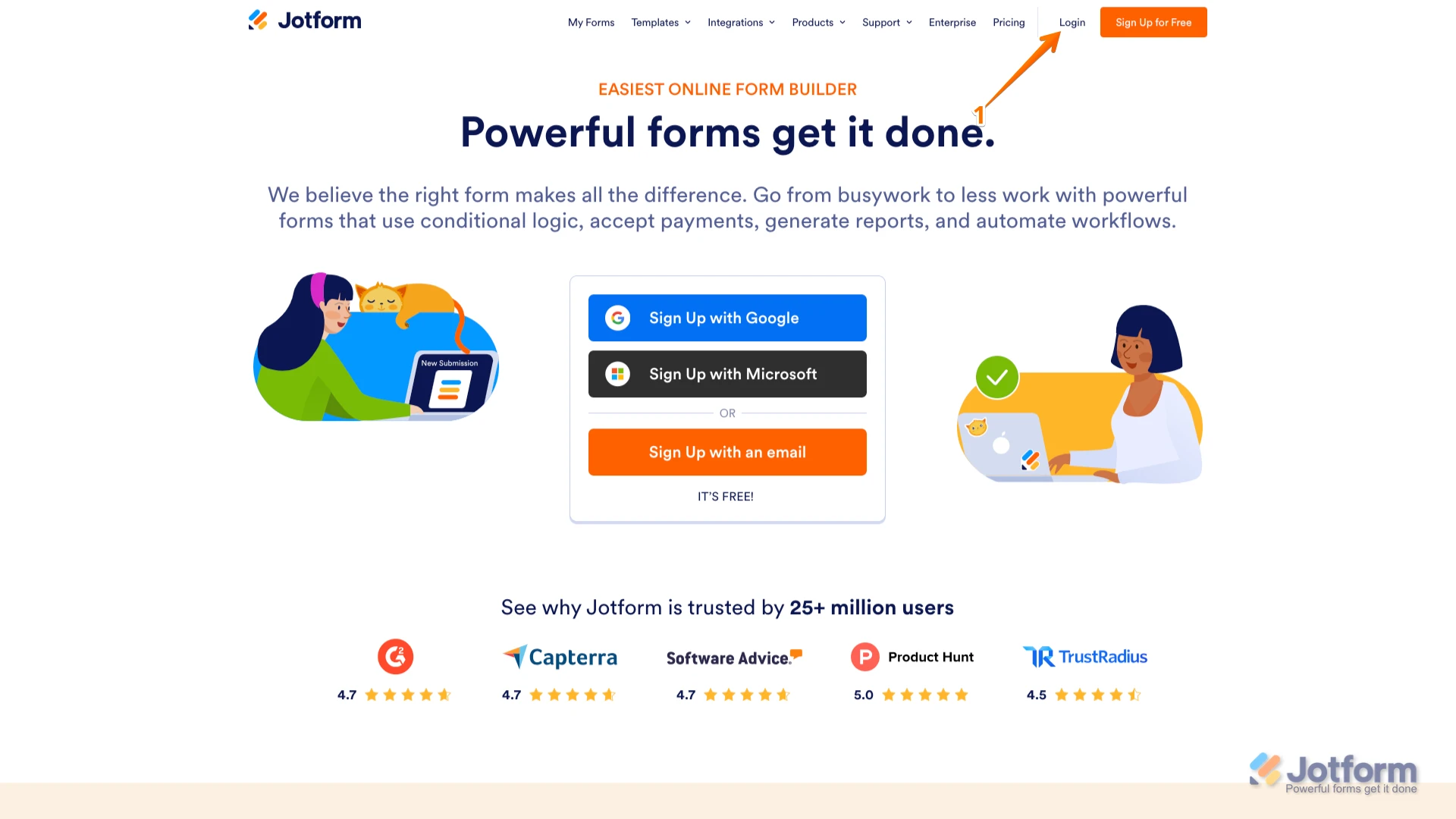
1. Go to the Jotform Main page and click on Login at the top-right corner of the page.
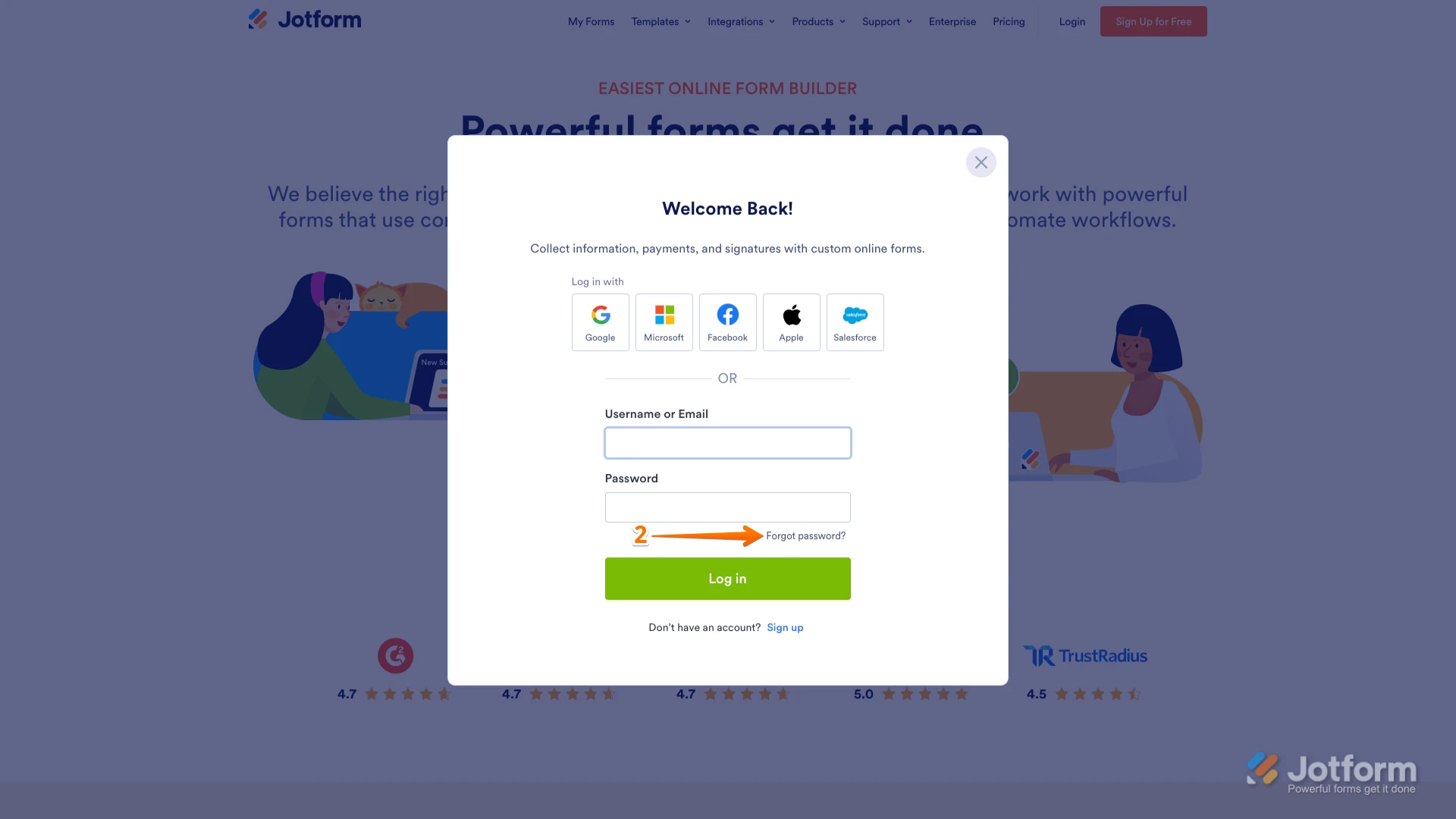
2. In the window that opens, click on Forgot Password?.
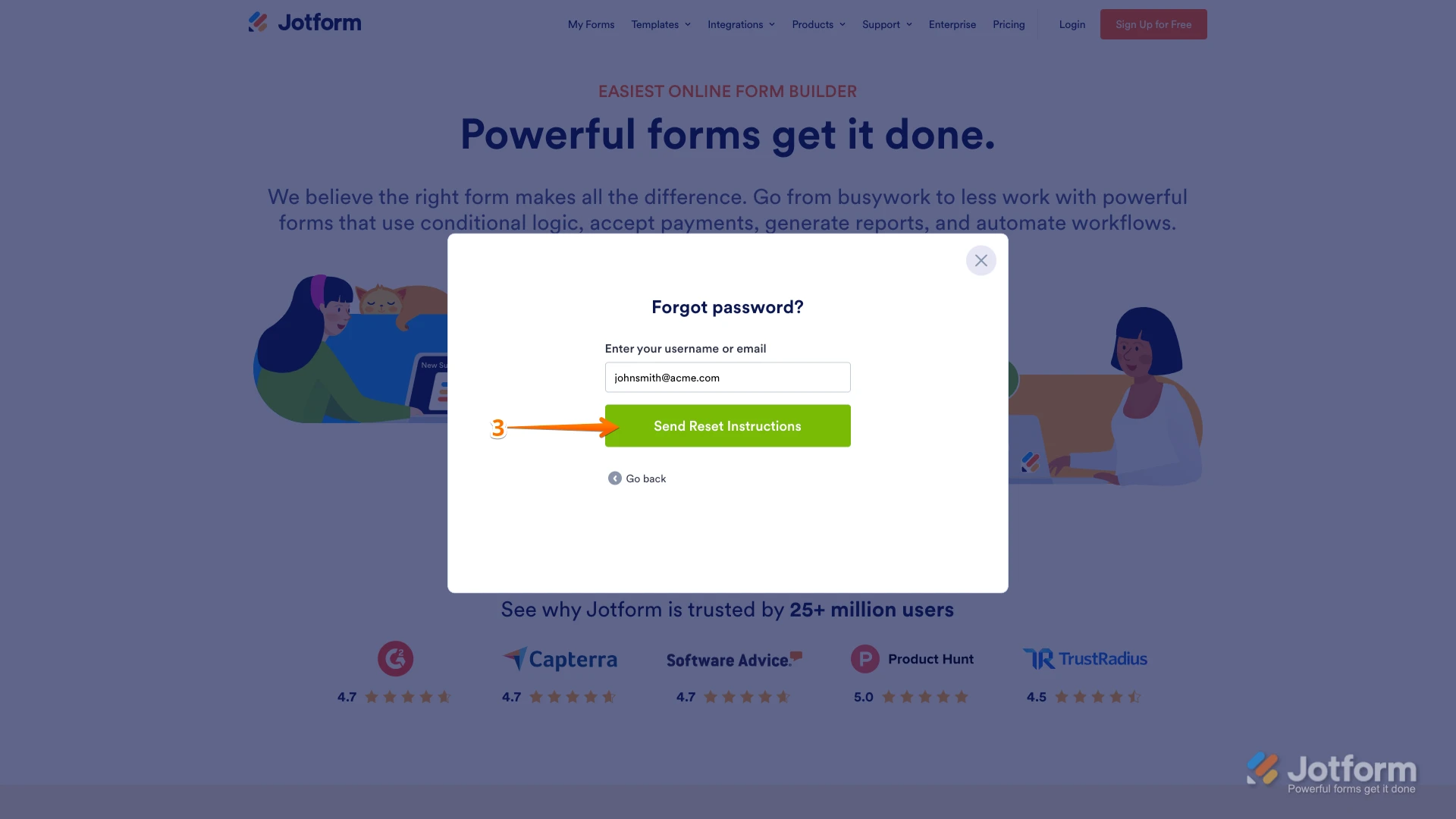
3. Enter your email address, and then click on Send Reset Instructions.
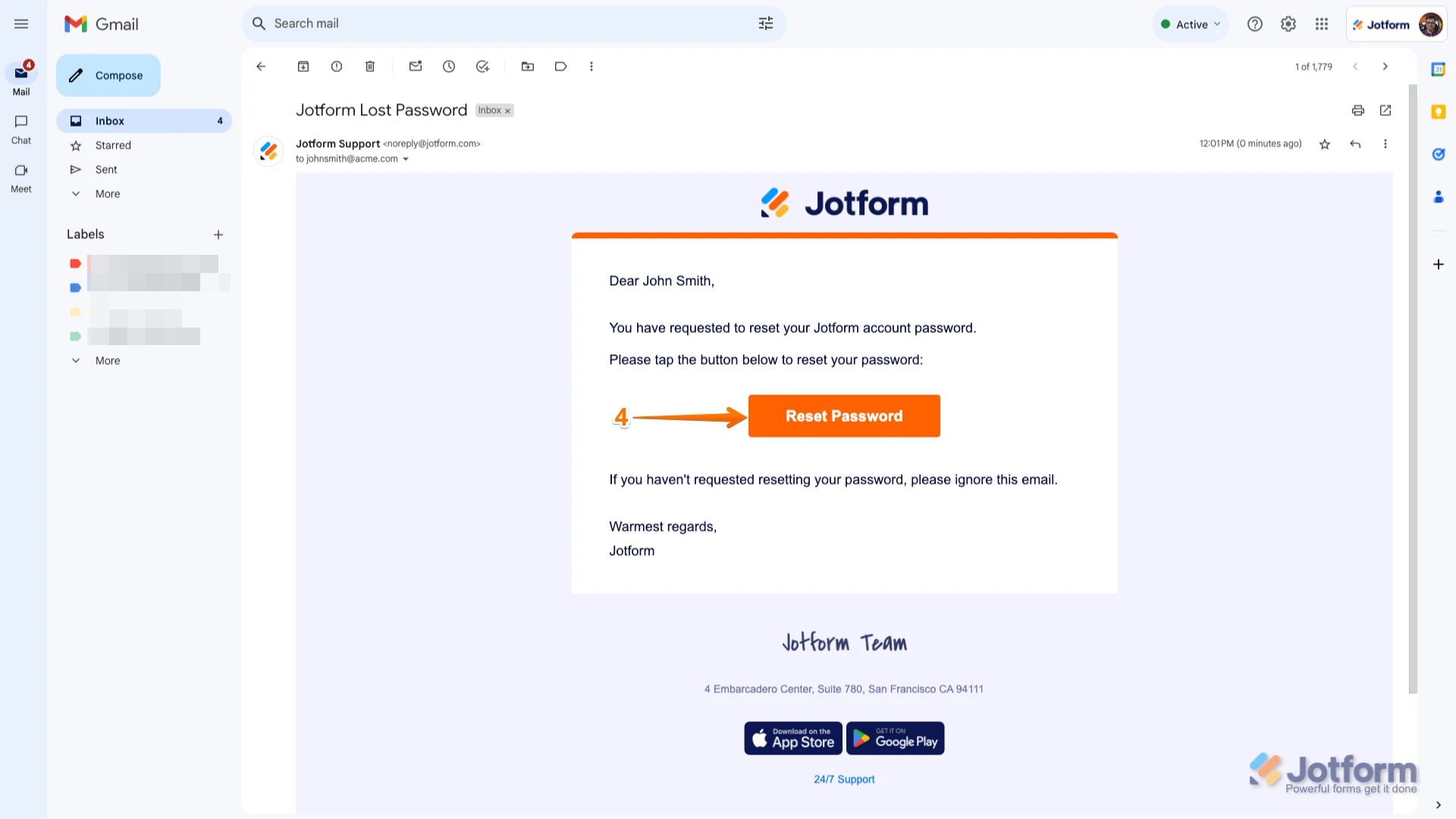
4. You'll receive an email with instructions on how to reset your password. Open the email and click on the Reset Password button.
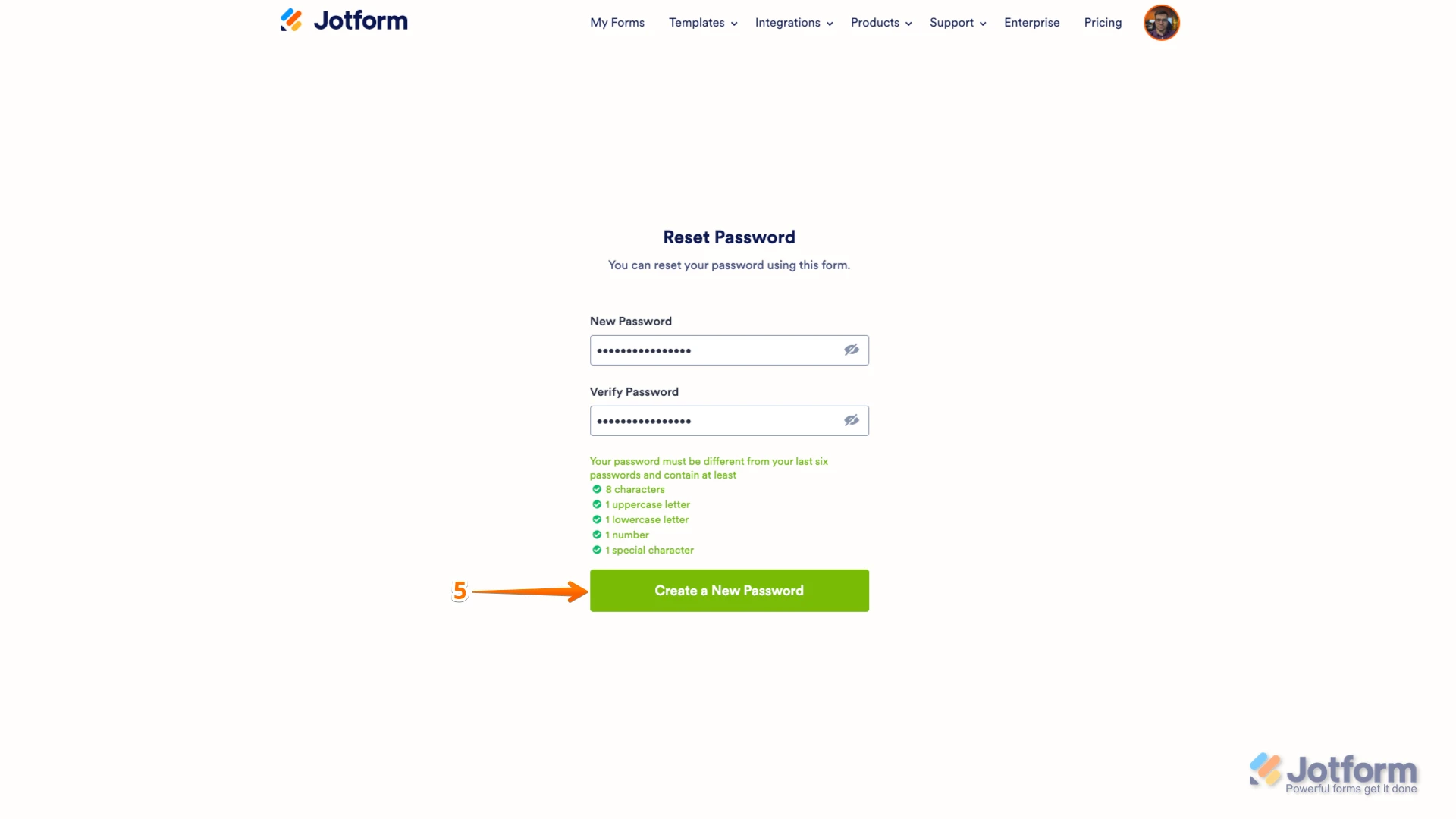
5. Enter your new password, enter it again to verify it, and then click on Create a New Password.
There you go. Your new password is now set, and you can use it to log into your Jotform account. You can also check out our How to Reset Your Jotform Password guide for more information.Reach out again if you need any other help.
-
DentexactoBom dia,
Eu estou a colocar a password correta, não se trata disso.Fica é a carregar
o log in, e não entra.
Ou seja, não consigo entrar, mas as credenciais estão corretas.
... -
 Sheena Jotform Support
Hi Dentexacto,
Since your credentials are correct and the account is active, this is most likely a loading or browser-related issue rather than a password issue. Let me help you with that:
First, try these access steps again (in any browser):
- Go to the Jotform Login page.
- Enter your username or email in the Username field and your password in the Password field.
- Click on Log in and wait a few seconds to see if the dashboard loads.
If it still keeps loading and does not enter, try these troubleshooting steps:
- Clear your browser cache and cookies, then close and reopen the browser and try logging in again.
- Test using a different browser (for example, if you use Chrome, try Edge, Firefox, or Safari) and also, if possible, a different internet connection.
- Temporarily disable any browser extensions, especially ad blockers, privacy/security tools, or script blockers
Give it a try and let us know if you need any help.
-
DentexactoJá está a dar, obrigada pela ajuda!
...


 Let us know if you have any other questions.