

Hojas de Marketing

Hoja de Cálculos para dar Seguimiento a las Donaciones
Una Hoja de Cálculos para dar Seguimiento a las Donaciones es una hoja de cálculos en línea utilizada para llevar un registro de las aplicaciones para recibir donaciones. Usted puede usar la Hoja de Cálculos para dar Seguimiento a las Donaciones de Jotform gratuita y en línea para monitorear el estado de las aplicaciones para recibir donaciones, maneje los detalles de contacto y organice la información de las aplicaciones para donaciones y de esa manera recibir el monto correcto de fondos. ¡Usted incluso puede cambiarlo a vista de calendario para asegurar que usted no se pierda fecha límite importante! Personalice está Hoja de Cálculos para dar Seguimiento a las Donaciones y guardar perfectamente toda la información. Añada filas y columnas, actualice las viñetas con nombres y colores, y reorganice el diseño que mejor se adapte a sus preferencias. ¡Usted puede utilizar nuestros cálculos rápidos con la funcionalidad de sumar totales para las donaciones de fondos solicitados y los fondos recibidos! Manteniendo la información de las donaciones organizada en una hoja de cálculo profesional y en línea, usted puede ayudar a su organización sin fines de lucro a ser más eficiente, aplicara a más donaciones y asegurar más fondos para avanzar en su causa.
Ir a la categoría:Marketing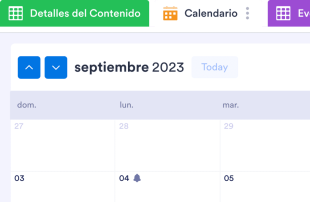
Calendario de Redes Sociales
Un Calendario de Redes Sociales es útil para planear y agendar sus publicaciones por adelantado. Ya sea que usted sea un bloguero, un influencer de Instagram, o alguien que maneja las redes sociales de un equipo de mercadeo, usted puede hacer que su marca sea el siguiente tema de tendencia con nuestra Plantilla para Calendario de Redes Sociales. Todo lo que tiene que hacer es llenar el formulario con la información de la próxima publicación, seleccionar el tipo de contenido apropiado y redes sociales y proporcionar los detalles de hora y fecha de la publicación. Está Plantilla para Calendario de Redes Sociales va a organizar cada solicitud en una hoja de cálculo con código de color que puede ser visualizado en el formato predeterminado o en el formato de calendario — perfecto para verlo desde cualquier dispositivo o compartir y discutir el contenido con su equipo. Tal como cada publicación en redes sociales está hecha a la medida de su marca, de la misma manera su calendario de redes sociales necesita adaptarse a sus necesidades. Para personalizar está Plantilla para Calendario de Redes Sociales, simplemente utilice nuestro Creador de Formularios para añadir o alterar los campos del formulario que alterarán las columnas de su hoja de cálculo. Usted también puede decidir si utilizar varias etiquetas con diferentes colores e incluso añadir pestañas para nuevas presentaciones, celebraciones originales y las tendencias más recientes de la web. ¡Organice la estrategia de mercadeo para sus redes sociales de la mejor manera con su Calendario de Redes Sociales — y prepárese para volverse viral!
Ir a la categoría:Marketing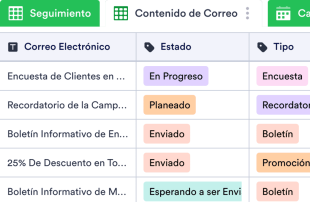
Calendario de Marketing por correo Electrónico
Un Calendario de Marketing por Coreo Electrónico es usado para ayudar a su empresa a crear, agendar, coordinar y analizar sus campañas de marketing por correo electrónico, como lo son los boletines Informativos, envíos de libros electrónicos, y más. ¡Organice, analice, y mejore sus campañas de marketing por correo electrónico con una plantilla de Calendario de Marketing por Correo Electrónico! Vea fácilmente los índices de Abiertos y de Clics para ver a qué campaña le ha ido bien y cuál debe ser mejorada. Los datos son seguramente almacenados en su cuenta de Jotform, y son accesibles sin problemas desde cualquier dispositivo. Nuestra Plantilla de Calendario de Marketing por Correo Electrónico ya incluye pestañas para el seguimiento de boletines, contenido de correo electrónico, y un calendario para ver cuando están programados los boletines para ser enviados — aunque si le gustaría ver sus datos de otra manera, siéntase libre de agregar nuevas pestañas, columnas, filas y etiquetas de colores para sacar el máximo provecho a los datos recibidos. Asegúrese de que sus boletines informativos den con la audiencia destinada organizando y analizando los datos de las campañas con nuestra plantilla de Calendario de Marketing por Correo Electrónico.
Ir a la categoría:Marketing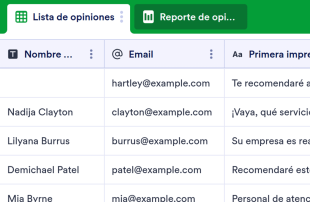
Registro de opiniones de los clientes
Recopile opiniones de clientes en línea. Cambie entre la vista de hoja de cálculo, tarjeta o informe para analizar las opiniones. No se requiere programación. Funciona perfectamente en cualquier dispositivo.
Ir a la categoría:Planeación eventosAcerca de Marketing
Las hojas de marketing son plantillas de tablas específicas para cada categoría, desarrolladas para ayudar a organizar y gestionar los registros relacionados con las actividades de marketing. Los propietarios de los formularios usan los formularios de Jotform para recopilar una amplia gama de información, como respuestas a encuestas, opiniones de clientes, inscripciones a eventos y registros en promociones. Estos envíos son fundamentales para los equipos de marketing, las empresas y los profesionales que necesitan gestionar solicitudes, analizar datos y mantener la participación de los clientes. La ventaja de las hojas de marketing reside en su capacidad para transformar las respuestas recopiladas en los formularios en registros bien organizados dentro de Jotform Tablas, lo que asegura que la información esencial sea fácilmente accesible y manejable.
Jotform Tablas sirve como plataforma central en la que aparecen automáticamente los envíos procedentes de los formularios de Jotform conectados. Cada respuesta enviada se convierte en una entrada de la tabla vinculada, que puede consultarse en la vista de tabla o en la vista detallada. Esta configuración permite a los usuarios organizar y analizar los envíos mediante potentes funciones como la búsqueda, los filtros, la agrupación de datos y diferentes vistas, como la vista de calendario y la vista de reporte. Aunque se admite la introducción manual de datos y la importación desde archivos CSV o Excel, el objetivo principal sigue siendo la integración fluida de las respuestas de los formularios en las tablas. Este flujo de trabajo integral aumenta la eficiencia al optimizar el proceso, desde la recopilación de datos hasta su gestión completa.
Why Use Marketing Sheets?
- Marketing Sheets eliminate the need for manual data transfer by ensuring that all Jotform Forms submissions automatically populate the connected tables. This reduces errors and saves valuable time.
- Keeping all submissions together in a centralized table makes it easier to find and manage records, allowing marketing teams to stay organized and efficient.
- With detailed submission information readily accessible, teams can review complete details of each entry, including attachments and uploads, ensuring no important data is overlooked.
- The ability to filter and search through submissions quickly helps users locate specific records, facilitating better decision-making and faster response times.
- By using Jotform Tables to coordinate follow-up actions, marketing teams can ensure that no customer inquiry or feedback goes unanswered, improving overall customer satisfaction.
- Real-time tracking and revision history features enable teams to monitor changes and maintain an accurate record of all submissions and actions taken.
Common Problems Solved by Marketing Sheets
- Manually copying submissions from forms into spreadsheets is time-consuming and prone to errors. Marketing Sheets solve this by automatically importing form responses into organized tables.
- Scattered responses across multiple platforms can lead to confusion and inefficiencies. Marketing Sheets centralize all data, making it easier for teams to stay on top of their submissions.
- Finding specific records in a sea of data can be challenging. The search and filter capabilities in Jotform Tables allow users to quickly locate the information they need.
- Inconsistent review processes can result in missed opportunities or overlooked information. By using columns and column types, teams can standardize data review and ensure thoroughness.
- Large file uploads can be cumbersome to manage. The Uploads View in Jotform Tables provides a streamlined way to review and access all uploaded documents associated with form submissions.
Matching Form Submission Use Cases to Jotform Tables Features
- For marketing campaigns receiving numerous sign-ups, the connected form automatically populates the table, ensuring timely and organized data collection.
- Reviewing customer feedback becomes efficient with Table View and Detail View, allowing detailed analysis and categorization of responses.
- Using search and filters, marketing teams can sort through entries to prioritize urgent customer inquiries or feedback, streamlining their workflow.
- Assignees and access settings help coordinate responsibility among team members, ensuring that all submissions are addressed by the appropriate personnel.
- Report View provides insights into collected data, enabling marketing managers to generate reports that highlight key metrics and trends for strategic planning.
How to Use Marketing Sheets with Jotform Forms
- Begin with a suitable Marketing Sheets template or connect a Jotform Tables setup to an existing Jotform Form. As new responses come in, they automatically populate the connected table, streamlining data collection and organization.
- Configure the table for effective submission management by naming columns, selecting appropriate column types, and choosing views like Table View or Uploads View to match the type of data being handled.
- Manage submissions efficiently by using features such as search, filters, data grouping, and formulas. Employ access settings and assignees to facilitate team collaboration and track revision history for accountability.
Top Use Cases for Marketing Sheets
- For Form Owners: Form owners benefit from Marketing Sheets by reviewing incoming responses directly from their connected Jotform Forms. They can edit submission data to correct errors or update information as needed. By checking details and uploads, form owners ensure that every piece of information is accurately captured and retained. Keeping records organized in Jotform Tables allows them to maintain a comprehensive view of all collected data, facilitating better decision-making and follow-ups.
- For Teams: Authorized team members use Marketing Sheets to find and maintain submissions efficiently. By coordinating responsibility with assignees, they ensure that each entry is addressed by the appropriate team member. Access settings and revision history support shared work by providing transparency and accountability. This collaborative environment helps teams stay aligned and responsive to incoming data and tasks.
- For Managers: Managers leverage Marketing Sheets to monitor collected data and review patterns specific to their marketing activities. They can check the progress of tasks and confirm ownership to ensure that all responsibilities are clear. By utilizing Report View or other relevant views, managers gain insights into the data, allowing them to oversee operations and make informed decisions about marketing strategies and resource allocation.
Summarizing Marketing Sheets
Marketing Sheets offer a streamlined, efficient way to collect and manage marketing-specific information through Jotform Forms and Jotform Tables. This category-specific value lies in the automatic integration of form responses into organized tables, where records are easily reviewed and managed. Jotform Tables enhance productivity by providing tools to search, filter, group, and report on collected data, ensuring that marketing teams can focus on strategic activities rather than data entry.
Preguntas Frecuentes
1) Is it free to use Marketing Sheets with Jotform Tables?
Jotform offers a Starter plan, which allows users to begin utilizing Marketing Sheets with Jotform Tables. This plan provides access to essential features needed to manage submissions effectively. Users can explore the capabilities of Jotform Tables without incurring any initial costs. However, for more advanced features and higher usage needs, users may consider exploring other plan options.
2) How do submissions from Jotform Forms appear in Marketing Sheets?
Submissions from Jotform Forms automatically appear in Marketing Sheets when the form is connected to a Jotform Table. Once a respondent submits a form, their response is entered as an entry or a row in the linked table. This auto-population process ensures that new responses continue to flow into the table, keeping all data centralized and up-to-date.
3) Can I edit, search, filter, group, and calculate data in Marketing Sheets?
Yes, you can edit submissions and utilize various features to organize data in Marketing Sheets. Columns and column types allow you to categorize and manage data effectively. The search function helps locate specific entries, while filters and data grouping enable users to sort and analyze information efficiently. Formulas and calculations can be applied to perform necessary data analysis and derive insights.
Casos de uso de hojas de presupuesto
Exporting data from Marketing Sheets as CSV or Excel is supported, allowing you to add existing information alongside submissions from connected forms. This feature is beneficial for creating backups or sharing data with external stakeholders. Exporting ensures that you have flexible options for data handling and reporting beyond the Jotform ecosystem.
5) Which Jotform Tables views can I use with Marketing Sheets?
In Marketing Sheets, you can utilize Table View, Detail View, Calendar View, Report View, and Uploads View. Table View allows you to see all entries in a spreadsheet-like format, while Detail View provides in-depth information for each submission. Calendar View is useful for date-based entries, Report View helps summarize data for analysis, and Uploads View organizes any uploaded files for easy access and review.
6) Can teams collaborate on submissions in Marketing Sheets?
Teams can collaborate effectively using Marketing Sheets through features like access settings, collaboration tools, and assignees. Real-time tracking and revision history enhance transparency and accountability among team members. These capabilities ensure that everyone involved has the necessary access to participate in managing and processing submissions while maintaining data integrity.
7) Can I connect Marketing Sheets to related data or other applications?
Yes, Marketing Sheets can be connected to related data through linked tables and various integrations. Action buttons can be used for specific functions, although the exact integrations depend on the available connections provided by Jotform. These features enable seamless interaction with other applications and data sources, enhancing the versatility and functionality of your tables.
8) Can I create reports, PDFs, and manage files from Marketing Sheets?
Marketing Sheets allow you to create comprehensive reports using Report View. Additionally, PDF generation is available for producing documents that summarize table data. The Uploads View helps manage and review files associated with submissions, and signed documents can be integrated when necessary. These capabilities support a wide range of documentation and reporting needs within marketing activities.