

Hojas de cálculo de presupuesto

Plantilla de Presupuesto para restaurante
¡Lleve un registro de las ganancias, costos de producción y costos de suministros para poder llevar un balance del presupuesto de su restaurante con la Plantilla de Presupuesto para restaurante gratuita y en línea! Con las Tablas de Jotform — una base de datos-hoja de cálculos avanzada e híbrida — usted podrá manejar sus gastos como un experto, descargar su presupuesto como PDF o un archivo CSV, y compartir su tabla para trabajarla en conjunto con sus colegas o empleados en línea. Simplemente complete el formulario en línea adjunto, registre sus gastos manualmente o cárguelos a un CSV ya existente o un presupuesto de Excel para comenzar. ¿Necesita personalizar está Plantilla de Presupuesto para restaurante? Siéntase libre de añadir tipos de columnas prediseñadas, incluya fórmulas prefabricadas para sumar sus totales, o intercambiar entre hojas de cálculo, tarjeta o vista de calendario para visualizar la información de la manera que mejor se adapte a sus necesidades. Y si usted quiere compartir la hoja de cálculo, usted puede controlar totalmente la información mediante la personalización de las opciones para compartir. ¡Manténgase al tanto del presupuesto de su restaurante y trabajar para que las ganancias de su negocio crezcan con esta plantilla gratuita de Presupuesto para restaurante!
Ir a la categoría:Hojas de cálculo de presupuesto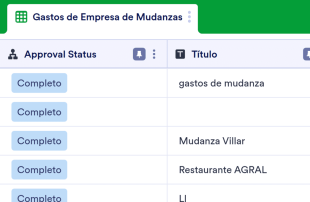
Plantilla de Presupuesto de Mudanzas
¡Muévete con nuestra nueva Plantilla de Presupuesto de Mudanzas gratuita en línea! Sin importar a donde se esté mudando, debe asegurarse de no salirse del presupuesto. Lleve un registro de los gastos de mudanza con esta Plantilla de Presupuesto de Mudanzas fácil de usar, que puede ser llenada desde cualquier ordenador o dispositivo móvil. Simplemente introduzca la información a mano, o rellene el formulario adjunto para sincronizar las respuestas con la tabla. Esta plantilla de presupuesto de mudanza es más que una hoja de cálculo — es un potente espacio de trabajo todo en uno, diseñado para satisfacer todas sus necesidades. Personalice su tabla para calcular automáticamente los costos y totales cuando introduzca nuevos datos. No es necesario codificar — solo elija entre las opciones de fórmulas preestablecidas al crear una nueva columna. ¡También puedes añadir más pestañas, crear nuevas etiquetas y filtros, y cambiar entre otros tipos de vistas para ver su presupuesto de mudanzas de la forma que más le convenga!
Ir a la categoría:Hojas de cálculo de presupuesto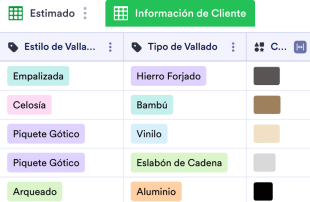
Plantilla de Presupuesto para Vallado
Un formulario de presupuesto para vallados es utilizado por contratistas independientes o compañías de instalación de vallas como un registro de estimados del vallado, costes laborales, costes de equipos, y costes materiales para sus clientes. ¡Ya sea que tengas un negocio de construcción de vallados, o trabajes para uno, usa esta Plantilla de Presupuesto para Vallado gratuita para manejar tus presupuestos del vallado en una hoja de cálculo en línea! Para empezar, solo personaliza la plantilla de acorde a lo que necesites, ingresa costos por cliente, y maneja la información desde cualquier dispositivo. Añade pestañas nuevas para organizar tus estimados, cambia nombres de etiquetas y colores para un toque personal, reorganiza filas y columnas, y más. ¡Solo le tomará un par de clics para obtener el aspecto que desee! Y si está cansado de sumar totales a mano, hágalo automáticamente con nuestra función fácil de usar para realizar cálculos. Controle los presupuesto de sus vallados con esta Plantilla de Presupuesto de Vallado gratuita para una mayor eficiencia y así poder dedicar más tiempo a las cosas más importantes — como construir hermosos vallados para sus clientes.
Ir a la categoría:Hojas de cálculo de presupuesto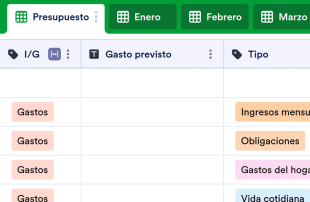
Plantilla de presupuesto mensual
Mantenga sus gastos bajo control con una plantilla gratuita de presupuesto mensual. Comience por personalizar el diseño de la plantilla, luego agregue su información presupuestaria manualmente o complete automáticamente la hoja de cálculo a través del formulario en línea adjunto. Ya sea que mantenga un presupuesto en casa o en el trabajo, supervise información importante como nombres y descripciones de artículos, gastos previstos y reales, detalles de ingresos y más, luego compártala con otras personas en línea o descárguela como un archivo CSV, PDF o Excel. Con solo unos clics, puede personalizar esta plantilla de presupuesto mensual para que se adapte perfectamente a sus necesidades. Añada pestañas para organizar la información por meses, cambie los nombres y colores de las etiquetas y calcule automáticamente los totales con nuestra función de cálculo rápido. ¡Incluso puede cambiar entre la vista de hoja de cálculo, tarjeta y calendario para elegir cómo ver su información! Con una plantilla de presupuesto mensual personalizada que le ayuda a realizar un seguimiento de sus gastos en cualquier dispositivo, puede controlar mejor sus gastos y ajustarse al presupuesto.
Ir a la categoría:Hojas de cálculo de presupuestoAcerca de Hojas de cálculo de presupuesto
Las hojas de presupuesto son plantillas de tablas específicamente diseñadas para cada categoría, o tablas creadas para organizar y gestionar registros de forma eficaz. Mediante los formularios de Jotform, los usuarios pueden enviar información detallada específica de cada categoría, como propuestas presupuestarias, reportes de gastos, solicitudes financieras o asignaciones departamentales. Estos envíos son cruciales para los propietarios de los formularios y los equipos de diversos sectores, incluidos los departamentos financieros, los gestores de proyectos y los propietarios de pequeñas empresas, que necesitan un proceso optimizado para gestionar los datos financieros. La tabla conectada actúa como centro centralizado de toda la información recopilada, lo que asegura que no se confunda con un formulario, una aplicación, un tablero o un gestor de tareas.
Jotform Tablas es donde se muestran de forma automática los envíos de los formularios de Jotform conectados, transformando cada respuesta en una entrada estructurada que se puede revisar tanto en la vista de tabla como en la vista detallada. Esta plataforma cuenta con varias herramientas de organización, como la búsqueda, los filtros, la agrupación y diversos tipos de columnas, que facilitan la revisión y la gestión eficaz de los envíos. Vistas adicionales como la vista de calendario, la vista de reporte y la vista de archivos subidos ofrecen perspectivas alternativas sobre los datos. Aunque es posible agregar información ya existente mediante la introducción manual o la importación desde archivos CSV o Excel, el objetivo principal sigue siendo el flujo de trabajo fluido de envío de formularios a la tabla.
Why Use Budget Sheets?
- By managing Jotform Forms submissions in Jotform Tables, form owners can eliminate the tedious task of manually transferring data from forms to spreadsheets, saving time and reducing errors.
- Keeping responses together in a single, organized table ensures that form owners and teams can quickly find and review complete submission details, enhancing overall efficiency.
- Using filters and search functions allows users to locate records faster, which is particularly beneficial when managing high volumes of financial data.
- The ability to coordinate follow-up and track changes ensures that any adjustments to submissions are documented, providing a clear history of modifications.
- Reporting on collected data becomes straightforward with Jotform Tables' ability to generate insights and summaries, aiding in financial analysis and decision-making.
Common Problems Solved by Budget Sheets
- Manually copying submissions into spreadsheets often leads to errors and inconsistencies, but using Jotform Tables ensures that all form responses are automatically captured and organized.
- Scattered responses across different platforms can make it difficult to locate records; however, the centralized table keeps all entries in one place for easy access.
- Inconsistent review of financial data can lead to oversight, but with features like filters and grouping, teams can ensure a thorough examination of all submissions.
- Uploads, such as receipts or invoices, can be challenging to review when disorganized, but Uploads View in Jotform Tables provides a more manageable way to handle these files.
- Unclear ownership of financial records can slow down processes, but Jotform Tables allows for clear assignment and tracking of responsibilities among team members.
Matching Form Submission Use Cases to Jotform Tables Features
- When new budget proposals are submitted through a connected Jotform Form, they automatically populate as entries in Jotform Tables, simplifying the intake process and ensuring no submission is missed.
- Reviewing detailed financial submissions is made efficient with Table View and Detail View, where users can sort and filter data to focus on specific entries as needed.
- Teams can manage access settings and assign responsibilities to ensure that only authorized members are involved in reviewing and approving budget records.
- Jotform Tables allows for comprehensive reporting through Report View, which helps form owners and managers analyze trends and make informed financial decisions.
- Linked tables enable users to connect related financial data across different projects or departments, providing a holistic view of organizational budgets and expenditures.
How to Use Budget Sheets with Jotform Forms
- Begin with a relevant Jotform Tables template, a blank table, or a table connected to an existing Jotform Form. The Jotform Form is responsible for collecting category-specific information such as budget requests or expense reports, with new responses automatically appearing in the connected table.
- The form owner configures the table for submission review by naming columns, choosing appropriate column types, and selecting views like Table View, Detail View, Calendar View, or Report View that best fit their needs.
- Form owners or teams manage submissions using search, filters, data grouping, formulas, access settings, assignees, and revision history to ensure that all financial data is accurately reviewed and easily accessible.
Top Use Cases for Budget Sheets
- For Form Owners: Form owners who have created or own the connected Jotform Form can efficiently review incoming budget submissions, edit submission data as necessary, and ensure that all details, including uploads like receipts, are accurate and organized. Jotform Tables provides a structured environment for keeping records in order, allowing form owners to maintain oversight of financial information and streamline their budget management processes.
- For Teams: Authorized team members can quickly find and maintain financial submissions, coordinating responsibilities with assignees as needed. Access settings ensure that sensitive financial data is only visible to appropriate personnel, while revision history provides a clear record of any changes made. This collaborative approach supports shared work and ensures that all team members are aligned in their financial management efforts.
- For Managers: Managers can monitor collected financial data, reviewing patterns specific to budget categories, and checking progress or ownership of budget-related tasks. Using Report View or other relevant views, managers gain insights into financial trends and can oversee the budgetary process effectively. This oversight ensures that financial goals are met and that resources are allocated appropriately.
Summarizing Budget Sheets
Budget Sheets provide a valuable tool for collecting financial information through Jotform Forms and managing the resulting submissions in Jotform Tables. By automating the appearance of form responses in a structured table, users can streamline their financial management tasks. Jotform Tables offers a range of features to organize, review, and report on budget data, supporting efficient and informed decision-making.
Preguntas Frecuentes
Tipos de hojas de presupuesto
Jotform cuenta con un plan Inicial, que permite a los usuarios acceder a las funciones básicas de las hojas de presupuesto. Este plan está diseñado para ofrecer las funciones imprescindibles sin compromiso económico. Los usuarios pueden explorar las posibilidades de Jotform Tablas y comprobar cómo se adapta a su flujo de trabajo.
Importancia de las hojas de presupuesto
Las hojas de presupuesto son una herramienta valiosa y esencial para planificar sus finanzas. Proporcionan una visión clara de sus ingresos y gastos, ayudándole a tomar decisiones informadas que se alineen con sus metas financieras a corto y largo plazo.
Beneficios de usar hojas de presupuesto
Conocer el origen y destino de su dinero es fundamental para evitar deudas y crear una seguridad financiera a largo plazo. Al registrar sus ingresos y gastos en una hoja de cálculo, podrá entender mejor su situación financiera y tomar decisiones acertadas sobre sus gastos, ahorros e inversiones.
Casos de uso de hojas de presupuesto
Más que simplemente registrar números, las hojas de presupuesto son una herramienta clave para tomar el control de su vida financiera. El dinero suele ser una gran fuente de estrés, pero las hojas de presupuesto le ayudan a reducirlo al eliminar la incertidumbre sobre si podrá cubrir sus gastos o ahorrar para el futuro.
Cómo crear una hoja de presupuesto
Con una hoja de presupuesto, puede mantenerse informado sobre cuánto dinero recibe en un periodo determinado y cuánto gasta en distintas áreas de su vida. Esta claridad le permite identificar con facilidad las áreas donde podría estar gastando de más o perdiendo oportunidades para ahorrar.
6) Can teams collaborate on submissions in Budget Sheets?
Las hojas de presupuesto le permiten planificar el futuro con mayor facilidad. Ya sea que esté ahorrando para unas vacaciones, pagando un préstamo o formando un fondo de emergencia, puede usar una hoja de presupuesto para diseñar una estrategia que lo guíe hacia su objetivo y monitorear su progreso con el tiempo.
7) Can I connect Budget Sheets to related data or other applications?
Sí, las tablas vinculadas permiten relacionar datos financieros relacionados, proporcionando una visión global de los distintos proyectos o departamentos. Las integraciones y los botones de acción pueden simplificar las conexiones con otras aplicaciones, agilizando los flujos de trabajo y mejorando las capacidades de gestión de datos.
8) Can I create reports, PDFs, and manage files from Budget Sheets?
La vida está llena de sorpresas y su situación financiera puede cambiar de manera inesperada. Las hojas de presupuesto le permiten responder rápidamente a estos cambios. Si sus ingresos varían o enfrenta gastos imprevistos, puede usar su hoja de presupuesto para hacer ajustes y mantener sus planes financieros bajo control.