-
 Gestion_Leblond_contactI am experiencing a compatibility issue between Jotform and PipeDrive. For a client with their own account, I set up integrations to link deals on PipeDrive and then use native automations. Everything worked perfectly for previous clients. However, for my current client, there is a bug where deals are created but they are not linked to the contact in the database, as if the system refuses to search for the contact. PipeDrive has confirmed that everything is fine on their side and advised me to check with you. I have spent many hours trying to understand what is blocking the process without success. I have disconnected the integration, reviewed everything multiple times step by step, and ensured that each link corresponds correctly. I want to avoid having to manually link the contact name once the deal arrives on PipeDrive because it breaks my automation chain and client file tracking.
 -
 Jotform Support Former Jotform Support
Hi Gestion_Leblond_contact,
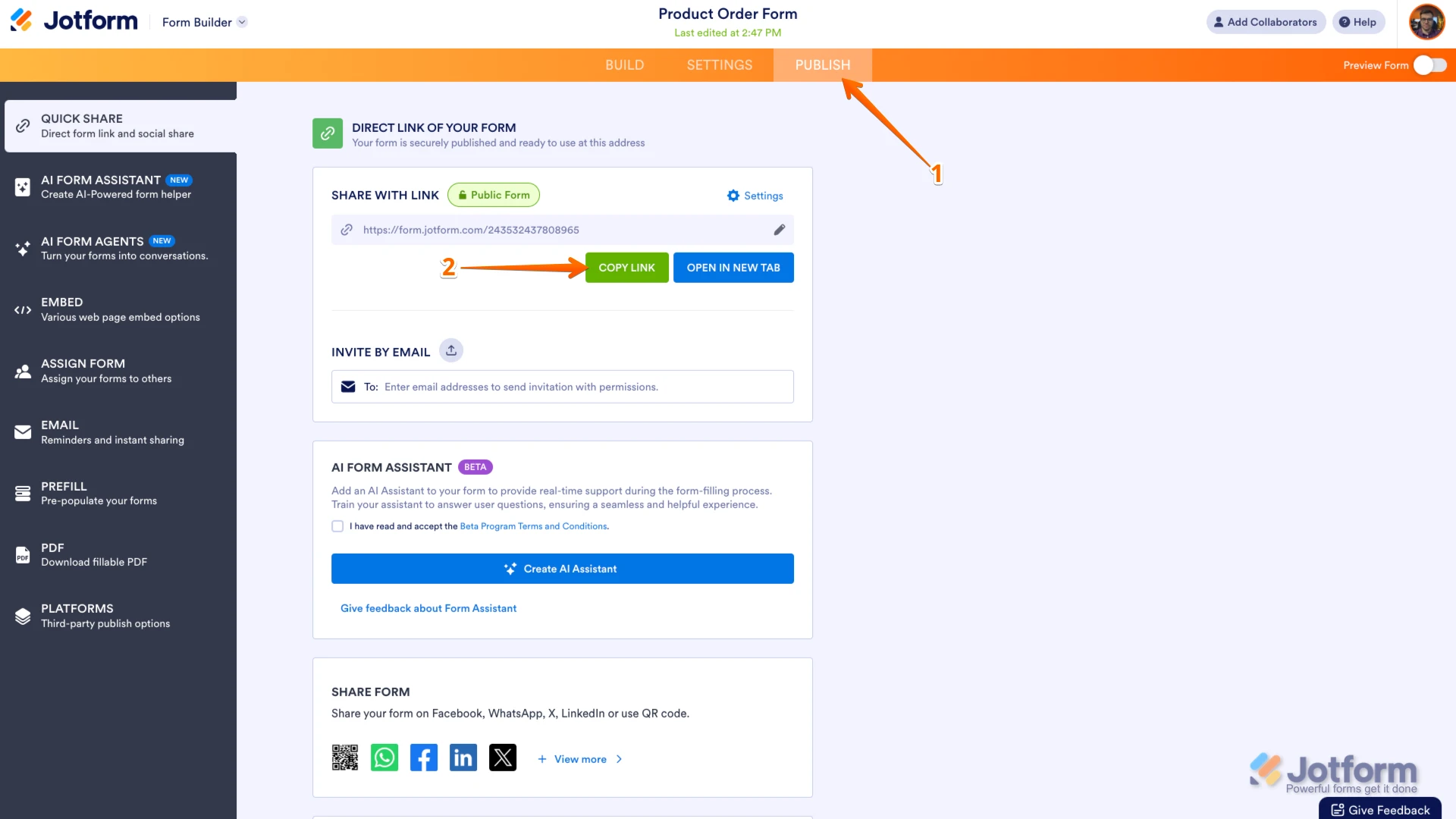
Thanks for reaching out to Jotform Support. I see you have multiple forms. Can you provide us with the form URL in question? You can easily find your form's URL in Form Builder. Let me show you how:- In Form Builder, in the orange navigation bar at the top of the page, click on Publish.
- In the Quick Share tab, click on Copy Link in the Share With Link section.
 Once you share the form URL with us, we’ll be able to help you better with this.
 -
Gestion_Leblond_contact
Hello,
Here is the URL for the form: https://form.jotform.com/253616611676057
I already sent you lots of data, URLs, etc. via chat yesterday. Didn't you receive them?
-
 Frédéric Jotform Support
Hi Gestion_Leblond_contact,
When I open your Action log in you Pipedrive integration, Ican see that some submissions failed to synch to Pipedrive because the Name was missing, as shown below:
Let me show you how to access to the Action log:
- In Form Builder, in the orange navigation bar at the top of the screen, go to the Settings page.
- In the left panel, click on Integrations.
- And then select Pipedrive.
- And then, click on the Three dots icon on the Create Deal action, and finally select Action Logs in the menu. Then you'll be able to see the details of the action log shown above.
As the error log suggests, this error may be due to the field Name, which has been edited on the Januray 4, 2026, the same day or the day before the error occured. But I see that since that time, probably after your edits, the integration syched with no error. So it seems that your edits finally fixed the issue.
If tis is not the case, or doesn't explain your issue, can you provide us with a submission ID showing hte issue?
Reach out again if you still need help on this.
-
Gestion_Leblond_contact
Hello,
In fact, the issue has existed since the form was first created. There were several subsequent failures because I tested it without the person name.
I am familiar with the process because I have done it elsewhere on other accounts and it works. I wanted to reproduce a similar scheme for this customer, but there is a persistent bug in customer recognition in Pipedrive.
1) When I create a form for the first time, it creates a record in Pipedrive, everything links up, and it's OK.
2) I send a second form for the same person in the database, and this time, the deal does not link as if the data received from Jotform was not recognized.
To see the type of bug, I tested a workaround with Zapier: if new deal, then search for customer = link customer record to deal, and it worked. However, I shouldn't need to use Zapier for this because I've already done it natively between Jotform and Pipedrive.
It's as if Pipedrive doesn't want to recognize the customer when they are in its database... Except that Pipedrive tells me that everything is OK on their end, so it must be coming from the Jotform form.
-
Gestion_Leblond_contact
For the submission it's ok : https://www.jotform.com/inbox/6437000702983396488
-
Gestion_Leblond_contact
The first time, the person does not exist in the contact database, so everything is created.
For the second request, I send back exactly the same form, I do not touch any of the data entered in the form, and the case is not linked to the person because they are already in the database.
Second demand : https://www.jotform.com/inbox/6437005882984982540 -
Frédéric Jotform Support
Hi Gestion_Leblond_contact,
I understand your concern and the detail you provided. Do you confirm that, you connected the Pipedirve integration with some forms you created, and these integrations didn't encounter any issue. But, in the form #253616611676057, it seems that when the form has been submit with an existing name, the submission fails to sync. But this works when using a Zapier action.
To investigate further, we’ll need your permission to access your account. Don’t worry, you can turn it off again once we’re done. Let me show you how to do it:
1. In the top-right corner of your Workspace page, click on your Avatar/Profile Image icon.
2. In the Dropdown menu that opens, click on Settings.
3. Next, in the panel on the left, click on the Security tab.
4. If you haven’t opened your Security page in a while, it’ll ask you to verify. To do that, click on Send Verification Code.
5. Then, enter the Verification Code you receive in your email.
6. Finally, at the bottom of the page, toggle on Jotform Support Access.
After we hear back from you, we’ll have a better idea of what’s going on and how to help. -
Gestion_Leblond_contact
It,s ok, I have open Jotform support acces
-
Gestion_Leblond_contact
Is that okay with you? Do you have access?
-
 Hakan Enterprise Customer Success Engineer
Hi Gestion_Leblond_contact,
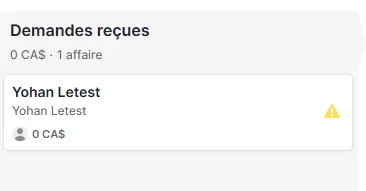
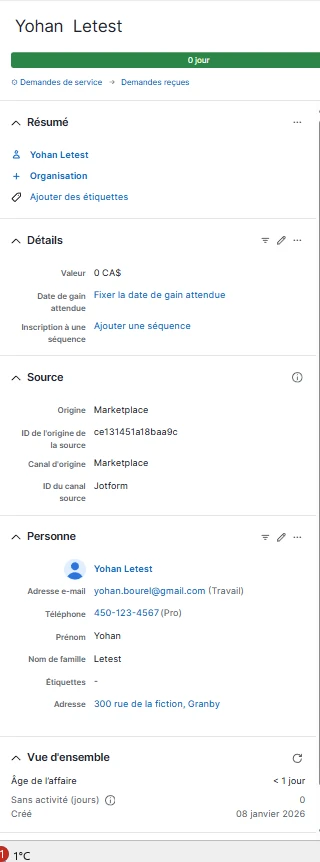
I have cloned your form, created a PipeDrive account and created the integration between those accounts to test the integration. As you mentioned, it is creating the deal in the first submission and it is not merging the second submission even it is the same name and email address. Instead it is creating a second deal in PipeDrive with no data in it. After reading more about how the integration works, it looks like it is only possible with the Zapier way that you mentioned and confirmed that it is working. Here is the link that I found related to the use of Zapier.
Keep us updated and let us know if you need any more help.
-
Gestion_Leblond_contact
Hello,
I don't quite understand because I did this with another Jotform and Pipedrive account for another client, and everything works fine with standard integration without Zapier.
-
Gestion_Leblond_contact
especially since when doing it with Zapier, there was still a persistent bug because it would find the person to add to the case, but it would break the automation of email tracking, etc.
-
Hakan Enterprise Customer Success Engineer
Hi Gestion_Leblond_contact,
Can you please share the link for the form that it is working so that we can investigate further?
After we hear back from you, we’ll know what’s going on and how to help.
-
Gestion_Leblond_contact
Here is the link that works for my other client. I see that I had created an additional webhook during integration, but from what I recall, it is not relevant.
https://form.jotform.com/250835086976268 -
Gestion_Leblond_contact
I verified that my hook had nothing to do with searching for names in the database and linking the case to the person in the database.
-
Gestion_Leblond_contact
I also see that on my client's account, which works, the presentation format is completely different, with small { } tags that I don't have in the integration of client 2, which doesn't work. Is it normal for the same package and the same integration to be different
GOOD
NO GOOD
The difference in fields with the values and label of customer 1, which works for “reason for your request,” is irrelevant; it is for another routing.
-
Hakan Enterprise Customer Success Engineer
Hi Gestion_Leblond_contact,
I tested your form and had the same issue, so I created a ticket and escalated this to our Developers. Although we don't know exactly when it'll be fixed, we’ll circle back to this thread when we have an update.
-
Gestion_Leblond_contact
I understand. I will also look into it on my end, and if I find a solution to resolve the issue natively rather than externally with Zapier, as I know it normally works natively, I will get back to you. In the meantime, I await your response if a solution arises. Thank you, have a good day.
-
Gestion_Leblond_contact
Just to be clear, did the form for customer 1, whose integration works, also work for you, or does it have the same bug as the form for customer 2?
-
Hakan Enterprise Customer Success Engineer
Hi Gestion_Leblond_contact,
Yes, that is correct. The first submissions with a new name and email is always created as a deal in PipeDrive and the second submissions that I tested with the same name and emails were sent to PipeDrive. They were not synced with the first submissions and they were created as new deals with this time no name and email data in them.
Although we don't know exactly when it'll be fixed, we’ll circle back to this thread when we have an update.
-
Gestion_Leblond_contact
Hello,
Noted, thank you. I look forward to hearing back from you on this matter. However, one question comes to mind: why does this happen when creating a new form but not affect an existing form using the same function?
I remain available to discuss and resolve this issue.
Have a great weekend.
-
Gestion_Leblond_contact
I also see that on my client's account, which works, the presentation format is completely different, with small { } tags that I don't have in the integration of client 2, which doesn't work. Is it normal for the same package and the same integration to be different
GOOD
NO GOOD
The difference in fields with the values and label of customer 1, which works for “reason for your request,” is irrelevant; it is for another routing.
For this client 1, whose service form links well with their Pipedrive, I recently created a form for housing inventories. I didn't notice it at the time, but it's the same issue as for client 2 with all of their forms.
Something major has changed in the integration, as can be seen in the screenshots above. I think the problem lies with the {} tags.
In the form that works, we have this, then we can see that the integration has changed, it's no longer the same. Have you made any updates in recent months to the integration between Jotform and Pipedrive? Is it possible to test a backup of the old version of the integration?
-
 Anna Jotform Support
Hi Gestion_Leblond_contact,
We currently don't know the exact issue of this form, as the Developer's team is still investigating this issue. Also, new forms will have the new version for the Pipedrive integration and can't be reverted to the old version. We’ll circle back with an update when there is one.

 Once you share the form URL with us, we’ll be able to help you better with this.




 After we hear back from you, we’ll have a better idea of what’s going on and how to help.

