-
 elogiodellapoesia
Dear Jotform Support Team,
Following our previous support ticket #43554431, we have encountered a new issue concerning the Dropbox integration for our form PREMIO I MURAZZI 2026.
We currently have two automated processes:
- The original Dropbox integration, which saves all submissions and attachments in a general archive.
- A conditional workflow that saves submissions and attachments in separate Dropbox folders according to the selected competition categories.
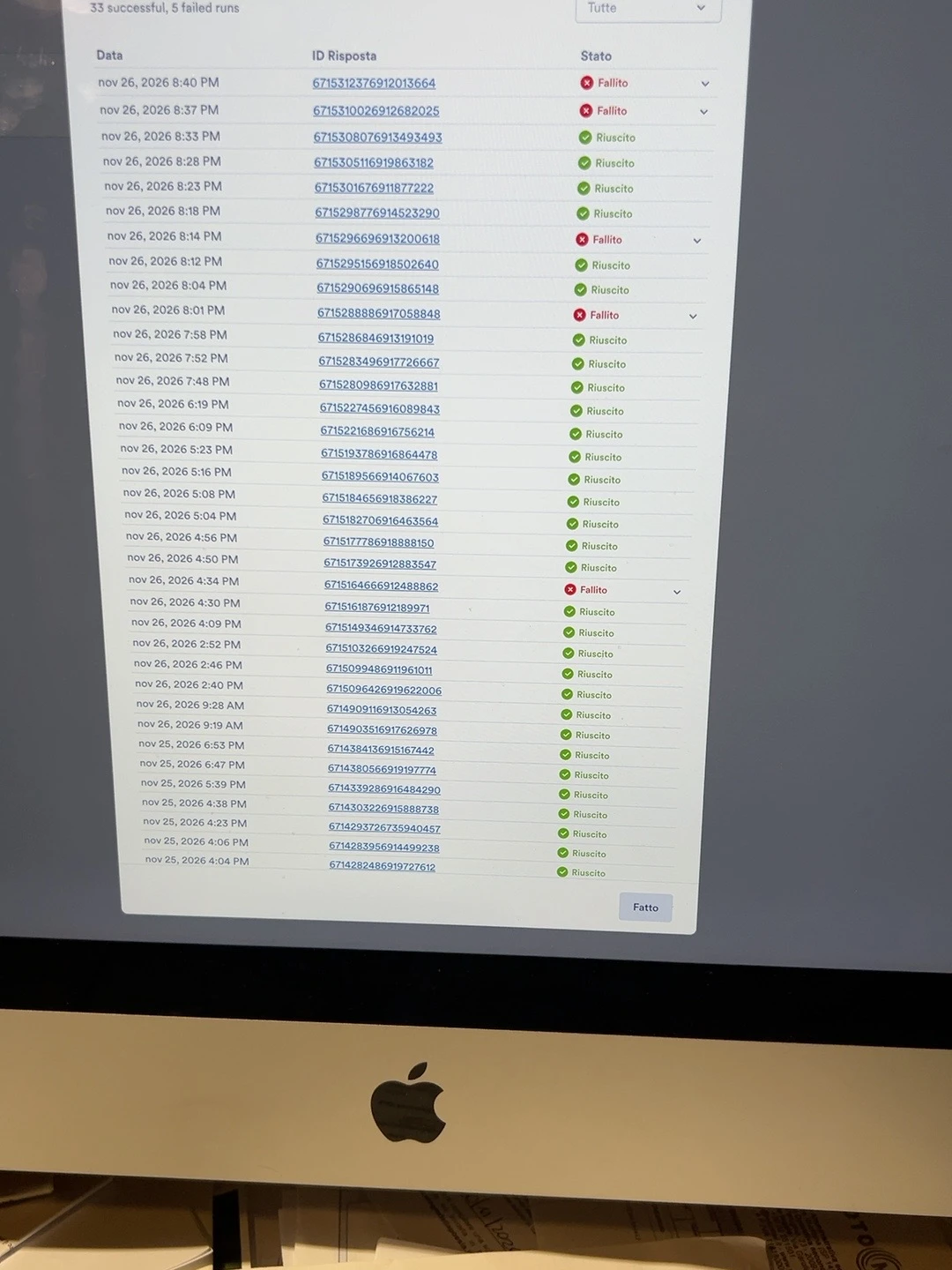
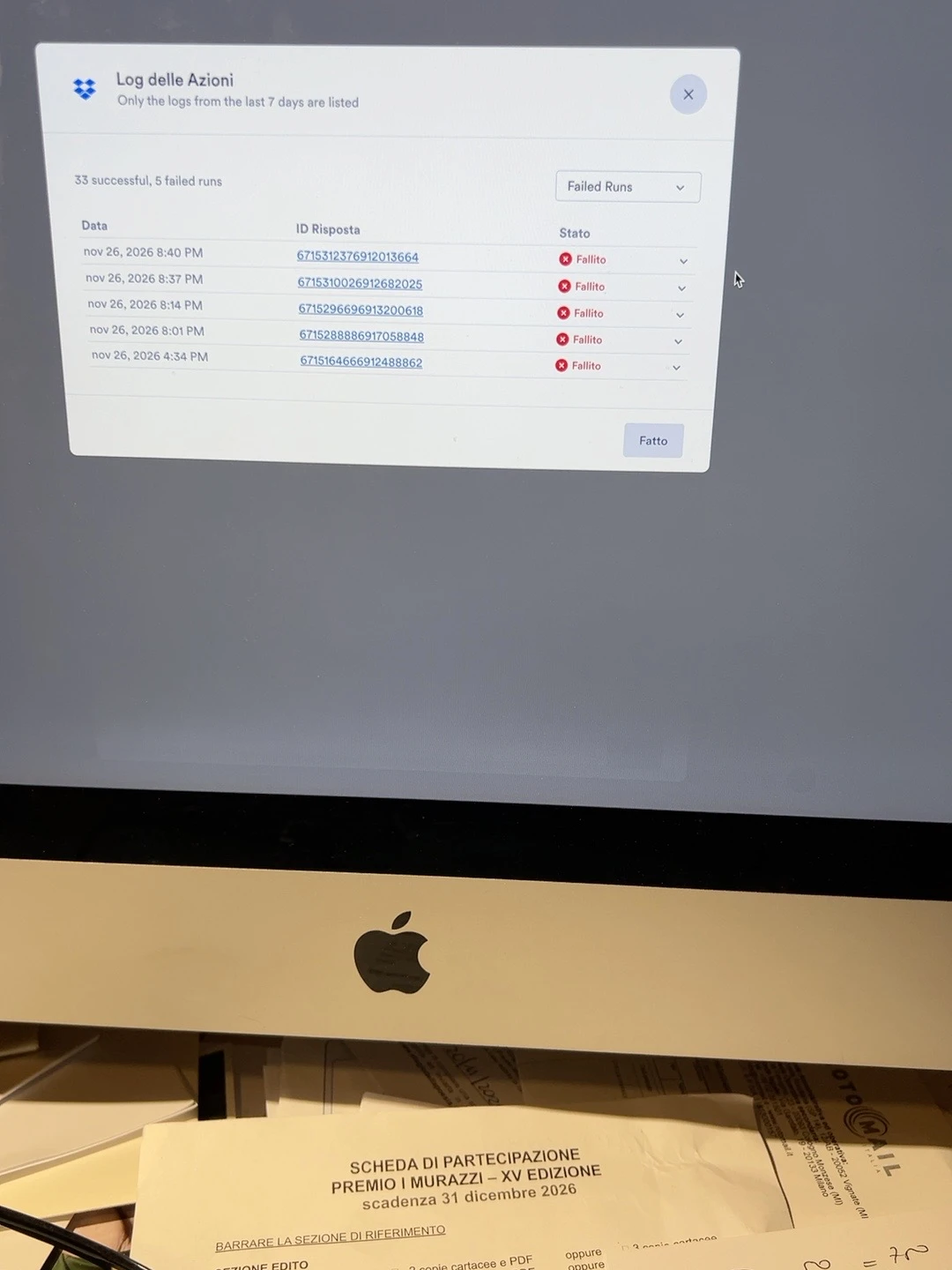
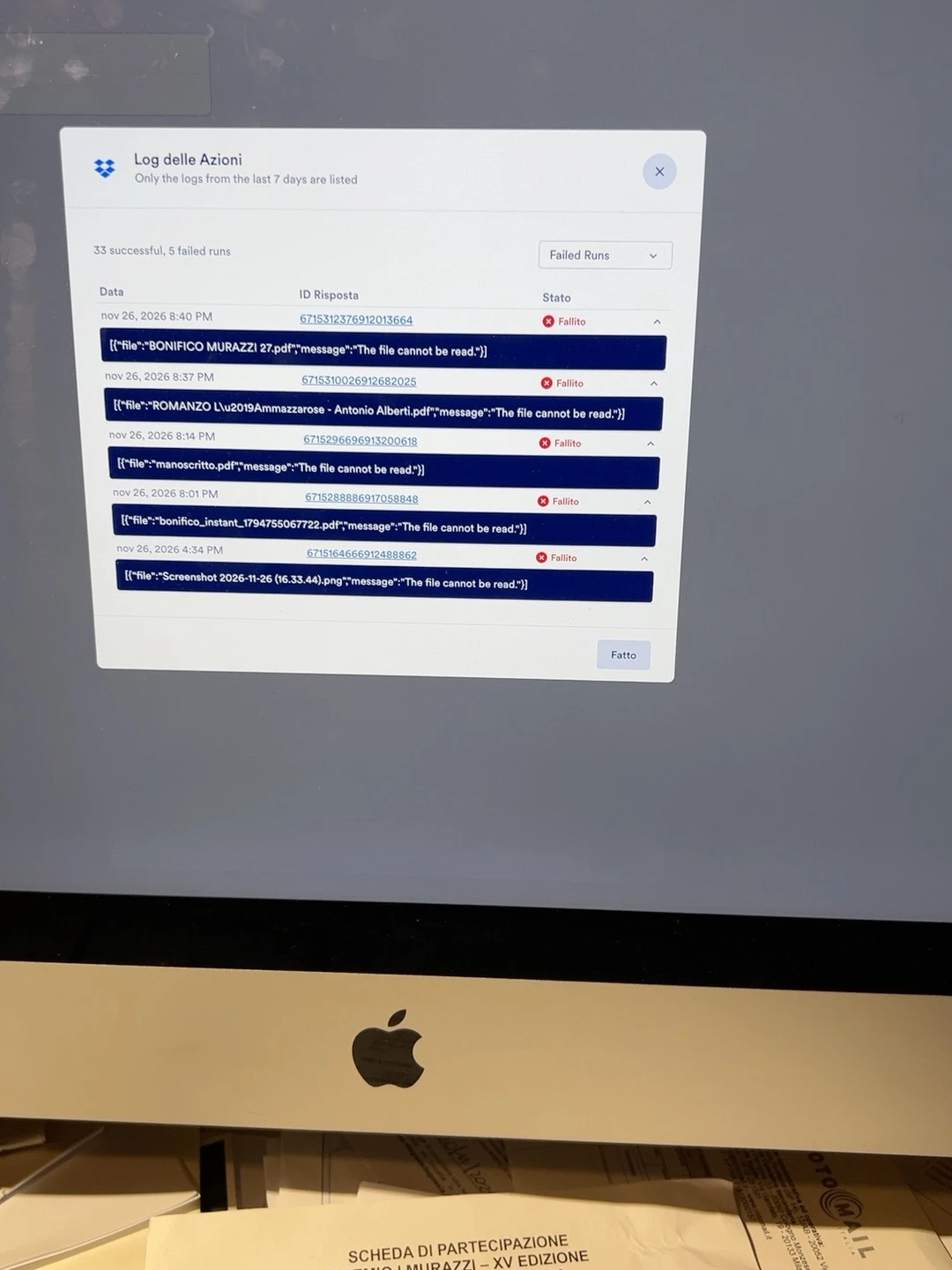
On November 26, 2026, the original Dropbox integration action log showed 38 execution attempts, of which 33 were successful and 5 failed with the following error:
“The file cannot be read.”
We manually investigated all five failed executions.
In four cases, the submissions were missing from the general Dropbox archive but were correctly transferred to the corresponding category folders. All expected attachments were present and readable.
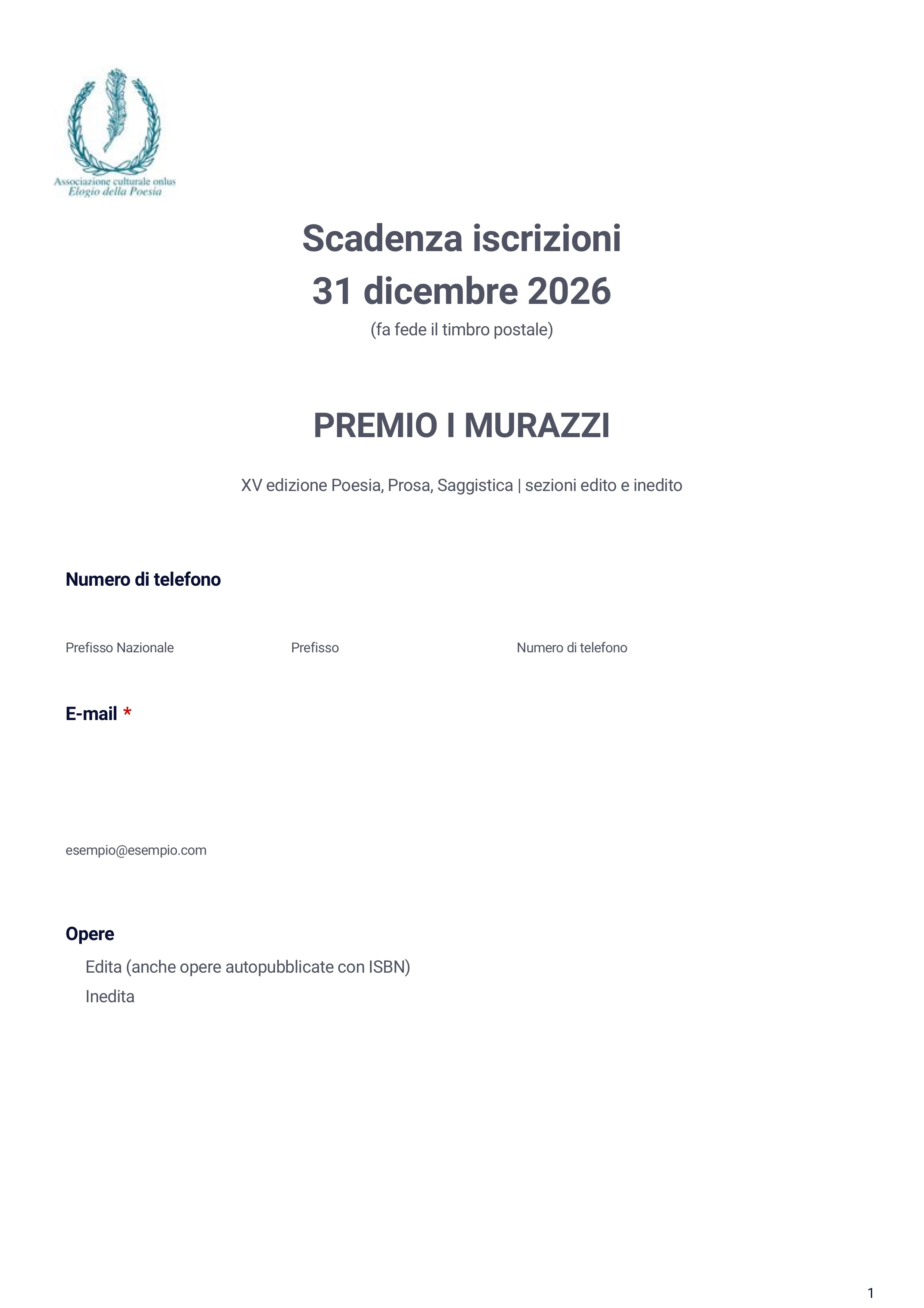
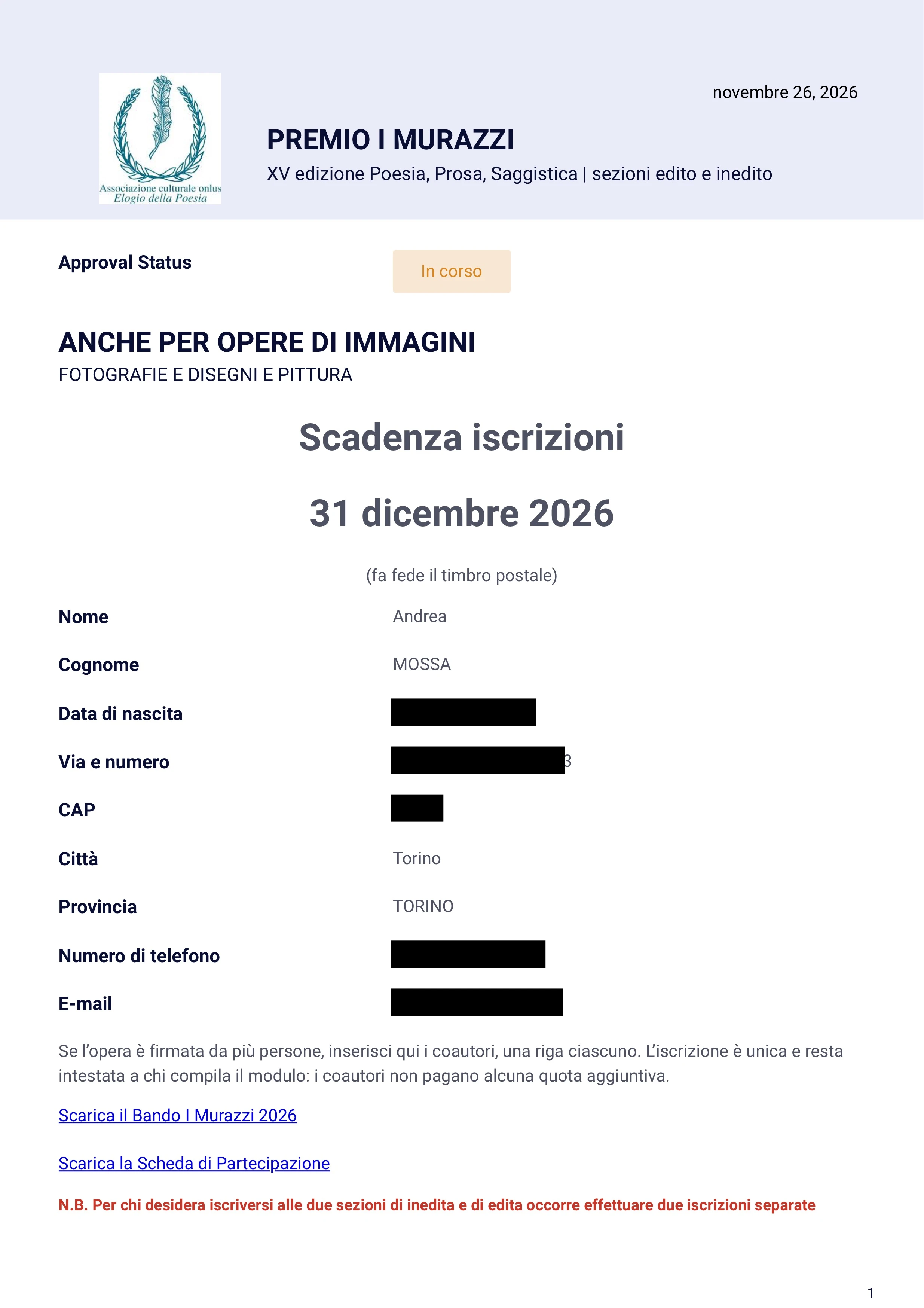
However, in these four cases, two submission PDFs with the same submission ID were generated in the category folder:
- One blank, two-page PDF form.
- One correctly completed submission PDF.
In the fifth case, despite the error recorded in the action log, the submission and its attachments were correctly present in the general archive.
We have also verified that the files reported as unreadable can be opened directly from Jotform.
Could your technical team please investigate:
- Why the original Dropbox integration intermittently fails to transfer readable attachments.
- Why two different submission PDFs are generated in the category folders.
- Whether there is any interference between the standard Dropbox integration and the conditional workflow.
- Whether failed transfers can be retried automatically or manually.
We would prefer not to modify or disable either integration until the cause of these issues has been identified.
Thank you very much for your assistance.

-
 Kevin Jotform Support
Hi Eleonora,
Thanks for reaching out to Jotform Support. I cloned your form to my account, but everything seems to work as expected. But, since you experienced the issue with multiple submissions, so I'll share these findings with our relevant team so they can investigate this further.
In the meantime, you don't need to modify or disable either integration while the issue is being investigated. Also, to keep the conversation organized, I moved your other questions to their own threads, and someone from our Support Team will help you with them here:
Dropbox Integration: Compatibility with Conditional Workflows
Dropbox: Retry Failed Transfers Automatically or Manually
Let us know if anything else comes up.
-
Thank you very much for your investigation and for forwarding the issue to the relevant technical team.
I would like to emphasize that the problem is intermittent, which may explain why it could not be reproduced when testing the cloned form.
We would therefore appreciate further investigation into the following two issues:
- Why the original Dropbox integration intermittently fails to transfer attachments that are present and readable in Jotform.
- Why two different submission PDFs, one blank and one correctly completed, are sometimes generated in the category folders.
We have also received instructions on how to retry failed transfers by editing and resubmitting existing submissions through Jotform Inbox.
Before proceeding, could you please confirm whether this operation might trigger the conditional workflow again, generate additional duplicate documents, or resend automatic confirmation emails to participants?
As the competition is currently ongoing, we would like to avoid any unintended consequences.
In the meantime, as suggested, we will keep both integrations active without making any changes.
Thank you again for your assistance. We look forward to receiving further information from your technical team.
-
 Sheena Jotform Support
Hi Eleonora,
We will not trigger any actions, modify your live submissions, or make any changes to your form or integrations during our investigation. If our relevant team ever needs to test or perform any action on your form or submissions directly, we will always ask for your permission first. I have added these notes to the report. As soon as we receive an update from them, we will let you know right away on this thread.
Thanks for your patience and understanding, we appreciate it.
La tua risposta
Something Went Wrong
An error occurred while generating the AI response. Please try again!