

Team Collaboration Apps

App per la Gestione dei Turni Infermieristici
App per la Gestione dei Turni Infermieristici è un modello di app dedicato al coordinamento quotidiano del personale infermieristico in ospedali, cliniche, ambulatori, strutture assistenziali e reparti sanitari. Responsabili di reparto, coordinatori e uffici del personale possono usarlo per registrare i turni, raccogliere le disponibilità e gestire le richieste di cambio da un unico punto. Le informazioni associate a infermieri e reparti facilitano la consultazione delle assegnazioni e aiutano a ridurre comunicazioni sparse, sovrapposizioni e aggiornamenti difficili da rintracciare. Il modello sostiene una pianificazione più chiara e favorisce la collaborazione tra chi organizza il servizio e chi comunica le proprie esigenze.Con Jotform è possibile personalizzare questo modello di app tramite un generatore di app senza codice e un’interfaccia trascina e rilascia. Pagine, pulsanti, moduli e contenuti possono essere adattati all’organizzazione dei reparti, mentre i dati raccolti possono alimentare flussi di lavoro collegati e notifiche utili. I modelli di app di Jotform consentono inoltre di riunire consultazione, raccolta dati e operazioni in autonomia in un’esperienza accessibile da diversi dispositivi. L’app può essere condivisa con il personale mediante un collegamento diretto o un codice scansionabile, offrendo un punto di accesso pratico alle attività legate ai turni.
Vai alla Categoria:Healthcare Apps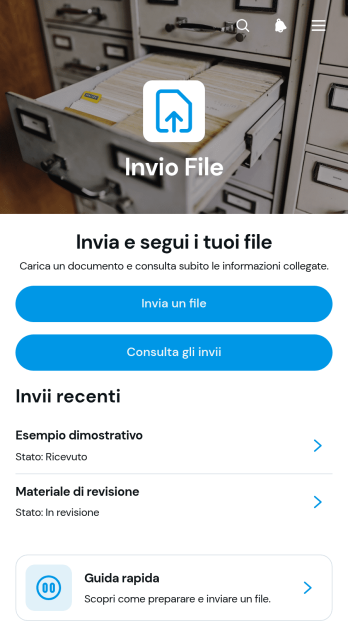
Applicazione per l’Invio di File
L’Applicazione per l’Invio di File è un modello di applicazione che offre un punto unico in cui caricare documenti digitali, consultare gli invii effettuati e visualizzare i relativi dettagli. È utile per studi professionali, istituti scolastici, reparti amministrativi, gruppi di progetto e fornitori che devono ricevere materiali da clienti, studenti, dipendenti o collaboratori. La procedura guidata riduce gli allegati dispersi tra messaggi e canali diversi, mentre lo storico degli invii facilita la verifica dei file ricevuti e delle descrizioni associate. Il modello favorisce così una raccolta dati più ordinata, un servizio autonomo immediato e una gestione quotidiana più chiara.Con Jotform puoi adattare questo modello di applicazione alle esigenze della tua organizzazione mediante un generatore di app senza codice e un’interfaccia trascina e rilascia. Puoi modificare pagine, pulsanti, colori e caratteri, collegare moduli e tabelle, organizzare il flusso di lavoro e attivare notifiche per le nuove risposte. I modelli di applicazione di Jotform consentono inoltre di pubblicare rapidamente un’esperienza coerente con la propria identità visiva, accessibile da diversi dispositivi e condivisibile tramite un collegamento diretto o un codice scansionabile.
Vai alla Categoria:App per Servizi Online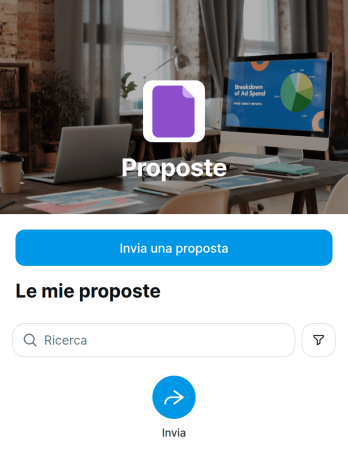
App per l’Invio di Proposte
App per l’Invio di Proposte è un modello di app che aiuta società di consulenza, gruppi commerciali, organizzazioni, associazioni e responsabili di progetto a raccogliere e gestire proposte da collaboratori, fornitori o partecipanti. Gli utenti possono inviare una nuova proposta, consultare quelle già raccolte e aprire una scheda per verificarne titolo, categoria e descrizione. La possibilità di modificare una proposta consente di correggere o completare le informazioni senza ripetere l’intera procedura. Questo spazio centralizzato riduce i documenti dispersi, rende più ordinata la raccolta dati e offre ai responsabili una visione chiara delle idee ricevute per iniziative, servizi, collaborazioni o progetti.Con Jotform puoi partire da modelli di app pronti all’uso e personalizzarli tramite un generatore di app senza codice. L’interfaccia trascina e rilascia permette di adattare pagine, pulsanti, contenuti e navigazione allo stile della propria organizzazione. È inoltre possibile collegare moduli, tabelle e flussi di approvazione per trasformare l’invio iniziale in un flusso di lavoro coordinato. L’app può essere condivisa mediante un collegamento diretto e consultata da dispositivi diversi, offrendo un accesso autonomo e pratico. In questo modo, gruppi interni ed esterni dispongono di un unico punto per presentare, rivedere e organizzare le proposte.
Vai alla Categoria:App per Consulenze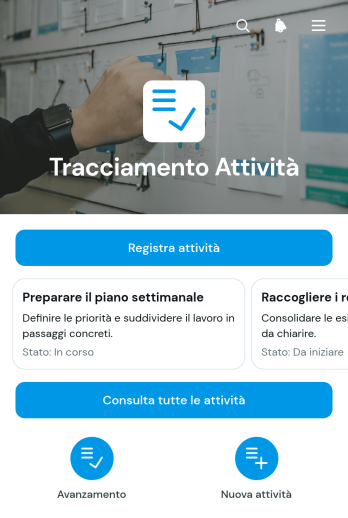
Applicazione per il Monitoraggio delle Attività
L’Applicazione per il Monitoraggio delle Attività aiuta gruppi di lavoro, responsabili di progetto, liberi professionisti e piccole e medie imprese a registrare, consultare e seguire le attività quotidiane da un unico spazio. Ogni attività può essere associata a uno stato, a un responsabile e a una scadenza, così è più semplice verificare le priorità e distribuire il lavoro. Il modello è utile per progetti interni, incarichi ai collaboratori, richieste operative e attività ricorrenti. Riduce il rischio di dimenticare impegni, rende più chiara l’attribuzione delle responsabilità e offre una visione ordinata del lavoro ancora da completare.Con Jotform puoi adattare questo modello di applicazione alle procedure della tua organizzazione usando un generatore di app senza codice e un’interfaccia trascina e rilascia. Puoi modificare pagine, pulsanti, colori e caratteri, collegare moduli per la raccolta dati e organizzare le informazioni attraverso tabelle e flussi di lavoro. L’applicazione può essere condivisa tramite un collegamento diretto o un codice da scansionare, facilitando l’accesso da diversi dispositivi. I modelli di applicazione Jotform permettono così di creare rapidamente un’esperienza personalizzata per il monitoraggio operativo e la collaborazione.
Vai alla Categoria:App per la Gestione delle Attività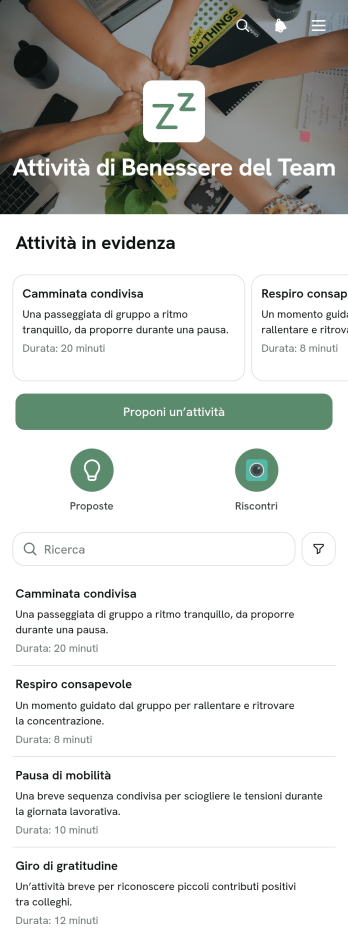
Applicazione per le Attività di Benessere del Gruppo
L’Applicazione per le Attività di Benessere del Gruppo è un modello di applicazione dedicato alle iniziative che favoriscono movimento, socialità e benessere sul lavoro. È adatto a reparti delle risorse umane, responsabili del personale, coordinatori e gruppi aziendali che desiderano riunire le proposte in uno spazio accessibile. I partecipanti possono consultare le attività disponibili e le relative modalità di svolgimento, proporre nuove iniziative e lasciare un riscontro. Il modello aiuta a ridurre comunicazioni sparse, rende più semplice coinvolgere i colleghi e offre agli organizzatori indicazioni utili per migliorare il programma nel tempo.Con Jotform puoi personalizzare questo modello mediante un generatore di app senza codice e un’interfaccia trascina e rilascia. Pagine, contenuti, pulsanti e percorsi di navigazione possono essere adattati all’identità visiva e alle esigenze del gruppo. I moduli collegati agevolano la raccolta dei dati, mentre tabelle, notifiche e flussi di lavoro aiutano a organizzare proposte e riscontri. L’applicazione può essere condivisa tramite un collegamento diretto o un codice scansionabile e consultata da dispositivi mobili, offrendo un’esperienza in autonomia pratica per dipendenti e coordinatori.
Vai alla Categoria:App Benessere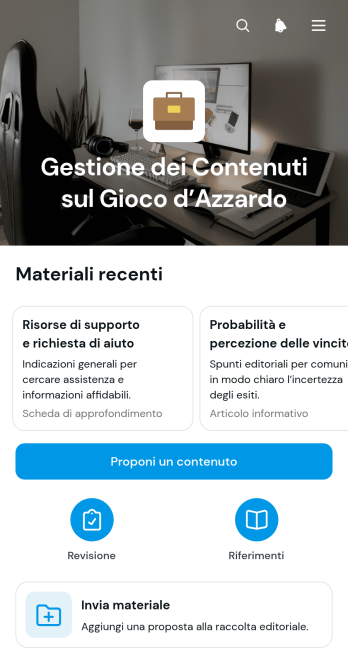
Applicazione per la Gestione dei Contenuti sul Gioco d’Azzardo
L’Applicazione per la Gestione dei Contenuti sul Gioco d’Azzardo è un modello di applicazione rivolto a redazioni, editori, agenzie e gruppi che preparano materiali informativi o di intrattenimento dedicati a questo settore. Riunisce in un unico spazio la proposta di nuovi contenuti, l’invio dei materiali e il monitoraggio degli stati editoriali. Autori e responsabili possono inoltre consultare titoli, riferimenti e informazioni associate senza affidarsi a messaggi sparsi o documenti separati. Il modello favorisce una raccolta dati ordinata, rende più chiara l’avanzamento delle proposte e offre ai collaboratori un accesso autonomo alle attività pertinenti.Con Jotform puoi adattare questo modello tramite un generatore di applicazioni senza codice e un’interfaccia trascina e rilascia. Pagine, cartoline, pulsanti e percorsi di navigazione possono essere modificati per rispecchiare il processo editoriale del gruppo. È inoltre possibile collegare moduli, tabelle, notifiche e flussi di approvazione per coordinare raccolta, revisione e aggiornamento dei materiali. I modelli di applicazione Jotform possono essere pubblicati rapidamente, condivisi mediante un collegamento diretto e consultati da dispositivi mobili, offrendo uno spazio centralizzato e riconoscibile per il lavoro quotidiano.
Vai alla Categoria:App Gestione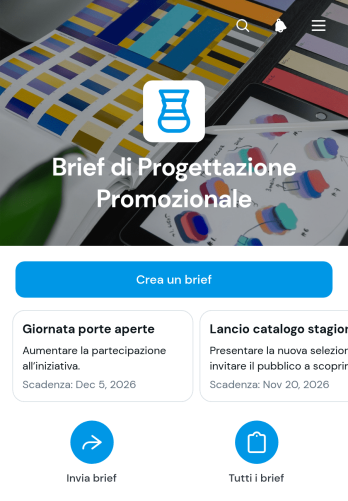
Applicazione per Schede di Progettazione Promozionale
L’Applicazione per Schede di Progettazione Promozionale è un modello di applicazione dedicato alla raccolta e alla gestione delle richieste creative per campagne, materiali pubblicitari e iniziative di comunicazione. Consente di creare una scheda di progetto, consultare le richieste già registrate e controllare in un’unica vista le informazioni essenziali e lo stato di avanzamento. È particolarmente utile per reparti di promozione, agenzie creative, liberi professionisti, responsabili di progetto e piccole o medie imprese che devono trasformare indicazioni sparse in incarichi chiari. Aiuta a ridurre informazioni mancanti, richieste poco definite e ritardi dovuti a comunicazioni frammentate, favorendo una collaborazione più ordinata tra committenti e professionisti creativi.Con Jotform è possibile adattare questo modello tramite un generatore di app senza codice e un’interfaccia trascina e rilascia. Pagine, pulsanti, schede e percorsi di navigazione possono essere modificati per rispecchiare il processo operativo del gruppo. L’applicazione può essere collegata a moduli per la raccolta dati, tabelle, notifiche e flussi di approvazione, così ogni nuova richiesta può alimentare un flusso di lavoro coerente. I modelli di applicazione Jotform possono essere condivisi mediante un collegamento diretto e consultati da dispositivi mobili, offrendo a collaboratori e clienti un accesso autonomo alle informazioni di progetto.
Vai alla Categoria:App per il Portale Vendite e Marketing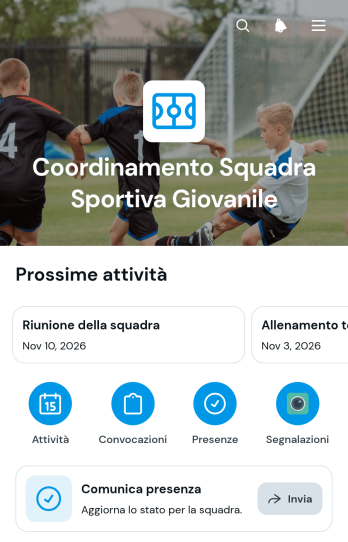
App per il Coordinamento di Squadre Sportive Giovanili
App per il Coordinamento di Squadre Sportive Giovanili è un modello pensato per allenatori, dirigenti, accompagnatori e associazioni che devono organizzare attività e convocazioni mantenendo informate le famiglie. Riunisce in un unico spazio la programmazione degli impegni, la comunicazione delle presenze e l’invio di segnalazioni. Può essere utilizzata per allenamenti, partite, tornei, trasferte e incontri della squadra, riducendo messaggi dispersi e informazioni incomplete. Atleti e genitori trovano rapidamente ciò che serve, mentre lo staff dispone di indicazioni aggiornate per preparare ogni appuntamento e gestire variazioni operative.Con Jotform puoi personalizzare questo modello di app mediante un generatore di app senza codice e un’interfaccia trascina e rilascia. È possibile adattare pagine, pulsanti, colori e contenuti, collegando moduli per la raccolta dati ai flussi di lavoro della squadra. L’app può essere condivisa tramite un collegamento diretto e consultata da smartphone, tablet o computer, offrendo un accesso autonomo alle informazioni essenziali. I modelli di app di Jotform aiutano così le organizzazioni sportive a creare uno spazio coerente con la propria identità e ad aggiornare le attività senza dover sviluppare strumenti da zero.
Vai alla Categoria:Sports Apps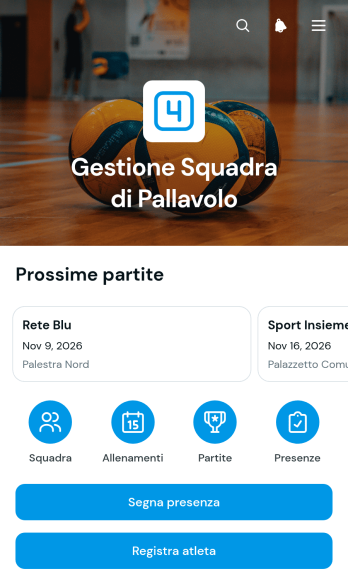
Applicazione per la Gestione della Squadra di Pallavolo
L’Applicazione per la Gestione della Squadra di Pallavolo riunisce le attività quotidiane di allenatori, dirigenti, preparatori e responsabili sportivi in uno spazio ordinato e accessibile. Il modello aiuta società, associazioni e squadre amatoriali a consultare l’elenco degli atleti, registrare nuovi giocatori e visualizzare ruolo, numero e contatto di ciascun componente. Consente inoltre di programmare e registrare le partite con data, luogo, stato e risultato, oltre a segnare le presenze e aggiungere note sugli esiti. Queste funzioni riducono l’uso di fogli separati e messaggi dispersi, facilitando il coordinamento della rosa, il monitoraggio della partecipazione e la preparazione degli incontri.Con Jotform puoi adattare questo modello di applicazione alle procedure della tua squadra senza scrivere codice. L’interfaccia trascina e rilascia permette di modificare pagine, pulsanti, colori e percorsi di navigazione, mentre moduli e tabelle collegati supportano la raccolta dati e il flusso di lavoro. Puoi aggiungere passaggi di approvazione, notifiche, pagamenti o altre risorse quando necessario, creando un’esperienza di servizio autonomo per atleti e collaboratori. Le applicazioni possono essere consultate da dispositivi mobili e condivise tramite collegamento diretto o codice a risposta rapida, così le informazioni sportive restano facilmente disponibili durante allenamenti, trasferte e gare.
Vai alla Categoria:Sports Apps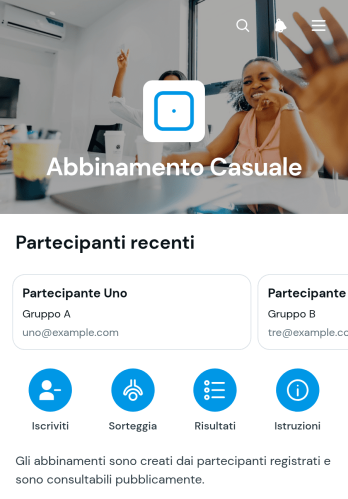
Applicazione per Abbinamenti Casuali
L’Applicazione per Abbinamenti Casuali organizza iscrizioni, sorteggi e consultazione delle coppie in un unico spazio digitale. È indicata per responsabili di gruppi, organizzatori di eventi, docenti, formatori e coordinatori di attività che devono associare due partecipanti in modo imparziale. La registrazione raccoglie i nominativi e il gruppo di appartenenza, mentre il sorteggio crea le coppie e rende semplice consultare gli abbinamenti ottenuti. Riduce le operazioni manuali, limita gli errori di trascrizione e offre ai partecipanti un punto chiaro in cui verificare il risultato.Con Jotform puoi adattare questo modello di applicazione alle regole della tua attività senza scrivere codice. Il generatore di app con interfaccia trascina e rilascia consente di modificare pagine, pulsanti, colori e contenuti, collegando moduli e flussi di lavoro per la raccolta dei dati. Puoi distribuire l’applicazione tramite un collegamento diretto e renderla accessibile da computer, tablet o telefono. I modelli di applicazione Jotform aiutano così a creare esperienze intuitive, favorire l’autonomia degli utenti e gestire registrazioni e risultati da uno spazio ordinato.
Vai alla Categoria:Team Collaboration Apps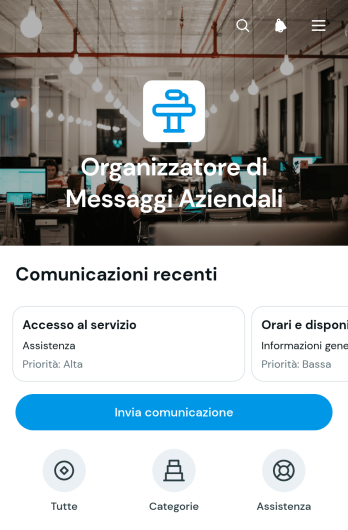
Applicazione per Organizzare i Messaggi Aziendali
L’Applicazione per Organizzare i Messaggi Aziendali è un modello dedicato alla raccolta e alla gestione centralizzata delle comunicazioni ricevute da clienti, potenziali clienti e altri contatti. È utile per piccole e medie imprese, gruppi commerciali, reparti di assistenza e consulenti che desiderano evitare messaggi dispersi tra canali diversi. Gli utenti possono inviare una nuova comunicazione, consultare le richieste suddivise per categoria e controllare stato, contatto e contenuto di ogni messaggio prima di rispondere tramite posta elettronica. In questo modo le richieste commerciali e di assistenza restano più facili da individuare, assegnare e seguire.Con il generatore di app senza codice di Jotform, il modello può essere adattato alle procedure interne mediante un’interfaccia trascina e rilascia. È possibile modificare pagine, pulsanti, colori e navigazione, collegare moduli e tabelle per la raccolta dati e creare un flusso di lavoro adatto al proprio gruppo. L’applicazione può essere condivisa tramite collegamento diretto o codice da scansionare e consultata da dispositivi mobili, offrendo un punto di accesso ordinato alle comunicazioni. I modelli di applicazione Jotform aiutano così a creare esperienze di servizio autonomo e strumenti operativi senza sviluppare codice.
Vai alla Categoria:CRM Apps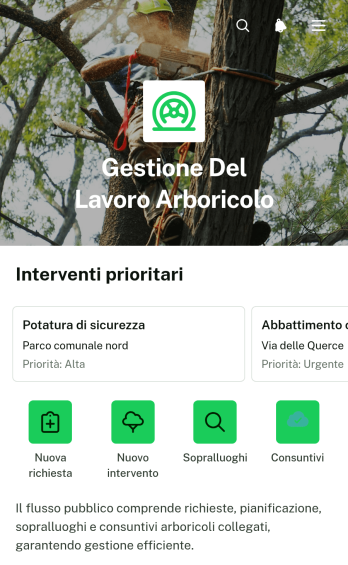
Applicazione per la Gestione della Forza Lavoro in Arboricoltura
L’Applicazione per la Gestione della Forza Lavoro in Arboricoltura è un modello di applicazione dedicato al coordinamento degli interventi su alberi e aree verdi. Consente di creare attività, registrare sopralluoghi e documentare i consuntivi da un unico spazio accessibile alle squadre. Imprese di arboricoltura, tecnici, manutentori e responsabili del verde possono usarla per seguire richieste, incarichi e date previste senza affidarsi a comunicazioni sparse. La visibilità su ore lavorate, materiali impiegati e tecnici incaricati facilita la pianificazione delle risorse e rende più ordinato il passaggio tra richiesta, valutazione sul posto ed esecuzione.Jotform permette di adattare questo e altri modelli di applicazioni tramite un generatore di app senza programmazione e un’interfaccia trascina e rilascia. È possibile modificare pagine, pulsanti, contenuti e aspetto grafico, quindi collegare moduli, tabelle, notifiche e flussi di approvazione per sostenere la raccolta dati e il flusso di lavoro. L’applicazione può essere condivisa con il personale mediante un collegamento diretto e consultata da dispositivi mobili, offrendo alle squadre un accesso autonomo e immediato alle operazioni assegnate.
Vai alla Categoria:Field Service Apps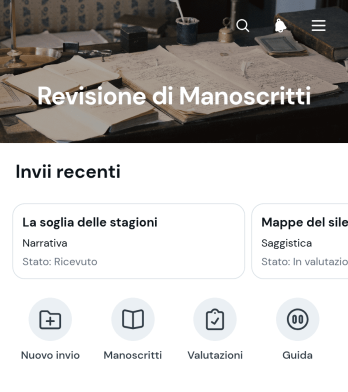
Applicazione per la Revisione di Manoscritti
L’Applicazione per la Revisione di Manoscritti è un modello pensato per case editrici, riviste, redazioni, agenzie letterarie, comitati scientifici e gruppi di lettura che devono esaminare opere e contributi in modo ordinato. Offre un punto centrale in cui consultare i manoscritti, visualizzare informazioni essenziali come titolo, autore, genere e stato, quindi inviare una valutazione tramite moduli collegati. Revisori e responsabili editoriali possono così individuare rapidamente il materiale assegnato, registrare osservazioni coerenti e seguire l’avanzamento di ogni revisione. Il modello riduce la dispersione delle informazioni, facilita la collaborazione e rende più chiari i passaggi che precedono una decisione editoriale.Con Jotform puoi personalizzare questo modello di applicazione mediante un generatore di app senza codice e un’interfaccia trascina e rilascia. Puoi modificare pagine, pulsanti, colori e caratteri, collegare moduli e tabelle, organizzare il flusso di lavoro e raccogliere dati senza creare un sistema da zero. I modelli di applicazioni Jotform sono adatti alla consultazione da dispositivi mobili e possono essere condivisi con revisori, collaboratori o responsabili tramite un collegamento diretto. In questo modo, l’Applicazione per la Revisione di Manoscritti diventa uno spazio personalizzato per la consultazione autonoma, la raccolta dei giudizi e il coordinamento del processo editoriale.
Vai alla Categoria:Team Collaboration Apps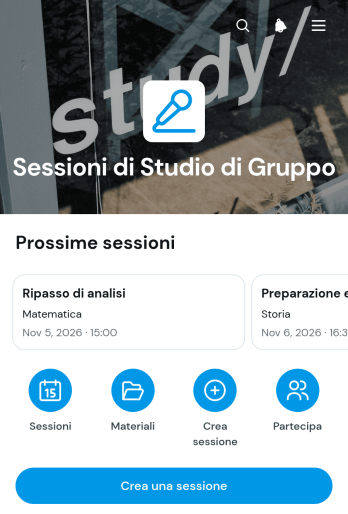
App per Sessioni di Studio di Gruppo
App per Sessioni di Studio di Gruppo è un modello pensato per studenti, tutor, docenti e istituti che desiderano organizzare incontri di studio condivisi in modo chiaro e accessibile. I partecipanti possono consultare le sessioni disponibili, visualizzare informazioni essenziali come argomento e luogo, creare un nuovo incontro oppure inviare la propria adesione. Riunendo queste attività in un unico spazio, il modello riduce la dispersione delle informazioni e facilita il coordinamento tra compagni di corso, gruppi di ripasso, laboratori didattici e programmi di tutoraggio. È utile sia per incontri occasionali sia per gruppi che si riuniscono con regolarità.Con Jotform puoi personalizzare questo e altri modelli di app tramite un generatore di app senza codice e un’interfaccia trascina e rilascia. Puoi modificare pagine, pulsanti, colori e caratteri, collegare moduli per la raccolta dati e organizzare ogni flusso di lavoro in base alle esigenze del gruppo. L’app può essere condivisa mediante un collegamento diretto o un codice a scansione ed è facilmente consultabile da dispositivi mobili. In questo modo scuole, tutor e studenti possono offrire un’esperienza di servizio autonomo, mantenere aggiornate le sessioni e gestire le adesioni senza creare un’applicazione da zero.
Vai alla Categoria:Education Apps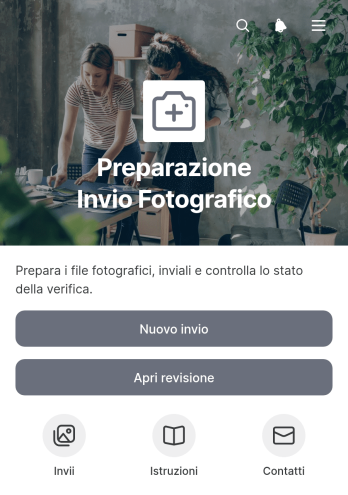
Applicazione per la Preparazione degli Invii Fotografici
L’Applicazione per la Preparazione degli Invii Fotografici è un modello di applicazione che aiuta a organizzare il materiale prima della consegna e a controllarne l’avanzamento. Fotografi, gruppi creativi, redazioni, agenzie di comunicazione, organizzatori di eventi e reparti promozionali possono registrare ogni invio, consultare il formato richiesto e verificare note e referente. Il riepilogo degli stati rende più semplice individuare le attività ancora da completare, riducendo dimenticanze, file preparati in modo errato e richieste ripetute di chiarimento. Il modello è utile sia per raccolte occasionali sia per processi ricorrenti con numerosi contributori.Con Jotform puoi adattare questo modello di applicazione alle procedure della tua organizzazione usando un generatore di app senza codice e un’interfaccia trascina e rilascia. Puoi modificare pagine, pulsanti, colori e contenuti, collegare moduli e tabelle e riunire raccolta dati, consultazione e monitoraggio nello stesso flusso di lavoro. L’applicazione può essere condivisa tramite un collegamento diretto e consultata da telefoni cellulari, tablet o computer, così collaboratori interni ed esterni dispongono di un punto di accesso chiaro. Parti dal modello, personalizzalo e pubblica rapidamente un’esperienza coerente con la tua identità visiva.
Vai alla Categoria:Project Management Apps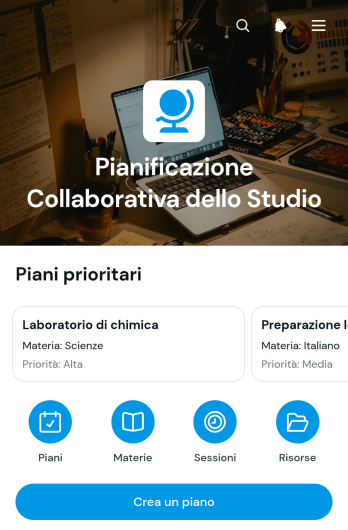
Applicazione per la Pianificazione Collaborativa dello Studio
L’Applicazione per la Pianificazione Collaborativa dello Studio riunisce in un unico spazio i programmi condivisi di studenti, gruppi di studio, docenti e persone che offrono supporto didattico. Il modello consente di creare nuovi piani, consultare quelli già disponibili e aprire schede dedicate con titoli, scadenze, partecipanti e informazioni pertinenti. È utile per preparare esami, coordinare progetti scolastici, suddividere un percorso di apprendimento o organizzare sessioni di ripasso. Una visione comune delle attività riduce le dimenticanze, chiarisce le priorità e aiuta ogni partecipante a seguire l’avanzamento del lavoro senza affidarsi a messaggi sparsi o documenti separati.Con Jotform è possibile adattare questo modello di applicazione alle esigenze di una classe, di un corso o di un gruppo informale tramite un generatore di app senza codice e un’interfaccia trascina e rilascia. Pagine, pulsanti e schede possono essere personalizzati, mentre moduli, tabelle e flussi di lavoro collegati agevolano la raccolta dati e l’aggiornamento dei piani. I modelli di applicazione Jotform aiutano inoltre a creare un’esperienza coerente per la consultazione autonoma delle risorse. L’applicazione può essere pubblicata rapidamente e condivisa con i partecipanti mediante un collegamento diretto o un codice scansionabile, offrendo un accesso pratico anche dai dispositivi mobili.
Vai alla Categoria:App per Studenti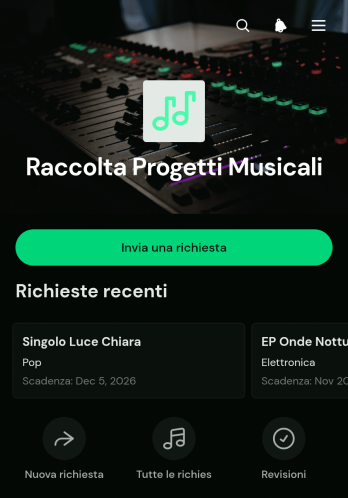
App per l’Acquisizione di Progetti Musicali
L’App per l’Acquisizione di Progetti Musicali è un modello di app dedicato alla raccolta e all’organizzazione delle richieste per produzioni, composizioni e altre iniziative musicali. È adatta a produttori, studi creativi, musicisti, responsabili artistici e gruppi che devono valutare nuove proposte. Consente di inviare una richiesta, consultare i progetti acquisiti e visualizzare informazioni essenziali come referente, obiettivo, budget indicativo e materiali disponibili. Riunendo questi dati in un unico spazio, riduce le richieste incomplete, rende più chiara la valutazione iniziale e aiuta il gruppo a stabilire priorità e prossimi passi.Con il generatore di app senza codice di Jotform, questo modello può essere adattato tramite un’interfaccia trascina e rilascia, senza competenze di programmazione. È possibile modificare pagine, pulsanti, colori e caratteri, collegare moduli e tabelle e organizzare la raccolta dati secondo il proprio flusso di lavoro. I modelli di app di Jotform facilitano inoltre la condivisione tramite collegamento diretto e l’accesso da dispositivi mobili, offrendo a collaboratori e richiedenti un’esperienza di servizio autonomo ordinata e intuitiva.
Vai alla Categoria:Project Management Apps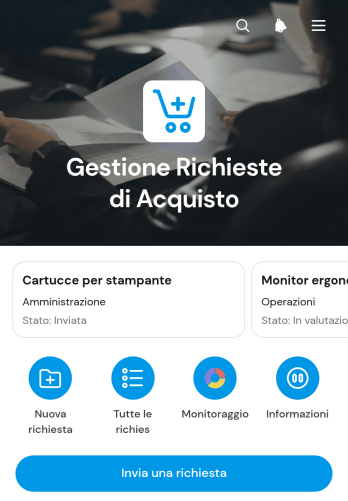
Applicazione per la Gestione delle Richieste di Acquisto
L’Applicazione per la Gestione delle Richieste di Acquisto è un modello dedicato alla raccolta e al controllo delle richieste interne di beni, materiali e forniture. Può essere utilizzata da uffici acquisti, responsabili di reparto, amministrazione e direzione per ricevere nuove richieste, consultare l’elenco completo e monitorarne la distribuzione per stato. Le informazioni su articolo, richiedente, reparto, quantità e data aiutano a mantenere ogni pratica ordinata e facilmente verificabile. La possibilità di contattare il richiedente semplifica inoltre i chiarimenti prima della valutazione o dell’acquisto. Aziende, enti e gruppi di lavoro possono così ridurre richieste sparse, dati incompleti e difficoltà nel controllo delle attività.Con Jotform è possibile adattare questo modello di applicazione alle procedure della propria organizzazione mediante un generatore di app senza codice e un’interfaccia trascina e rilascia. Pagine, pulsanti, moduli, tabelle e flussi di approvazione possono essere collegati in un unico spazio, favorendo la raccolta dei dati e l’accesso autonomo alle operazioni più frequenti. I modelli di applicazione Jotform possono essere personalizzati con colori, caratteri e contenuti, quindi pubblicati e condivisi tramite un collegamento diretto. Il risultato è un’esperienza fruibile anche da dispositivi mobili, utile per coordinare richieste e aggiornamenti ovunque si trovi il personale.
Vai alla Categoria:App per il Portale Finanza e Contabilità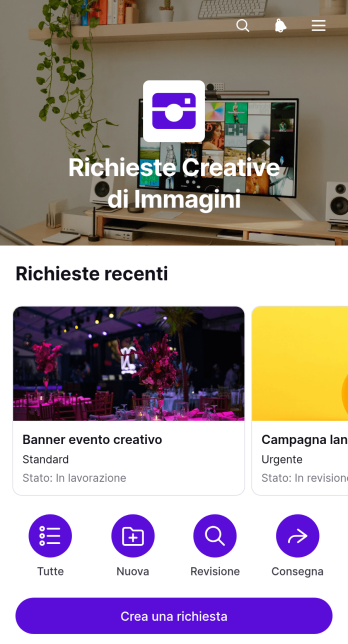
Applicazione per Richieste di Immagini Creative
L’Applicazione per Richieste di Immagini Creative è un modello di applicazione che aiuta gruppi creativi, reparti di comunicazione, agenzie e professionisti indipendenti a raccogliere e organizzare richieste per nuove risorse visive. I richiedenti possono inviare indicazioni creative, mentre gli addetti consultano le richieste e verificano informazioni essenziali come stato, formato, dimensioni, priorità e modalità di consegna. È utile per immagini promozionali, contenuti per reti sociali, materiali per eventi, elementi grafici per siti e comunicazioni interne. Centralizzando la raccolta dati e il monitoraggio, riduce le informazioni mancanti, chiarisce le aspettative e rende più ordinato il passaggio dalla richiesta alla consegna.Con Jotform puoi adattare questo modello alle procedure del tuo gruppo tramite un generatore di app senza codice e un’interfaccia trascina e rilascia. Puoi modificare pagine, pulsanti, colori e caratteri, collegare moduli, tabelle e flussi di approvazione e organizzare ogni risorsa in un unico spazio adatto ai dispositivi mobili. I modelli di applicazione di Jotform possono essere condivisi tramite un collegamento diretto o incorporati in una pagina web, offrendo ai richiedenti un accesso autonomo e ai collaboratori un flusso di lavoro più chiaro. Personalizza l’esperienza e pubblicala senza dover sviluppare software.
Vai alla Categoria:Project Management Apps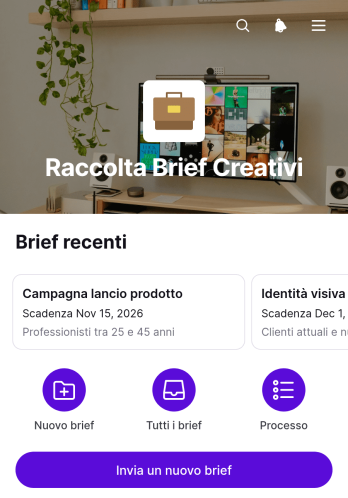
Applicazione per la Raccolta di Schede Creative
Applicazione per la Raccolta di Schede Creative è un modello di applicazione che riunisce le richieste destinate a progetti grafici, campagne, contenuti e altre attività creative. È adatta a gruppi di marketing, agenzie, liberi professionisti e reparti interni che desiderano raccogliere indicazioni coerenti prima di avviare il lavoro. Gli utenti possono inviare una nuova scheda, consultare le richieste esistenti e aprire ogni progetto per verificarne obiettivi, pubblico, canali, budget e scadenze. In questo modo, le informazioni essenziali restano organizzate e facilmente accessibili a tutte le persone coinvolte.Con Jotform puoi personalizzare questo modello di applicazione mediante un generatore di app senza codice e un’interfaccia trascina e rilascia. Puoi modificare pagine, colori, pulsanti e navigazione, collegare moduli e tabelle, attivare notifiche e creare un flusso di lavoro adatto al tuo processo creativo. La raccolta dati centralizzata facilita la collaborazione e riduce le richieste incomplete. Come gli altri modelli di applicazione Jotform, può essere condiviso tramite un collegamento diretto, consultato da dispositivi mobili e aggiornato quando cambiano le esigenze del gruppo.
Vai alla Categoria:Project Management Apps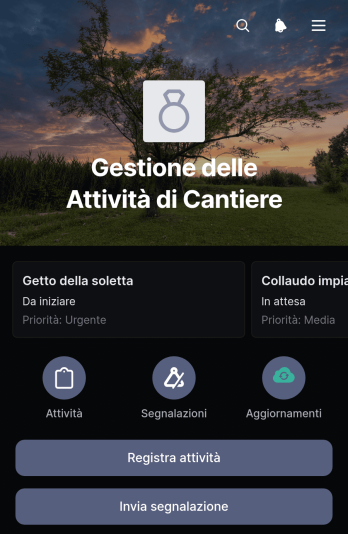
Applicazione per la Gestione delle Attività in Cantiere
L’Applicazione per la Gestione delle Attività in Cantiere è un modello dedicato al coordinamento del lavoro operativo nei cantieri e in altri ambienti sul campo. Imprese edili, appaltatori, responsabili di progetto e squadre operative possono usarla per registrare le attività, inviare segnalazioni e seguire gli aggiornamenti collegati. La consultazione di descrizioni, responsabili, priorità, note operative e stati offre una visione condivisa del lavoro, aiuta a individuare gli interventi urgenti e riduce il rischio che informazioni importanti vadano perse. Il modello favorisce una raccolta dati coerente e rende più semplice coordinare attività giornaliere, problemi riscontrati e avanzamento dei lavori.Con Jotform puoi adattare questo modello di applicazione alle procedure della tua organizzazione tramite un generatore di app senza codice e un’interfaccia trascina e rilascia. Puoi modificare pagine, pulsanti e contenuti, collegare moduli e tabelle, impostare notifiche e organizzare ogni flusso di lavoro in un unico spazio accessibile. L’applicazione può essere condivisa con le squadre tramite un collegamento diretto e consultata da computer, telefono o tablet, così il personale può registrare informazioni e verificare gli aggiornamenti anche durante il lavoro sul campo. I modelli di applicazione Jotform permettono quindi di creare rapidamente un’esperienza personalizzata per la collaborazione e la consultazione autonoma.
Vai alla Categoria:Construction Apps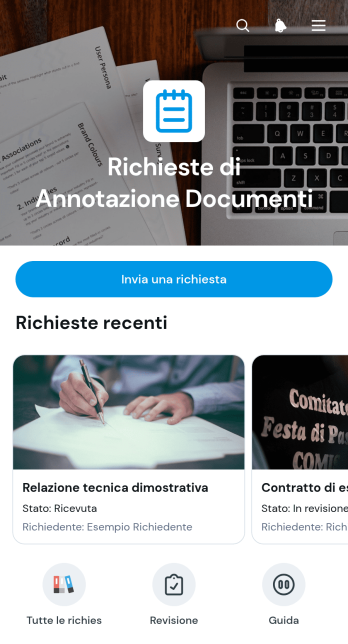
Applicazione per Richieste di Annotazione dei Documenti
L’Applicazione per Richieste di Annotazione dei Documenti è un modello di app dedicato alla raccolta e alla gestione delle richieste di revisione, commento o integrazione relative ai documenti. È utile per gruppi amministrativi, consulenti, responsabili di progetto, uffici risorse umane e organizzazioni che devono coordinare osservazioni e verifiche senza disperdere le informazioni tra messaggi separati. Gli utenti possono inviare una nuova richiesta, consultare il registro delle richieste e controllare lo stato e l’esito del riscontro. In questo modo, ogni attività resta tracciabile e più semplice da assegnare, seguire e completare.Con il generatore di app senza codice di Jotform puoi personalizzare questo modello attraverso un’interfaccia trascina e rilascia, adattandone contenuti, colori, pagine e navigazione alle procedure interne. Puoi collegare moduli, tabelle, notifiche e flussi di lavoro per agevolare la raccolta dei dati e mantenere aggiornate le persone coinvolte. L’applicazione può essere condivisa tramite collegamento diretto o codice da scansionare e consultata da dispositivi mobili, offrendo un punto di accesso autonomo alle richieste e alle relative informazioni.
Vai alla Categoria:Team Collaboration Apps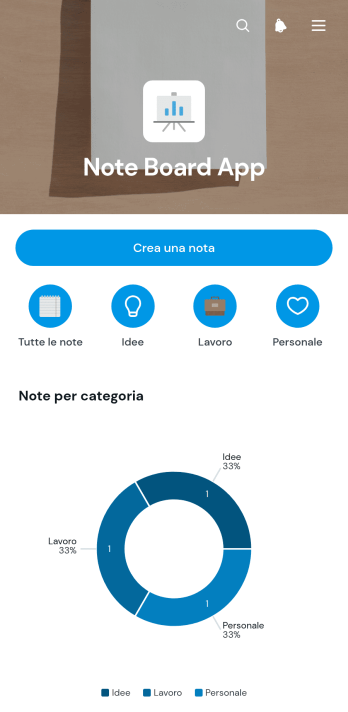
Bacheca delle Note
Bacheca delle Note è un modello di app pensato per raccogliere, consultare e organizzare appunti personali o condivisi in un unico spazio. È utile a gruppi di lavoro, studenti, docenti, professionisti e piccole organizzazioni che desiderano conservare promemoria, idee, aggiornamenti e informazioni operative senza disperderli tra documenti diversi. Gli utenti possono creare nuove note, suddividerle per categoria e contrassegnare quelle preferite, mentre il riepilogo visivo aiuta a capire come sono distribuiti i contenuti. La consultazione per elenchi semplifica il recupero delle informazioni e rende la bacheca adatta alla pianificazione quotidiana, alle riunioni, ai progetti e allo studio.Con Jotform puoi personalizzare questo modello di app tramite un generatore di app senza codice e un’interfaccia trascina e rilascia. Puoi modificare pagine, colori, caratteri, pulsanti e percorsi di navigazione, oltre a collegare moduli e tabelle per agevolare la raccolta dati e il flusso di lavoro. I modelli di app Jotform consentono di creare uno spazio accessibile da dispositivi mobili, condividerlo tramite un collegamento diretto e aggiornare i contenuti quando cambiano le esigenze. In questo modo, la Bacheca delle Note diventa un punto di riferimento ordinato per la consultazione autonoma e la collaborazione.
Vai alla Categoria:App per l'Organizzazione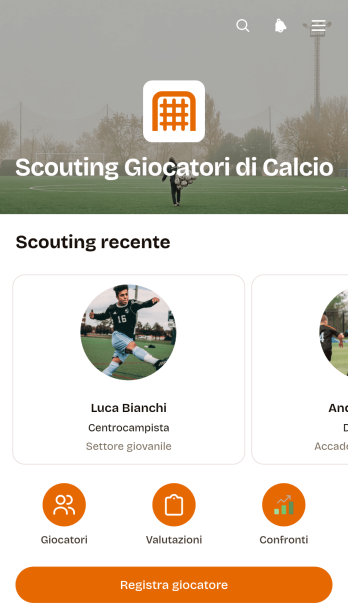
Applicazione per l’Osservazione di Calciatori
L’Applicazione per l’Osservazione di Calciatori è un modello pensato per osservatori, direttori sportivi, allenatori, società calcistiche e settori giovanili che devono registrare e confrontare potenziali atleti. Riunisce in un unico spazio la registrazione dei giocatori, la consultazione dei profili e l’inserimento di valutazioni su tecnica, tattica, condizione fisica e mentalità. Le note dell’osservatore aggiungono il contesto necessario per documentare partite, provini e sessioni di allenamento. In questo modo, le informazioni non restano disperse tra documenti e messaggi, ma diventano un archivio consultabile che facilita il confronto tra candidati e supporta decisioni sportive più informate.Con Jotform, questo modello di applicazione può essere adattato al metodo di valutazione della propria organizzazione mediante un generatore di applicazioni senza codice e un’interfaccia trascina e rilascia. È possibile modificare pagine, campi, pulsanti, colori e caratteri, collegando moduli e tabelle per agevolare la raccolta dati e il flusso di lavoro. L’applicazione può essere condivisa tramite un collegamento diretto e consultata da dispositivi mobili, così gli osservatori possono aggiungere informazioni anche durante le attività sul campo. Le notifiche e i processi collegati aiutano inoltre il gruppo di lavoro a mantenere aggiornati profili e valutazioni senza ricorrere a procedure manuali frammentate.
Vai alla Categoria:Sports AppsInformazioni sui Team Collaboration Apps
Team Collaboration Apps are specialized mobile and web apps designed to enhance communication, coordination, and efficiency within organizations. These apps are commonly used to streamline workflows, facilitate real-time communication, and manage projects effectively. Industries such as technology, healthcare, education, and finance benefit greatly from using these apps to optimize team productivity and ensure seamless operations across various departments. Whether it's managing project timelines, sharing critical updates, or collaborating on documents, these apps serve as a central hub for all team activities, fostering a more connected and agile work environment.
Jotform Apps stands out as a premier no-code app builder in the realm of Team Collaboration Apps, leveraging the power of Progressive Web App (PWA) technology. This innovative approach allows users to install apps directly via a browser, eliminating the need for App Store downloads and ensuring compatibility across iOS, Android, tablets, and desktops. By integrating Jotform Tables, data collected through these apps is centralized, enabling efficient data management and reporting. This workflow-oriented approach ensures that teams can access vital information anytime, anywhere, to make informed decisions quickly and effectively.
Why Use Team Collaboration Apps?
- Team Collaboration Apps significantly enhance productivity by providing a centralized platform for communication and task management. This eliminates the need for multiple communication channels and streamlines the process of tracking project progress.
- These apps support real-time collaboration, allowing team members to work together on documents and projects simultaneously, regardless of their location. This capability is crucial for remote teams or organizations with multiple offices.
- By integrating with existing business processes, Team Collaboration Apps can automate routine tasks, reducing the administrative burden on team members. This allows them to focus on more strategic activities that drive business growth.
- The ability to customize these apps to meet specific organizational needs ensures that they can adapt to various workflows and business models. This flexibility makes them suitable for a wide range of industries and applications.
- With advanced features like push notifications, team members can stay informed about important updates and deadlines, ensuring timely responses and minimizing delays in project execution.
Common Problems Solved by Team Collaboration Apps
- One of the primary challenges in large organizations is maintaining clear and effective communication. Team Collaboration Apps address this by providing a unified platform for messaging, file sharing, and video conferencing, reducing communication gaps.
- Managing projects across different time zones and locations can lead to disorganization and missed deadlines. These apps offer tools for scheduling, task assignments, and deadline tracking, ensuring projects stay on track.
- Data silos can hinder decision-making and slow down operations. Team Collaboration Apps centralize data, making it easily accessible to all team members and enabling faster, more informed decision-making.
- Ensuring data security and compliance with regulations such as GDPR is a major concern for businesses. These apps incorporate robust security features, ensuring that sensitive information is protected and compliance is maintained.
- The high cost of implementing and maintaining multiple software solutions can strain a company's budget. Team Collaboration Apps offer a cost-effective way to integrate various functionalities into a single platform, reducing overall software expenditure.
Funzionalità per ogni utilizzo
- For project management, the Drag-and-Drop Interface allows users to create intuitive workflows that match their specific processes, resulting in increased efficiency and clarity in task assignments.
- The Store Builder feature enables organizations to create custom portals for internal resource distribution or client-facing interactions, enhancing the user experience and operational efficiency.
- Push Notifications keep team members updated on important developments or reminders, ensuring that no critical information is overlooked and that everyone remains aligned with project goals.
- Payment Integrations with platforms like Stripe and PayPal facilitate seamless financial transactions directly within the app, streamlining the payment process for both the organization and its clients.
- The Publish Options feature allows organizations to control the accessibility of their apps by choosing between public, private, or company-only settings, enhancing data security and user management.
- Sharing Methods such as Direct Link, Email, QR Code, and Social Media simplify the distribution of apps to the intended audience, whether for internal use or broader public access.
- Workflow Automation streamlines repetitive tasks, reducing manual effort and increasing productivity across the organization, allowing team members to focus on more strategic objectives.
How to Create a Team Collaboration App
- Scegli un modello pertinente alla categoria dall'elenco dei modelli o inizia da zero.
- Per i personal trainer: i personal trainer possono sfruttare l'app Wellness Coaching per fornire piani di allenamento personalizzati, monitorare i progressi dei clienti e programmare le sessioni. Questa app può integrare funzionalità come tutorial video e monitoraggio dei progressi per migliorare il coinvolgimento e la consapevolezza dei clienti.
- Condividi l'app tramite link, QR code o incorporala per distribuirla al tuo pubblico di riferimento.
Top Use Cases for Team Collaboration Apps
- For Managers: Team Collaboration Apps provide managers with a comprehensive view of all ongoing projects, allowing them to monitor progress and allocate resources efficiently. By using centralized dashboards and real-time data insights, they can make informed decisions and adjust strategies as needed. This visibility also enables managers to identify potential bottlenecks early and implement corrective measures to maintain project momentum.
- For Teams: These apps facilitate seamless communication and collaboration among team members, regardless of their location. By providing a single platform for messaging, file sharing, and task management, team members can coordinate their efforts more effectively. This leads to improved productivity and a stronger sense of cohesion, as everyone is aligned towards common goals and objectives.
- For Customers: Team Collaboration Apps enhance the customer experience by providing a direct line of communication between clients and service providers. Customers can receive timely updates on project progress, submit requests, and provide feedback through the app. This transparency builds trust and strengthens client relationships, ultimately leading to higher customer satisfaction and loyalty.
Summarizing Team Collaboration Apps
In summary, Team Collaboration Apps are an essential component of modern business operations, offering a centralized platform for communication, project management, and data sharing. By leveraging Jotform’s no-code app builder and PWA technology, organizations can create customized apps that are accessible across all devices, ensuring seamless collaboration and data management. These apps address common industry challenges by streamlining workflows, enhancing communication, and providing robust security features. Ultimately, they empower teams to work more efficiently and effectively, driving business success in a competitive landscape.
Domande Frequenti
1) Is it free to create and use Team Collaboration apps on Jotform?
Yes, Jotform offers a Starter plan that allows users to create and use Team Collaboration apps for free. This plan provides access to a range of basic features suitable for small teams or individual use. Users can upgrade to paid plans as their needs grow, unlocking additional capabilities and increased usage limits.
2) I dati e i pagamenti raccolti tramite l'app sono sicuri?
Absolutely, Jotform prioritizes the security of your data and payments. The platform employs advanced security measures, including SSL encryption and GDPR compliance, to protect information collected through the apps. Payment integrations with trusted providers like Stripe and PayPal further ensure that transactions are secure and reliable.
3) Do I need any coding skills to create a Team Collaboration app with Jotform?
No, Jotform Apps is a no-code app builder, meaning you do not need any coding skills to create a Team Collaboration app. The intuitive Drag-and-Drop Interface allows users to easily customize their apps, adding features and functionalities without writing a single line of code.
4) Can I collect payments for services directly through the app?
Yes, you can collect payments directly through the app using integrations with popular payment processors such as Stripe and PayPal. This feature enables you to process transactions seamlessly, making it convenient for both your organization and your clients.
5) Does Jotform support offline data collection for Team Collaboration apps?
Yes, Jotform supports offline data collection through its Mobile Forms feature. This allows users to collect data even when not connected to the internet, which is then automatically synced when the device is back online. This capability is especially useful for field teams or situations where connectivity is limited.
6) Are Jotform Apps compatible with both iOS and Android devices?
Indeed, Jotform Apps are compatible with both iOS and Android devices, thanks to their PWA technology. This ensures that the apps can be accessed and installed via a browser on any device, providing a consistent and seamless user experience across different platforms.
7) How can Team Collaboration Apps benefit the healthcare industry?
In the healthcare industry, Team Collaboration Apps can streamline communication between medical professionals, administrative staff, and patients. They facilitate the secure sharing of medical records, appointment scheduling, and real-time updates on patient care plans. This enhances the efficiency of healthcare delivery and improves patient outcomes.
8) Can educational institutions utilize Team Collaboration Apps effectively?
Yes, educational institutions can use Team Collaboration Apps to enhance communication and collaboration among teachers, students, and administrative staff. These apps can host virtual classrooms, share educational resources, and manage student assignments and feedback, creating a more interactive and engaging learning environment.