

Che Cos’è un Webhook?
Il webhook è una tecnica utilizzata per inviare notifiche HTTP POST a un URL. Può essere usato ad esempio per connettere applicazioni o soltanto per inviare dati – scopri di più.
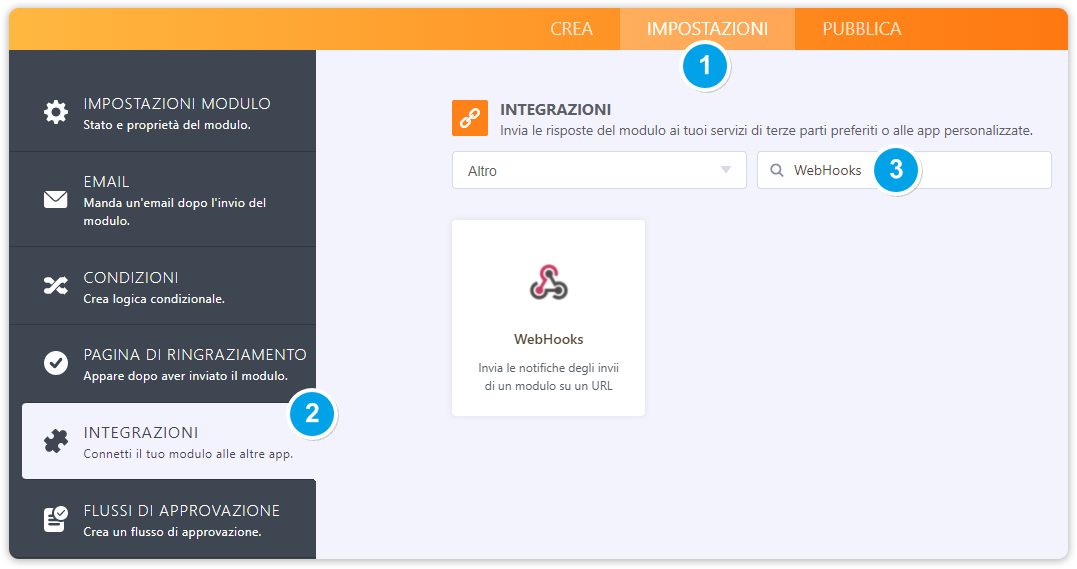
1. Apri il tuo modulo, e dalla pagina principale del form builder clicca su Impostazioni, quindi apri la sezione relativa alle Integrazioni. Sulla barra di ricerca digita WebHooks oppure dal menù a tendina, seleziona la categoria “Altro”.
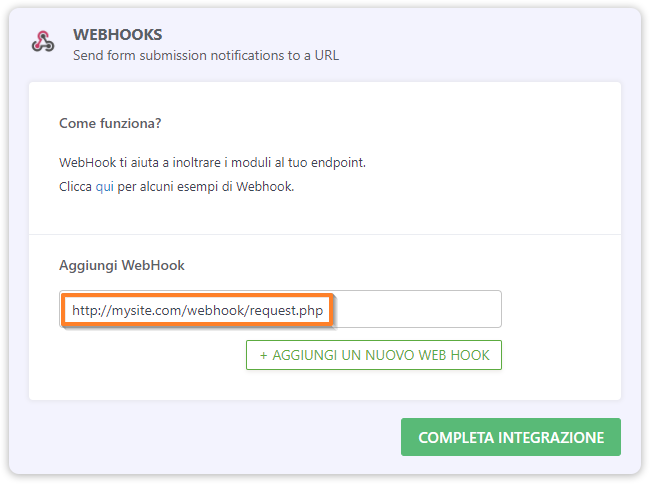
2. Aggiungi l’URL.
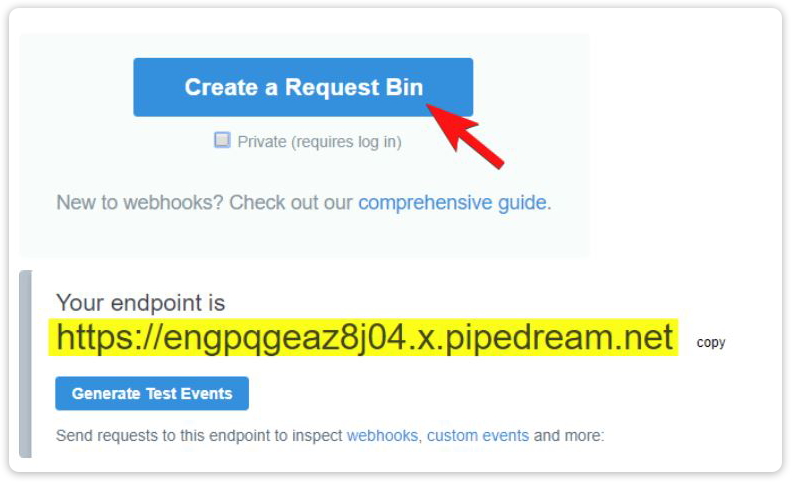
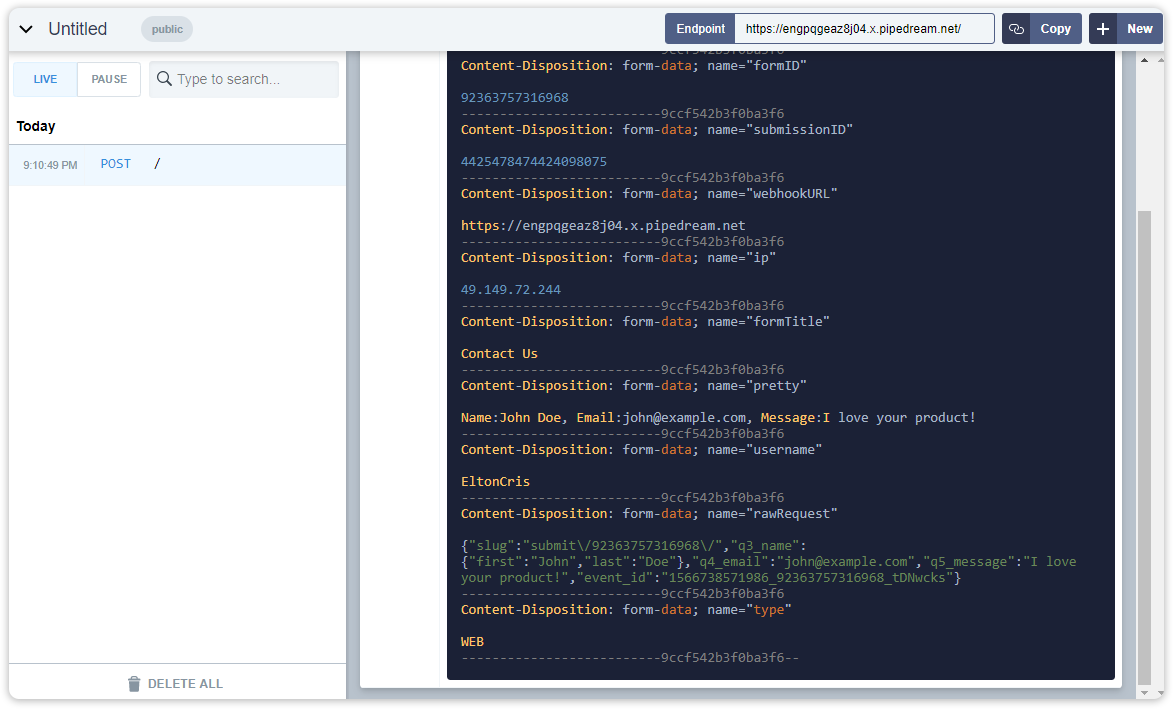
Per ispezionare o eseguire il debug di una richiesta webhook, puoi utilizzare RequestBin. Ti basterà creare un Request Bin e impostare l’URL di endpoint nel webhook del tuo modulo (come mostrato nella schermata al punto 2). Effettua un invio reale del tuo modulo, quindi controlla i dati raccolti nel Request Bin.
Esempio:
Ecco un esempio di uno script PHP che potresti provare con Webhook. Si tratta di un semplice script per l’invio di email che invierà i dati del modulo al tuo indirizzo email tramite Webhook.
<?php
//convert json data to php
$result = $_REQUEST['rawRequest'];
$obj = json_decode($result, true);
//Change with your emails
$emailfrom = "john@example.com"; //Sender or From Email
$emailto = "paul@example.com"; //Recipient, you can predefine or use a field value e.g. $obj['q4_email']
$subject = "You've got a new submission"; //Email Subject Title
//Do not edit
$id = $_POST['submissionID']; //Get submission ID
$submissionURL = 'https://www.jotform.com/submission/' . $id; //Construct submission URL
$headers = "From: " . $emailfrom . "\r\n";
$headers .= "Reply-To: ". $emailfrom . "\r\n"; //Optional
$headers .= "MIME-Version: 1.0\r\n";
$headers .= "Content-Type: text/html; charset=utf-8\r\n";
//New method, get data from the submissions page
$html = new DOMDocument;
$html->loadHTML(file_get_contents($submissionURL));
$body = $html->getElementsByTagName('body')->item(0);
//get html code after the body tag
foreach ($body->childNodes as $child) {
$html->appendChild($html->importNode($child, true));
}
//make the table responsive so it appears nicely on email
$body = $html->getElementsByTagName('table');
foreach ($body as $width) {
$width->setAttribute('width', '100%');
}
$body = $html->saveHTML();
//Send email
@mail($emailto, $subject, $body, $headers);Codice: https://pastebin.com/raw/AmG72bve.
Assicurati di sostituire i nomi dei campi e gli indirizzi email con quelli del tuo modulo, puoi anche aggiungere nuovi campi se preferisci.
Puoi trovare ulteriori script molto utili a questo link: Esempi di Script Webhook in PHP
Per qualsiasi domanda, lascia un commento qui in basso.

Invia un Commento: