ChatGPTでJotformを使う
  • メリット
  • 機能
  • 使用事例
  • ヘルプガイド
  • よくある質問 (FAQ)
  • ChatGPTでJotformを使う

Form Structure

Shape the form’s content and flow. Add, remove, and update fields, organize questions, and set up form logic so people see the right questions at the right time.

開始
Jotform ChatGPT アプリ
Form Structure カテゴリー
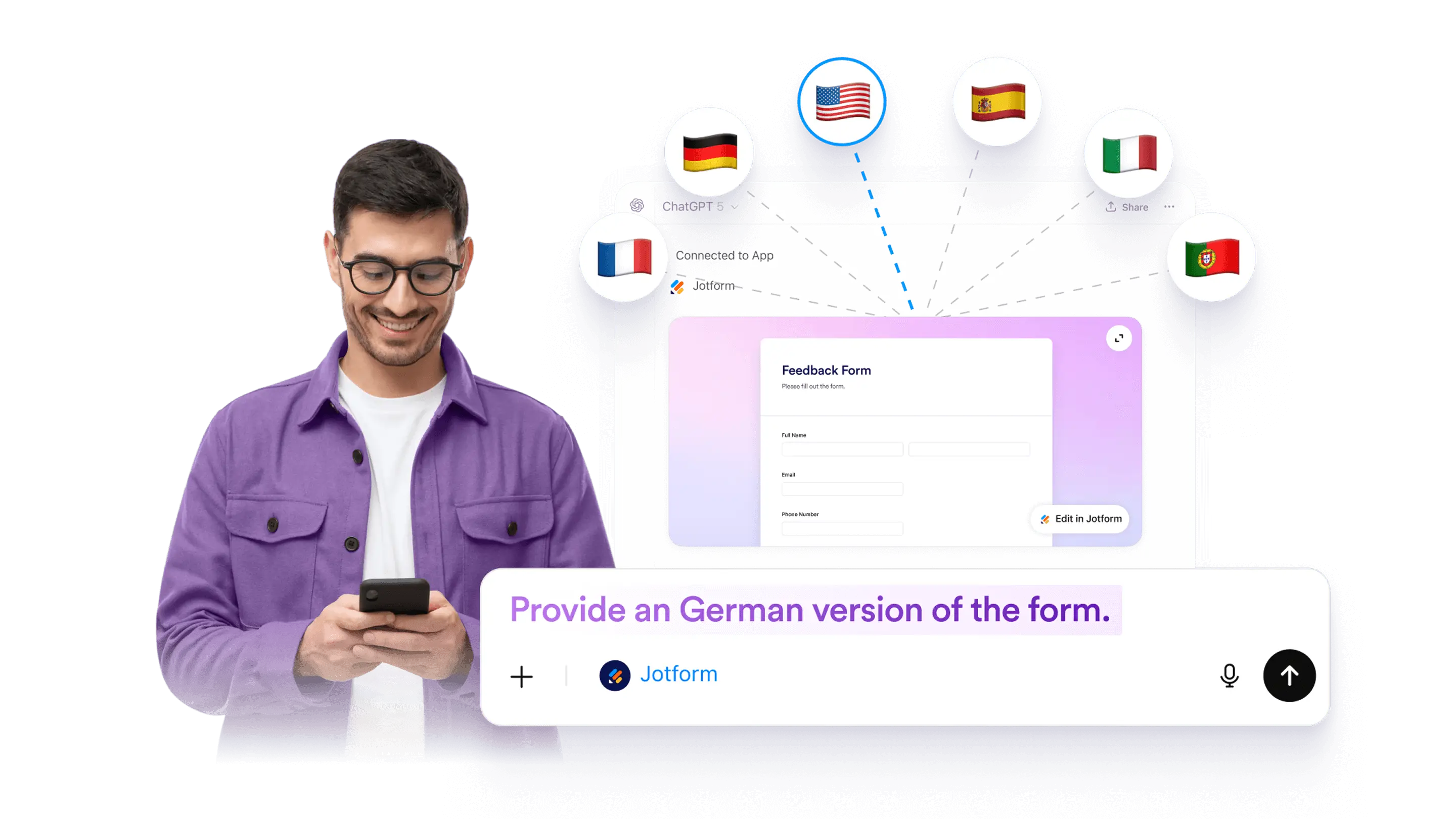
フォーム翻訳
ChatGPTでJotformを使うデモを試す

Form Translation

終了
Jotform LogoJotform Icon
Jotform ChatGPT アプリ
Form Structure カテゴリー
Field Types
詳細はこちら: Field Types

フィールドの種類

Choose the best form fields by prompting ChatGPT. Add powerful field types or remove what you do not need.

Conditional Logic
詳細はこちら: Conditional Logic

条件付きロジック

Add conditional questions to your form by describing the rule in ChatGPT. Hide irrelevant fields and guide people through a cleaner form experience.

Form Translation
詳細はこちら: Form Translation

フォーム翻訳

Make a form multilingual by adding translated text for questions, descriptions, and buttons. Use ChatGPT to plan and draft translations, then review and apply them to your form.

File Upload
詳細はこちら: File Upload

ファイルアップロード

Add or update a file upload field in a Jotform form using ChatGPT. Collect documents and images as part of submissions, then review uploaded files with each response.

Online Forms with Signature
詳細はこちら: Online Forms with Signature

オンラインフォームで署名を集める

Add a signature field to any form in ChatGPT by using a specific prompt. Collect electronic signatures securely and keep the process simple.

Collecting Photos
詳細はこちら: Collecting Photos

写真の収集

Add a photo field to your form in ChatGPT with a simple prompt. Let people upload or take photos, then collect images from any device without coding.

Hidden Fields
詳細はこちら: Hidden Fields

非表示のフィールド

Hide form fields in ChatGPT so your form stays clean while you still collect helpful details in the background. You can hide fields manually, and some setups may use conditions in Jotform.

Multipage Forms
詳細はこちら: Multipage Forms

複数ページのフォーム

Turn a long form into a multi-page form in ChatGPT by splitting questions into clear sections. This can help reduce drop-off and keep your form easier to complete.

Update Questions and Field Labels
詳細はこちら: Update Questions and Field Labels

Update Questions and Field Labels

Rename questions and field labels for a selected form in ChatGPT. Improve clarity, fix wording, and keep your form consistent without rebuilding it.

カテゴリー
  • 概要5
  • 機能AI Form Creation5
  • 機能Form Settings & Design10
  • 機能Form Structure9
  • 機能受信フォーム5
  • 機能フォーム管理2

Jotform

  • フォームを作成
  • マイワークスペース
  • 料金プラン
  • Jotform エンタープライズ
      • 応募フォーム
      • 登録フォーム
      • お問い合わせフォーム
      • フィードバックフォーム
      • 注文フォーム
      • 評価フォーム
      • 事前予約フォーム
      • ご予約フォーム
      • リクエストフォーム
      • 政府機関
      • ヘルスケア
      • サマーキャンプ
      • レストランと食料品店
      • 教会
      • 動物保護施設
      • フォトグラフィー
      • 教育関係
      • 小規模ビジネス
      • 非営利団体
      • クリエイティブエージェンシー
      • ユーザーストーリー
      • アンケートの作成方法
      • データ収集の方法について
      • フォームデザイン
      • オンライン決済の受付
      • コーディング無しでアプリを作成
      • QRコードとは何ですか?
      • ウェブサイトの作成方法
      • オンライン販売の方法
      • 業績評価ガイド
      • 在宅勤務
      • 全てのビジネスガイド
    • 使用事例
    • Jotformフォーム作成ツール
    • Jotformの予約機能
    • Jotformアプリ
    • Jotform AIエージェント
    • Jotformボード
    • Jotformストアビルダー
    • Jotform テーブル
    • Jotform受信ボックス
    • Jotform モバイルフォーム
    • Jotformワークフロー
    • Jotformレポートビルダー
    • Jotform スマートPDFフォーム
    • Jotform PDFエディター
    • Jotformサイン
    • Jotform AI NEW
    • ChatGPT Form Builder
    • Jotformチーム
    • 条件付きロジック
    • 会話型フォーム
    • フォームの割り当て
    • フォームを翻訳
    • ホワイトラベル
    • フォームの有効/無効
    • 複数ユーザー対応
  • ツール
  • AIツール
    • Googleフォームの代替ツール
    • Microsoft Formsの代替
    • Typeform代替ツール
    • Tally Forms Alternative
    • Filloutの代替ツール
    • Formstackの代替ツール
    • SurveyMonkeyの代替
    • Wufooの代替案
    • 123FormBuildeの代替
    • WPFormsの代替
    • Paperformの代替
    • Adobe Signの代替
    • PandaDocの代替
    • DocuSignの代替サービス
    • Jotformの代替

マーケットプレイス

    • フォームテンプレート
    • エージェントテンプレート
    • ボードテンプレート
    • アプリのテンプレート
    • ワークフローテンプレート
    • テーブルのテンプレート
    • PDFテンプレート
    • サインテンプレート
  • フォームテーマ
  • フォームウィジェット
    • 決済方法のインテグレーション
    • すべての連携機能
    • JotformのCanva連携
  • ウェブサイトウィジェット

サポート

  • お問い合わせ
  • ユーザーガイド
    • よくある質問 (FAQ)
    • フォーラム
    • APIと開発者
    • Jotformステータス
    • Jotformの書籍
  • Jotformアカデミー
  • ウェビナー
  • ポッドキャスト
  • プロフェッショナルサービス
  • 不正行為の報告
  • 著作権問題の報告
  • Jotformアカウントの復元

会社情報

  • Jotformについて
  • AIのための Jotform 基礎情報
  • メディアキット
  • 最新のニュース
  • ニュースレター
    • エージェンシープログラム NEW
    • リセラープログラム
    • アフィリエイトプログラム
    • Jotformパートナー
  • ブログ
  • お客様の体験談

エンタープライズ

  • Multiple Users & Teams
  • 料金プラン
  • 管理者用コンソール
  • プロフェッショナルサービス
    • 政府機関
    • ファイナンシャルサービス
    • 教育
    • ビジネスサービス
    • ヘルスケア
    • 非営利団体
    • フィールドサービス管理
  • セキュリティ
  • ホワイトラベル
  • ローカル・データ・レジデント
  • よくある質問 (FAQ)

アプリ

Jotform は、世界中で35百万人以上に信頼されている、最も使いやすいオンラインフォーム作成ツールです。20,000以上のテンプレートと150以上の連携機能を備え、ドラッグ&ドロップで誰でも強力なフォームを作成できます。データ収集から支払い処理、ワークフローまで効率化したいビジネスに最適です。

4 Embarcadero Center, Suite 780, San Francisco CA 94111

© 2026 Jotform Inc. The name "Jotform" and the Jotform logo are registered trademarks of Jotform Inc.

  • Terms & Conditions
  • Privacy Policy
  • Security
  • Accessibility Statement
  • Anti-Slavery Policy