-
 kontaktnrzmagdeburg
Sehr geehrte Damen und Herren,
ich habe leider das Problem, dass sich meine erstellten Formulare nicht mehr von den Besuchern öffnen lassen, weil ich keinen verfügbaren Datenspeicher mehr habe. Das lässt sich anscheinend nicht mehr berichtigen? Ich habe nun folgendes Problem: diese vorhandenen Formulare sind aber bereits auf Drucksachen gedruckt worden per QR-Code und können nicht wieder entfernt oder ausgetauscht werden. Können Sie bitte diesen Datenspeicher zurücksetzen, damit die vorhandenen Formulare wieder funktionieren? Das wäre mir sehr wichtig, denn ich habe leider kein verfügbares Budget um ein Upgrade von Jotform zu bezahlen.
Vielen Dank für Ihre Hilfe!
Viele Grüße
Jennifer Kohl
-
 Shaira Jotform Support
Hi Jennifer,
Thanks for reaching out to Jotform Support. Our German Support agents are busy helping other Jotform users right now, so I'll try to help you in English using Google Translate, but you can reply in whichever language you feel comfortable using. Or, if you'd rather have support in German, let us know and we can have them do that. But, it might take a while until they're available again.
Now, coming back to your question, I’ve checked your account and confirmed that you’ve exceeded your upload space, reaching 206.67 MB of the 100 MB limit on your current plan. Unfortunately, we’re unable to reset or extend this storage beyond your plan’s limits. Your forms will remain unavailable until your monthly limit resets, you upgrade to one of our paid plans, or you free up space by deleting your form submissions and purging trashed submissions in Jotform Tables. Let me show you how to purge trashed submissions in Jotform Tables:
- In Jotform Tables, click on the Three Dots icon next to your form title in the tabs.
- In the Dropdown menu, click on Trashed Entries to open the Trash menu.
- Then, in the Trash menu on the right, click on the Checkboxes to select the submissions you want to purge. To select all, click on the Select All button.
- Now, click on Delete Forever, and in the Confirmation window, click on the Delete button to confirm.

Give it a try and let us know if you need any help.
-
Das ist kein Problem, ich verstehe es auch auf englisch, nur antworten fällt mir auf deutsch leichter.
Ich habe alle Antworten gelöscht, die ich erhalten habe, jedoch hat sich an dem Speicher leider nichts verändert, aber im neuen Monat sind diese Formulare wieder ganz normal verfügbar? Das würde mich bereits erleichtern, ich dachte diese sind nun für immer gesperrt (außer wenn ich ein Abo abschließen würde)
Vielen Dank für die Hilfe!
-
 Jotform Support Former Jotform Support
Hi Jennifer,
Your forms will become available again once your monthly upload storage limit resets at the start of the next billing cycle. They are not permanently locked. To regain access before the reset, you can manually clear space by deleting files from your submissions and also adjust the file upload limits on your forms. It only takes a minute to change the Limit File Size in the File Upload element. This is how it’s done:
- In Form Builder, click on the File Upload field, and then click on the Gear icon to open File Upload Properties.
- In the menu on the right side of the page, click on the Options tab.
- Then, toggle the Limit File Size to the On position.
- Now, set the Minimum and Maximum file size limits in KB to what you want, and you're done.
Upgrading your account provides larger upload storage and submission limits, ensuring your forms remain available even if you quickly reach the limits of the free plan. With an upgraded plan, your forms remain accessible at all times, and you’ll have more flexibility to handle larger amounts of data and submissions without interruptions. Upgrading your account is easy. Let me show you how:
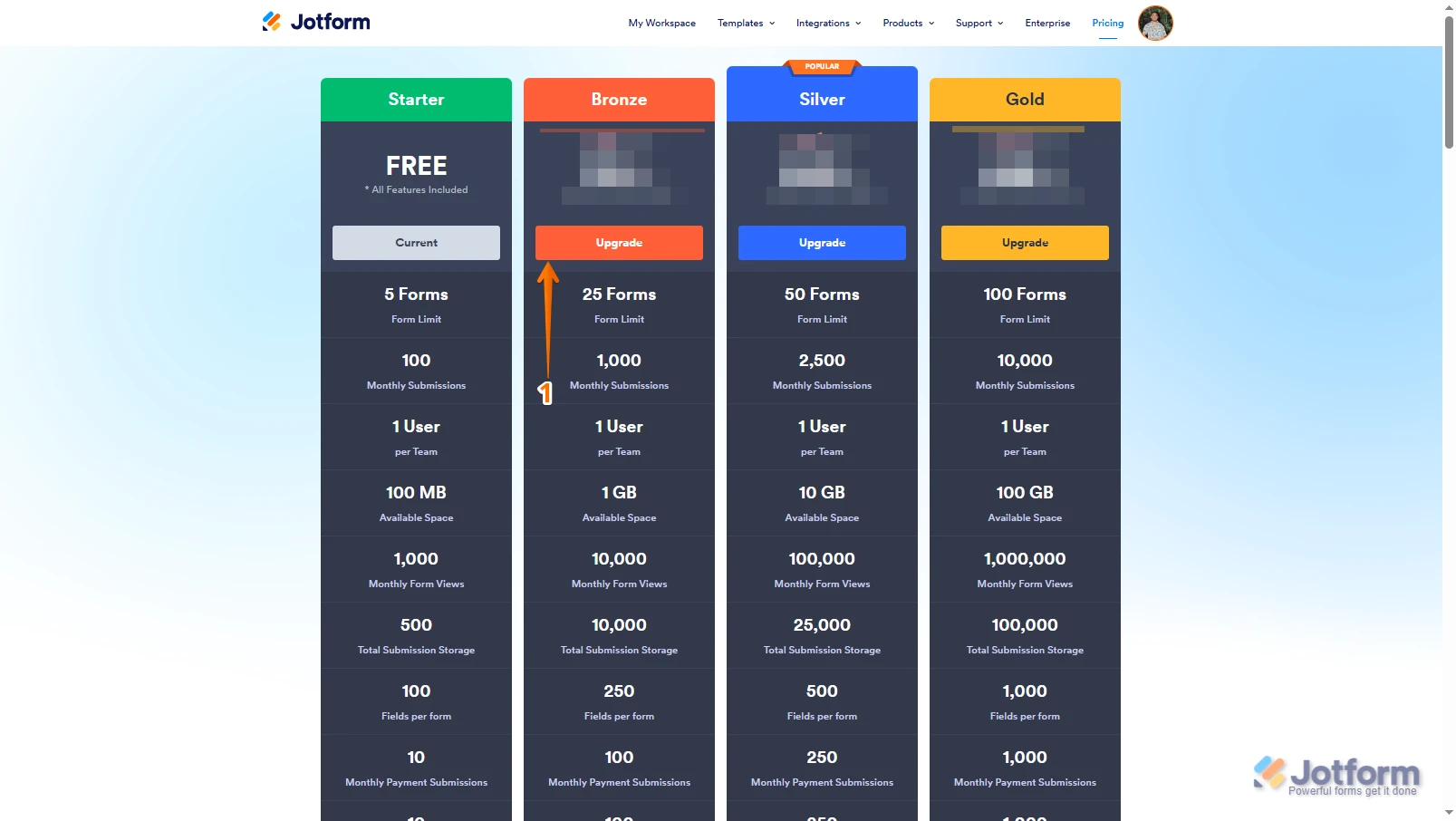
1. Log in to your Jotform account, go to the Pricing page, and click on Upgrade under the subscription plan you want.
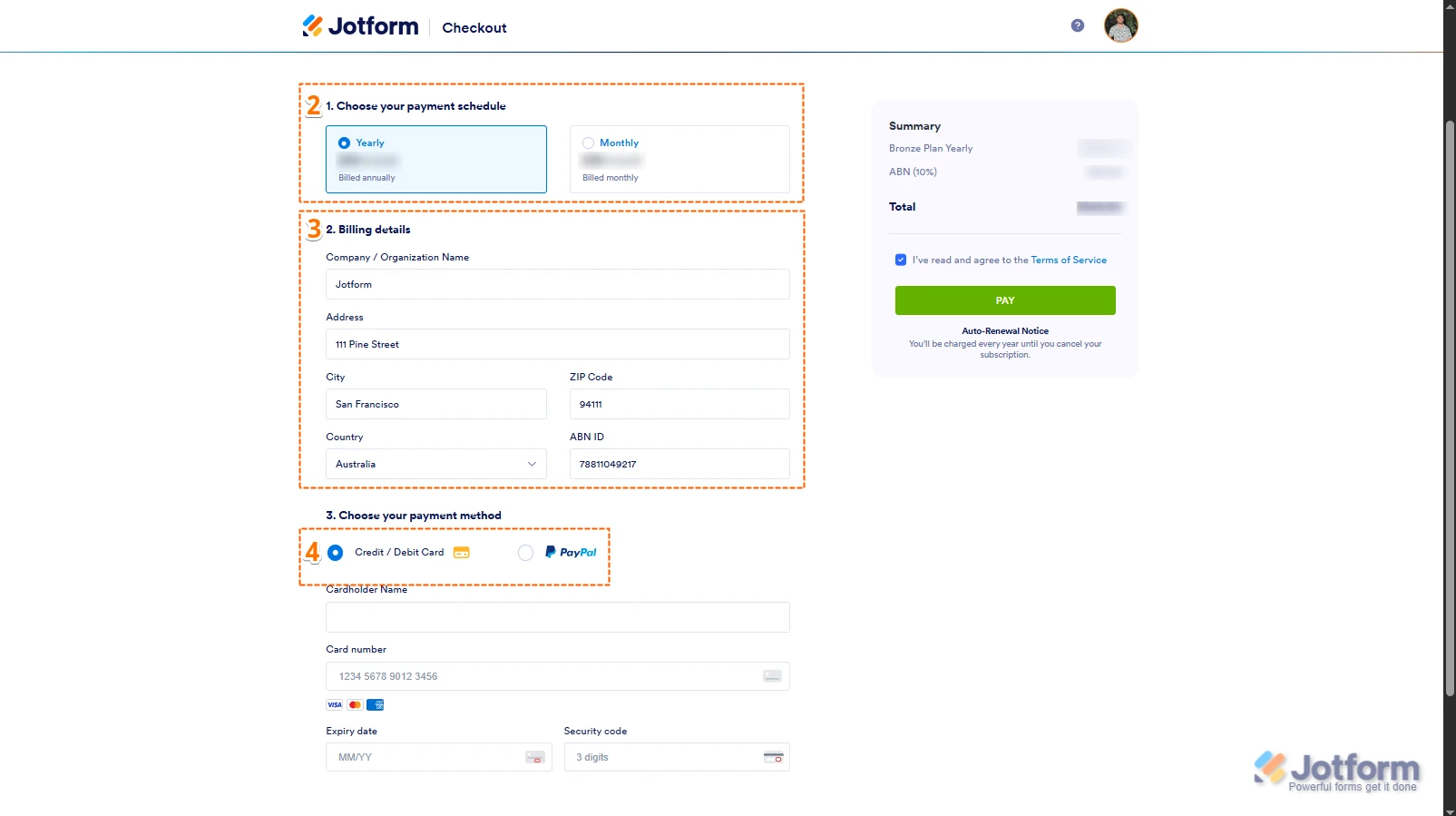
2. In the Choose Your Payment Schedule section, select Yearly or Monthly.
3. Then, enter your billing details in the Billing details section.
4. In the Choose your Payment Method section, select Credit/Debit Card or PayPal.
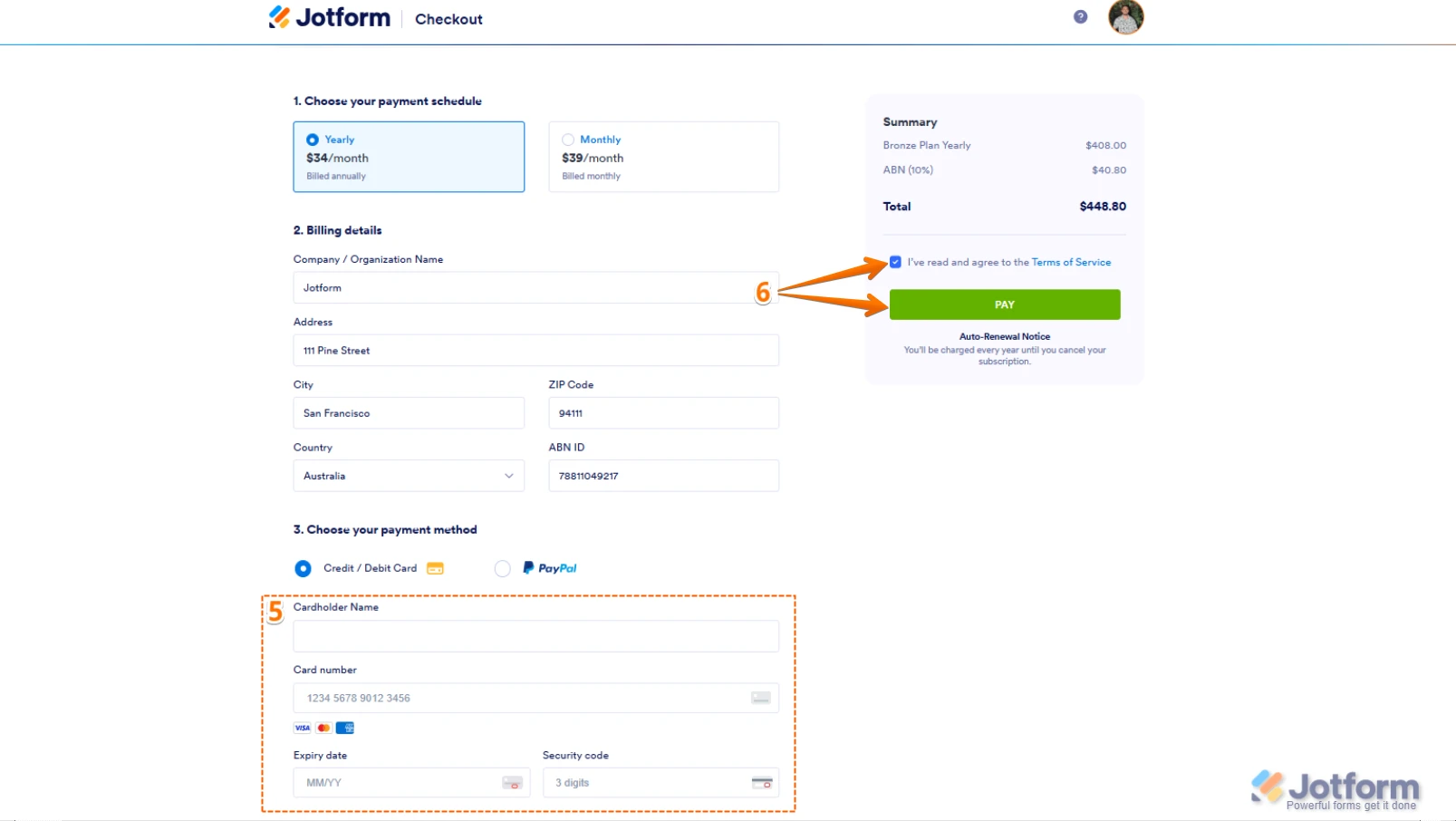
5. If you choose Credit/Debit Card, you can enter your Credit/Debit Card information below the Credit/Debit Card option.
6. Next, in the top-right corner of the page, in the Summary section, tick the box next to I’ve read and agree to the Terms of Service, and click on Pay.
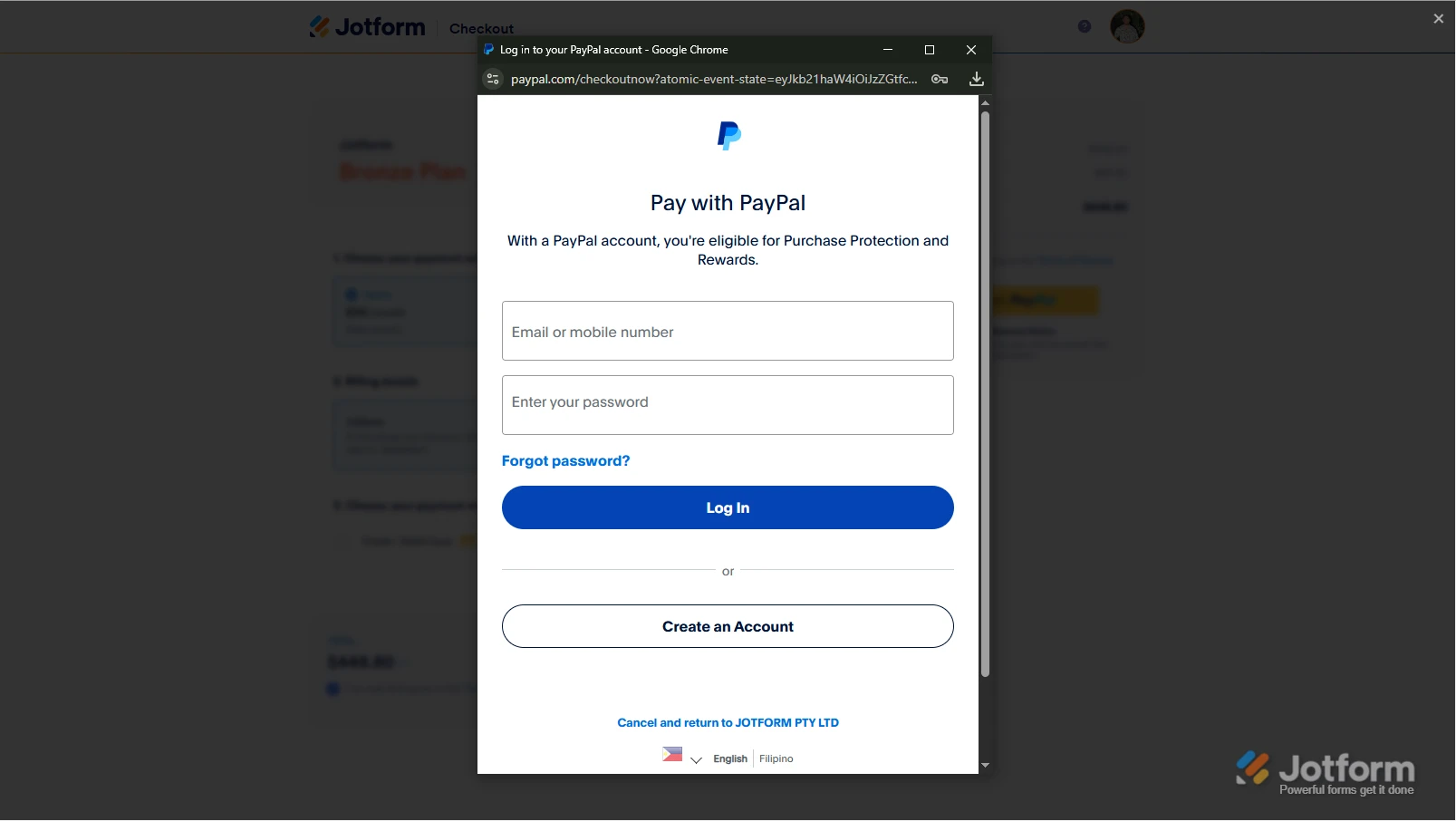
But, if you select PayPal as the payment, a PayPal Payment window will open, where you can log in and complete your payment after clicking on the Pay with PayPal button. Check out this screenshot below:After the subscription is successfully paid, the features and limits for the chosen subscription plan will be applied to your account right away.Reach out again if you have any other questions.