Push Benachrichtigung Widget für Ihre Website
Erregen Sie Aufmerksamkeit und gewinnen Sie Besucher zurück mit einer animierten Push-Benachrichtigung im Browser-Stil, die in die Ecke Ihrer Seite gleitet, einblendet, springt oder zoomt. Fügen Sie einen Titel, eine Nachricht, ein Bild und einen Button hinzu, spielen Sie einen optionalen Klingelton ab und steuern Sie Timing, Position, Häufigkeit und Targeting – alles mit einem kostenlosen No-Code-Widget, das Sie überall einbetten können.
Jetzt erstellen – kostenlos!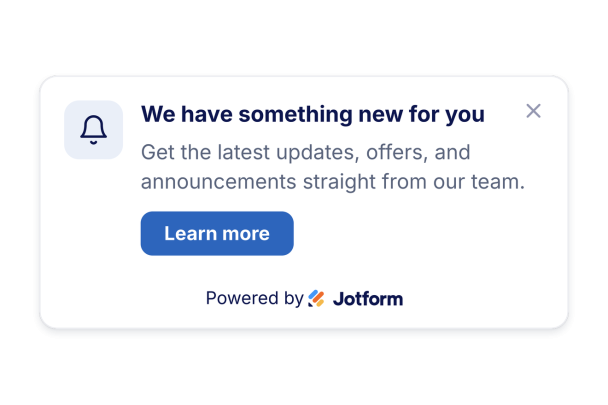

So erstellen Sie das Widget Browser Notification
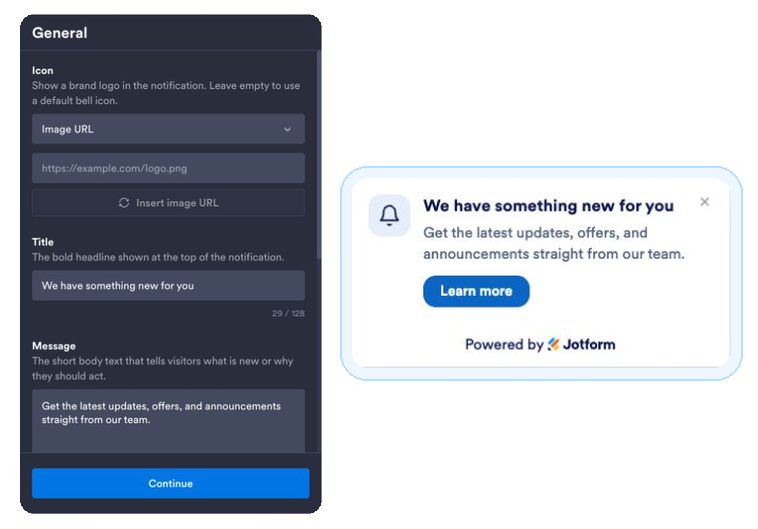
Verfassen Sie Ihre Benachrichtigung
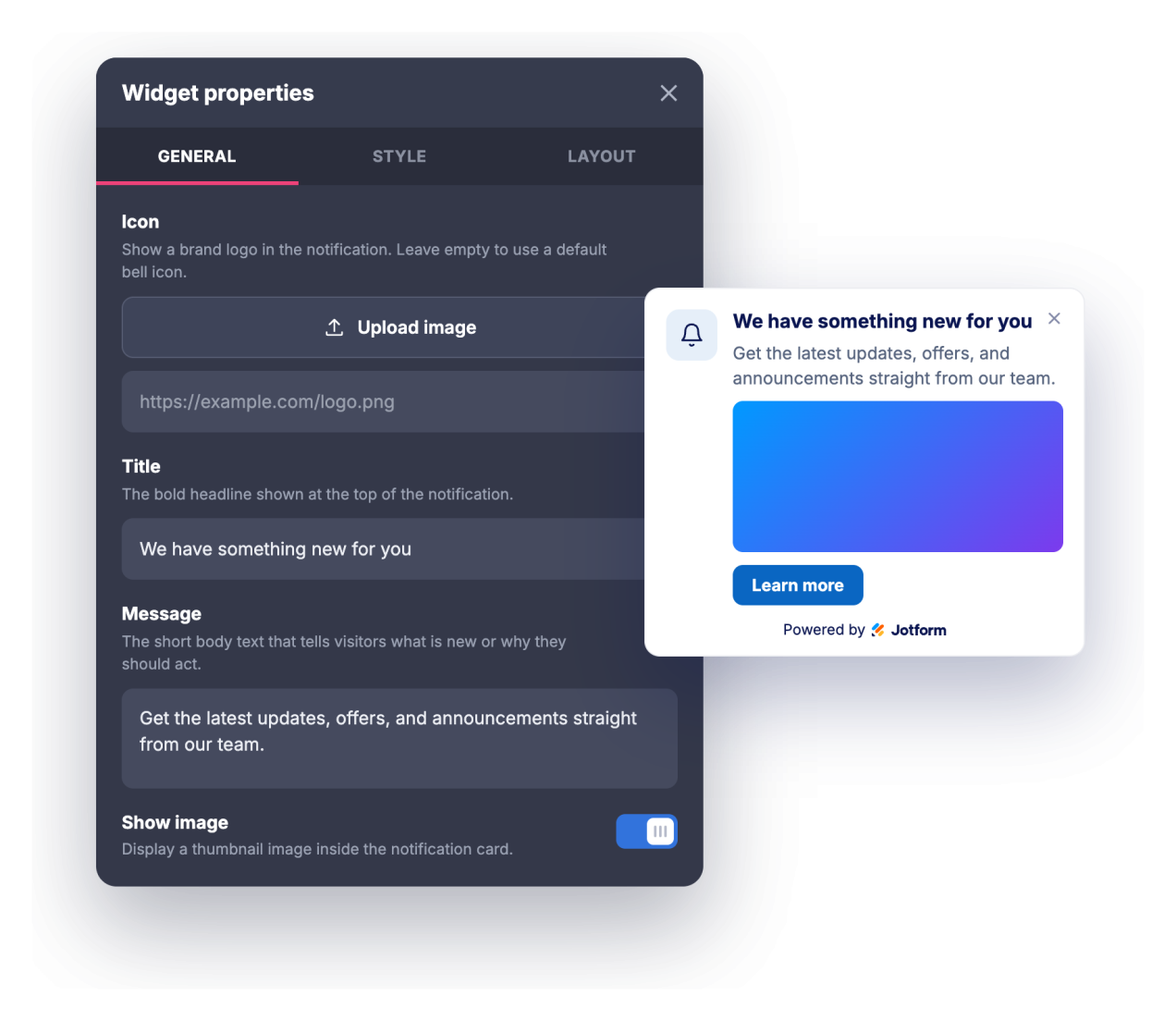
Fügen Sie einen Titel, eine Nachricht, ein optionales Icon oder Bild und einen Call-to-Action-Button-Link hinzu.
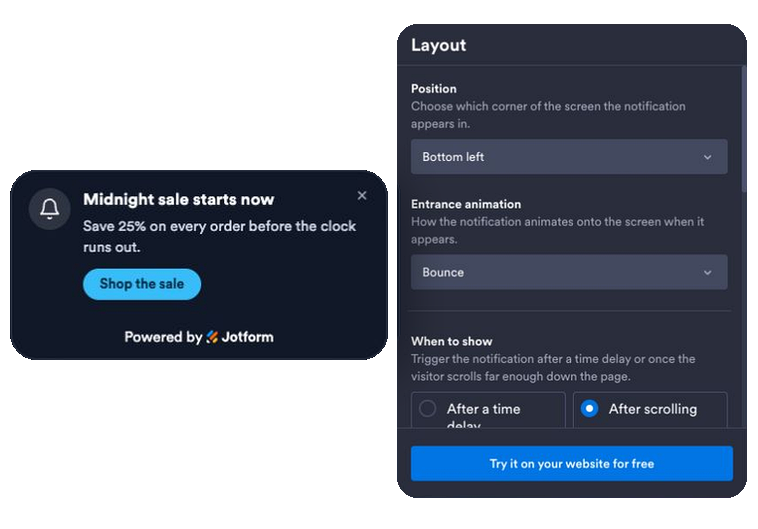
Animation, Timing und Regeln festlegen
Wählen Sie eine Eingangsanimation, einen Zeit- oder Scroll-Trigger, aktivieren Sie einen optionalen Ton oder eine echte Browser-Benachrichtigung und legen Sie die Position, Häufigkeit, Seiten und Geräte fest, auf denen sie angezeigt wird.
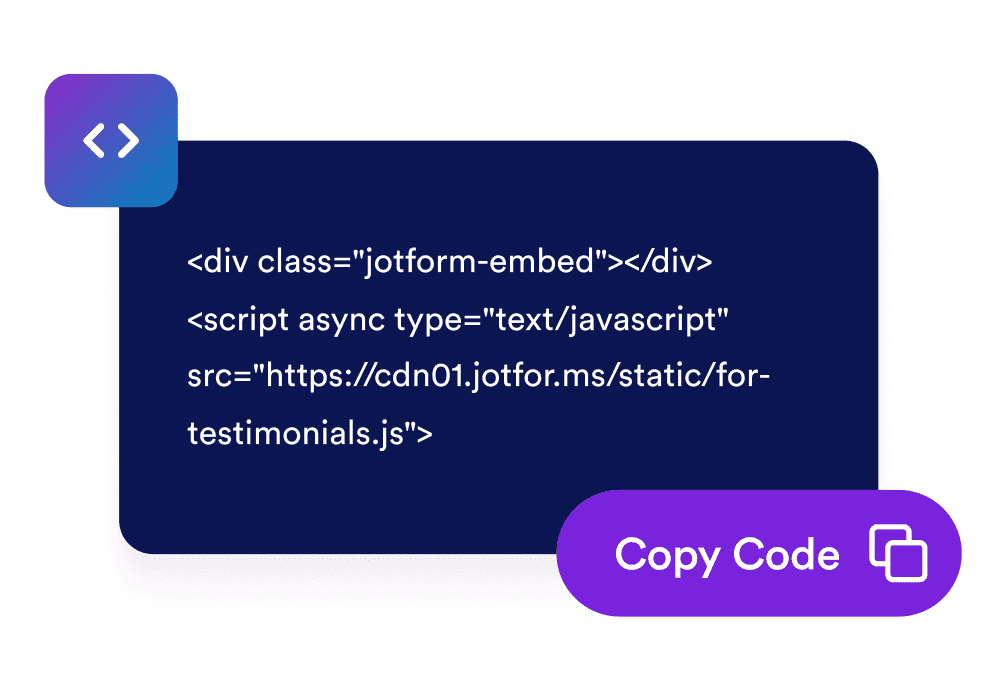
Betten Sie ihn auf Ihrer Website ein
Kopieren Sie den generierten Einbettungscode und fügen Sie ihn an einer beliebigen Stelle Ihrer Website ein, um die Benachrichtigung sofort zu starten.
Verwandeln Sie passive Besuche in Engagement
Übermitteln Sie eine zeitnahe Nachricht, die auffällt
Eine Benachrichtigungskarte im Browser-Stil wird mit Titel, Nachricht und Button in die Ecke Ihrer Seite animiert, sodass Werbeaktionen, Änderungen und Ankündigungen sichtbar werden, ohne den gesamten Bildschirm zu unterbrechen.
Mit wenigen Klicks an Ihre Marke anpassen
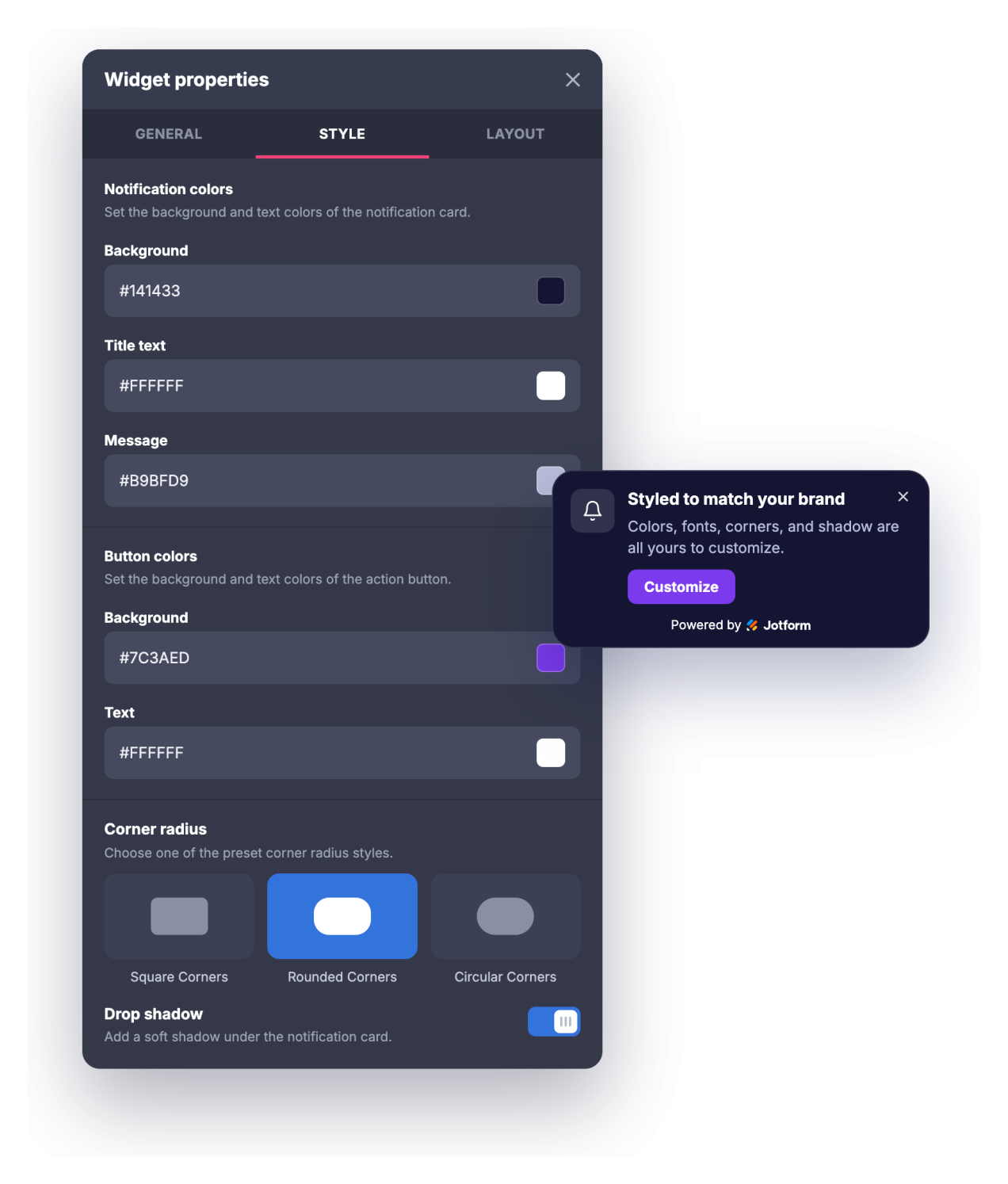
Passen Sie die Farben von Hintergrund, Titel, Nachricht und Button, die Größe von Titel und Nachricht, den Eckenradius und den Schlagschatten an, sodass die Benachrichtigung wie ein natürlicher Teil Ihrer Website wirkt und nicht wie ein generisches Popup.
Holen Sie Besucher zurück und steuern Sie die Häufigkeit
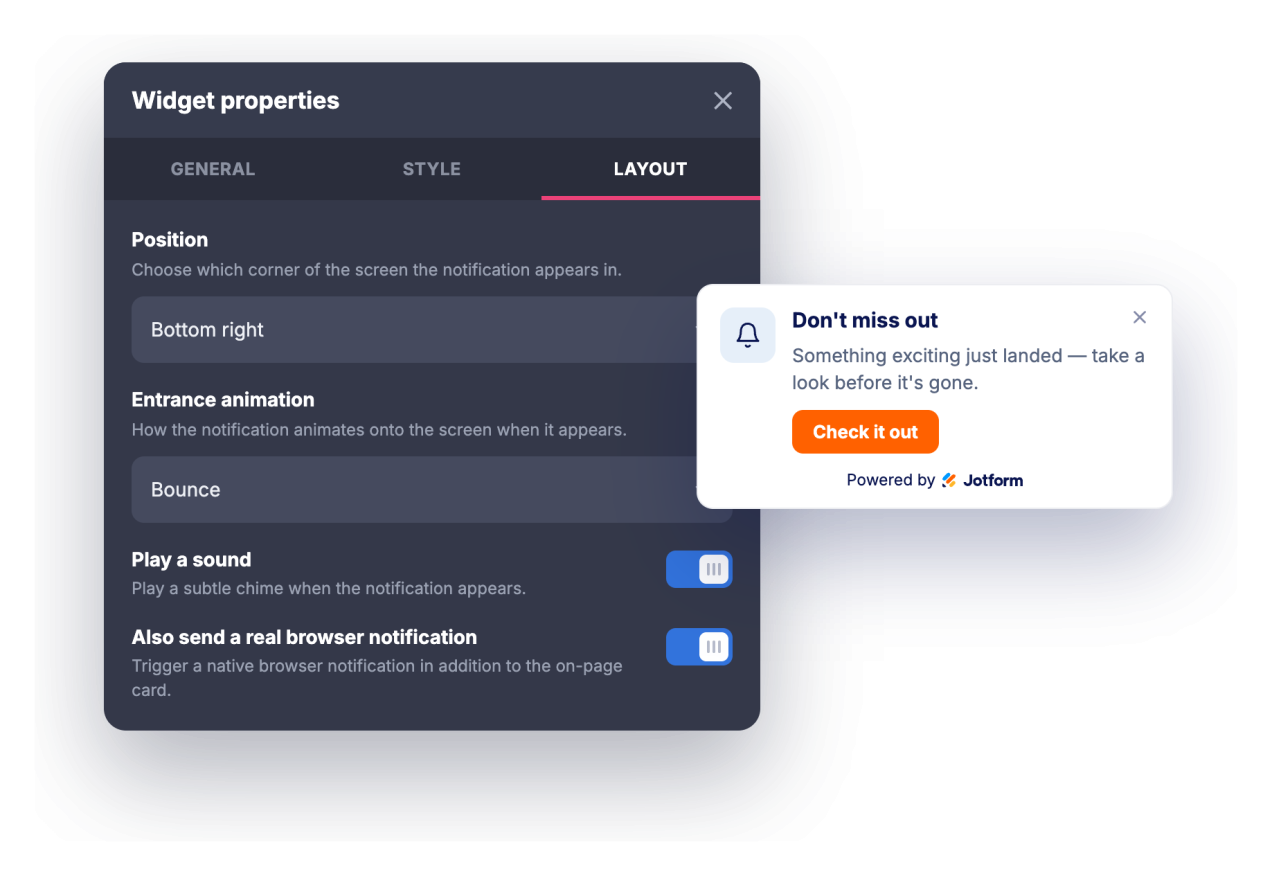
Erregen Sie Aufmerksamkeit mit einem optionalen Klingelton oder einer echten Browser-Benachrichtigung, die Besucher aktivieren können. Legen Sie anschließend eine Anzeigeverzögerung oder einen Scroll-Trigger, einen Timer zum automatischen Schließen und die Häufigkeit fest, mit der die Benachrichtigung wiederkehrt.
Sprechen Sie die richtigen Seiten und Geräte an
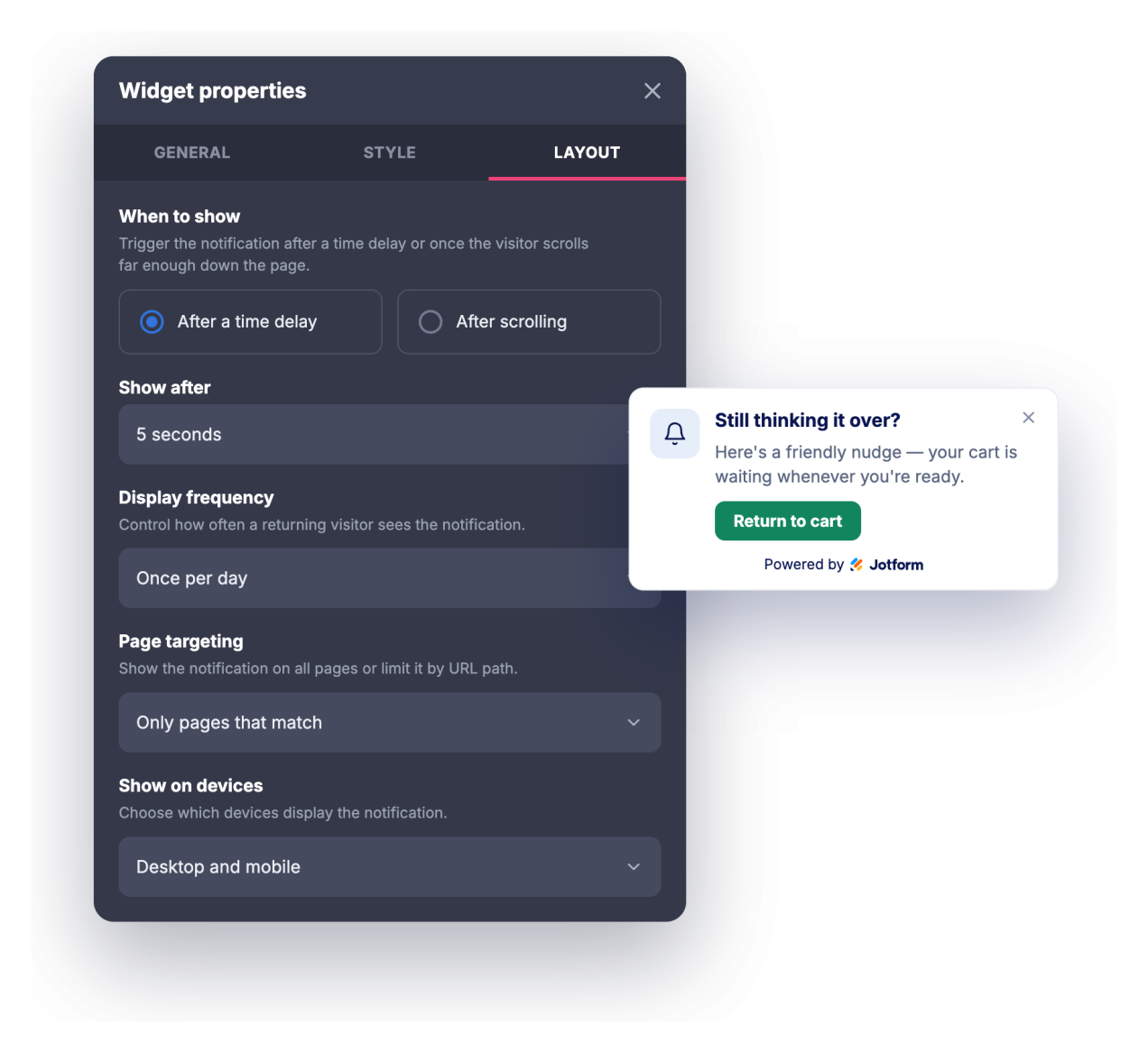
Zeigen Sie die Benachrichtigung auf jeder Seite an, nur auf Seiten mit passender URL oder überall außer auf passenden Seiten. Wählen Sie anschließend, ob sie auf dem Desktop, auf Mobilgeräten oder auf beiden erscheint.
Warum sich Jotform Website Widgets auszeichnen
Mit den Widgets von Jotform wird Ihre Website interaktiver und Sie steigern Ihre Conversion-Rate. Zur Auswahl stehen zahlreiche Tools wie Sternebewertungen, Slideshows mit Erfahrungsberichten, Pop-ups mit Social Proof und eingebettete Medien. Fügen Sie Widgets zu Ihren Formularen oder Landingpages hinzu, um Daten zu sammeln, Erfahrungsberichte anzuzeigen und Leads zu gewinnen – ganz ohne Programmierkenntnisse.
Fügen Sie Jotform-Widgets mithilfe eines Einbettungscodes in Ihre Website ein. Passen Sie das Widget an, sehen Sie sich die Vorschau an und fügen Sie den Code in jede Seite ein, die benutzerdefiniertes HTML oder Einbettungsblöcke unterstützt – ganz ohne Entwicklerinnen oder Entwickler.
Mit Jotform Website Widgets sammeln Sie Leads, zeigen Kundenfeedback, präsentieren Social Proof, binden Medien ein oder fügen nützliche Webseiten-Tools hinzu. Über jedes Widget können Besucher direkt auf Ihrer Website mit Ihrem Unternehmen interagieren.
Wenn Sie Unterstützung bei der Einrichtung, Anpassung, Einbettung oder Fehlerbehebung Ihres Widgets benötigen, steht Ihnen das Kundensupport-Team von Jotform rund um die Uhr zur Verfügung. So können Sie beruhigt weiterarbeiten, denn Sie wissen: Hilfe ist da, wenn Sie sie brauchen.
Wo Sie Ihr Browser Notification Widget einsetzen können
Setzen Sie das Widget überall dort ein, wo eine kurze, gut getimte Nachricht Besucher zum nächsten Schritt bewegen kann, ohne die ganze Seite zu übernehmen.
Landingpages, um ein zeitlich begrenztes Angebot, einen Launch oder einen Lead-Magneten hervorzuheben, sobald Besucher eintreffen
Onlineshops, um Verkäufe, Schwellenwerte für kostenlosen Versand, Rabattcodes oder wieder verfügbare Artikel in einer Eck-Benachrichtigung anzukündigen
Blogs und Content-Seiten, um einen Newsletter, einen verwandten Beitrag oder eine geschützte Ressource zu bewerben, während die Leser scrollen
SaaS- und Produktseiten, um neue Funktionen, Changelogs, Webinare oder Testaufforderungen den richtigen Besuchern zu präsentieren
Event- und Kursseiten, um Anmeldefristen, Frühbucherpreise oder Terminerinnerungen zu senden
Support- und Dokumentationsseiten, um User auf Statusänderungen, neue Anleitungen oder Kontaktmöglichkeiten hinzuweisen
Gewinnen Sie Leads als zahlende Kunden mit dem Jotform Formulargenerator
Nutzen Sie Jotform, um aus jedem Kontakt eine konkrete Maßnahme zu machen. Erstellen Sie leistungsstarke Formulare, mit denen Sie Leads erfassen, Zahlungen abwickeln und Antworten automatisieren – und das alles an einem Ort. Jede Antwort landet in Ihrem Jotform Posteingang, von wo aus Sie nachfassen oder Ihre bevorzugten Apps verbinden können.
Jetzt starten – Kostenlos!
FAQ
Was ist das Browser Notification Widget?
Das Browser Notification Widget ist eine einbettbare Karte im Stil einer Browser-Benachrichtigung, die in die Ecke Ihrer Website hineinanimiert wird, um einen Titel, eine Nachricht, ein Bild und einen Call-to-Action-Button anzuzeigen. Es bietet Eingangsanimationen, einen optionalen Ton, Typografie-Steuerelemente sowie Timing- und Targeting-Regeln. Besucher, die es erlauben, können auch eine echte Browser-Benachrichtigung erhalten, während sie sich auf Ihrer Seite befinden.
Was kann ich animieren?
Kann ein Ton abgespielt werden?
Müssen Besucher eine Berechtigung erteilen?
Kann ich steuern, wann die Benachrichtigung erscheint?
Kann ich sie nur auf bestimmten Seiten anzeigen?
Kann ich das Design anpassen?
Funktioniert es auf Mobilgeräten?
Muss ich dafür programmieren?
Ist das Browser-Benachrichtigung-Widget kostenlos?