

So erstellen Sie das Widget eBay-Bewertungen
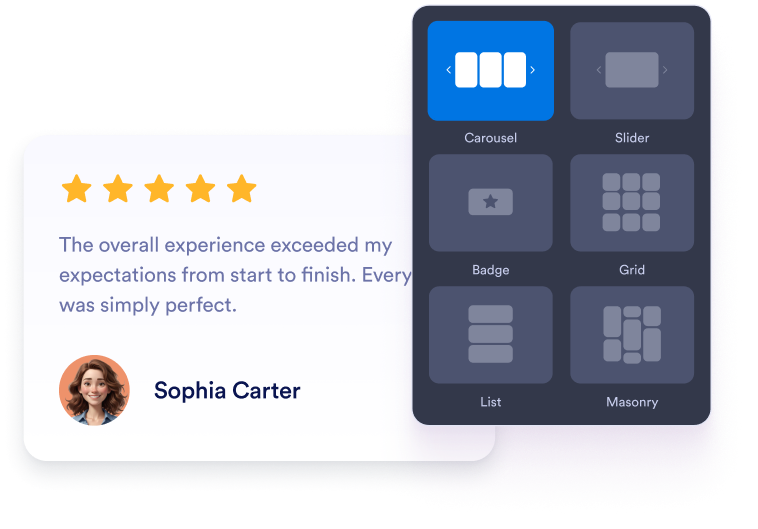
Widget anpassen
Wählen Sie Inhalt, Layout, Farben und Verhalten so, dass das Widget zum Design Ihrer Website passt.
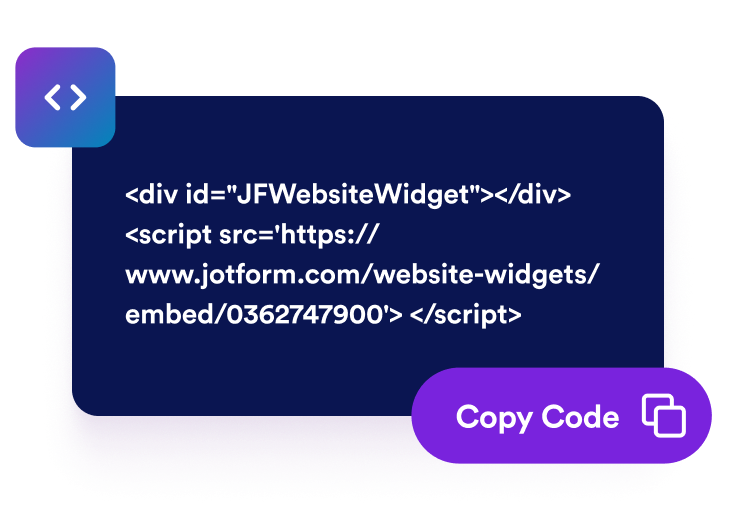
Einbettungscode kopieren
Kopieren Sie den fertigen Einbettungscode, den Jotform für Sie erstellt. Keine Einrichtung und keine Programmierkenntnisse nötig.

Überall einbetten
Fügen Sie den Code in Ihre Website ein und veröffentlichen Sie ihn. Ihre eBay-Bewertungen erscheinen sofort.
Bauen Sie Käufervertrauen mit vertrauenswürdigen eBay-Bewertungen auf
Führen Sie Käufer zu sicheren Kaufentscheidungen
Platzieren Sie positives eBay-Feedback in der Nähe von Produktdetails, Kauf-Buttons oder Shop-Informationen. Bewertungen früherer Kunden können häufige Bedenken ansprechen und Besuchern hilfreichen Kontext bieten, während sie entscheiden, ob sie bei Ihrem Unternehmen kaufen möchten.

Fügen Sie hilfreichen Bewertungskontext hinzu
Kundenfeedback fügt Ihren Shop- und Produktseiten relevante Informationen hinzu. Auch wenn eingebettete Bewertungen kein besseres Suchranking garantieren, können sie Ihre Website für Besucher informativer machen, die sich über Ihre Produkte, Ihren Service und Ihre Verkäuferreputation informieren.

Bauen Sie Vertrauen mit Käuferfeedback auf
Zeigen Sie echte eBay-Bewertungen und -Rezensionen direkt auf Ihrer Website an. Feedback früherer Käufer hilft Besuchern, die Reputation Ihres Shops einzuschätzen und die Erfahrungen anderer Kunden zu verstehen, bevor sie eine Bestellung aufgeben.

Halten Sie eBay-Bewertungen automatisch aktuell
Verbinden Sie Ihren eBay-Shop und lassen Sie das Widget mit berechtigten Bewertungen und Kommentaren synchronisiert bleiben. Neues Feedback kann automatisch auf Ihrer Website erscheinen, sodass Sie Bewertungen nicht manuell kopieren oder Ihre Seiten manuell ändern müssen.

Warum sich Jotform Website Widgets auszeichnen
Mit den Widgets von Jotform wird Ihre Website interaktiver und Sie steigern Ihre Conversion-Rate. Zur Auswahl stehen zahlreiche Tools wie Sternebewertungen, Slideshows mit Erfahrungsberichten, Pop-ups mit Social Proof und eingebettete Medien. Fügen Sie Widgets zu Ihren Formularen oder Landingpages hinzu, um Daten zu sammeln, Erfahrungsberichte anzuzeigen und Leads zu gewinnen – ganz ohne Programmierkenntnisse.
Fügen Sie Jotform-Widgets mithilfe eines Einbettungscodes in Ihre Website ein. Passen Sie das Widget an, sehen Sie sich die Vorschau an und fügen Sie den Code in jede Seite ein, die benutzerdefiniertes HTML oder Einbettungsblöcke unterstützt – ganz ohne Entwicklerinnen oder Entwickler.
Mit Jotform Website Widgets sammeln Sie Leads, zeigen Kundenfeedback, präsentieren Social Proof, binden Medien ein oder fügen nützliche Webseiten-Tools hinzu. Über jedes Widget können Besucher direkt auf Ihrer Website mit Ihrem Unternehmen interagieren.
Wenn Sie Unterstützung bei der Einrichtung, Anpassung, Einbettung oder Fehlerbehebung Ihres Widgets benötigen, steht Ihnen das Kundensupport-Team von Jotform rund um die Uhr zur Verfügung. So können Sie beruhigt weiterarbeiten, denn Sie wissen: Hilfe ist da, wenn Sie sie brauchen.
Wo Sie Ihr eBay Reviews Widget einsetzen können
Zeigen Sie Käuferfeedback auf Seiten an, auf denen Besucher Ihre Produkte, Verkäuferreputation und Ihren Service bewerten.
Vertrauensbereiche auf der Startseite, um neuen Besuchern Ihre eBay-Reputation vorzustellen.
Produktseiten, um Kaufentscheidungen mit relevanten Käufererfahrungen zu unterstützen.
Kategorieseiten, um Vertrauen aufzubauen, während Käufer Produkte vergleichen.
Versand- und Rücksendeseiten, um Informationen zu Service und Lieferung zu bekräftigen.
Promotion-Landingpages, um neben vorgestellten Produkten Social Proof zu bieten.
Kontakt- und FAQ-Seiten, um Besucher zu beruhigen, bevor sie eine Frage stellen.
Gewinnen Sie Leads als zahlende Kunden mit dem Jotform Formulargenerator
Machen Sie mit Jotform aus Interesse Taten. Erstellen Sie leistungsstarke Formulare, die Leads gewinnen, Zahlungen entgegennehmen und Antworten automatisieren – alles an einem Ort. Jede Antwort landet in Ihrem Jotform Posteingang, wo Sie nachfassen oder sie mit Ihren Lieblings-Apps verbinden können.
Jetzt starten – Kostenlos!
FAQ
Was ist ein eBay Reviews Widget?
Ein eBay Reviews Widget zeigt öffentliche Bewertungen und Kundenfeedback aus Ihrem eBay-Shop auf Ihrer Website an. Es hilft Besuchern, Ihre Verkäuferreputation einzuschätzen und die Erfahrungen früherer Käufer zu lesen, ohne die Seite zu verlassen.
Wie füge ich eBay-Bewertungen zu meiner Website hinzu?
Welche eBay-Informationen zeigt das Widget an?
Kann ich auswählen, wie meine eBay-Bewertungen angezeigt werden?
Kann ich das Design des Widgets anpassen?
Erscheinen neue eBay-Bewertungen automatisch?
Muss ich Code schreiben?
Ist das eBay Reviews Widget kostenlos?
Welche Website-Plattformen unterstützen das eBay Reviews Widget?