Online-Veranstaltungskalender als Widget für Ihre Website
Erstellen Sie Ihren Veranstaltungskalender: Legen Sie Veranstaltungen manuell an oder synchronisieren Sie sie mit Google Kalender. Besucherinnen und Besucher sehen eine übersichtliche Terminübersicht für Desktop und Mobilgeräte mit allen Details, „Zum Kalender hinzufügen” und Anmeldelinks.
Jetzt erstellen – kostenlos!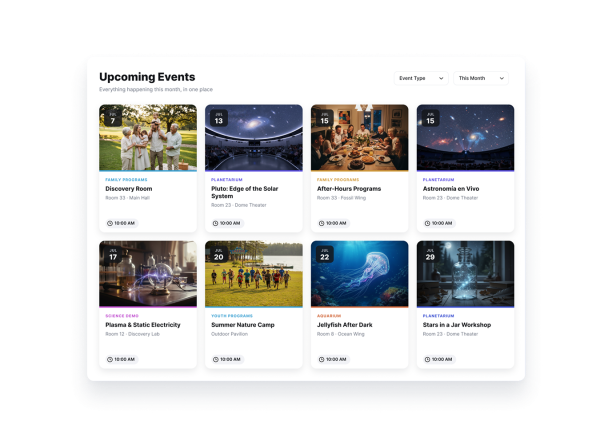

So erstellen Sie das Widget Event Calendar
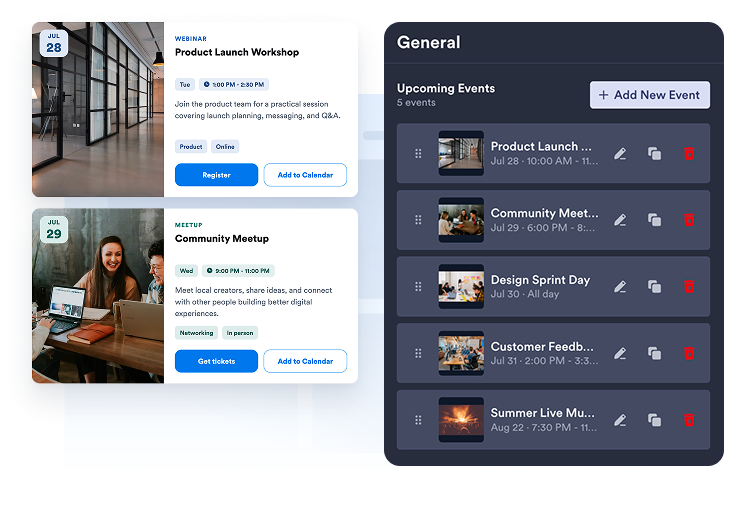
Veranstaltungen anlegen oder synchronisieren
Legen Sie ein- oder mehrtägige Veranstaltungen manuell an oder verbinden Sie Google Kalender, um Ihre Termine in beide Richtungen zu synchronisieren.
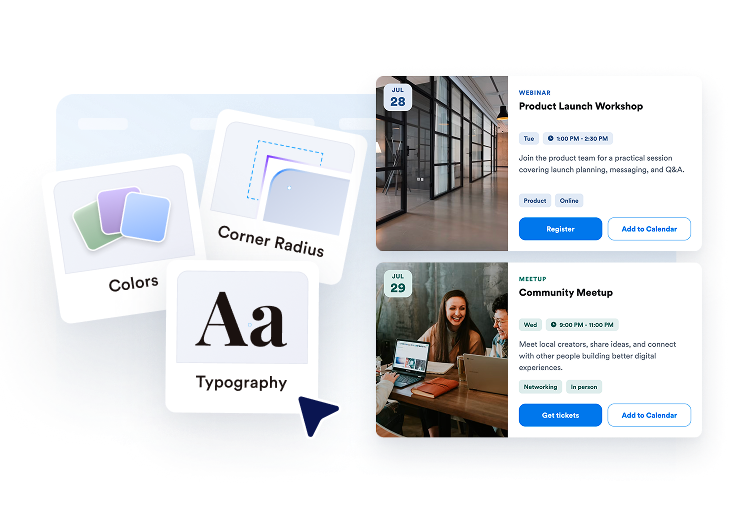
Kalender gestalten
Wählen Sie Raster, Liste, Karussell, Slider, Monats- oder Wochenansicht und passen Sie dann Design, Buttons, Kartenelemente und Popup-Details an.

Veröffentlichen Sie ihn überall
Prüfen Sie das Widget in der Vorschau, kopieren Sie den Einbettungscode und binden Sie Ihren Veranstaltungskalender auf den gewünschten Seiten Ihrer Website ein.
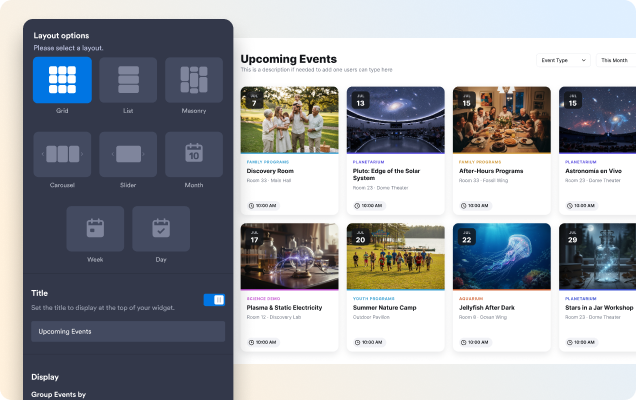
Passendes Layout für Ihre Seite wählen
Nutzen Sie eine Liste oder ein Raster zum Stöbern, ein Karussell oder einen Slider für hervorgehobene Veranstaltungen oder die Monats- und Wochenansicht für Terminübersichten nach Datum.
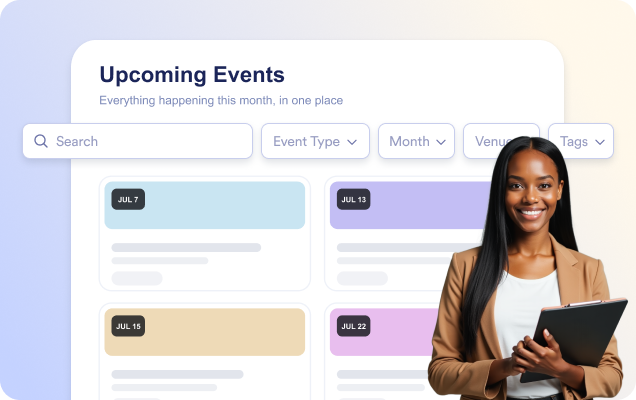
Die passende Veranstaltung schneller finden
Aktivieren Sie die Suche, damit Besucherinnen und Besucher Veranstaltungen schon während der Eingabe nach Titel, Beschreibung, Ort oder Tags finden.
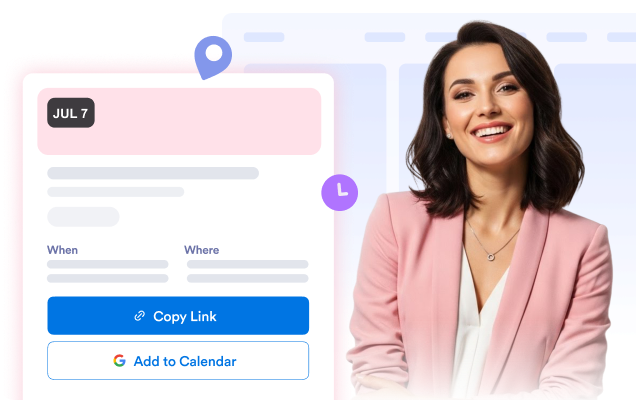
Alle Details zur Veranstaltung im Popup zeigen
Öffnen Sie ein übersichtliches Popup mit Datum und Uhrzeit, Ort, Beschreibung, Medien, Tags, einem Button mit Link und „Zum Kalender hinzufügen".
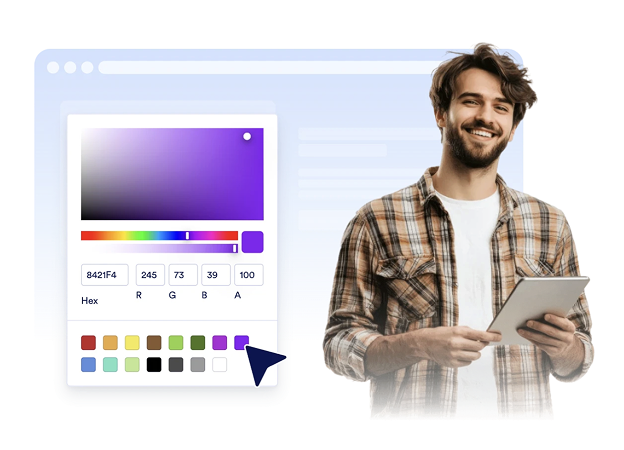
Kalender an Ihre Website anpassen
Wählen Sie ein helles, dunkles oder eigenes Design und passen Sie dann die Farben von Karten, Text und Buttons sowie die Eckenrundung an.
Warum sich Jotform Website Widgets auszeichnen
Mit den Widgets von Jotform wird Ihre Website interaktiver und Sie steigern Ihre Conversion-Rate. Zur Auswahl stehen zahlreiche Tools wie Sternebewertungen, Slideshows mit Erfahrungsberichten, Pop-ups mit Social Proof und eingebettete Medien. Fügen Sie Widgets zu Ihren Formularen oder Landingpages hinzu, um Daten zu sammeln, Erfahrungsberichte anzuzeigen und Leads zu gewinnen – ganz ohne Programmierkenntnisse.
Fügen Sie Jotform-Widgets mithilfe eines Einbettungscodes in Ihre Website ein. Passen Sie das Widget an, sehen Sie sich die Vorschau an und fügen Sie den Code in jede Seite ein, die benutzerdefiniertes HTML oder Einbettungsblöcke unterstützt – ganz ohne Entwicklerinnen oder Entwickler.
Mit Jotform Website Widgets sammeln Sie Leads, zeigen Kundenfeedback, präsentieren Social Proof, binden Medien ein oder fügen nützliche Webseiten-Tools hinzu. Über jedes Widget können Besucher direkt auf Ihrer Website mit Ihrem Unternehmen interagieren.
Wenn Sie Unterstützung bei der Einrichtung, Anpassung, Einbettung oder Fehlerbehebung Ihres Widgets benötigen, steht Ihnen das Kundensupport-Team von Jotform rund um die Uhr zur Verfügung. So können Sie beruhigt weiterarbeiten, denn Sie wissen: Hilfe ist da, wenn Sie sie brauchen.
Gewinnen Sie Leads als zahlende Kunden mit dem Jotform Formulargenerator
Machen Sie mit Jotform aus Interesse Taten. Erstellen Sie leistungsstarke Formulare, die Leads gewinnen, Zahlungen entgegennehmen und Antworten automatisieren – alles an einem Ort. Jede Antwort landet in Ihrem Jotform Posteingang, wo Sie nachfassen oder sie mit Ihren Lieblings-Apps verbinden können.
Jetzt starten – Kostenlos!
FAQ
Was ist das Veranstaltungskalender-Widget von Jotform?
Mit dem Veranstaltungskalender-Widget von Jotform zeigen Sie anstehende Veranstaltungen in einem übersichtlichen Online-Veranstaltungskalender oder als Liste an. Datum, Uhrzeit, Ort, Beschreibung, Bilder und Anmeldelinks stehen direkt dabei, sodass Besucherinnen und Besucher Ihre Veranstaltungen leicht finden und sich anmelden können.
Kann ich das Widget mit Google Kalender verbinden?
Kann ich wiederkehrende und mehrtägige Veranstaltungen hinzufügen?
Kann ich Besucherinnen und Besucher auf eine Anmeldeseite für die Veranstaltung weiterleiten?
Kann ich das Erscheinungsbild des Veranstaltungskalender-Widgets anpassen?
Können Besucherinnen und Besucher nach Veranstaltungen suchen?