Glücksrad-Widget
Create Your Own Spinning Wheel Widget in Seconds for Your Website
Build a spin-to-win campaign with editable prizes, promo codes, email capture, display modes, weighted win chances, result messaging, and brand styling.
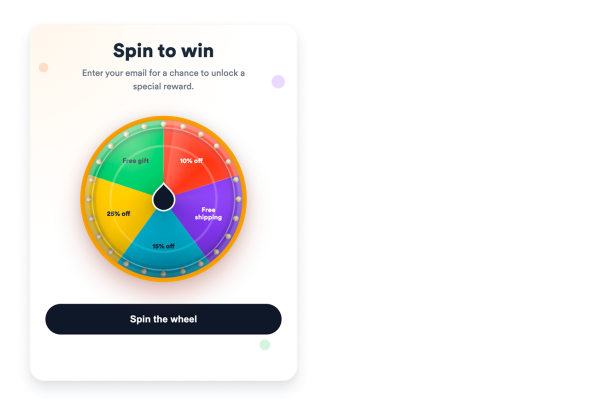

Create Up to 10 Prize Segments
Add discounts, free shipping, gifts, mystery prizes, or VIP offers with editable labels and promo codes.
Prize controls include:
Prize labelsPromo codesEqual chancesCustom chances
Collect Emails Before Visitors Spin
Add an email gate so visitors enter a valid address before spinning, then reveal a personalized result and reward code.
Lead controls include:
Email fieldResult messageReward codeCTA-Button

Choose Popup, Floating, or Embedded Display
Place the wheel inside your content, show it as a popup, or keep it available as a floating campaign card with trigger controls.
Display controls include:
EmbeddedPop-upSchwebendTrigger