-
 desherbesetdesfleurs
 -
 liyam
liyamHello,
As it appears, your form's calendar months are not automatically translated to your default language. A workaround you can do is enable your form's translation settings then set your primary as English and add another language in French and then set your translations there.
Here are the steps:
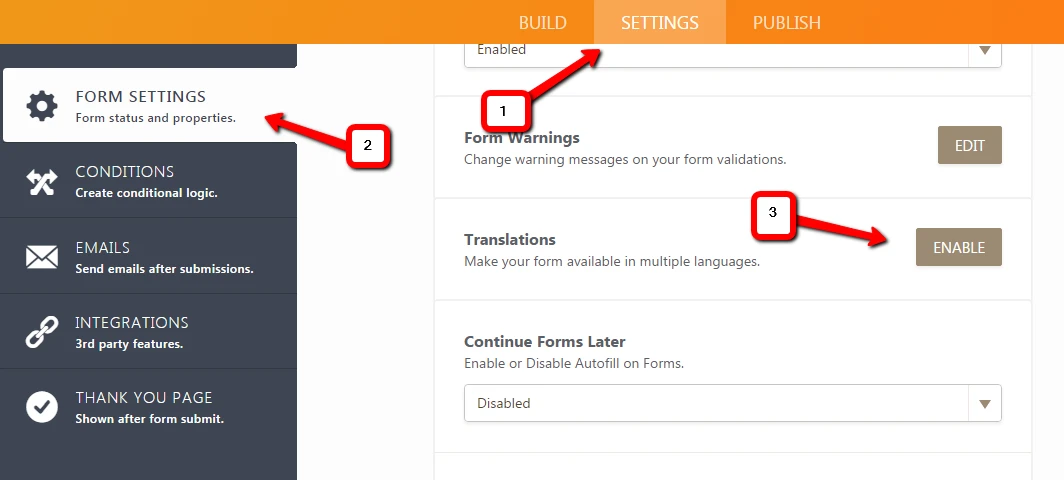
1) Edit your form and go to the SETTINGS tab
2) Click FORM SETTINGS
3) Expand the list and Click the ENABLE button for Translations.

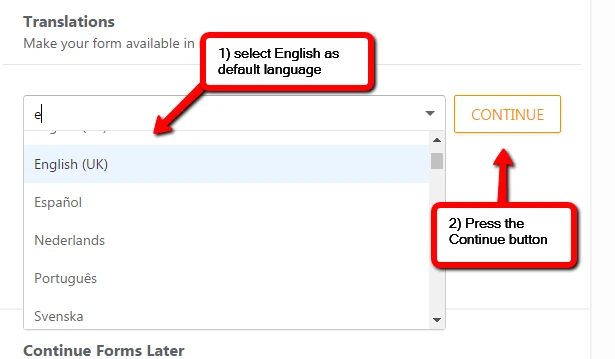
Next, select English as your default language
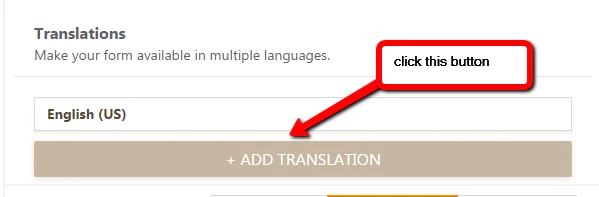
And then Add the French language next
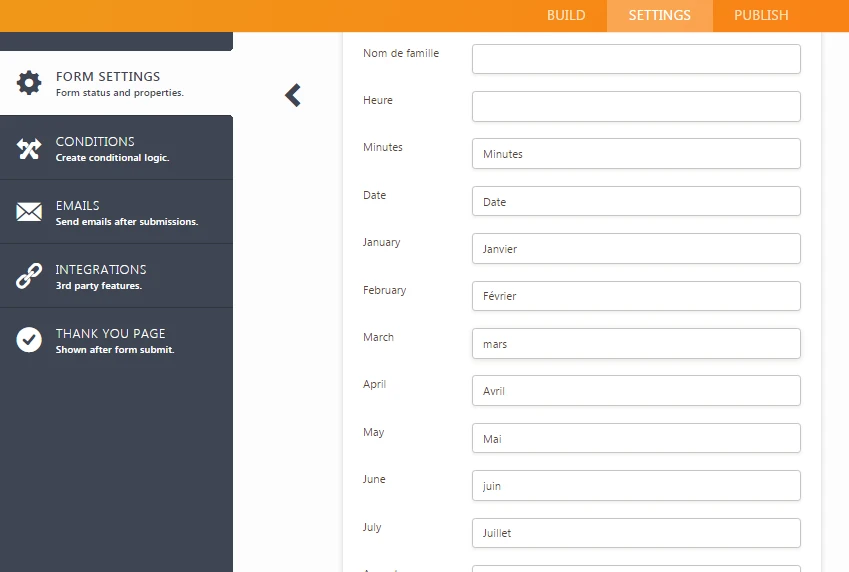
Once added the French language, it should open the wizard where there are translated words which are to be used on your form. I recommend the blank fields to be filled as well
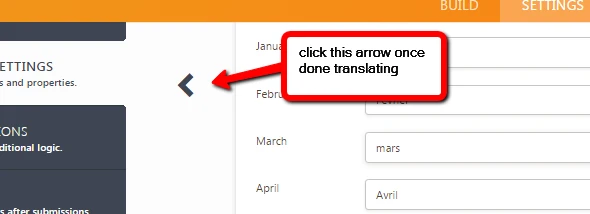
Once completed with your translations, click the left arrow to go back to your Form Settings page
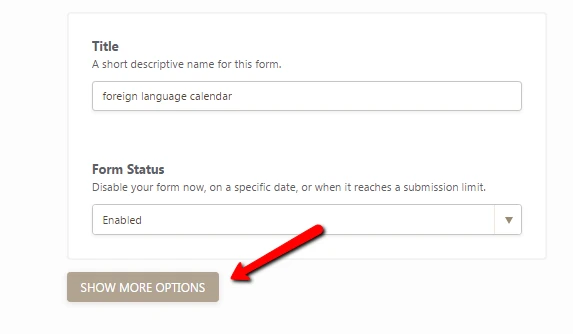
Click again the Show More Options button to expand again the list
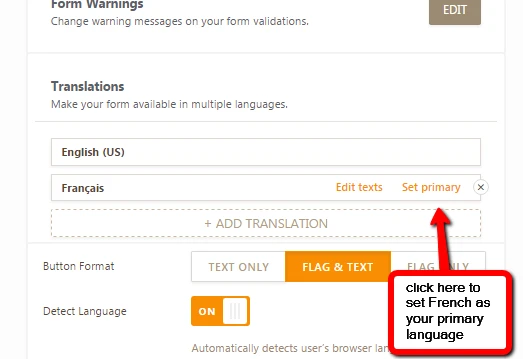
Now set your preferred language as your Primary Language
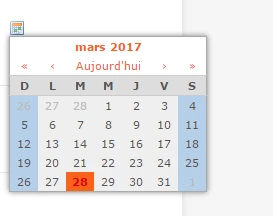
Once your settings are saved, you will notice on your published form that you have your translations working, including on the date
If you have questions, please let us know.
Thanks.
-
desherbesetdesfleurs
Merci beaucoup.
C'est OK