-
 romualdjustine
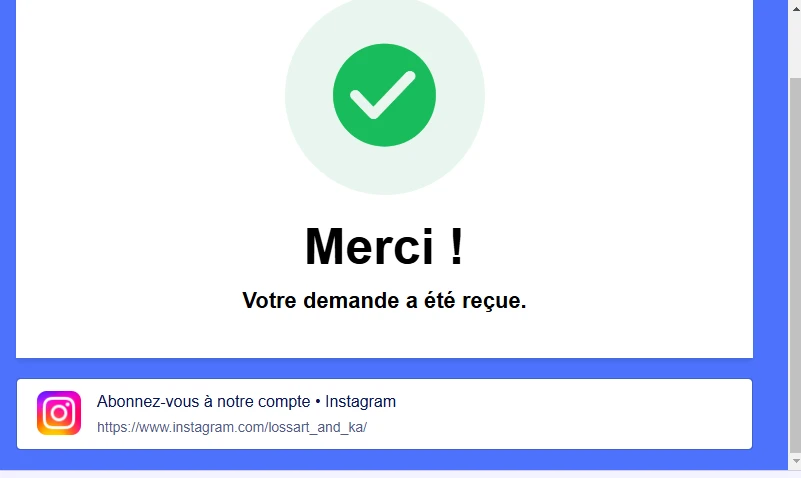
Bonjour, j'ai supprimé involontairement le bouton permettant d'ajouter à l'agenda le rendez-vous pris dans la page de remerciement et je n'arrive plus a le mettre de nouveau. Pouvez-vous m'aider svp.

-
 Jotform Support Former Jotform Support
Hi Romuald,
Thanks for reaching out to Jotform Support. Unfortunately, our French support agents are busy helping other Jotform users at the moment. I'll try to help you in English using Google Translate, but you can reply in whichever language you feel comfortable using. Or, if you'd rather have support in French, let us know and we can have them do that. But, keep in mind that you'd have to wait until they're available again.
As for your question, Adding a button on the Thank You page is easy. Let me show you how:
- In Form Builder, in the orange navigation bar at the top of the page, click on Settings.
- Click on Thank You Page in the menu on the left side of the page.
- Now, click on the Action Buttons on top of the Thank You page content.
- Select Visit URL on the Action Buttons selection, on the window that will pop-up, enter the URL and the URL title.
That's it. Give it a try and let us know how it goes.
-
Bonjour, cela ne répond pas à ma question. car je n'ai pas l'URL de pour enregistrer dans les agenda les rendez-vous enregistrés sur le forms...
Ma demande est la suivante : comment ajouter à nouveau les boutons pour ajouter à l'agenda de l'utilisateur (Outlook et Google Agenda etc...)
-
Jotform Support Former Jotform Support
Hi Romuald,
I checked your revision history, but I couldn't find the previous version of your Thank You page. Do you have a sample or screenshot of the previous Thank You page? This will help us understand what you're aiming for. Are you looking for something similar to the one in the screenshot?
Once we hear back from you, we'll be able to help you with this. -
romualdjustine
Bonjour je comprends mais je n'ai pas de capture.
C'était certainement dans les emails de rappel ou il était inscrit : Google / Outlook / iCal.
Cela était tout en bas du mail mais il n'y est plus dutout
-
Jotform Support Former Jotform Support
Hi Romuald,
You mentioned that it was in the reminder email, are you referring to the Notification Email? Can you also explain more about the button that you're pertaining to.
Once we hear back from you, we'll be able to help you with this.
-
romualdjustine
Bonjour,
Je fais référence a ce mail qui est envoyé une fois le rdv réalisé :
Comme vous pouvez le voir il y a normalement deux boutons qui permettent d'ajouter le rdv enregistré à l'agenda mais je ne peux pas cliquer dessus..Malheureusement pour le moment vous ne m'avez aidé à trouver aucune solution à mes difficultés.
-
romualdjustine
Voici le mail que j'avais au début mais je n'ai jamais réussi à annuler un rdv là dessus ou à en reprogrammer un.
Les liens ne fonctionnent pas et pourtant je n'avais pas encore réalisé de modifications aux mails de confirmation.
-
Jotform Support Former Jotform Support
Hi Romuald,
Unfortunately, this won't work as it's just a test email. Could you try scheduling an appointment instead of clicking on the Test Email to test the email?
Give it a try and let us know how it goes.

 Once we hear back from you, we'll be able to help you with this.
  Comme vous pouvez le voir il y a normalement deux boutons qui permettent d'ajouter le rdv enregistré à l'agenda mais je ne peux pas cliquer dessus..